
One thing that many customers always want is more transparency. Some are waiting for feature X, others want to know how things are going with bug Y or the further development of module Z. To give you a clearer insight into our development, our new JTL Issue Tracker is being launched today. Here we explain what’s behind it, how you can use it and, above all, where you can find it.
More knowledge required
Every new release of our software raises similar questions and customers ask us these questions again and again at our events. “When will you implement my desired feature?” “You’ve already announced function X, how far along is development?” “Is it worth switching to the new version? There’s still bug Y, I don’t want to switch until it’s fixed.”
We understand these concerns. What’s more, software development can appear chaotic to outsiders, whereas internal processes are naturally growing. This process is not always easy to communicate. This is why the aspect of development transparency has been on our agenda for some time. With the introduction of new structures and changes to old ones, we can now provide you with these insights into the current state of development.
More insights delivered
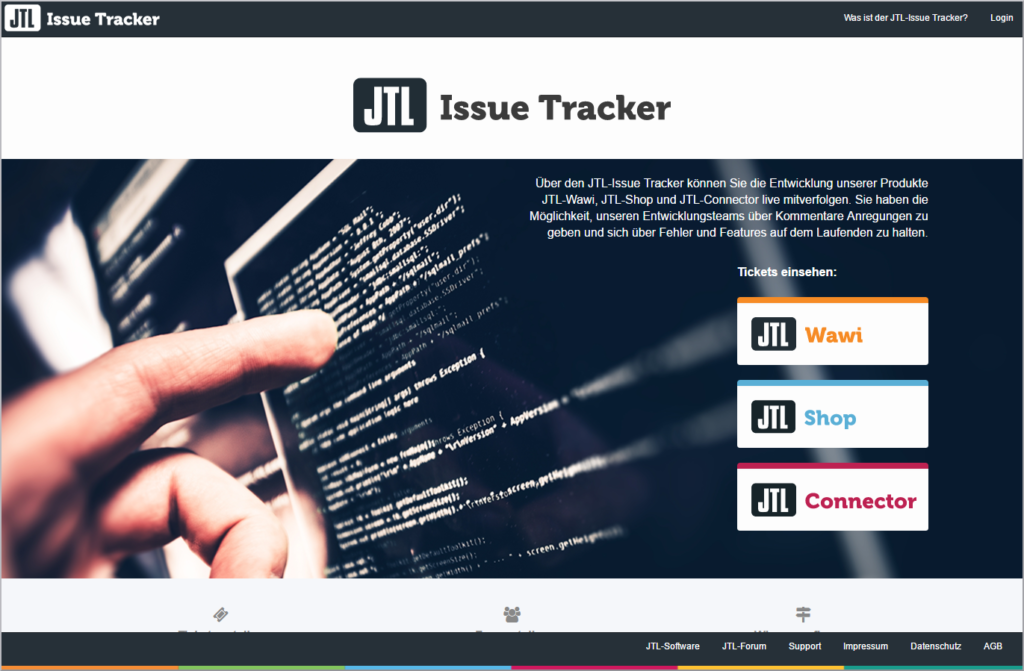
The new issue tracker provides the aforementioned remedy. Basically, it is a ticket system that can be viewed from the outside, in which our developers record their activities, developments and ideas. We also record your suggestions for enhancements and/or changes there. The issue tracker will therefore also replace our previous feedback page in the long term, which was not able to provide the necessary overview but was also outside of our usual systems. In the coming months, we will gradually transfer the points there to the JTL Issue Tracker.
The new platform allows you to follow the resolution of bugs, experience the development of new ideas as they are worked out and implemented and actively participate in the processes using the integrated comment function. All this in a clearly structured form that is integrated into the ticket system we use internally.
This means that customers cannot create their own tickets there. Instead, you can use the usual support tickets not only to report bugs, but also to submit suggestions for our products, which can also be added to the issue tracker on request.
So that you don’t lose your voting rights, you can also make use of them in the issue tracker. This is where you can vote for the best new proposals and let us know which new feature is particularly important to you.
The JTL Issue Tracker is now available here:
https://issues.jtl-software.de/
Guidelines for use
If you are now wondering how the Issue Tracker actually works, we have summarized it briefly here:
Registration
An account for the issue tracker is only necessary if you want to comment on, monitor or vote on something there. However, all issues can also be viewed without a login or registration. But: If you have an account in the Customer Center, you are already registered. This means that all existing customers already have access.
Login
If you want to leave a comment in one of the issues or vote for one of the suggestions, you must first log in. As already mentioned, your access data is identical to that of the Customer Center.
Issues at a glance
On the start page, you can choose between tickets for the JTL-Wawi, JTL-Shop and JTL-Connector areas. You also have a comprehensive search function at your disposal. You can quickly navigate to the desired search result using a free text search, various filter options or the corresponding ticket ID.
Feedback / comments for a ticket
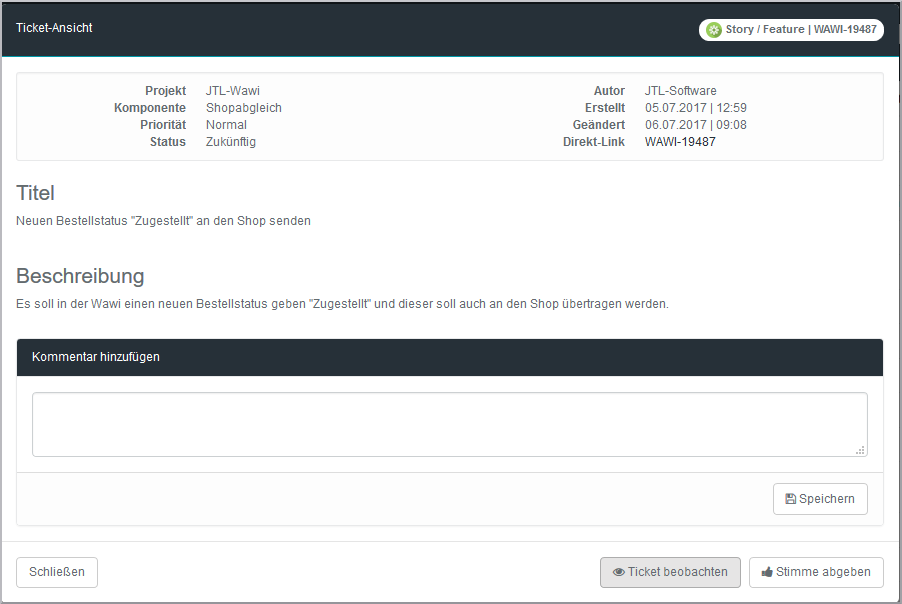
As mentioned above, you can use the voting function to draw attention to specific topics. The comment function, which is available to you after logging in, allows you to make constructive comments on the respective topic. We may delete inappropriate content, spam and off-topic comments. For the sake of clarity, however, we ask you to avoid these from the outset.
Monitor the status of an issue
You can use the “Monitor ticket” button to be informed about future changes and new comments in the ticket via the e-mail address stored in the customer center.
Report bugs / suggest features
You can report bugs as usual via the support button in the customer center or, if not otherwise possible, in the JTL forum. You can also submit suggestions for new functions via the support tickets. We will convert these into tickets for the issue tracker after an internal review. We will of course send you the link to the ticket there so that you can monitor your request. So if you have ever doubted the sentence “We will pass your request on to development”, you can now be convinced otherwise.
You can of course also find detailed instructions on the issue tracker in the JTL-Guide:
The Issue Tracker in the JTL-Guide
Conclusion
The JTL Issue Tracker will allow you to better track how certain elements of our products are developing. Of course, this overview is not complete – certain projects will continue to be developed behind closed doors, at least until we present them to the wider public. However, if you don’t want to switch to a version of JTL-Wawi until a certain function has been integrated or a bug has been fixed, you can now use the issue tracker as a guide. And those who are curious about the progress of suggestions and ideas should also be kept up to date from now on.