Free JTL-Wawi Download
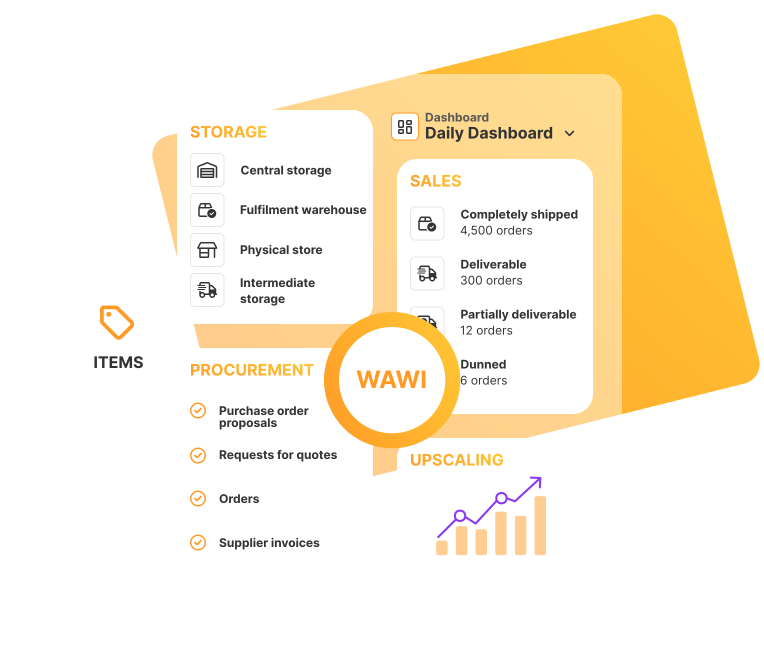
Get started in eCommerce now with JTL-Wawi and benefit directly from smart processes for purchasing, sales, warehousing and shipping – download once, use forever.
Over 50,000 online retailers rely on JTL software.







Bring your eCommerce to its full potential - with the free ERP system from JTL
Convinced?
TUTORIALS, DOCUMENTATION & SUPPORT
Getting started with your JTL-Wawi download
Our video tutorials guide you step by step through the setup of JTL-Wawi and familiarize you with the most important functions.
General info Questions about the ERP system JTL-Wawi
Yes, the download costs you nothing and after the local installation, the JTL-Wawi software in the “JTL Start” edition is available to you completely free of charge – without time limits and hidden fees.
As your company grows, you can upgrade to a higher edition with an extended range of functions at any time – flexibly and without a contract. Our fee-based editions also offer an exceptionally good price-performance ratio compared to the competition.
Yes, after downloading, the ERP system can be used in both single-user and multi-user mode:
- Single-user operation: Application and database run on the same Windows computer. This variant is ideal for smaller companies with a low data load or for testing.
- Multi-user operation: Several workstations access a central database via the company network – perfect for teams or data-intensive processes.
Minimum requirements for running JTL-Wawi:
Single-user setup
- Operating system: Windows 10 or 11
- Processor: Intel-compatible, at least 1.4 GHz
- RAM: from 512 MB (4 GB recommended when using Reporting Services)
- .NET Framework: Version 4.8
- Screen resolution: at least 1280 × 1024 pixels
- Hard drive space: at least 6 GB + additional space for the SQL database
Multi-user setup (with central SQL Server)
- Server operating system: Windows 11; Windows Server 2016 or higher
- Limitation: SQL Server Express is limited to 1 GB RAM, 4 CPU cores, and a maximum database size of 10 GB.
JTL-Wawi is optimized for Windows and cannot be installed directly on macOS. However, there are two proven alternatives: With JTL-Wawi Cloud, you can access the ERP system via a browser, remote desktop, or app launcher. Alternatively, Windows can be installed on a Mac to run JTL-Wawi locally.
Yes, with SQL database hosting you can run the JTL-Wawi database on JTL servers. You install the Application locally, while your data is hosted centrally and fail-safe – ideal for location-independent multi-user operation. The service costs €69.99 per month and gives you predictable costs without maintenance costs.
You can install JTL-Wawi on your own after the download – supported by our installation instructions in the JTL-Guide.
Alternatively, our support team can set it up for you:
- Single-user installation service – ideal for a quick start
- Multi-user installation service – incl. optional setup of the SQL server for multiple workstations
The services are available from €79.99 and help you to set up JTL-Wawi professionally on your system without any prior technical knowledge.
Yes If you would like assistance with the initial setup, you can book our setup service for JTL-Wawi for a one-time fee of €149. Our support team will create your company client and, as an example, a category, an item, and a customer for you. On request, we can also integrate your JTL shop, a marketplace, or the payment module so that you can start working in JTL-Wawi right away.
Yes, in our free beginner’s training course “Getting started with JTL” (conducted in German) we show you, among other things, a complete initial setup of JTL-Wawi – ideal for anyone who wants to get started in a structured way and with basic know-how.
Our sales team will be happy to help you – regardless of whether you have initial questions or concrete project plans. Simply book a free initial consultation via our website.





