Most of our JTL-WMS customers are already familiar with it: our JTL-WMS Mobile App, which can be used to simplify numerous warehouse processes. Nevertheless, I would like to use today’s blog post to present the application to you in detail. Even if you are already a user, it’s worth reading on at this point. Because I’ll also tell you what new features you can look forward to from version 1.6.
May I introduce? The new JTL-WMS Mobile App
We released the JTL-WMS Mobile App in 2015, and we are currently releasing further versions in parallel with JTL-Wawi. The goal: to expand the functionalities of our ERP and JTL-WMS to include mobile processes in logistics and thus simplify your day-to-day work in the warehouse.
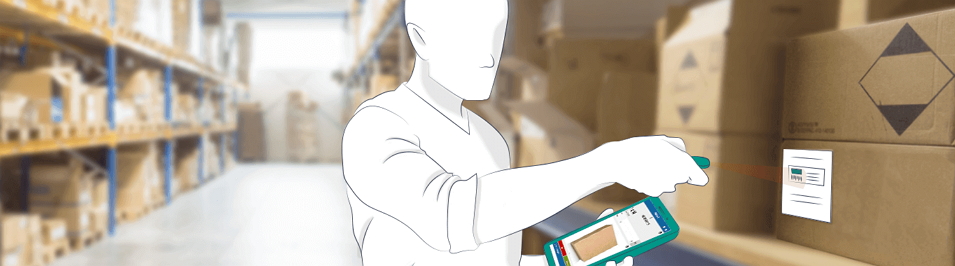
After all, what could be more annoying than taking products to the shipping point one by one, scanning them there and then realizing that you may have taken the wrong item after all? With JTL-WMS Mobile, you record the data by scanning your MDE device directly at the storage location, where the system checks it for accuracy. Not only does this save you unnecessary walking, it also minimizes the error rate of your picking and reduces the returns rate.
But JTL-WMS Mobile can do even more: important processes, such as single-stage goods receipt or rolling order preparation, are only made possible by the app’s mobile data collection.
The most important advantages at a glance
JTL-WMS Mobile guides your employees quickly through the picking process, optimizes routes and thus saves time and money.
Your entries are checked for validity directly during scanning and the database is evaluated with each scan.
Differences are reported directly by the system via an indication on the display and a clearly audible signal tone.

Direct processing at the storage location eliminates the need for double data entry. This is because JTL-Wawi, JTL-WMS and JTL-WMS Mobile work on a common database.
Thanks to the app’s clear mobile processes, error-prone work on paper is a thing of the past.
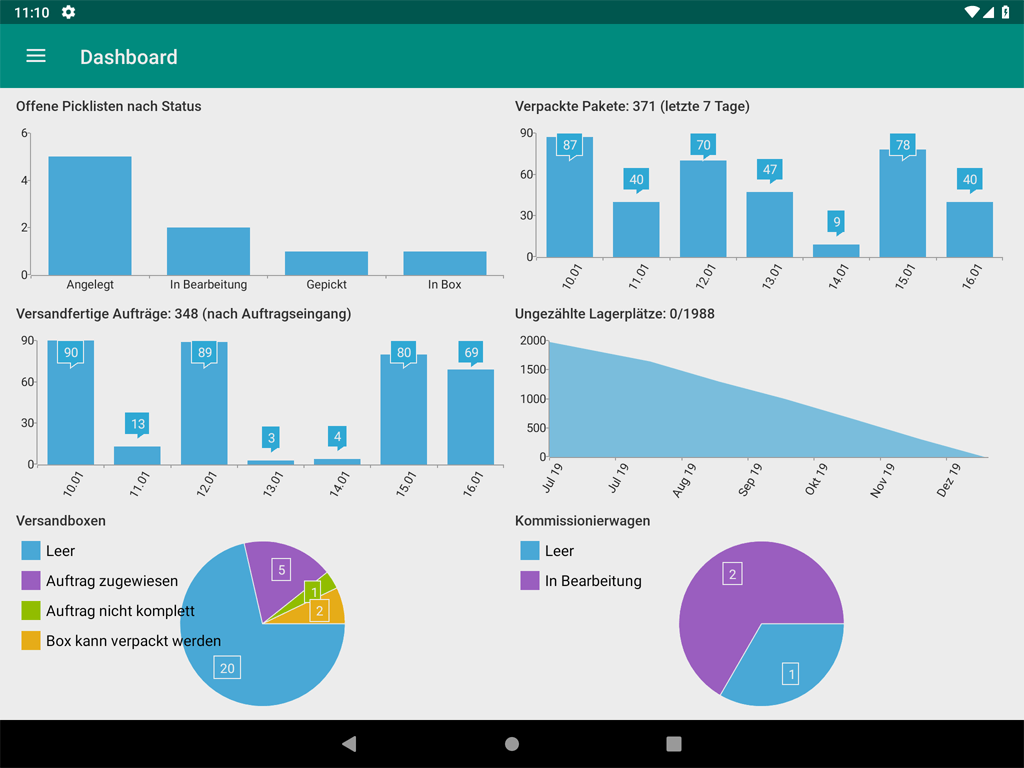
Every action is logged retrospectively and traceably. The dashboard also gives you an overview of key performance indicators, such as the number of parcels still to be shipped, the number of unused storage locations and much more.
You can test JTL-WMS Mobile for 14 days free of charge and without obligation. Only then do you need a fee-based license. However, this license is not personal. This means that you only need as many licenses as there are employees working with mobile devices at the same time.
Do you have more people than usual working in your warehouse at certain times? JTL-WMS Mobile has no minimum contract term. This means you can react flexibly to seasonal fluctuations, book additional licenses and cancel 14 days before the end of the month.
After downloading the app, you can get started quickly and easily. Our clear step-by-step instructions in the JTL-Guide will help you with the setup.
JTL-WMS Mobile Version 1.5
With the release of version 1.5, many new functions have found their way into our app. For example, the workflows popular in JTL-Wawi and JTL-WMS are now also available here. They can be used to automate recurring processes in the warehouse. Typical workflows that warehouse employees would like to trigger and automate are “reprint bar code”, “create item label” or “send information to boss”.
To be able to use a manual workflow in the warehouse, you must define it as usual in JTL-Wawi and then activate it for display in the mobile app. The workflow then appears on the corresponding program interface and can be selected.
However, version 1.5 focused primarily on extensive bug fixing and general performance improvements, which have ensured that the system now runs even more reliably.
The list of new features becomes even more extensive with version 1.6:
Outlook: The highlights from version 1.6
To shorten the waiting time for the release of version 1.6 a little, I’d like to tell you about a few of the highlight functions we’re currently working on:
JTL-WMS Mobile will be backwards compatible and can be operated from JTL-Wawi 1.6 with JTL-Wawi standard warehouses with and without JTL-Packing Bench+. This means that even those of you who have only been using Packing Bench+ and are not planning to switch to JTL-WMS can access basic functions on mobile devices. This should play right into the hands of the smaller retailers among you.
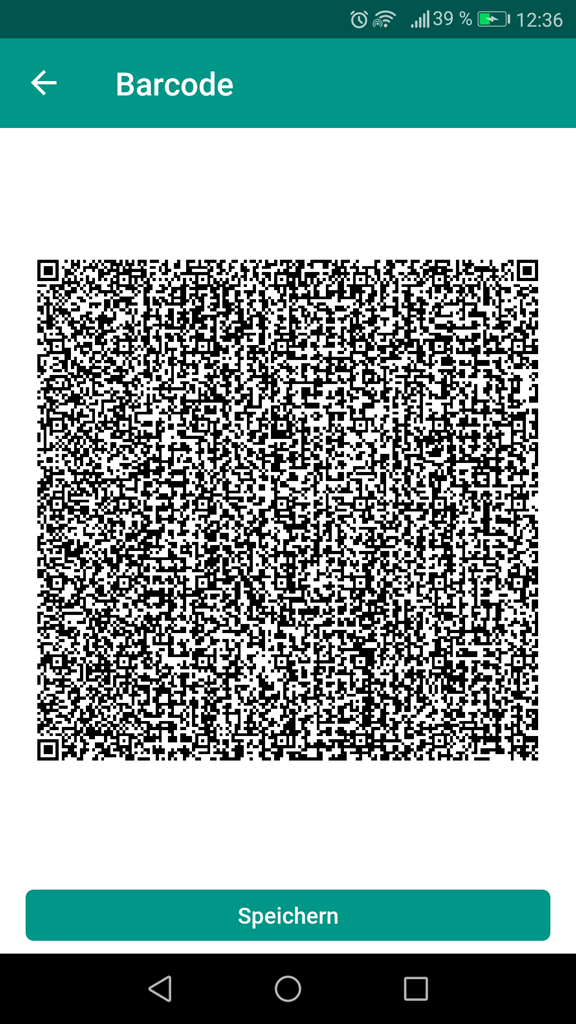
JTL-WMS Mobile settings can now be transferred very easily between different versions or different tablets and MDEs. A QR code can be generated in the app settings, which you can easily scan with a second device. In this way, a large number of devices can be put into operation in the shortest possible time as soon as the first device has been configured.
This function should be particularly interesting for small retailers who do not want to make a high investment in a scanner at the beginning: From version 1.6, you can use the integrated camera of your smartphone, tablet, MDE or similar device as a scanner in JTL-WMS Mobile and use it to record items, scan storage locations or carry out inventories.
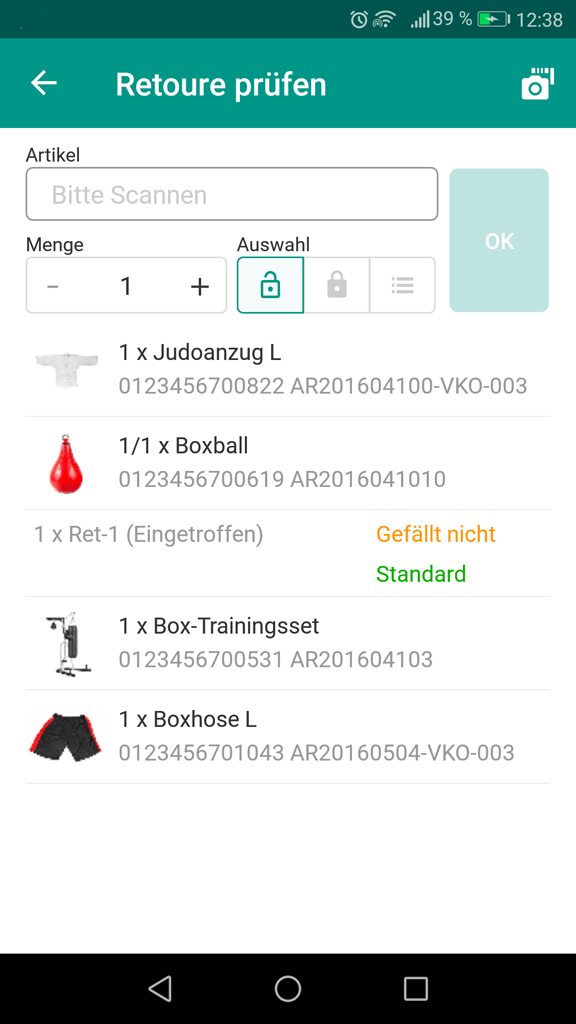
In order to process returns, it was previously necessary to set up a complete workstation in the office or warehouse. From JTL-Wawi 1.6, it will be possible to process returns flexibly with JTL-WMS Mobile directly in the warehouse without stationary aids and to book resalable goods directly back onto the shelf.
Various configuration options can be used to influence the creation of inventories via JTL-WMS Mobile and thus control the running inventory over the entire warehouse in a defined period of time and control it even better. The entire inventory can also be created via JTL-WMS Mobile.
It is now also possible to assign different and completely exclusive printers to each individual mobile tablet or MDE in the warehouse. The setup is done easily and conveniently via the JTL-WMS Mobile Server using the familiar printer management of JTL-Wawi.
How to download JTL-WMS Mobile
Are you interested in testing JTL-WMS Mobile? Nothing could be easier! Our app is suitable for all operating systems (Android, Windows, iOS, ChromeOS, iPadOS).


It is only important that you have set up both JTL-Wawi and JTL-WMS and have downloaded the JTL-WMS Mobile app from one of the three app stores. To start, the JTL-WMS Mobile Server must be configured and started.
Then select JTL-WMS under Licenses in your account in the JTL-Customer Centre and click on Test under “MDE Mobile data collection” to activate your free 14-day trial period. This way you can see for yourself how JTL-WMS Mobile supports you in your daily work.
Good news: During the test phase, any number of users can use the app at the same time, so you can use JTL-WMS Mobile immediately for your first inventory, for example. Once the test phase expires, you don’t need to fear any cost traps. Your license must be actively renewed and does not automatically turn into a fee-based model.