With JTL-Wawi 1.6, we are reaching a new milestone in the history of our ERP system. Therefore, I would like to give you a small preview of some of the new features in today’s developer diary. They all promise more ease of use to make your daily work with JTL-Wawi even more pleasant. But just read for yourself!
The new order details
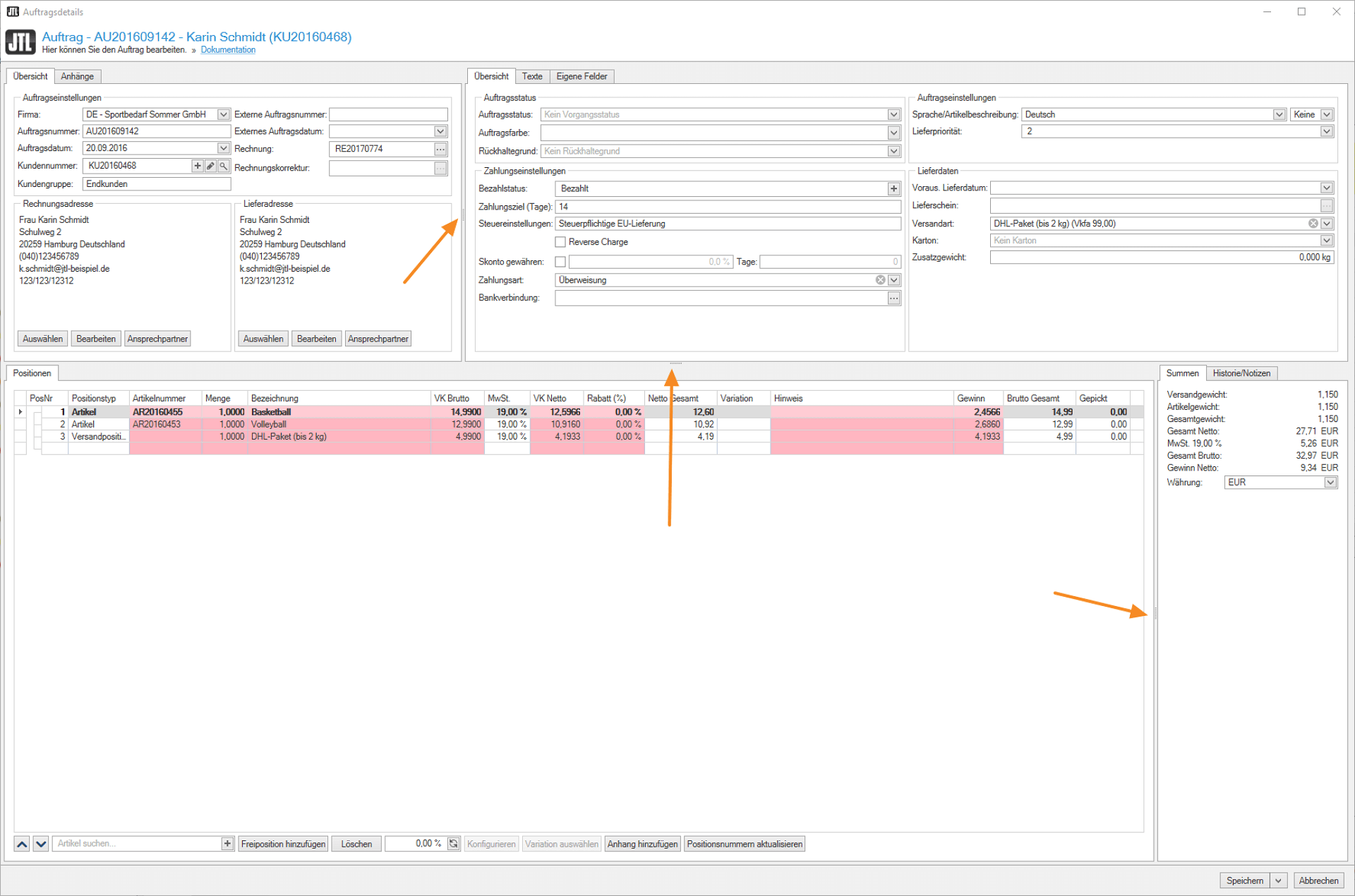
As you know, the order details were one of our biggest construction sites during the development of JTL-Wawi 1.6. This central area, where all the information about your sales orders comes together, has been given a comprehensive “fresh-up” by us, which focused primarily on improving usability:
First of all, there are the new order details windows, which we have detached from the interface in JTL-Wawi 1.6 so that they can be moved around as required. The function of being able to enlarge, move or completely hide individual areas as desired also contributes to this goal.
Overall, we have gone one step further in terms of “individualization” with the new version of our ERP and offer you the opportunity to design your work interface the way you need it in several places. To this end, we have integrated the so-called ListView extensions or individual list views in almost every area. With the help of SQLs, you can display additional information where our ERP does not display it natively. This function has now also been integrated into the purchase order proposals – but I’ll tell you more about this further down in the article.
The possibility to expand your item lists, where we have actually implemented all the columns you requested, the “custom fields in the order” and the individually definable colors in the sales order also serve the purpose of simplifying your daily work with our ERP. I have already presented all these new features in detail in an earlier developer diary, which you can view again here.
Fans of moving images will also find a small preview of the new order details in JTL-Wawi in my video:
Listing 2.0
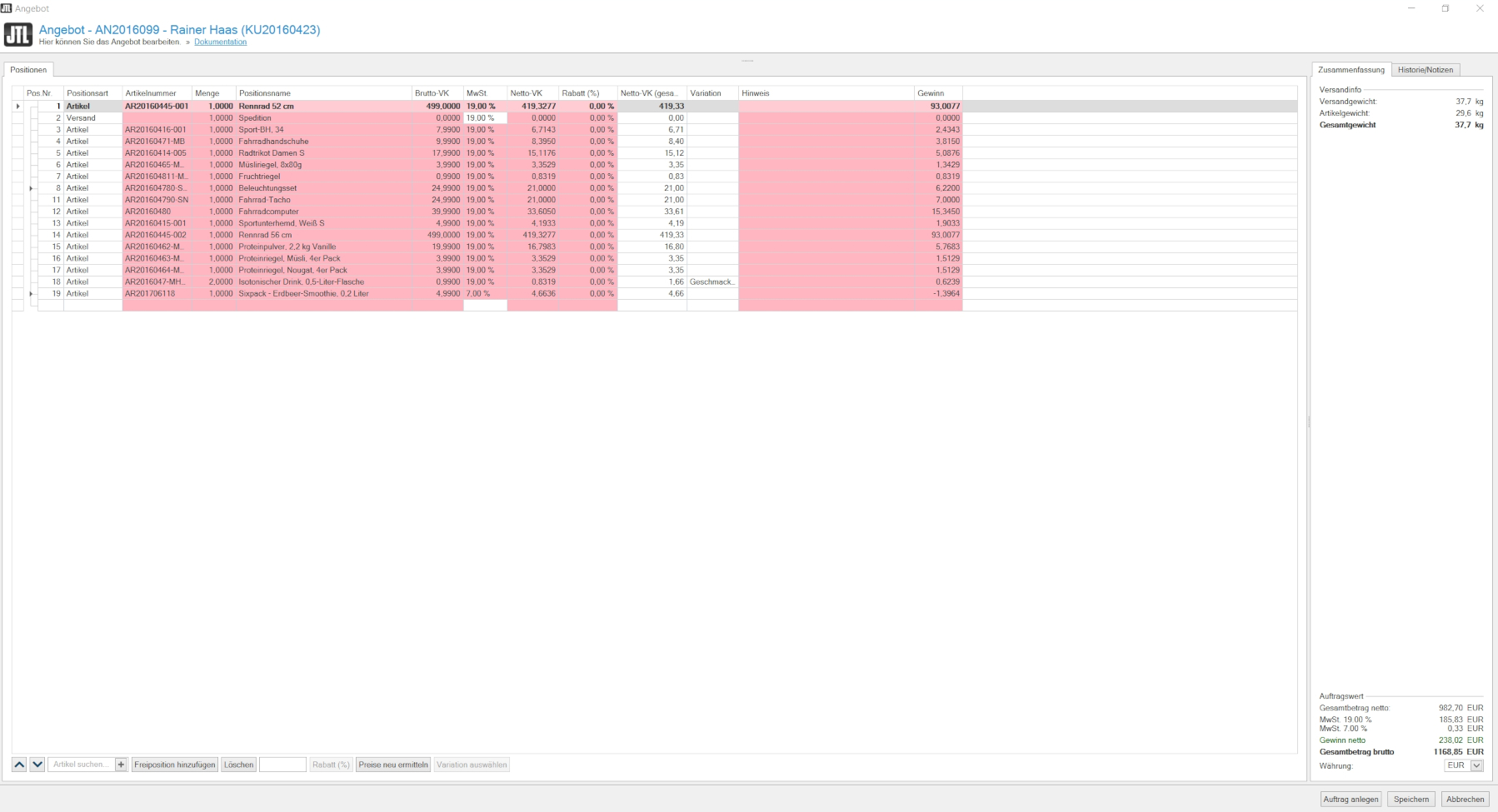
The new offer details in JTL-Wawi 1.6 also impress with a tidy, clear look. We have removed many workspaces from stock into tabs and you will also find clearly structured information within the tabs, all with the aim of providing a better overview. In addition, all areas in the listing can be individually enlarged or reduced in size. You can even hide window areas that do not contain any information that is relevant to you at the moment, for example by displaying the item list in full screen.
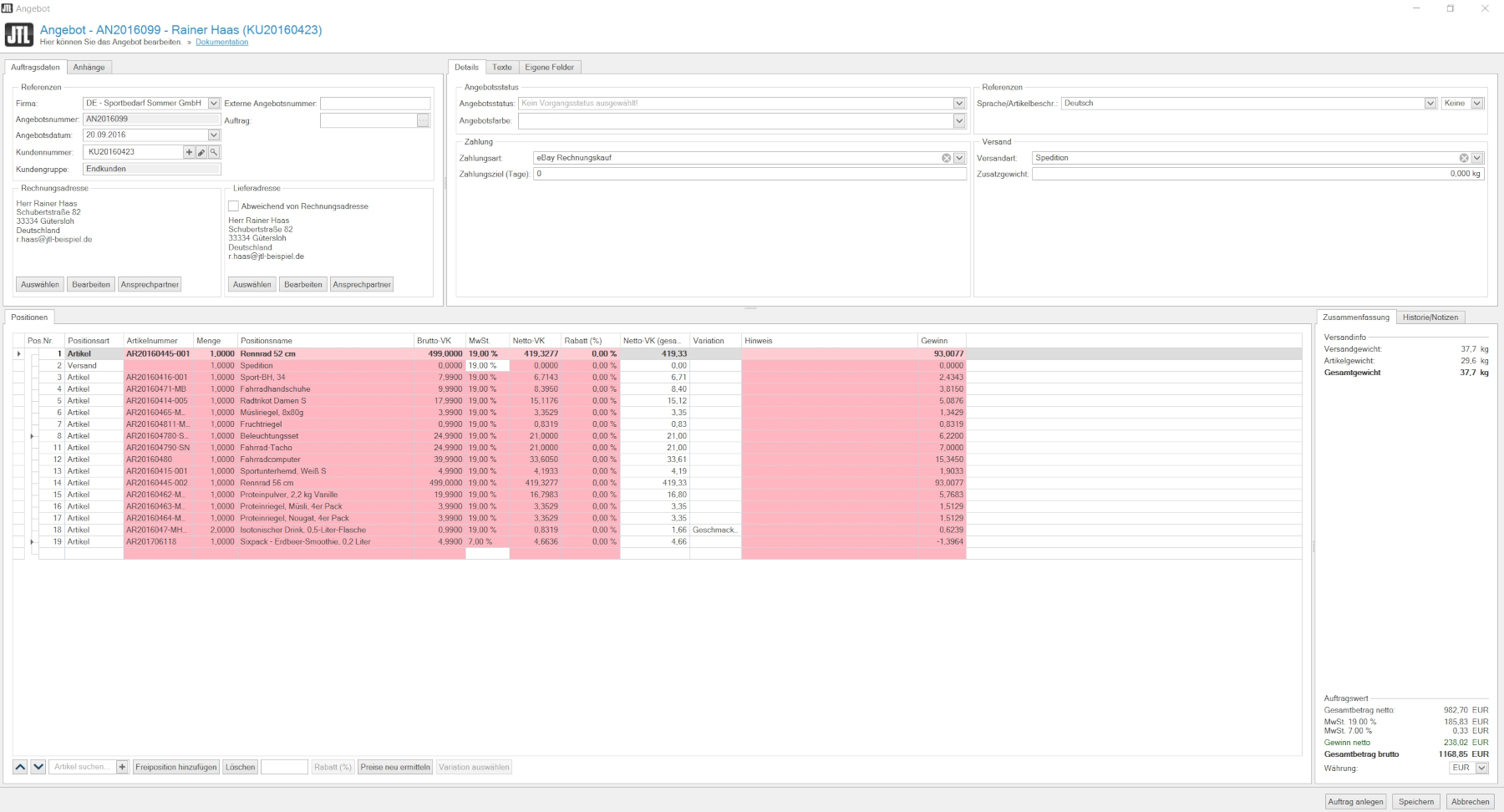
In the “History/Notes” tab, you then have the option of adding your own notes to a listing and in the “Logbook” you will find an overview of previous edits. This also includes those that your employees have made to the listing.
The new function implemented with JTL-Wawi 1.6 of being able to create multiple billing addresses per customer also affects the listing, in which you can therefore also choose between the different billing addresses stored.
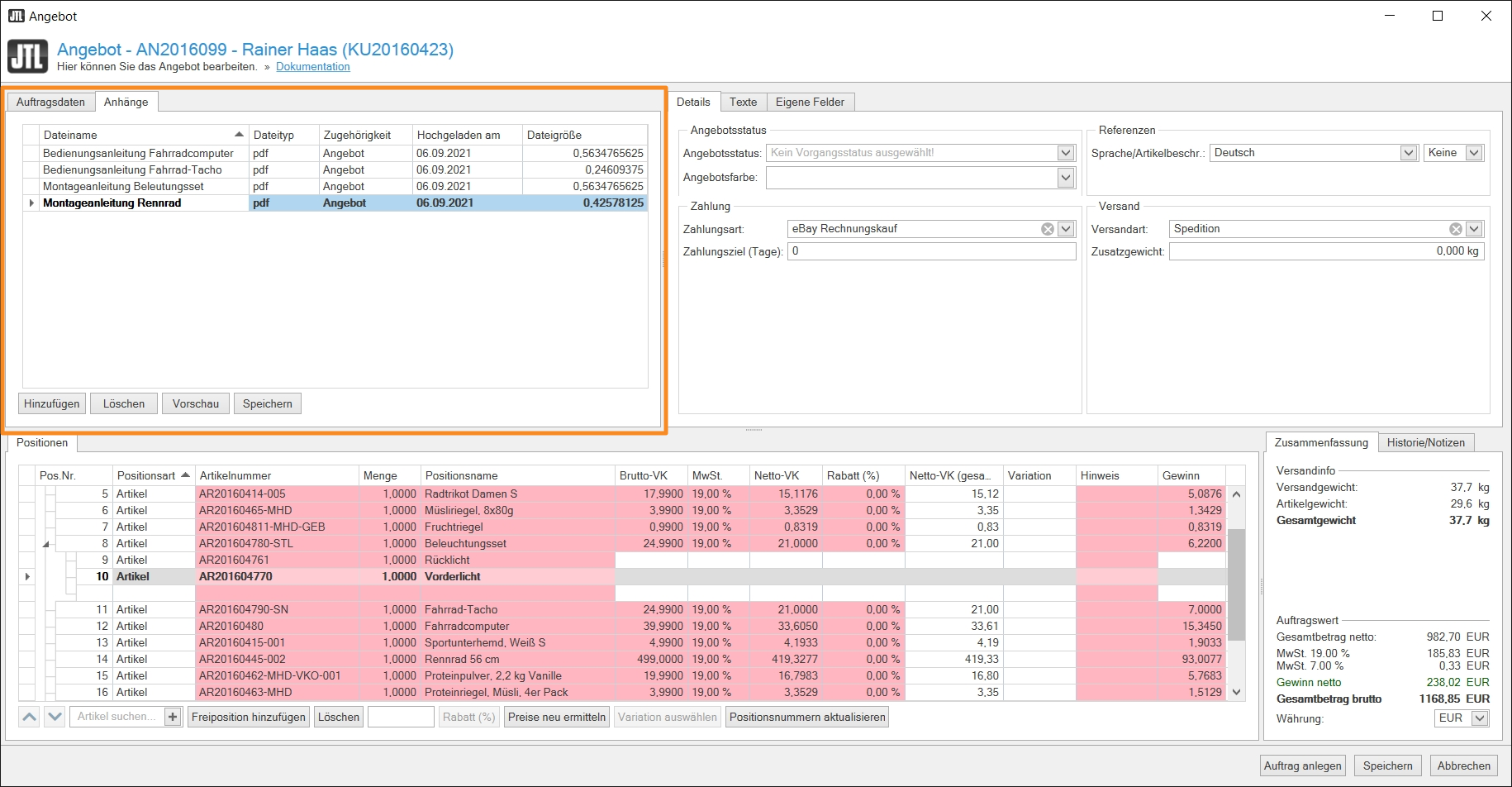
The new “Attachments” feature, which you can add at both transaction and item level, is certainly also practical. For example, you can add production and delivery notes, images or calculations in all common file formats for each listing. These are then stored in your database and can be opened and used from any connected workstation.
Of course, we have not stopped at the big topic of “individualization” in the listing and once again provide many possibilities to customize your ERP according to your wishes with the “custom fields” (formerly: order attributes), conditional formatting and the individual item parts lists.
Speaking of item bills of materials: We have added several new columns according to the wishes and requirements of our community. In addition, JTL-Wawi 1.6 now displays components and allows you to customize BOMs in the sales order, i.e. change or remove component quantities and add others. Good news: All these functions are also available in the listing and sales order.
Unicode
Unicode is the international standard for storing and processing characters in digital systems – including ERP. From JTL-Wawi 1.6 you will be able to maintain your data in Cyrillic, Tamil or Chinese, for example. With this step, we are finally catching up with JTL-Shop, as our shop system has already covered Unicode since the release of version 5.
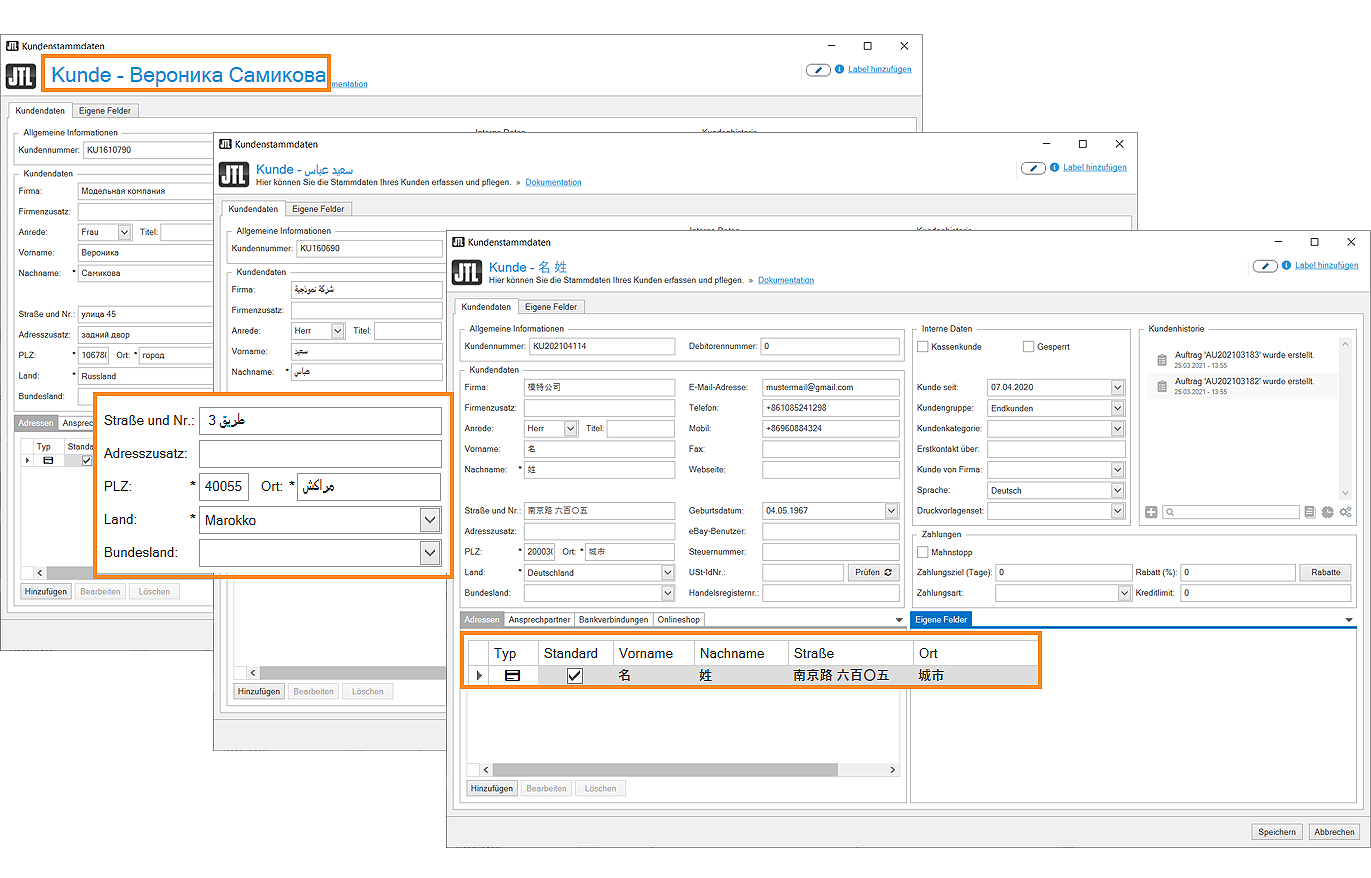
The advantages of an international character set for JTL-Wawi are obvious: Where there were otherwise problems with “unreadable” characters, you can use Unicode with JTL-Wawi 1.6 at any point in your ERP. And even the address data of your international customers, which are entered via JTL-Shop 5, for example, can be mapped cleanly in JTL-Wawi 1.6. Of course, this is also very convenient for retailers who offer online stores in several languages and can now easily maintain their product data in any character system.
If you want to get an insight into the new function, I recommend my video:
Partial invoices
Another function that you have been wanting for a long time is partial invoices, which you can finally use with the launch of JTL-Wawi 1.6. While it was previously necessary to split up sales orders if you wanted to deliver and invoice partial quantities, you can now do this using partial invoices. For this purpose, we have redesigned the entire invoice mask so that you can clearly see which quantity of a sales order has been delivered or invoiced.
The same also applies to the tax settings, which you can also adjust directly in the new invoice screen.
Cancellation invoices
The “Invoices” area also receives an important new feature with 1.6: They, as well as the associated invoice corrections, can no longer be edited with the new version of our ERP. To make a correction, the invoice or invoice correction must be canceled. To do this, select the corresponding invoice or invoice correction transaction and select a corresponding reason for cancellation using the new “Cancel” button. This is then displayed in the list of your invoices together with further information.
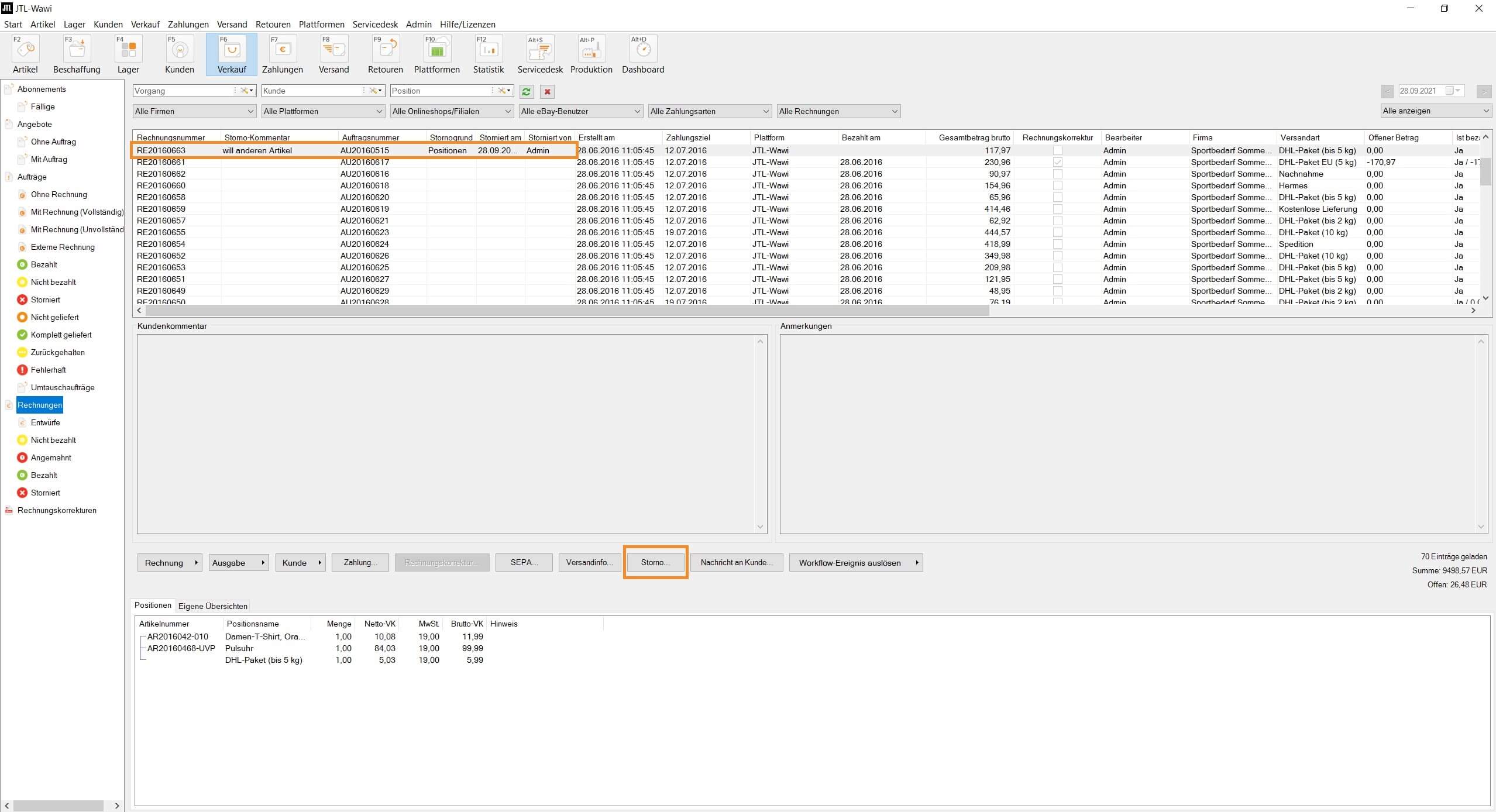
Once you have canceled an invoice or invoice correction, you can recreate it as often as you like based on the sales order.
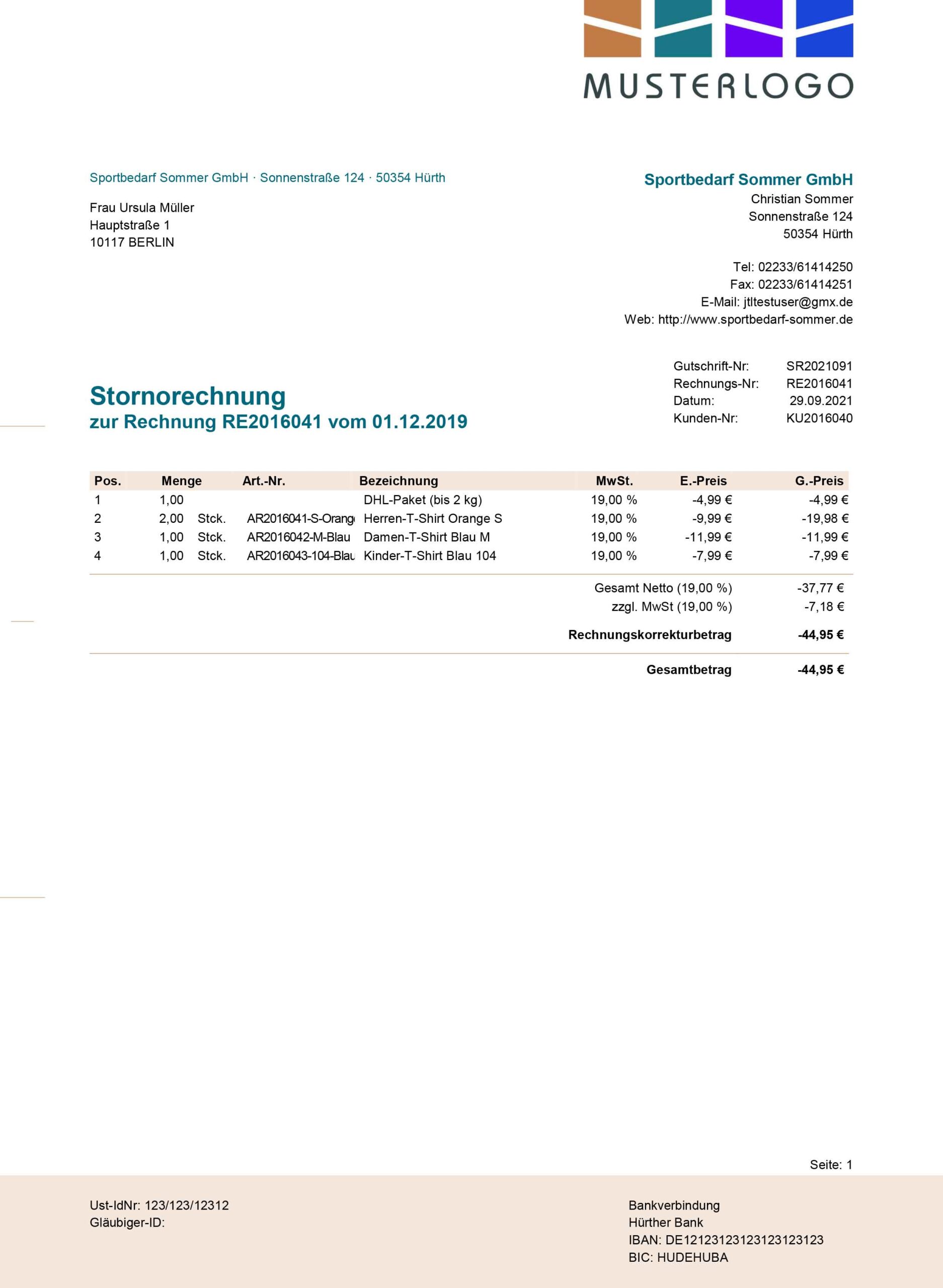
And to avoid errors in your accounting, JTL-Wawi 1.6 automatically creates cancellation documents as soon as you cancel an invoice or invoice correction, which are then also transferred to DATEV. Of course, the reversal documents can also be printed or sent to your customers as a document.
The new purchase order proposals
There is hardly any other area where our principle of “community-driven development” came into play as much as with the “purchase order proposals”: In our JTL forum, I called for you to submit your ideas. And based on your feedback, we then jointly developed seven features that are available to you in the new version of our ERP.
Of course, I didn’t want to miss the opportunity to present these new functions to you in video format:
We have also integrated the “ListView extensions” function into this area. In future, you will be able to configure the “Custom overviews” field to the right of the purchase order proposals as you wish using SQLs: For example, the purchase price history per supplier can be displayed directly next to your purchase order proposals so that you can decide directly where you want to reorder the item soon.
Outlook
As you can see, the new version of our ERP has a number of major innovations that will make your daily work much easier. We will use the coming weeks to complete the closed beta with our pilot customers and, with their help, fix the last bugs before the start of the open beta. We are already looking forward to the release of the long-awaited 1.6 version of JTL-Wawi and are certainly not giving too much away when we say that you won’t have to wait too long for the start of the open beta either. So stay tuned!






