Update-Hinweis (Stand: 12.2022)
Die technische Unterstützung für JTL-Shop 4 wurde im November 2022 eingestellt. Wir empfehlen allen Shop-Usern dringend das kostenfreie Upgrade auf JTL-Shop 5.
In the last developer diary, we already mentioned the release of JTL-Shop 4.05. In addition to customer-specific prices, which we are introducing in combination with JTL-Wawi 1.2, there are further innovations and improvements in the new shop version. Clearly, system security remains an important issue for online retailers. This is exactly what we are aiming for with the new two-factor authentication.
Better safe than sorry
When it comes to security, the “a lot helps a lot” approach has certainly proven its worth. After the damage caused by identity theft in online business amounted to around 2.4 billion euros in 2014, various approaches to better securing access data were examined. Two-factor authentication has proven its worth and also complies with the recommendations of the German Federal Office for Information Security.
From version 4.05 of JTL-Shop, we therefore offer users this additional security mechanism for the administrator login in the shop back end. The additional security is then provided by assigning time-limited passwords that are displayed on the administrator’s smartphone.
Double query, single security
When it comes to security, the “a lot helps a lot” approach has certainly proven its worth. After the damage caused by identity theft in online business amounted to around 2.4 billion euros in 2014, various approaches to better securing access data were examined. Two-factor authentication has proven its worth and also complies with the recommendations of the German Federal Office for Information Security.
From version 4.05 of JTL-Shop, we therefore offer users this additional security mechanism for the administrator login in the shop back end. The additional security is then provided by assigning time-limited passwords that are displayed on the administrator’s smartphone.
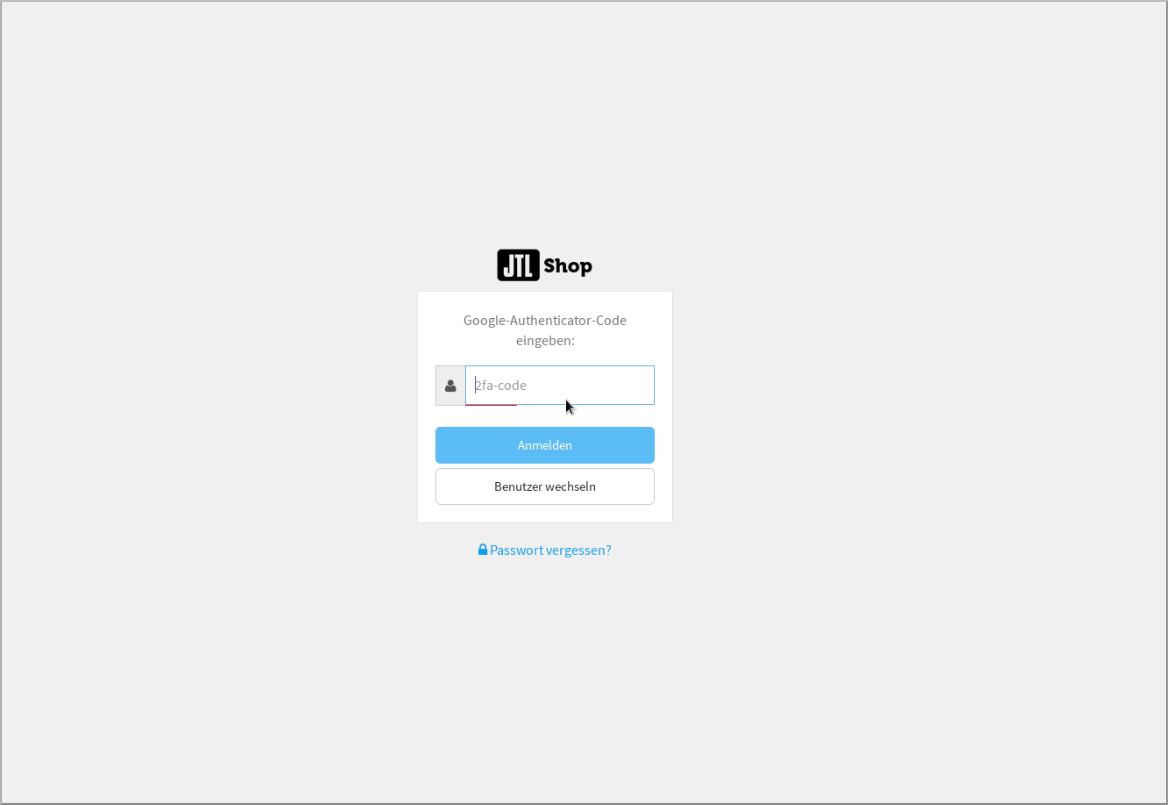
Anyone who fears that more security equates to an increased level of complexity in the Application is mistaken. When integrating the new security feature, we also paid attention to ease of use. To display the passwords on your cell phone, all you have to do is download the free “Google Authenticator” app. The app is available for both Android and iOS devices.
In the store back end, you will find a QR code that you can scan with the app. This is how you connect the app and your JTL-Shop. Once you have also activated authentication in the back end of the store, dual protection is set up. From this point on, you will need to enter the code displayed in the app on your smartphone in addition to your usual login. The latter is also only valid for half a minute. The app automatically generates a new one after this period has expired to ensure a higher level of security here too.
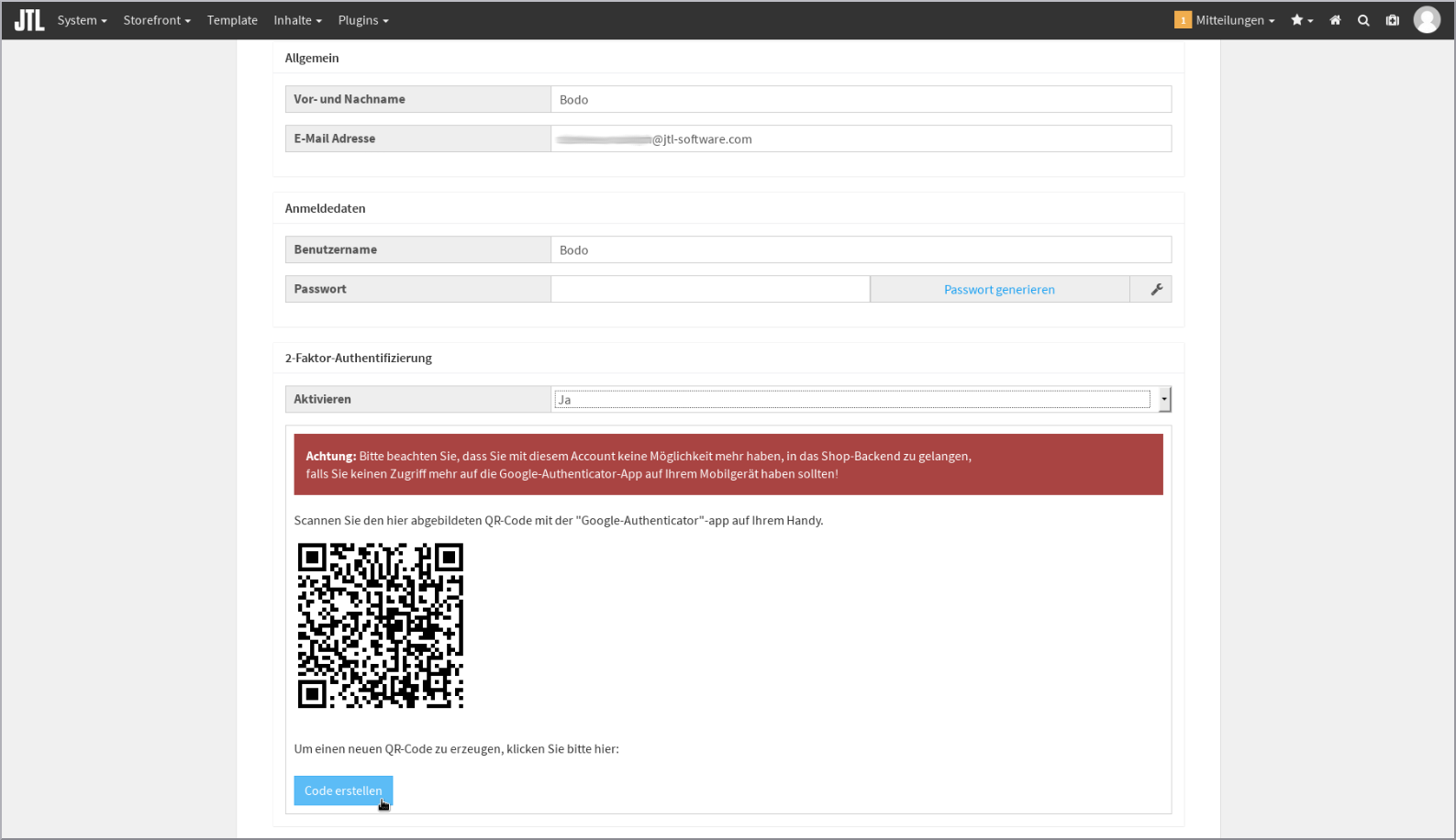
Setting up authentication
Below we will show you the few steps required to activate the protection: