Update-Hinweis (Stand: 12.2022)
Die technische Unterstützung für JTL-Shop 4 wurde im November 2022 eingestellt. Wir empfehlen allen Shop-Usern dringend das kostenfreie Upgrade auf JTL-Shop 5.
Anyone already using the new Community Free Edition of JTL-Shop 4.06 will know that the new shop version has the option of displaying variation selections and item details directly in the item overviews. To give you a foretaste of the next stable release of JTL-Shop 4.06, we show you in this feature preview how we optimize usability and convenience for end customers within the list view of the shop.
Many options, many clicks
The top bidder for a smooth sale is to offer the customer what they are looking for quickly and clearly. What sounds so easy, however, is in fact a constant refinement and adaptation of the sales process to customer requirements. This was also the case here: after many visitors to our events last year asked us about possible changes to the list overviews in our store solution, we set to work.
Until now, it was only possible for buyers in a JTL-Shop to add simple items to the shopping cart in the list view. For variations and variation combinations, the store only displayed the parent item in the overview. Customers could only see the different selection options on the item detail page. Depending on the length of the list, this could mean that the shopper had to search through the long list again when returning to the list view.
For a store with many variation articles, this meant constantly switching between list and detail view with many intermediate steps. We wanted to change that.
Everything in view
In the new version, we have added three options to the item listings. If you display products in the list view in JTL-Shop 4.06, you will now find the practical “Preview” button there. Clicking on it opens a pop-up window with lots of detailed information about the item.
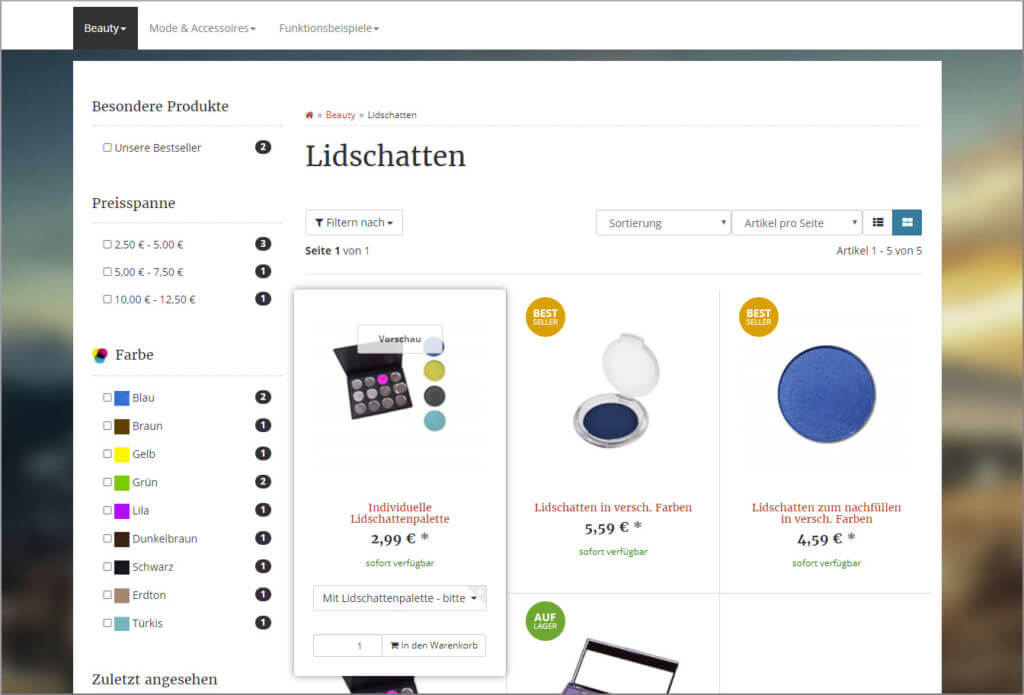
If an end customer now moves the mouse pointer over an item, variation options, shopping cart button and co. appear in an information area that is displayed as a hover effect.
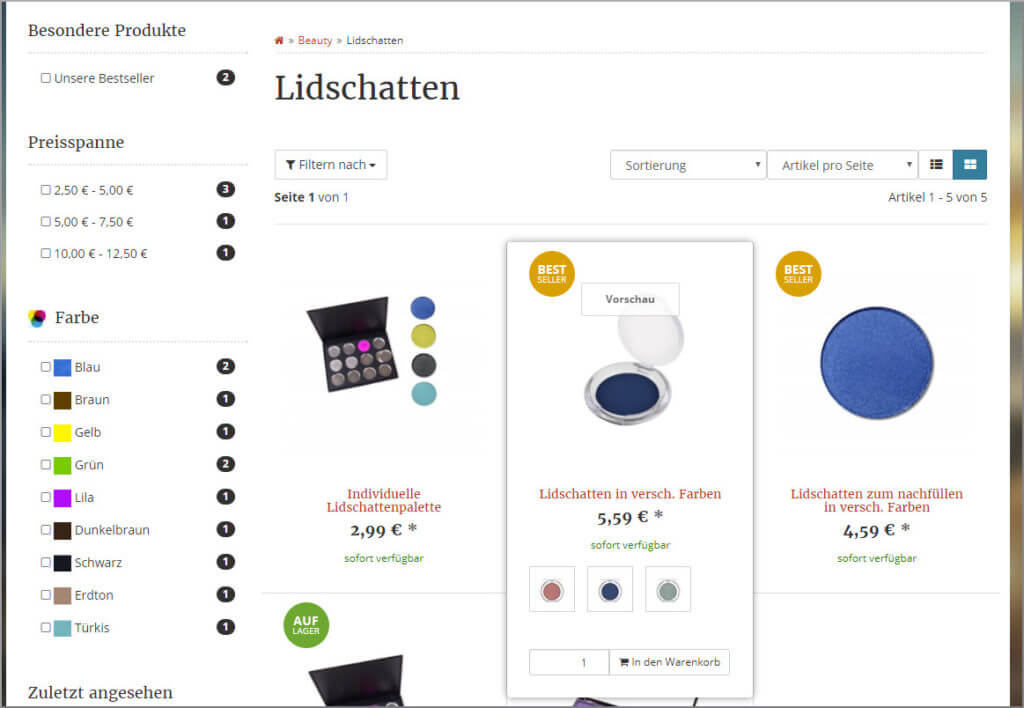
We have also made it easier to order different items in different variants from a list: buyers can select variation items and variation combinations with up to five possible variations directly in the list and add them to the shopping cart without having to go through the item details.
The advantages are obvious. Possible barriers for buyers are removed and the shopping experience for the store visitor is improved. The overview increases and the additional level of item details is only necessary in individual cases. The highlight: the list view of the store is clearer, although the end customer can find more information there. The risk of a purchase being abandoned because something is either not found or takes too long to complete the quick online purchase is significantly reduced.
The facility
All three new options (variation selection in the list, hover effect and detailed preview) can be activated separately using the template settings. The settings can be found in the Evo template settings in the back end of the JTL-Shop under “Template” -> “Settings” -> “List and gallery view”.
Here you can now activate the “Quickview for article details” and the “Hover effect for additional information (gallery only)” if you wish. Under “Show variation selection”, you must specify whether a maximum of one, two, three or five options should be displayed. If an item has more variations, these can be selected on the item detail page or via the new preview.
Conclusion
The hover effect and preview in the list view should be worthwhile for every shop visitor to a JTL-Shop that uses our EVO template simply because of the improved usability. If the respective retailer only bidsder a small number of variation items with few variation options at the same time, they can also consider displaying the variation items in the list view. This allows the customer to immediately add each item from the list to the shopping cart without compromising usability.
If you want to use the new options for list views now, you can already access them with JTL-Shop 4.06 CFE. The rest will have to be patient before we release it with the next stable version of JTL-Shop.