Amazon introduced a new policy on October 1, 2018. The policy requires merchants who use Amazon shipping to provide detailed information when delivering items from their own warehouse to Amazon fulfillment warehouses. Retailers who do not comply with this guideline will be subject to penalties. You can quickly and easily implement the necessary measures in the JTL-Wawi ERP system to meet Amazon’s new requirements. You can find out how to do this in this blog post.
What will change when transferring to Amazon?
Anyone using Fulfillment by Amazon (FBA) previously had to make do with two labels per parcel for shipments to Amazon’s fulfillment warehouses: the standard shipping label and an FBA label. This has now changed.
Since 01.10.2018, Amazon requires a third label from you for every parcel delivered: the so-called 2D bar code, which corresponds to a digital delivery bill for Amazon and contains exact details of the parcel contents.

The new bar code must contain the following mandatory information, among others:
This tells Amazon exactly which items you are removing from stock from your warehouse to Amazon and in which package.
There are also other changes and new guidelines to consider when transferring items from your own warehouse to Amazon:
FBA storage with JTL-Wawi 1.3
With our ERP JTL-Wawi 1.3 you can easily meet the new requirements for FBA relocations.
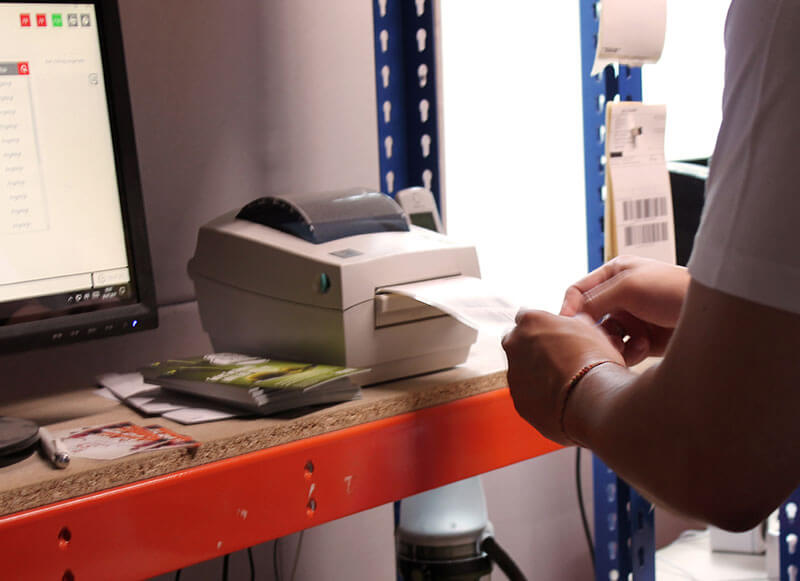
Send to Amazon in compliance with guidelines: This is how it works
In order to store goods at Amazon in accordance with the guidelines, you must workwith partial deliveriesin ERP. This is the only way to receive a delivery bill for each partial delivery. You need this so that the contents of the respective parcel can be clearly identified.
You can use the “List & Label” form editor to insert a 2D bar code into the delivery bill itself. You then print out this 2D bar code separately and stick it on the parcel. The bar code contains all the information required by Amazon.
You can find detailed information on Amazon’s bar code requirements here:
Examples of 2D bar codes according to Amazon guidelines
Bar code with BBD
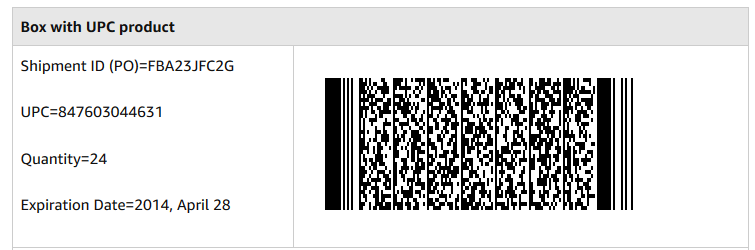
This bar code was read in:
AMZN,PO:FBA23JFC2G,UPC:847603044631,QTY:24,EXP:140428
Bar code without BBD
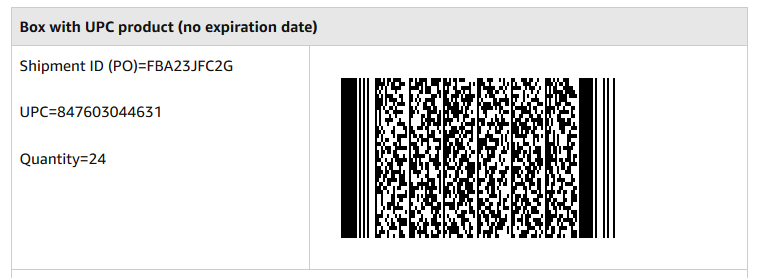
This bar code reads:
AMZN,PO:FBA23JFC2G,UPC:847603044631,QTY:24
The PDF instructions show you how to create this bar code in your delivery bills or as a separate template:
Example templates in the JTL forum
You can also find two illustrative example templates in the JTL forum. Both templates are created with JTL-Wawi version 1.3.19.1.
You can also find the formula for creating this bar code there:
We will also be publishing further instructions in the JTL-Guide shortly. All instructions will be linked here at a later date.
Addendum in the JTL forum
Following feedback from you, we have put together some additional information for you in the JTL forum.
Outlook: FBA storage with JTL-Wawi 1.4
The next major release of our ERP system is almost here. We have already integrated many security mechanisms for you in JTL-Wawi 1.4, as well as our warehouse management system JTL-WMS and the JTL-Packing Bench+, in order to automatically take into account some of Amazon’s requirements. For example, a warning is issued if a stock transfer to Amazon FBA contains more than 100 different items.
We are currently developing several other functions for secure and convenient storage at Amazon.