Hi friends! Or should I rather write “Dear diary”? Because with this blog post we are reviving our popular developer diaries. This time, I’m giving you exclusive insights into the development status of JTL-Wawi 1.6. To be more precise, I’m introducing you to the new order details. We have implemented numerous new features that will make your everyday work much easier. But read for yourself:
Order details - What is that?
The order details are something like the heart of your JTL-Wawi, where the information about your respective sales orders comes together. If you click on an individual sales order, the order details will show you further information about the customer and product. For example, how many items each customer has ordered via a sales channel and whether they have already been paid for or shipped.
Why did we change it?
Since the order details are so important for managing your sales, we want to improve the handling with JTL-Wawi 1.6. You have often criticized the lack of space. No wonder: The order details display a lot of information, which of course all need to be displayed in a sufficient size.
But of course that’s not all! With the release of JTL-Wawi 1.6 you will find some changes – and we hope improvements – within the order details:
What has changed in the order details?
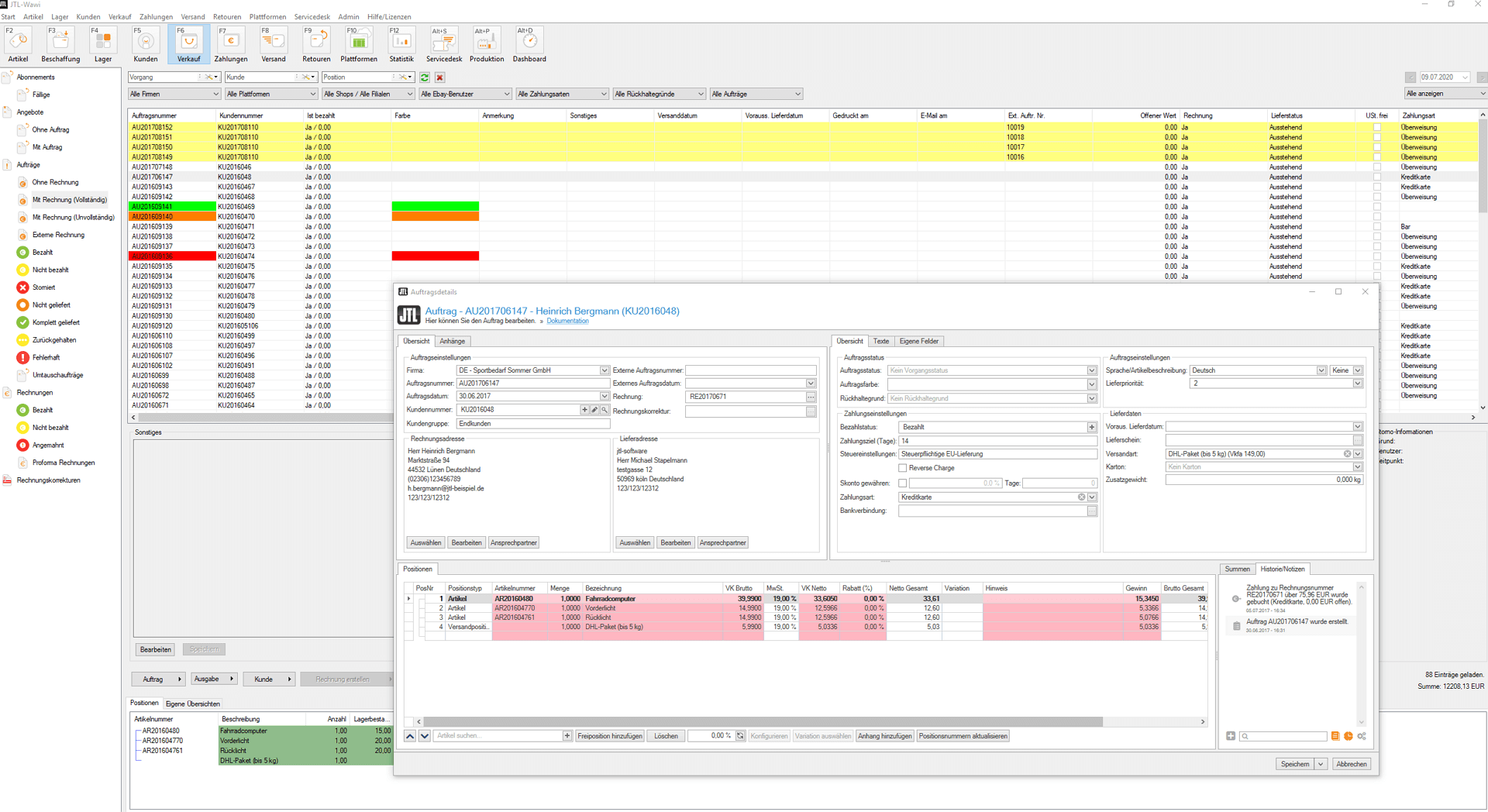
As already mentioned, we tackled the major issue of “space problems” first: In JTL-Wawi 1.6, the order details are no longer embedded in the ERP interface, but open in their own window. The advantage: You can move the window as you wish and still see what is open in the background. This means that the information behind it remains visible and usable for you.
Customize JTL-Wawi 1.6
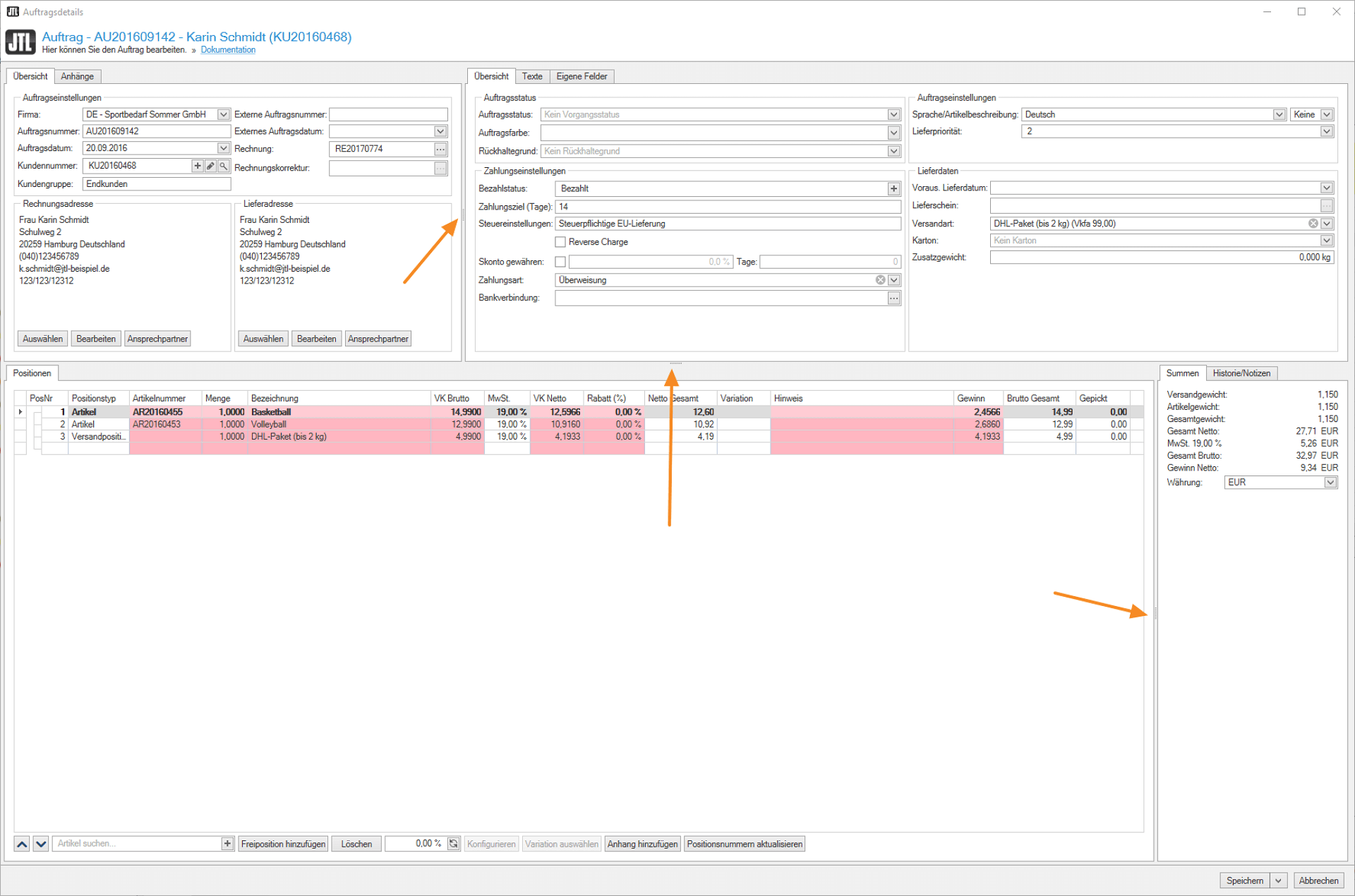
From JTL-Wawi 1.6, you can also individually enlarge or reduce individual areas such as “Overview” or “Items” within the order details and even hide them completely in some cases.
This option contributes to our goal of designing our ERP in such a way that you can customize it to your needs. The ListView extensions or individual list views are already such a project for the individualization of JTL-Wawi, which we will continue to expand in the future.
The same applies to the display of your item lists, which you can now expand with your own columns. JTL-Wawi 1.6 provides you with an extensive set of options that we have put together based on your feedback.
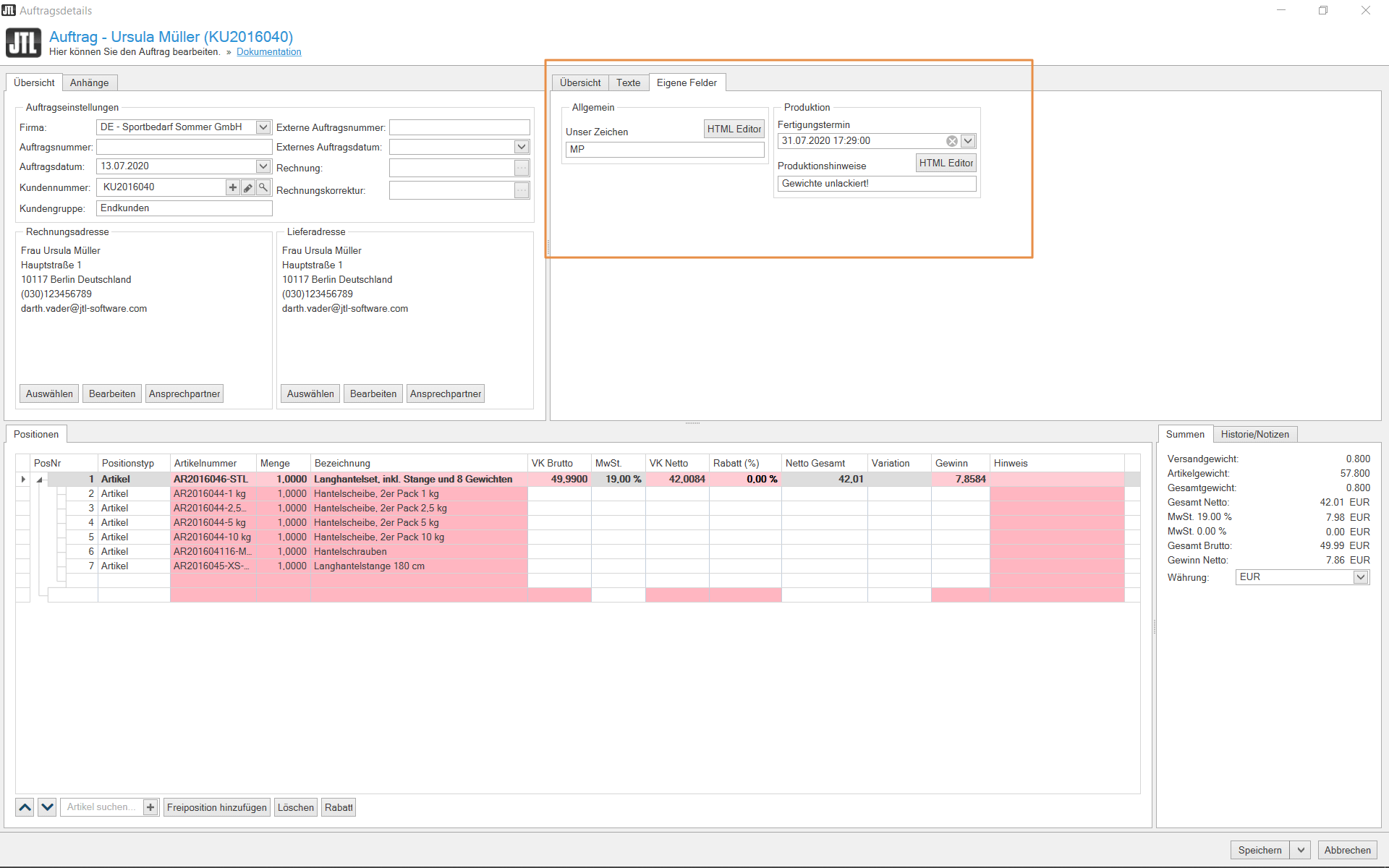
The “Custom fields in sales order” feature also supports our idea of individualization. Via Admin > Custom fields, you can add your own fields to your orders and also define your own fields for sales orders and listings so that they are then available to you in the order details. And from there they can be queried or output in print, for example.
The “Custom fields in the sales order” are particularly suitable for things like “Our mark”, the company’s own external purchase order ID or special texts or instructions that are used to prepare for assembly work.
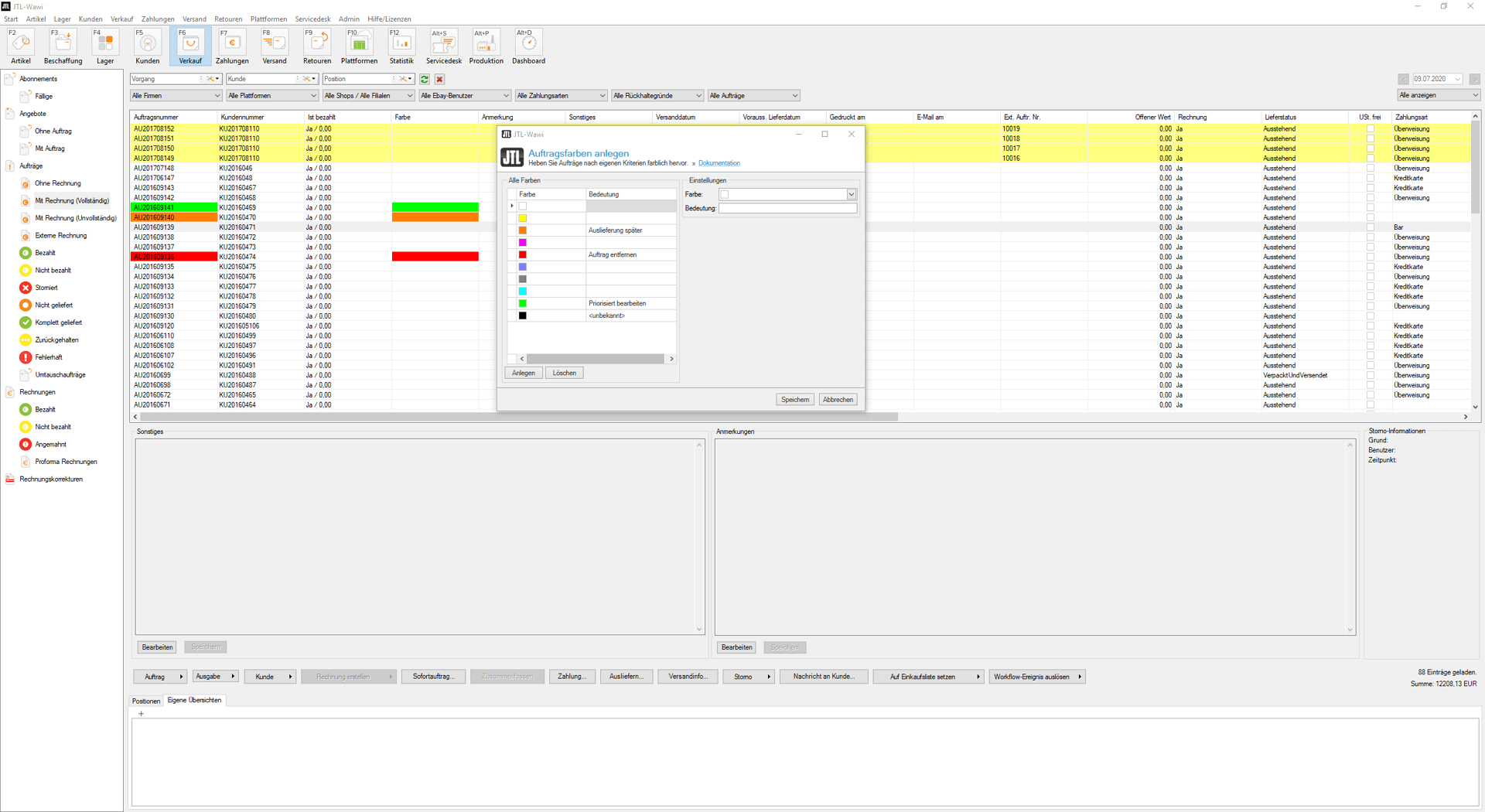
You can also define your sales orders with your own colors and in this way make ERP a little more like your ERP system. From JTL-Wawi 1.6, the complete color spectrum is available to you and you can define individual descriptions so that all employees can see which color defines which order type.
Of course, this feature not only helps you with customization, but also creates a better overview, as you can clearly distinguish and classify your sales orders.
Customized parts lists
As you know, parts lists in JTL-Wawi are items that consist of at least one other item. They help you to ensure that the display of the available quantity is always correct.
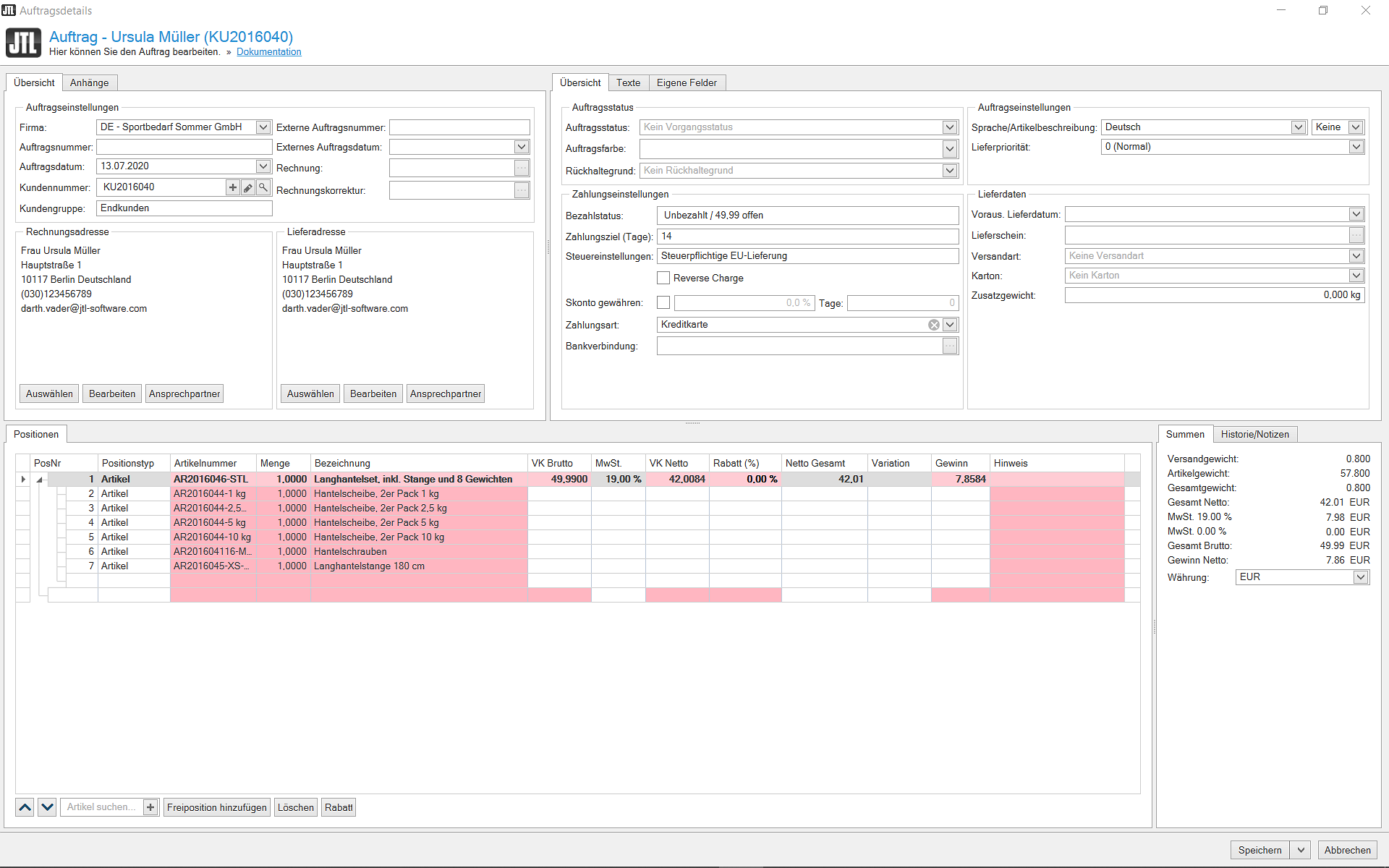
Customized BOMs are one of your “most wanted” features and we are happy to have implemented them in the new version: With JTL-Wawi 1.6, you will be able to sell customized BOMs to customers and add or remove components or items as you wish.
Adding attachments to a sales order or item
Are you constantly faced with the problem of how to make certain documents or images accessible to other departments or colleagues who access sales orders in JTL-Wawi? For example, would you like to attach customs documents to your warehouse employees directly in the sales order or provide your production employees with individual production drawings? Both will be possible in JTL-Wawi 1.6!
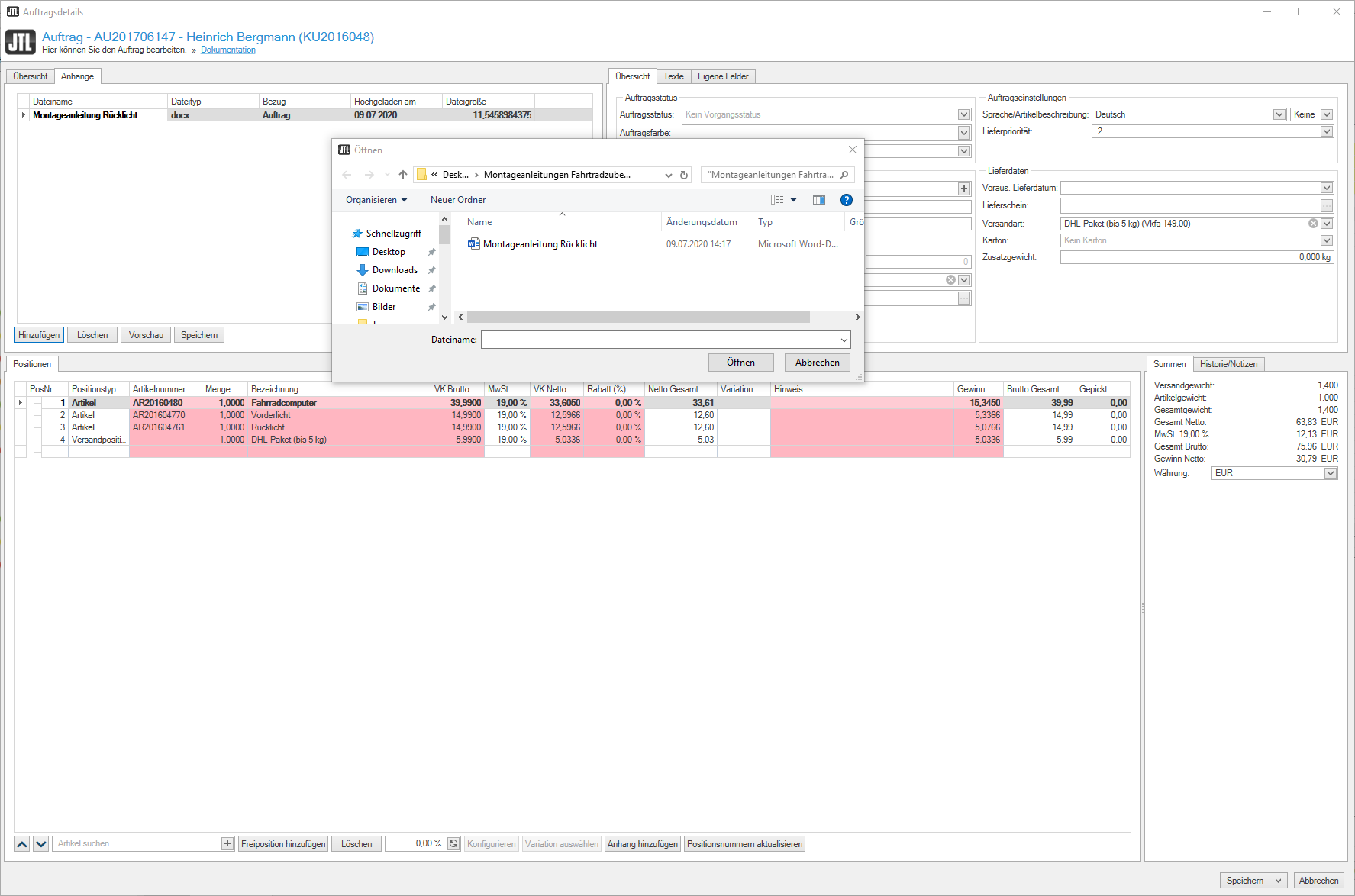
You will now find the “Attachments” tab in the order details. Simply click on “Add” to select the desired files. You can also add attachments to individual items. Your documents are then opened using the standard Windows viewer via the “Preview”.
Order history for more control
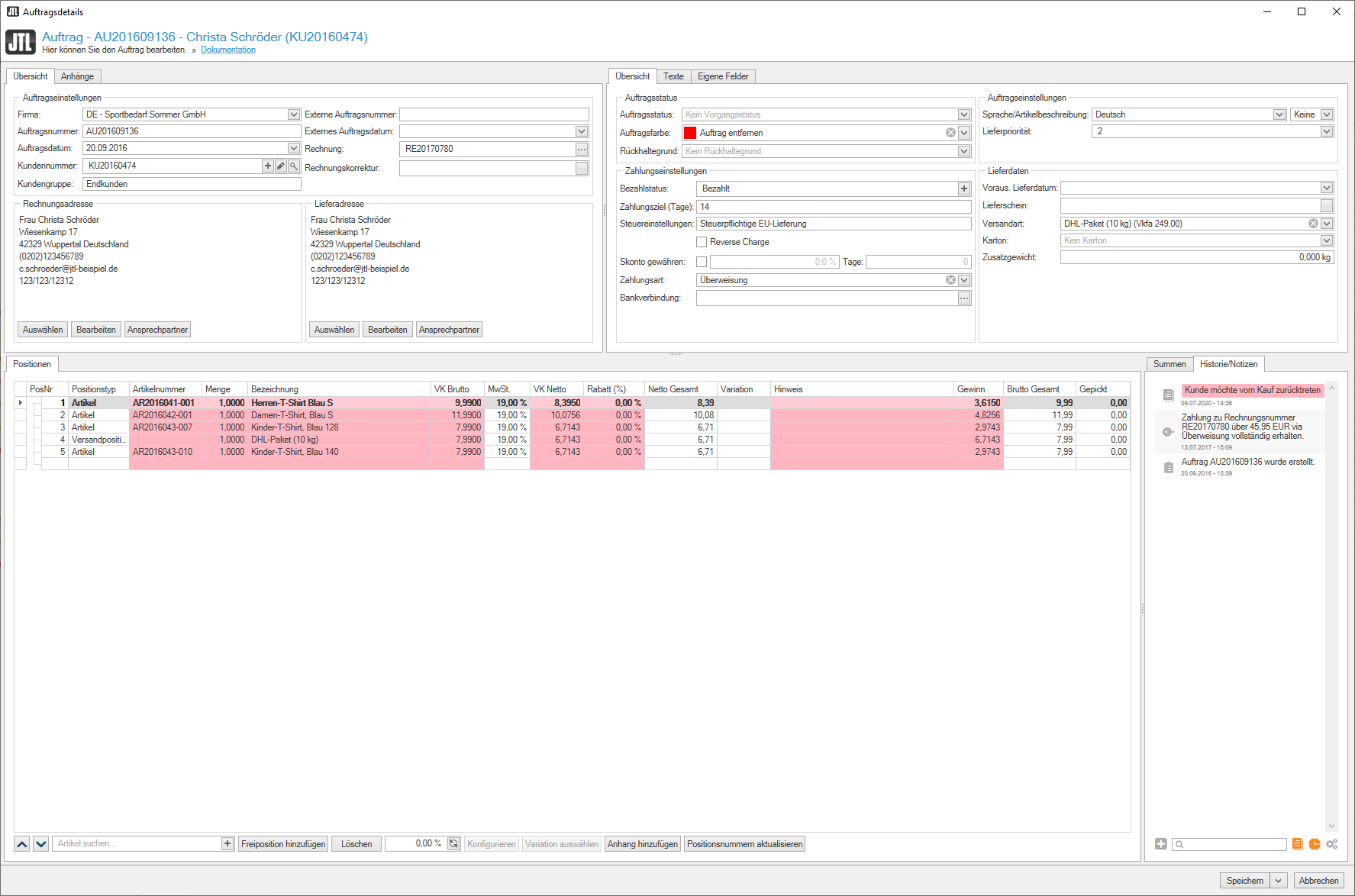
In the “History/Notes” tab, all processes that a sales order has gone through are logged in a complete and traceable manner: Dispatch, return, invoice created, payment received, etc. You can activate the corresponding order logbook via the global settings.
This feature not only helps you to keep an overview. It also allows us to help you much faster in the event of support.
Another helpful feature is the option to make your own notes, which you can use to record comments and remarks directly within the order history.
Color filter through "Conditional formatting"
If you have been following my videos about the new features in JTL-Wawi 1.6, you will have seen that we have implemented new table controls in item and customer management that allow you to set color filters for certain values. This feature is now also available in the order details:
Right-click on the table header > Conditional formatting > Rules for highlighting cells to access the corresponding settings. By selecting “Text content”, for example, you can specify that a certain row is always highlighted in color if the item description contains a word you have specified.
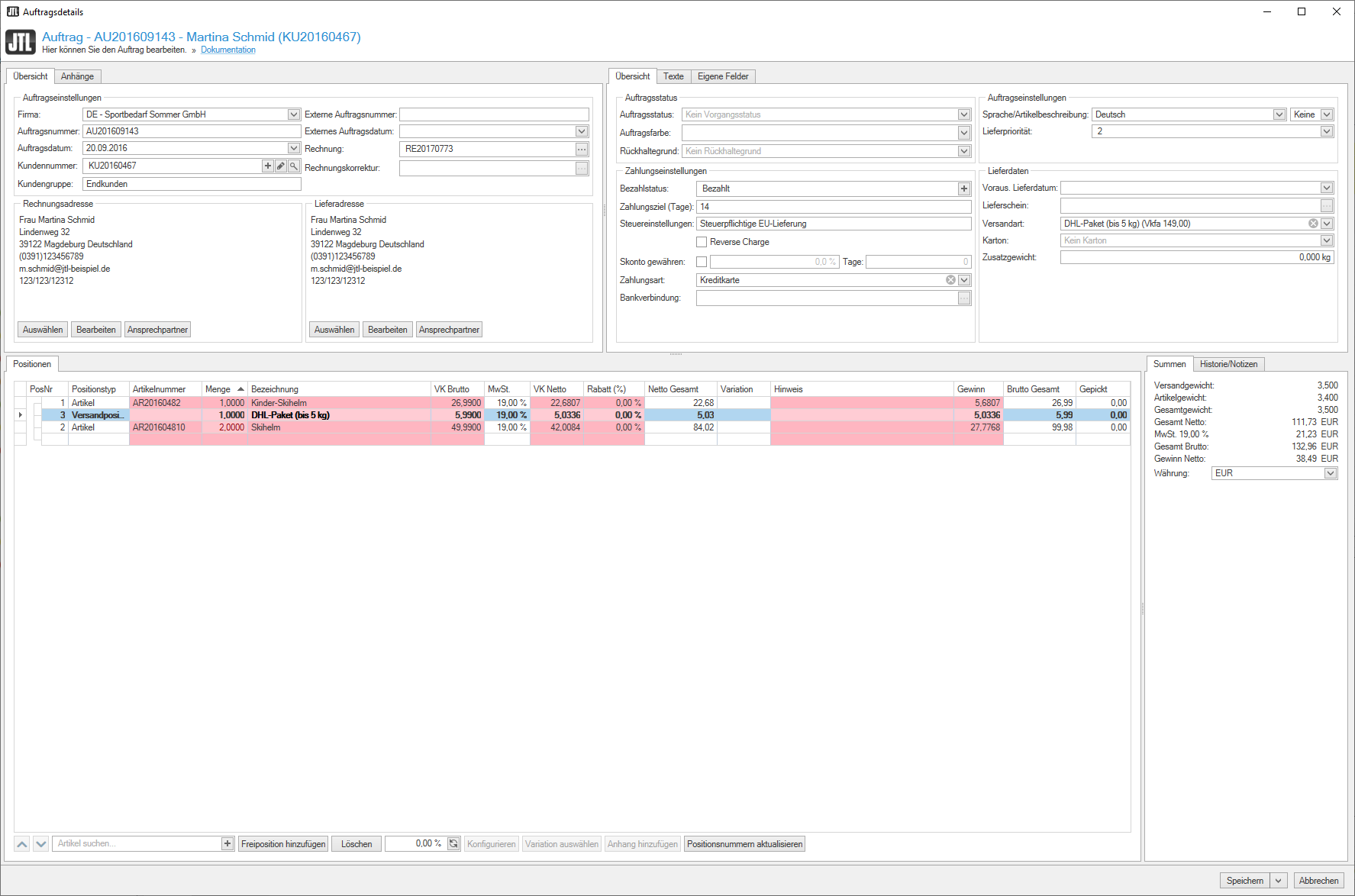
The Good: These settings can be saved per user, so your employees can have other values highlighted that are relevant to their work.
You can find a detailed presentation of the new options here:
Search at column level
With JTL-Wawi 1.6, you will now also be able to search for values at column level in the order details. For example, you can only display a specific type of item. You can use the “Description” tab to specify individual filter values, but you can also define general filter rules there to display specific search results permanently.
Control key at item level
This feature is interesting for all users who use DATEV services: Previously you defined the tax key globally, but from JTL-Wawi 1.6 it is now at item level.
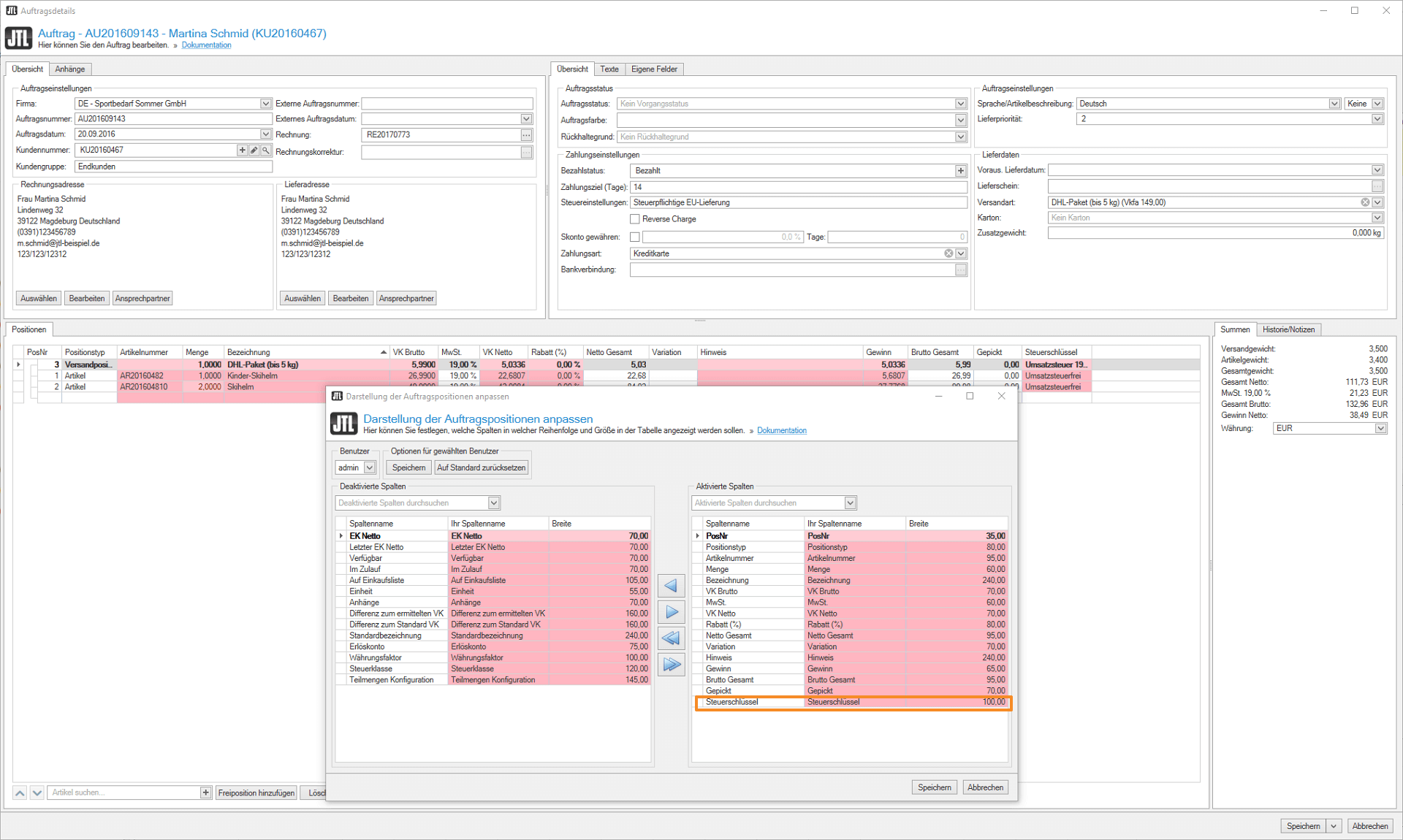
This means that you can make tax settings without changing them for existing sales orders. If you now specify which G/L account is behind your DATEV export via Admin > Taxes > Tax key, you can export a complete financial year and change the tax settings as required – the result remains the same for a second export.
Multiple billing addresses per customer
While you could previously only select “Delivery address” and “Other” in the customer master data, with JTL-Wawi 1.6 it is possible to set one or more billing addresses. This should be particularly advantageous in the B2B area, for example if you supply several branches of a customer.
In your sales order, you can add as many addresses as you like under billing address > Edit, which you can then transfer using the “Select” button.
Preview: What we are planning for the order details
Of course, our work on the order details is not finished with the features mentioned above. We are already working hard behind the scenes on new functions that we will keep you up to date on in the future. However, we would like to briefly introduce you to one of the to-do’s on our list right now:
Over the next few weeks, our Wawi development team will be tackling the big issue of “fees in sales orders”. Our idea is that JTL-Wawi 1.6 will show you how high the fees are for the respective sales order (e.g. FBA fees, sales commission). This gives you a direct overview of how much profit a sales order has generated and allows you to calculate your margins more efficiently.
Your feedback on the order details in JTL-Wawi 1.6
The new order details in JTL-Wawi 1.6 were created not least thanks to your input and feedback. We therefore continue to welcome your suggestions and comments, as this is the only way we can develop software that suits you perfectly.
Do you have more ideas for the order details? Or are you missing an important feature? Then let us know!






