JTL-WAWI

Use the ERP app
JTL-Wawi on the go

  • Mobile access to items & customers
  • Sales orders & KPIs always in view
  • Free of charge for iOS & Android

Over 50,000 online retailers rely on JTL software.


Zeiss Logo
Ankerkraut Logo
Cineplex Logo
Flyeralarm Logo
Seeberger Logo
Stahlwerk Logo
Tedi Logo
JTL-WAWI

ECommerce to go: The JTL-Wawi app brings your merchandise management system directly to your smartphone and tablet

With the JTL-Wawi app, you always have your ERP at hand and can access items, customers, sales orders, workflows and KPIs at any time – ideal for field service and customer visits.

Live data instead of waiting

Sales orders, stocks, cancellations: updates from JTL-Wawi are immediately sent to your app – so you have full control even when you’re on the go.

Sales orders directly with the customer

Take orders on site via app and transmit them to JTL-Wawi in real time – your team starts shipping.

Smart integrated camera

Take photos of products and save them as item images in JTL-Wawi – or call up item details via bar code scan in the app.

Large overview on a small screen

Keep an eye on your most important key figures on the statistics dashboard and make data-based decisions on the go.
ECOMMERCE IS THIS SMART

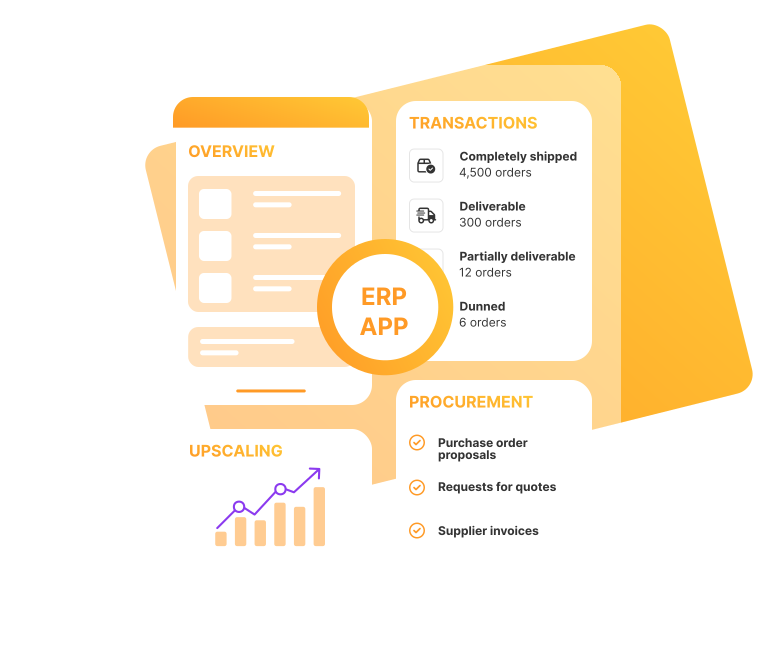
ERP app for more flexibility in day-to-day business

Product and data control
Sales & customer management
01
Article views
Find items via search/categories in seconds and check item details: texts, images, stock, parts lists and prices (net, gross, purchase, RRP) - including custom fields.
02
Item images & attachments via camera
Take product photos with your smartphone camera and save them directly as item images via the JTL-Wawi app or add them as attachments to the sales order.
03
Call up items by bar code
Start the camera in the app, scan the product bar code, display the item details - and add the item to the sales order straight away. Also supports Bluetooth scanners.
04
Search & filter function
Your filter and search settings are automatically saved for recurring cases - this saves time with items, customers and sales orders.
05
Intuitive & customizable interface
Switch smoothly between items, customers and sales orders, slim down the view as required, show or hide tabs - and focus on the information you need.
06
Statistics dashboard
Your KPIs from JTL-Wawi, clearly arranged in the mobile-optimized app dashboard. You can customize it with widgets - so you can see performance and trends at any time, from sales to shipping volumes.
07
Statistics templates
Use statistics templates that you have created in the merchandise management system in the app too - so you always have exactly the key figures you need at hand.
01
Offer overview
Display, quickly identify and edit listings from the ERP in the app.
02
Create & manage sales orders
Create sales orders on schedule. Find and process sales orders in an instant - react immediately to changes in delivery addresses or payment methods; filter out canceled orders.
03
Customer views
Find, create and edit customers - including custom fields, history, notes and delivery and billing addresses with contact persons; switch immediately from the sales order to the customer master data.
04
Mobile customer service
Contact contact persons directly from the JTL-Wawi app by phone call or email and switch from the customer base to the sales order with a tap to check the status.
05
Trigger workflows on the go
Start manual workflows in the app that you have defined in the ERP - e.g. send an order confirmation or notify you of delivery delays.
06
Open attachments
Access attachments in the sales order with your smartphone and tablet - so you stay fully informed at all times without having to use your PC.
07
Notes for on the go
Record important information on customers and sales orders and update it at any time - special cases remain documented and centrally accessible for the team.

COSTS & AVAILABILITY

ERP app: free of charge for Android & iOS

The JTL-Wawi app is available free of charge in the Google Play Store and the App Store. For productive use, book a JTL edition in the JTL-Customer Centre.

The app is included in all editions from JTL Advanced, and an unlimited number of users can access your ERP with their mobile devices.

Set up the JTL-Wawi app: Connect the app to your merchandise management system in just a few steps – you can find a how-to in the JTL-Guide (in German).

Questions and answers about the ERP app from JTL

The JTL-Wawi app is your pocket-sized merchandise management system – optimized for tablets and smartphones. You can create items, listings, customers and sales orders or make changes – without having to go back to the office. Your KPIs are also immediately available in the dashboard. This makes the app the ideal companion for external appointments, trade fairs and business trips: During on-site customer meetings, you create sales orders that are synchronized with your ERP in real time and processed directly by your employees in the office and warehouse.

Yes, the JTL-Wawi app does not store any data permanently on your smartphone or tablet; content is only stored in random access memory for a short time. This means that no personal data is stored locally. If the device is lost, there is no locally stored data on it. In addition, your information is always kept up to date in your ERP system.

Yes, with the JTL-Wawi app you can access your merchandise management system from your iPad. The app runs on Android smartphones and tablets as well as on iOS/iPadOS. The data remains synchronized with your ERP system. Install the app via the Google Play Store or the App Store.

Yes, the JTL-Wawi app is available free of charge in the Google Play Store and the App Store. For productive use, book a JTL edition. The app is included in all JTL editions from JTL Advanced. You can create an unlimited number of users – ideal if several employees use the app to access the same ERP database.

You can find step-by-step instructions for setting up the app in the JTL-Guide. There you will also learn how to create and edit the dashboard (including statistics templates).

To the instructions in the JTL-Guide (in German)