JTL-Shop 4.06: This is new!
Positive, convenient shopping experiences strengthen customer loyalty. That’s why we have focused on improving usability for the end customer in JTL-Shop 4.06. The new article overview offers even more information, while at the same time making the store easier to navigate. A shortened checkout leads buyers more quickly to their desired destination and minimizes abandoned purchases. At the same time, the integration of installment payments powered by PayPal offers new options for paying for the desired items. All of these new features make shopping more convenient and therefore increase satisfaction. Fuller shopping baskets and increased sales are the result.
Shortened checkout
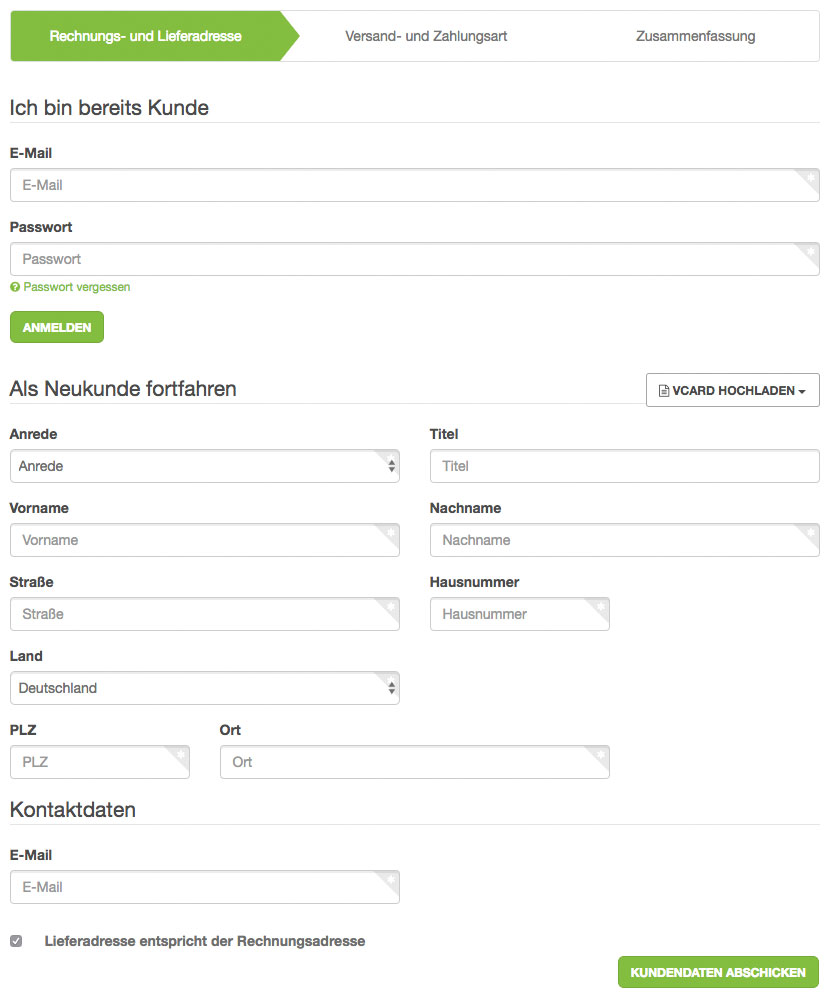
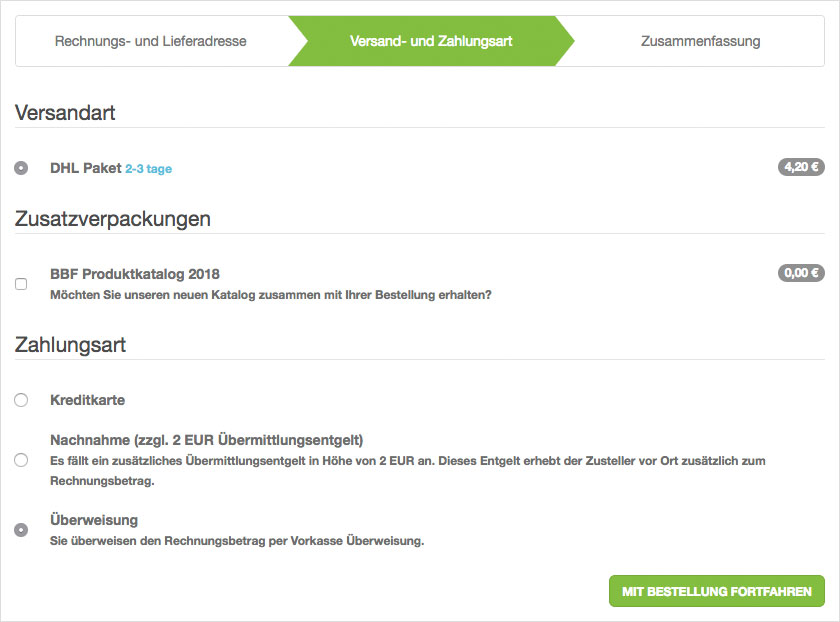
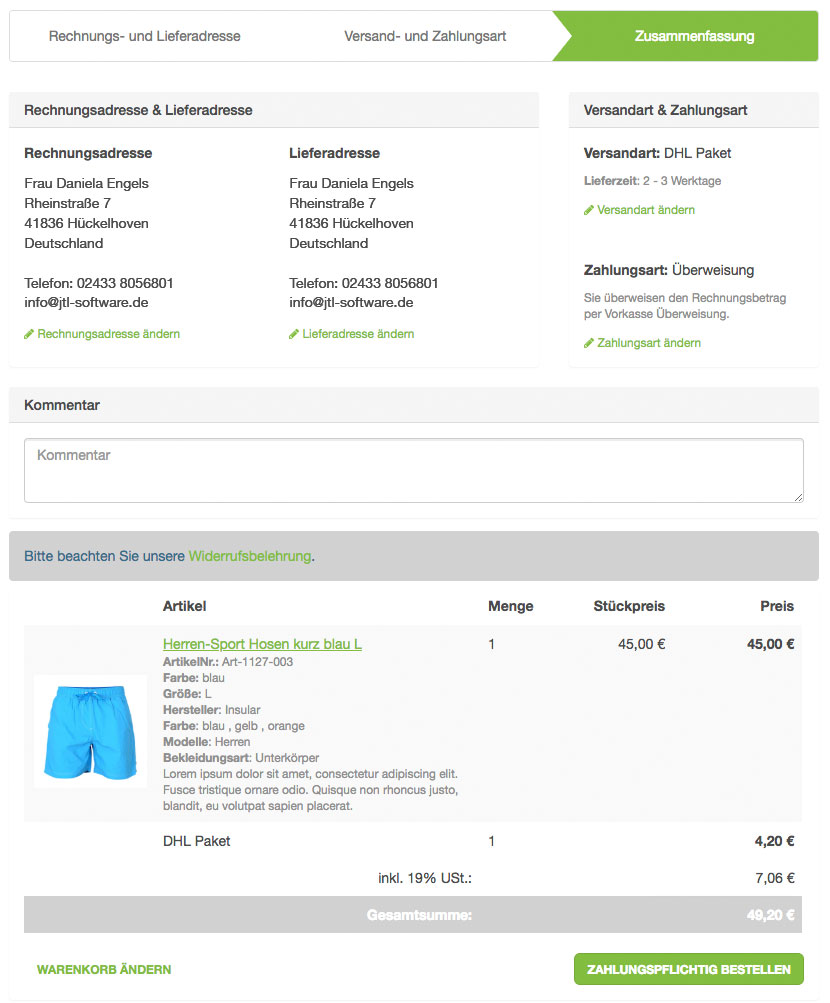
The checkout of the purchase process now only requires 3 of the previous 6 steps. This means that the customer can make their purchase decision more quickly. This allows JTL-Shop 4.06 to generate more purchases and minimize the bounce rate at the same time. The shorter checkout makes spontaneous orders or purchases on the move all the more attractive for customers.
Steps of the checkout
After logging in or entering the billing and delivery address, the customer simply selects the shipping and payment method before proceeding to the order overview and checkout.
If you work with our EVO template, the shortened checkout with JTL-Shop 4.06 is automatically available for your customers. Templates of version 4.05 and lower are not compatible.
Checkout for new customers via vCard
New customers have the option of uploading a previously created vCard, i.e. an electronic business card. Once the vCard has been created, the data can be inserted with just a few clicks. The manual, time-consuming entry of data is no longer necessary.
Improved overview of item listings
By comprehensively expanding the display of information in JTL-Shop 4.06, buyers benefit from a better overview and a simpler purchasing process.
Hover effect and preview
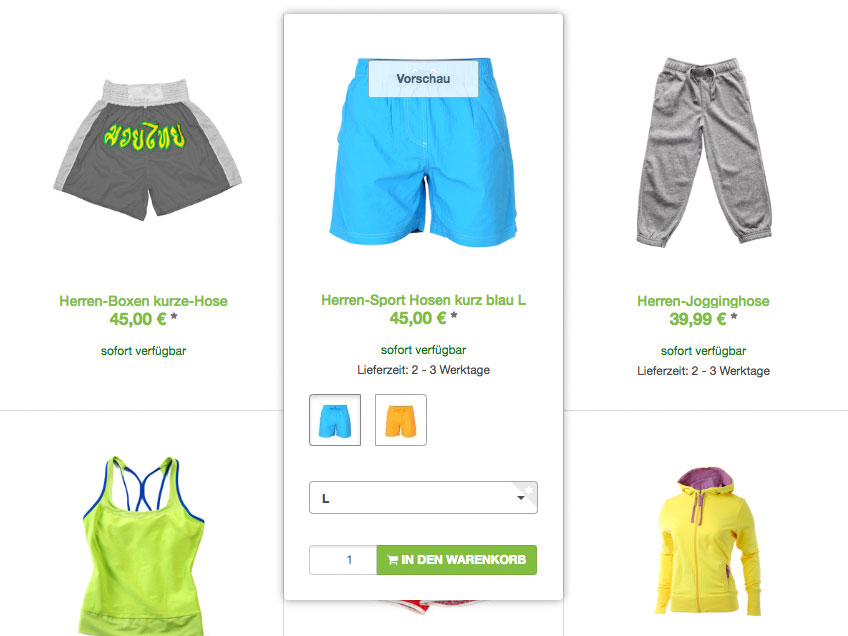
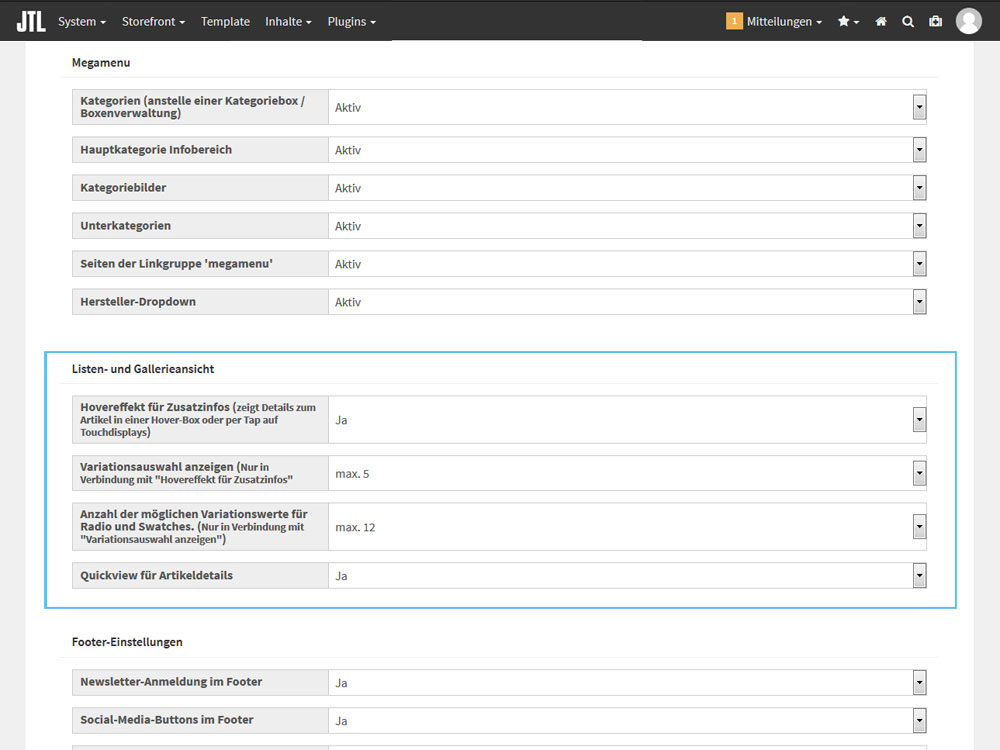
If a customer moves the mouse pointer over an item in the item overview, further information appears via a hover effect. In addition to the shopping cart button, this also shows selection options for variation combinations and a preview in which relevant details about the item can be viewed. The item can be selected and ordered directly in the hover or the preview. The item lands in the shopping cart with a single click. In the template setup, you can customize the detailed view and the product combinations as desired.

Payment in installments Powered by PayPal
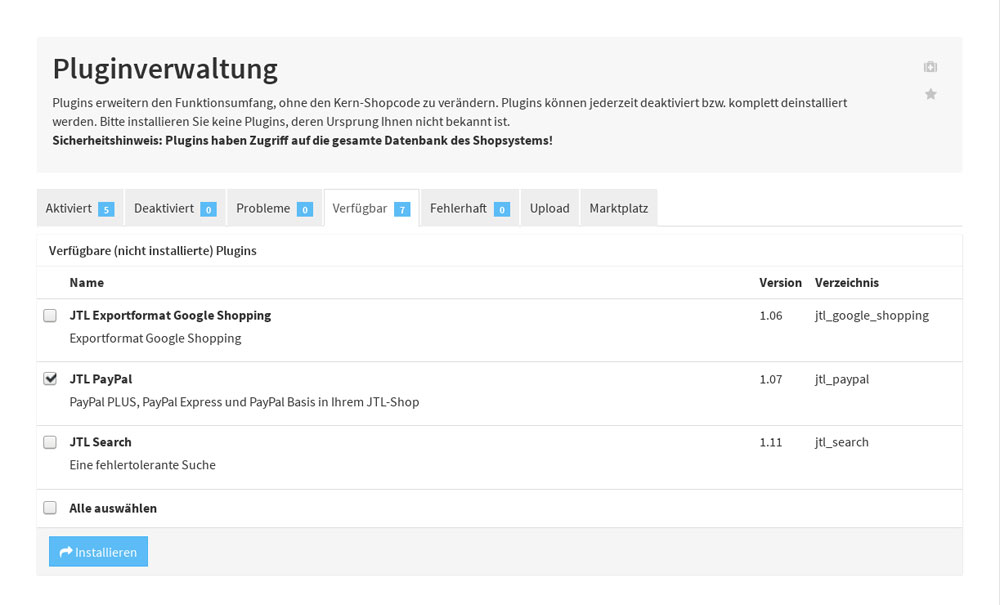
With the update to JTL-Shop 4.06, we are integrating installment payment Powered by PayPal. This gives customers more payment flexibility so that they can also purchase higher-priced items. As a merchant, you can therefore benefit from increased sales.
Requirements for the new payment method
If you would like to enable your customers to pay in installments, you need JTL-Shop 4.06 and JTL-Wawi version 1.3.15.5. You must also have an activated PayPal seller account and a PayPal plugin version 1.09.