
Many of you know the problem: goods are to be moved from one (main) warehouse to another (branch) warehouse. The employees of the remote branch may even be eagerly awaiting the corresponding items. So, quickly initiate a warehouse transfer in JTL-Wawi and send the items to the shipping department: However, the direct transfer of the goods can lead to confusion. In the store warehouse, the items immediately appear as available and employees there may already be looking for them, even though the goods are still on their way.
In JTL-Wawi 1.1 we will present you with a solution for this. Stock transfers between multiple warehouses and the introduction of drop shipments are a new and major feature for version 1.1 of our ERP system. With our second entry in the JTL developer diary, we would like to briefly introduce you to the future possibilities.
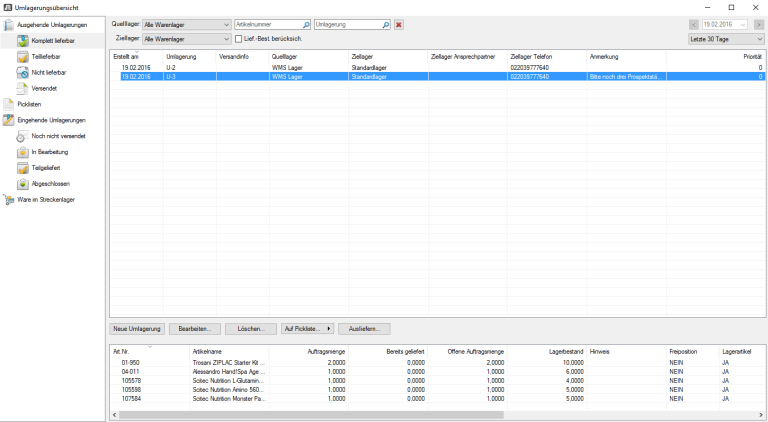
New: Create stock transfers in JTL-Wawi
In the future, JTL-Wawi will make it easy to move any quantity of goods between two standard and/or WMS warehouses. To do this, you will create a so-called stock transfer. At first glance, this stock transfer looks like a sales order that contains all the items you want to transfer from A to B. You select one of the warehouses you have created in JTL-Wawi as the sender and delivery address. In the background, JTL-Wawi will now create an outgoing stock transfer order for the source warehouse and an incoming stock transfer order for the destination warehouse.
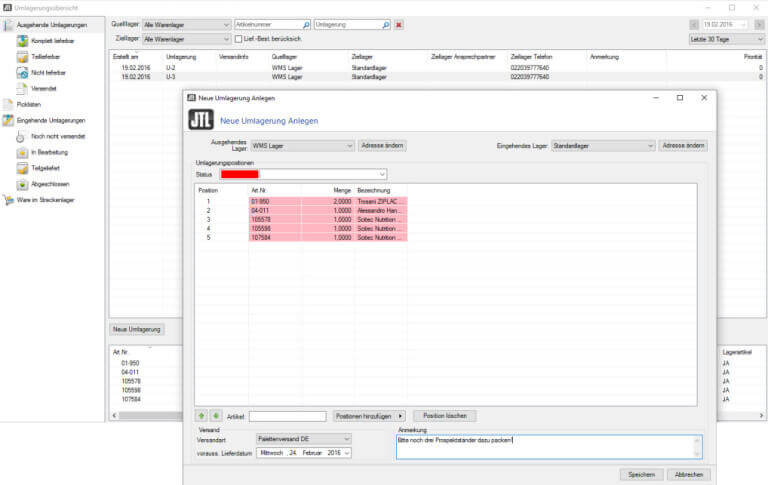
Outbound posting of goods from the source warehouse
The outbound stock transfer is handled in the same way as a sales order, i.e. it can be booked out via JTL-Wawi or JTL-WMS using the usual processes. As with the usual outbound delivery process in JTL-Wawi or the use of pick lists in JTL-WMS, the stock transfer goods can also be picked and packed accordingly. All functions and configuration options are retained.
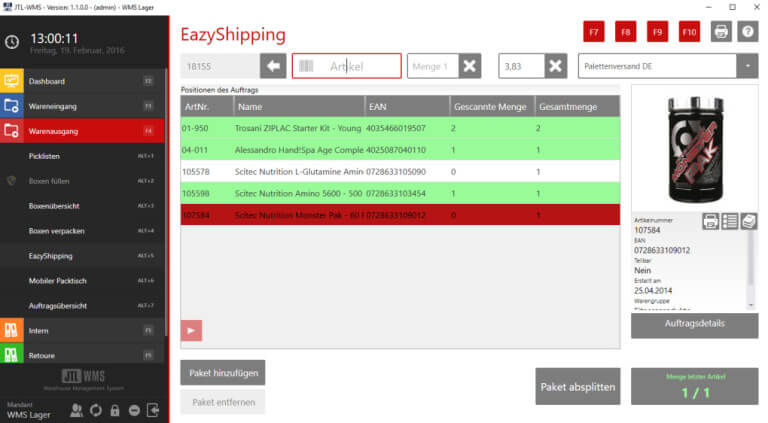
The goods are on their way
As soon as the stock transfer goods are booked out of the source warehouse in the shipping process, they are automatically booked into the drop-ship warehouse. As long as the goods are there, they can be seen in the drop-ship warehouse overview and are managed in the stock overview of the corresponding drop-ship warehouse. A drop-ship warehouse is created for each combination of two warehouses so that it is always possible to see exactly which goods are in transit between which warehouses.
The goods arrive at their destination
The goods receipt of the goods in the target warehouse is carried out in the same way as when inbound posting a supplier order in JTL-Wawi. As soon as the individual items are posted there via the respective goods receipt processes, the stock is deducted from the drop-ship warehouse. If items are lost during transportation, the goods are still displayed as an open quantity in the drop-ship warehouse and can be cleared via an adjustment posting if necessary.
When developing the warehouse transfer postings, we closely followed the existing shipping and goods receipt processes. For your office and warehouse staff, the new stock transfers will not require any major changes or much training.
Transfers to FBA (Fulfillment by Amazon)
Another highlight of JTL-Wawi 1.1 will be the automatic stock transfer to FBA, which you can control via your shipping process. As soon as the goods leave your warehouse, they will be booked into the drop-ship warehouse. This means that the goods will remain visible to you until they are inbound posted to the FBA warehouse by Amazon. In future, the goods will no longer “disappear” for the duration of transportation and until they are recorded by Amazon. You will always have an exact overview of which goods are on their way to the FBA warehouse. As soon as you receive confirmation from Amazon, the goods are automatically booked out of the drop-ship warehouse. This means you can also see immediately which quantities may not have been booked in.
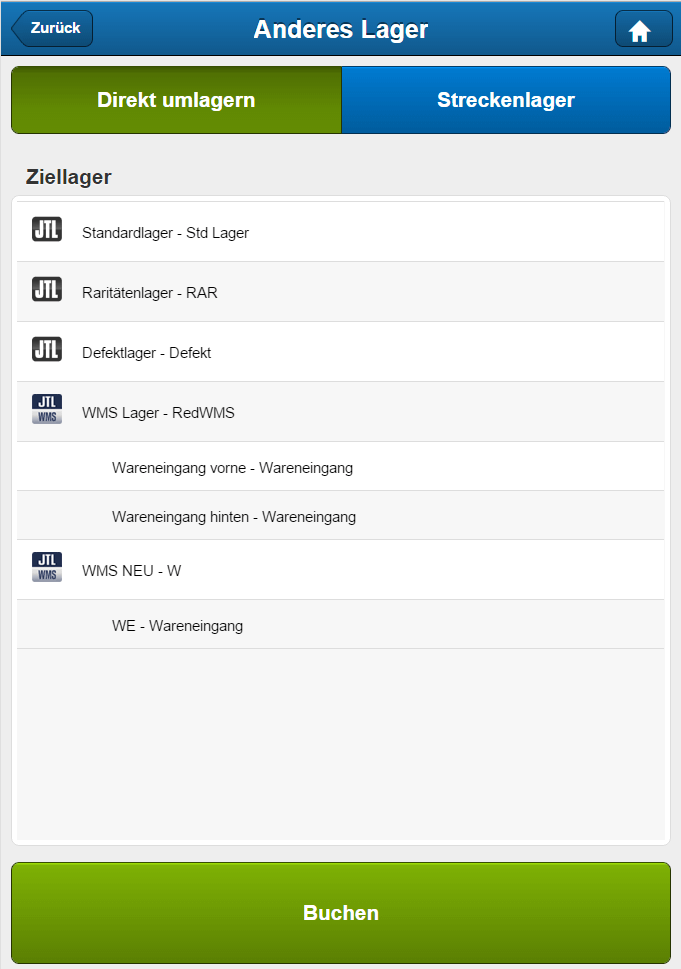
Manual stock transfers in JTL-WMS
You can also trigger desired processes in your WMS warehouse without having previously defined a stock transfer in JTL-Wawi. Simply go through your warehouse and scan the items you want to transfer. Perhaps some items are gathering dust in the warehouse and you would prefer to sell them via FBA? Or you select the items that you think will sell better in the stores than online? Or vice versa: goods from your stores that are no longer on trend that you would now prefer to ship from the shipping warehouse and restock accordingly? No problem – you can do this in no time at all in JTL-WMS.
Conclusion
The new stock transfers from JTL-Wawi 1.1 and the introduction of drop-ship warehouses will give you a better overview and control over your goods flows. We are sure that this will give you more security in your daily work and faster response times for your customers. We are also looking forward to your feedback!






