
Update-Hinweis (Stand: 12.2022)
Die technische Unterstützung für JTL-Shop 4 wurde im November 2022 eingestellt. Wir empfehlen allen Shop-Usern dringend das kostenfreie Upgrade auf JTL-Shop 5.
Our developers are working hard on version 4.05 of JTL-Shop. After we recently introduced you to two-factor authentication for JTL-Shop, this time we’re showing you another new feature: the history for CMS content and export formats. If you’re scratching your head and wondering what this is all about: no problem, we’ll explain it to you below.
Who did it?
You may be familiar with the following problem: You have several employees who have access to the back end and work with the CMS files and export formats there. You put in a lot of effort, have designed specific email templates or edited an elaborate export format with lots of Smarty code. Everything works wonderfully. But a week later, nothing works anymore.
Finding the error in the export formats in particular can quickly resemble the proverbial search for a needle in a haystack. Where did the error occur? And who caused it? Clarification must take place as quickly as possible, or at least the original state must be restored. The time-consuming search for the cause was also a thorn in the side of our developers, so we created a solution for this.
Tracking made easy
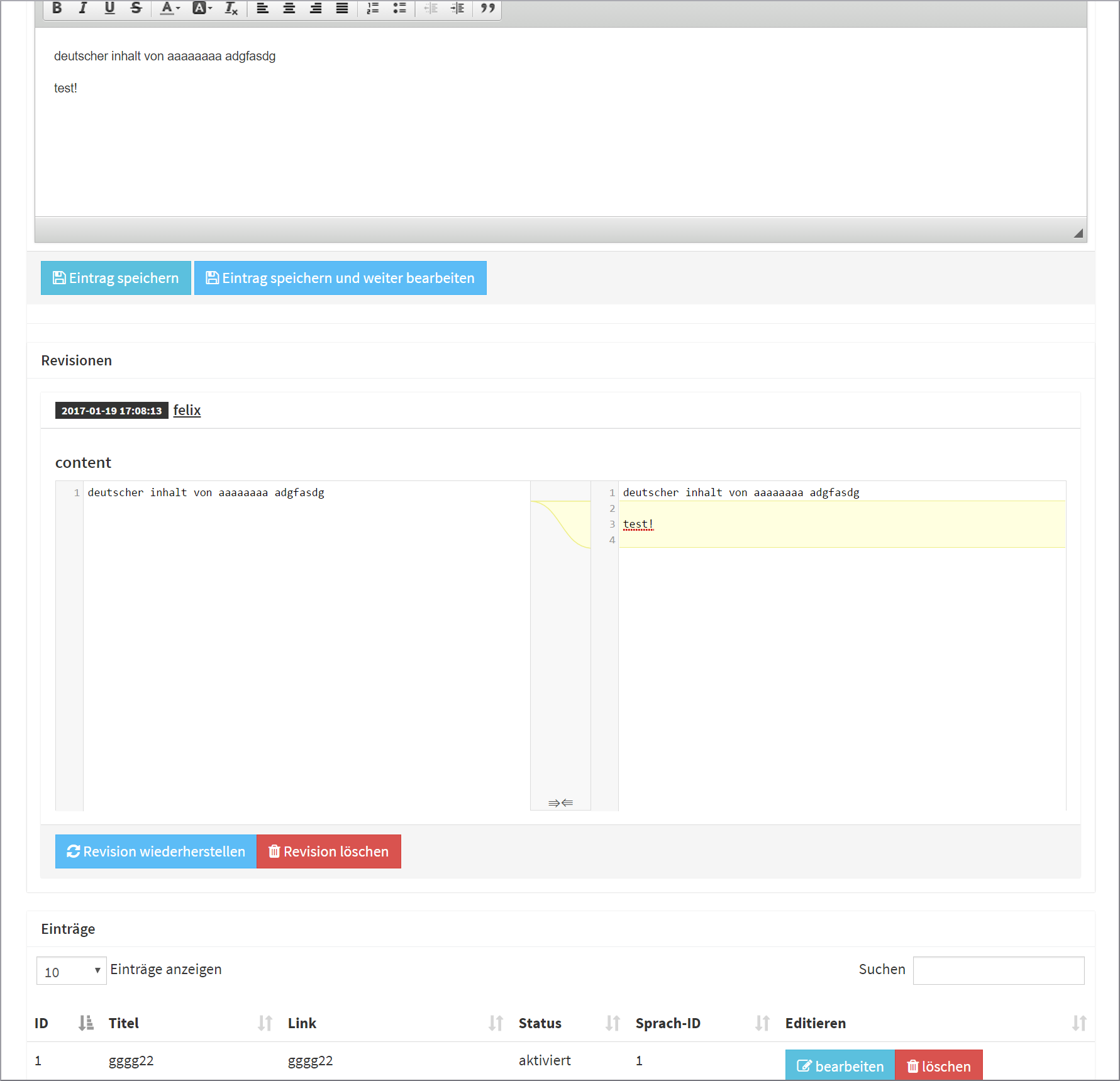
As of JTL-Shop 4.05, we offer users a new history function. Whether email templates, export formats, news articles or the “Custom pages” area: The original content is saved for all of them during the editing process. The editing screen then shows an overview of previous revisions, their author, their modification date and the differences between the revisions of the content. If you notice that errors have occurred since the last change, you can restore one of the previous revisions with a simple click. You can then narrow down the cause by comparing the last changes or ask the author of the version.
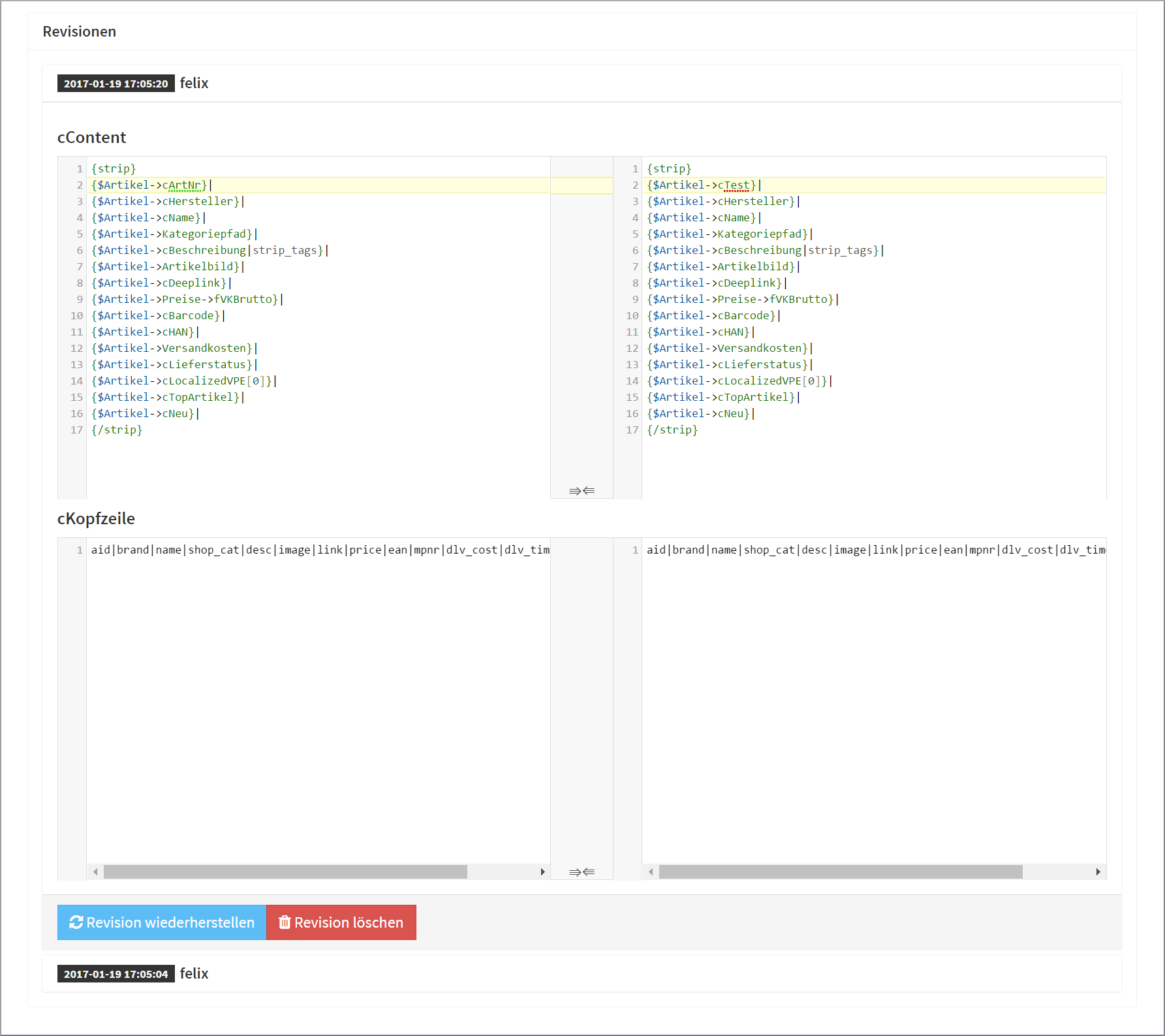
Using the function is therefore very easy. The history function is already activated in the new version. Any change between changes can be resolved with a single click – eliminating the need for complicated tinkering in the back end and lengthy troubleshooting.
Another nice side effect is that the history function can also be used for plugins. With just a few lines of code, these can be adapted so that the revisions are available for any content, including data generated by plugins. A rollback for external integrations would also be possible in the future.
Conclusion
The history function for CMS content and export formats offers you new convenience options from JTL-Shop 4.05 onwards. The causes of errors in these areas can be identified more easily and their originators can be determined. Even better: not only do you know when and by whom the error occurred, you can also undo it with just one click.