More productive and mobile: JTL-Wawi 1.7 now available as a stable version
With today’s stable release of JTL-Wawi 1.7, we present you with two new tools in the JTL toolbox: our production solution JTL-Plan&Produce and the JTL-Wawi app. But our ERP itself has also been fine-tuned with the update. Let’s go!
No time to browse? Then take a look at our showcase video for JTL-Wawi 1.7 to get a first impression of the highlights:
JTL-Plan&Produce - Production tool for the "big picture"
JTL-Plan&Produce is specially tailored to the requirements of retailers who are active in production and finishing. The Application was designed for a wide range of industries and product groups, so that a whole host of different manufacturing processes can be mapped in JTL-Plan&Produce.
Our pilot customers come from a wide variety of sectors. They manufacture products for medical technology, but also things like nutritional supplements or individually printed T-shirts.
The solution allows you to manage your entire production process, from planning to execution. Since JTL-Plan&Produce is a module within JTL-Wawi (“Production” area), you are able to coordinate processes that are directly related to production, i.e. purchasing and sales or warehouse and shipping, in a central location. In short: in the end, all the “gears” of your manufacturing business will mesh seamlessly. But enough with the metaphors! Let’s move on to the functions:
Here you will find the basis for your production or refinement – from production locations to manufacturing materials and tools.
The production article answers the key W questions for the individual product. Which material and which tools do I need? Where and how is the item produced? What else do I have in stock? Items that have already been created in JTL-Wawi can be saved as production items.
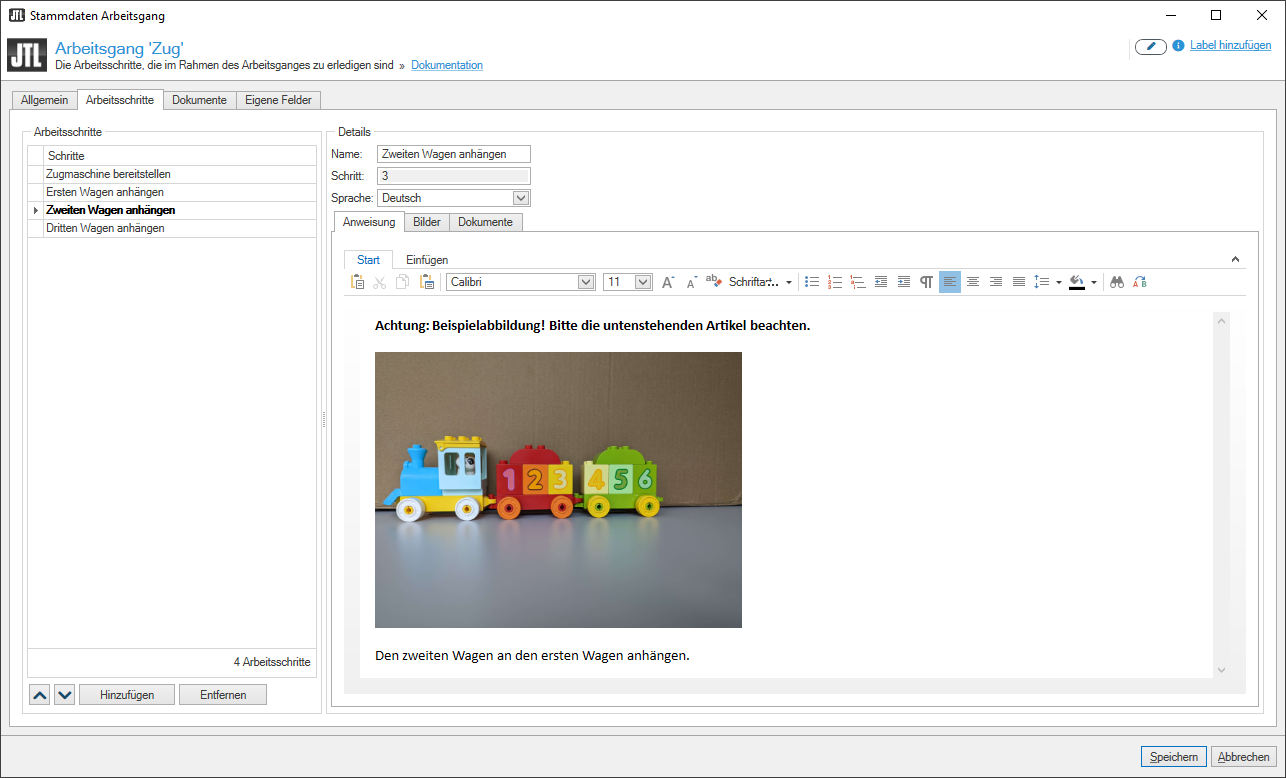
The exact manufacturing process for the production item is recorded here in detail. You can even store partial steps, such as the disassembly of a component, as work steps. In addition to image and text instructions, documents that are helpful for production can also be saved here. These instructions are played out by the JTL Workbench assistance system during the production process. If you want to test a different production process, you can also set individual work processes to inactive. This gives you full flexibility during production.
Planned production step by step
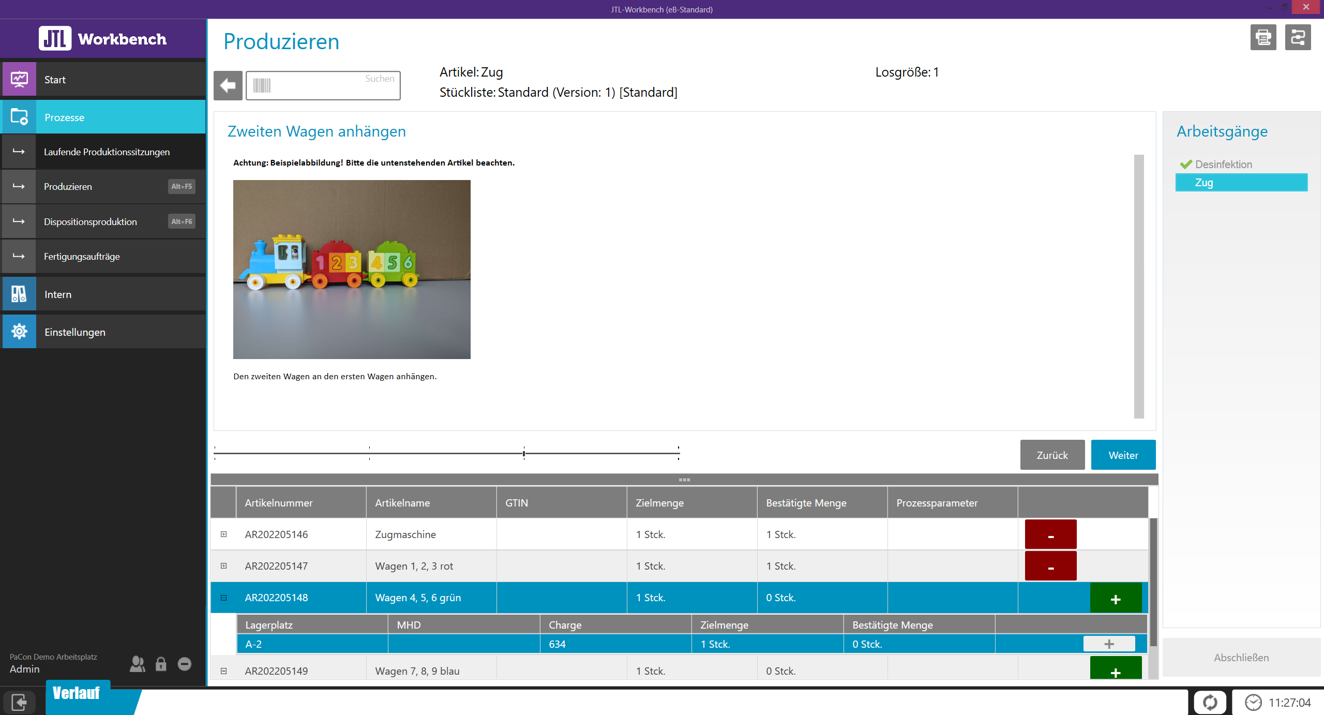
Das Assistenzsystem JTL-Workbench ermöglicht geführte Produktion für eine Vielzahl von Herstellungsprozessen.
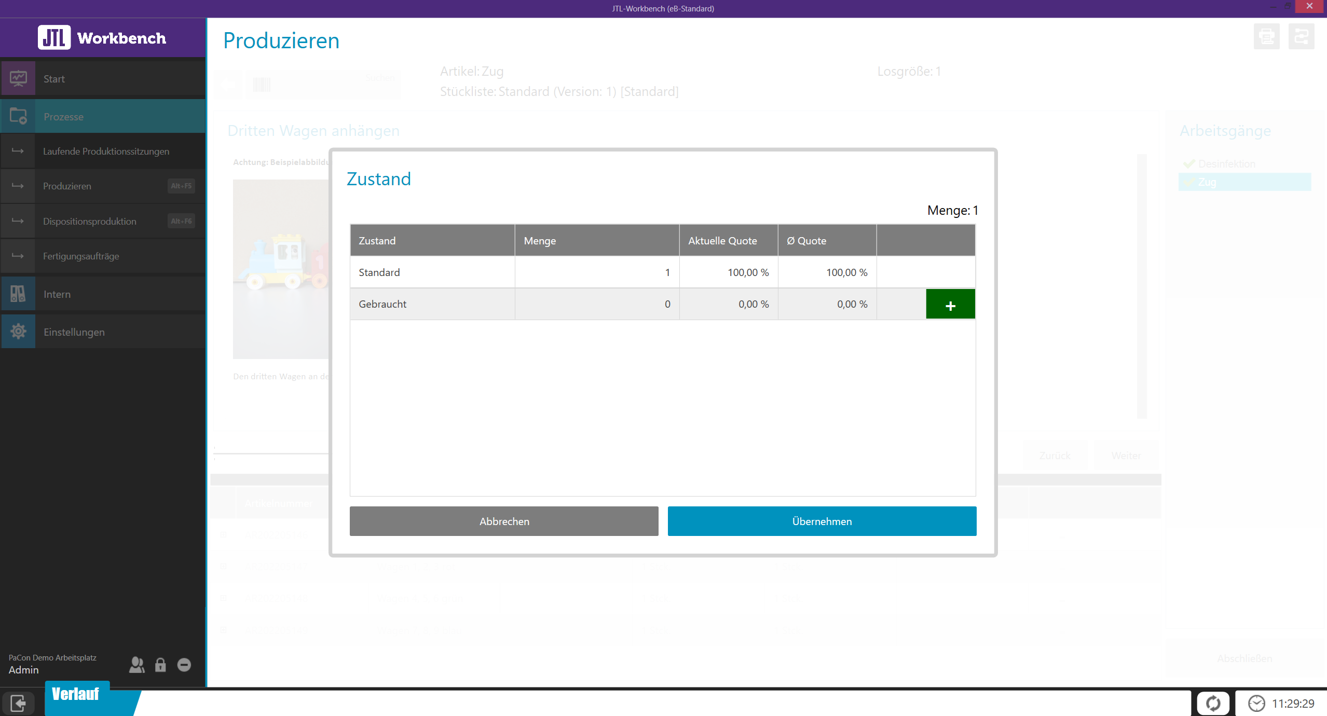
In JTL-Workbench können Werkstatt-Mitarbeiter den Zustand der hergestellten Ware dokumentieren.
Füge Bilder, Anweisungen oder Dokumente für jeden Arbeitsschritt hinzu, um Mitarbeiter bei der Produktion zu unterstützen.
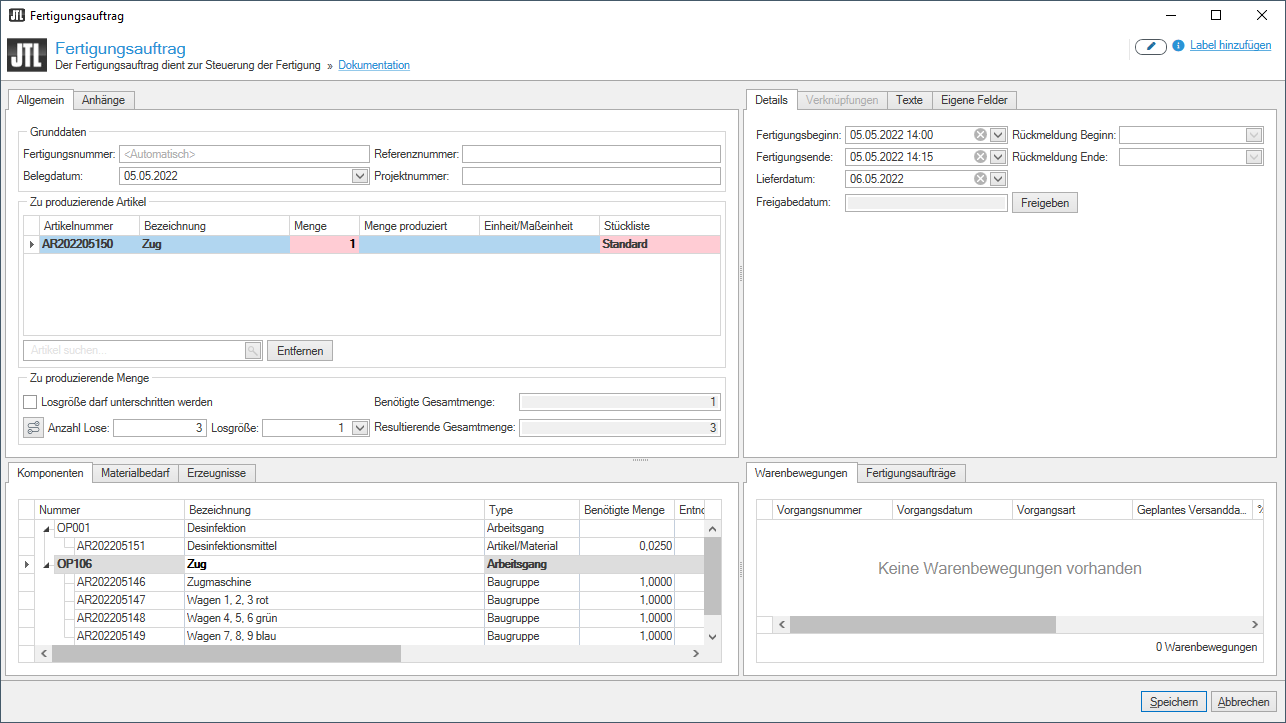
Im Fertigungsauftrag lassen sich Beginn und Ende der Herstellung, aber auch Liefer- und Freigabefrist genau terminieren.
JTL-Workbench - your "hard-working helper" at the production table
Production is planned? Now it’s time for production! With instructions and visual aids, the assistance system guides your production employees step by step through the production process. Because we know that workshop work is often hectic, we have made the design and user interface of JTL Workbench particularly clear and spacious. This ensures easy operation even when you need to react quickly.
Production types in JTL Workbench
During the beta phase for our production tool, we had to cover the requirements of a wide range of industries. Ultimately, we were able to break down all processes into three types of production, taking into account both series and individual production:
Ad hoc production
You produce “on the fly” without prior planning.
Manufacturing steps, quantities or batch sizes are determined during production.
Data from production planning in JTL Plan&Produce does not flow into production.
Disposition production
You make exactly the quantity you need.
The production quantity results from a specific requirement, which is calculated on the basis of your procurement or an order.
As with ad hoc production, batch sizes are determined during production.
Sales-order-related production
Sales-order-related production is ideal when a specific item needs to be finished at a precise time.
All aspects of production are pre-planned and defined by data from the production order.
Quantities, batch sizes and operations are predefined by the sales order.
Our Product Owner for JTL Plan&Produce Marc Völker summarizes the motivation for the development of JTL Plan&Produce: “Nowadays, retailers have to find their way in an increasingly competitive environment. Those who rely on self-produced goods can set themselves apart from the competition. With JTL-Plan&Produce, we provide our customers with a tool that enables them to do just that.”
You can find more information about JTL-Plan&Produce and JTL-Workbench on the product page.
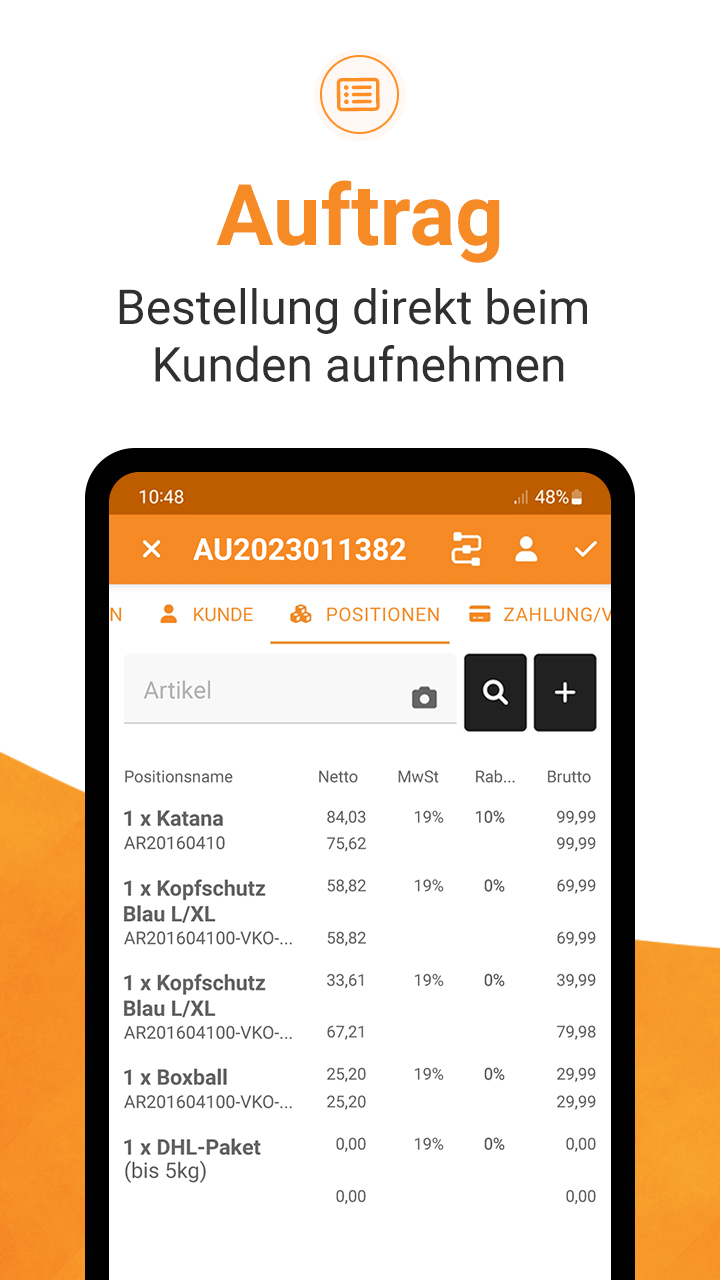
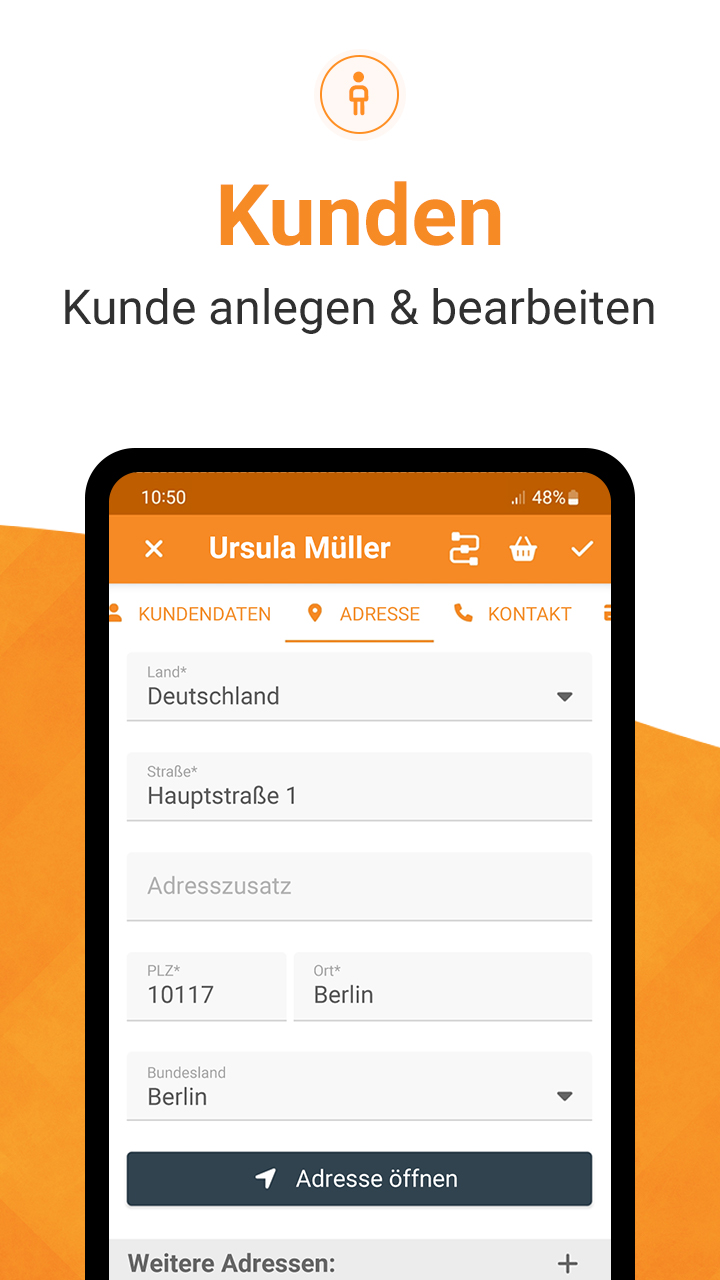
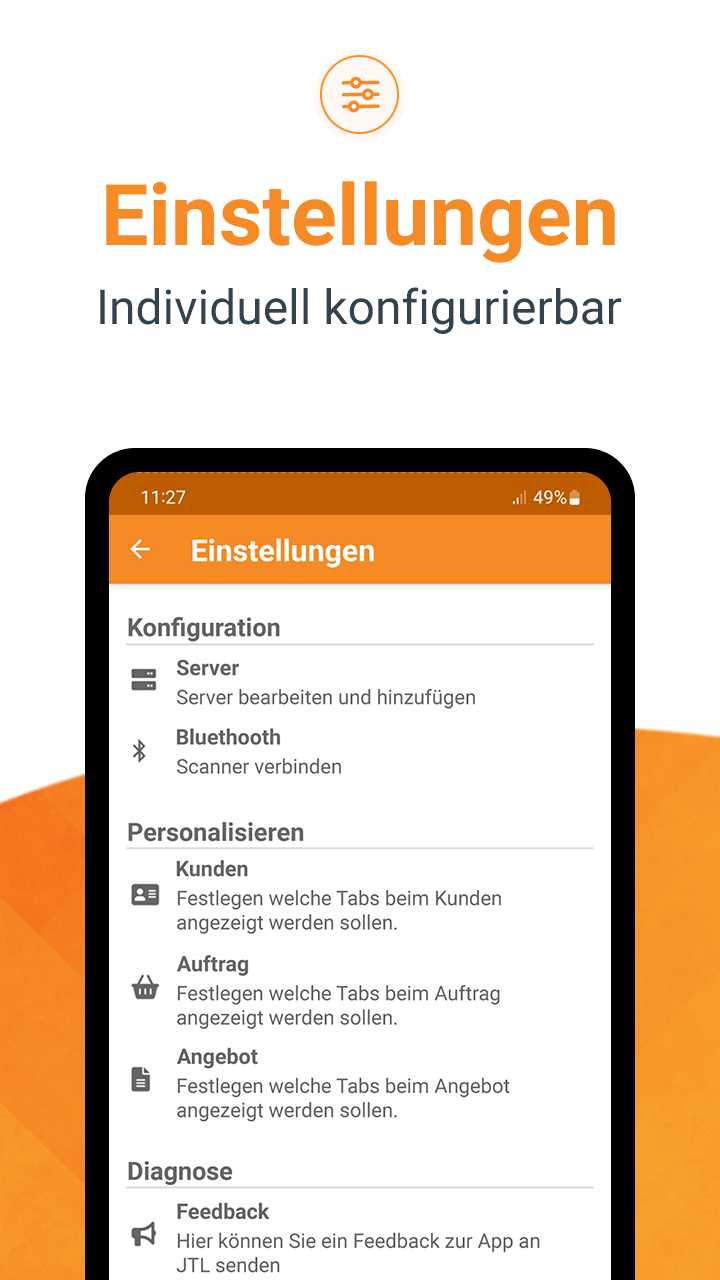
With the release of JTL-Wawi 1.7, our toolbox of software tools is not only more productive, but also more mobile – thanks to the JTL-Wawi app, which is now also available as a stable version with the update. Field staff in particular now have a “pocket-sized” ERP system that they can use to access data from their desktop ERP system on the go. Those who frequently visit customers can use the app to record orders directly on site, for example, and you always have your current figures to hand at trade fairs.
In terms of functionality, the mobile Application can certainly compete with its “big sister” JTL-Wawi:
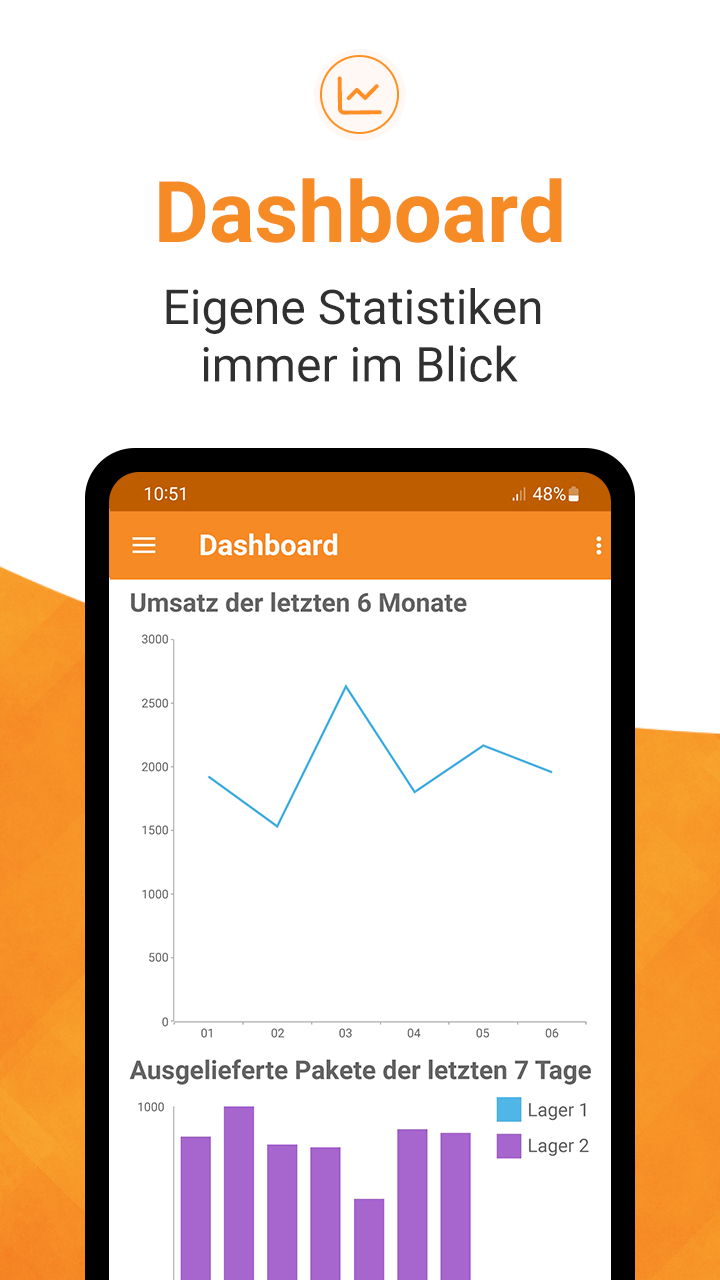
In the individually configurable dashboard, you always have an overview of the most important KPIs and statistics for your daily business.
Customers, sales orders and listings can be viewed, edited and created in the app.
You can now conveniently check your order overview and history on the go with the JTL-Wawi app.
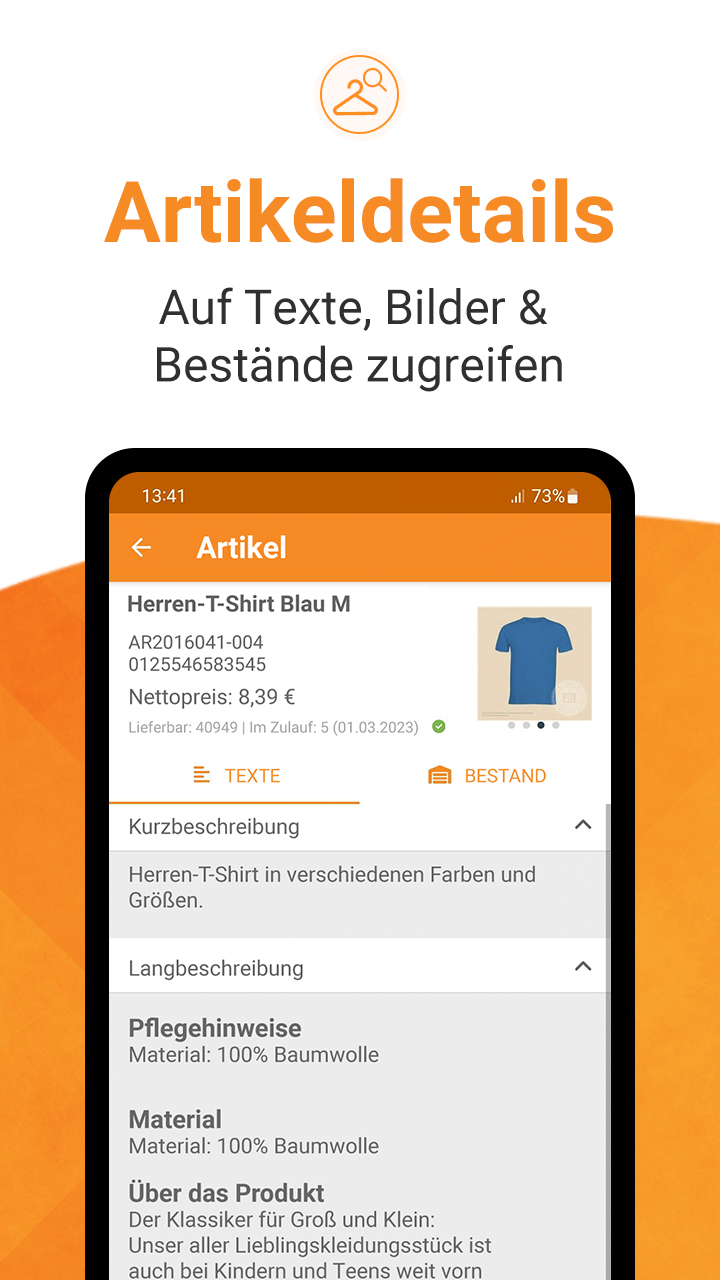
In the app, you will find item details such as images, texts and stock levels for your entire range.
You need more information about an item, but don’t have the MDE device at hand? The JTL-Wawi app turns your smartphone into a bar code scanner.
The JTL-Wawi app has an extensive filter search, e.g. by SKU, customer name, shipping or payment status.
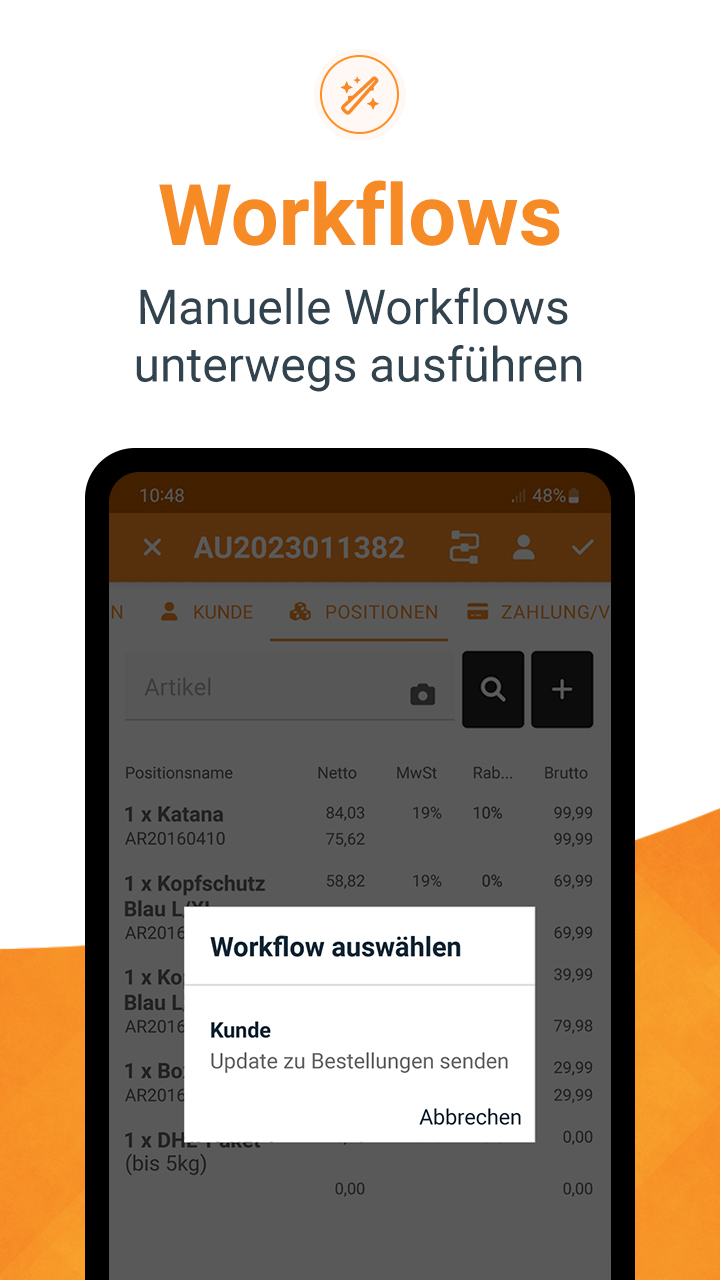
You can trigger manual workflows in the app to work even more efficiently, e.g. if you want to send an order confirmation while on the move.
You can show and hide UI elements depending on the screen size.
The JTL-Wawi app is available for both Android and Apple users and can be tested in demo mode without data from the ERP. Just have a look in the JTL-Store!
As if a mobile app for JTL-Wawi and a production tool weren’t enough reason to be happy, we’re going one better and presenting you with a number of new features that we’ve implemented at the request of the JTL community.
More efficiency in purchasing: In future, save the settings you make in the purchase order proposals as templates to save time. There are standard templates in the new version for calculating the global minimum stock level or the requirement for the next 30 days, which are the two most common use cases. The purchase order proposals have not only become more efficient, but also more precise – with relative time periods. For example, if you want to know in winter what quantities of goods need to be ordered for the coming summer business, simply enter the period of the last season to calculate future requirements.
Complete overview with the “Custom overviews”: In JTL-Wawi 1.6, you could already use the “Custom overviews” to display order data of your choice in the list view using an SQL command if you had selected the corresponding sales order. The variable “@Keys” now shows you the data for several selected sales orders so that you can easily compare the data with each other. You can now use this function anywhere in the ERP.
A/P invoices for partial deliveries simplified: When creating an A/P invoice for partially delivered orders, only uninvoiced quantities that were not included in the previous invoice are automatically listed with the update. This saves you having to compare old and new invoices.
Update stock levels with JTL-DataTransfer: With JTL-DataTransfer you can now use data imports to adjust your JTL-WMS stock more quickly. This is a particularly helpful function for inventories without an MDE device.
Is your thirst for knowledge not yet quenched? Then take a look at our release page. There you will find an overview of all the highlights of the update.
Developer videos about the new features in JTL-Wawi 1.7
In his popular videos on YouTube, our Product Owner Manuel Pietzsch presents a selection of the most exciting functions. Click on the following image to access the playlist.
Stable release completed: We are passing on the tool
After tinkering and screwing for the stable release of JTL-Wawi 1.7 in our developer factory, it is now your turn to take the “software hammer”, which we have designed entirely according to your wishes, in your hands! We are excited to see what you will create with it. We’re also really looking forward to seeing some of you “fiddling around” with the JTL-Wawi app on your smartphone at the next trade fair.
A thousand thanks to the JTL community!
As with every release, all further developments around JTL-Wawi 1.7 would not have been possible without your feedback! We would like to thank you once again for all the suggestions, wishes and ideas that have come to us via the JTL forum, social media & Co.