The week before last, in the first part of our JTL-WMS developer diary, we introduced you to the new printer management, identical sales orders and the capture of GS1-128 bar codes. This week we would like to tell you more about carton management, the new picklist templates and the goods-to-man solution from AutoStore Systems.
1. carton management
The new Packaging Act has applied to manufacturers and online retailers since January 2019: You must now register with the Central Agency and obtain a license from a dual system. To do this, you need to state the estimated amount of packaging you have put into circulation over a period of one year. With our new cardboard management system, this is now even easier, as you can keep track of your entire cardboard requirements. In addition, you no longer have to estimate your requirements, but only have the quantity you really need in stock.
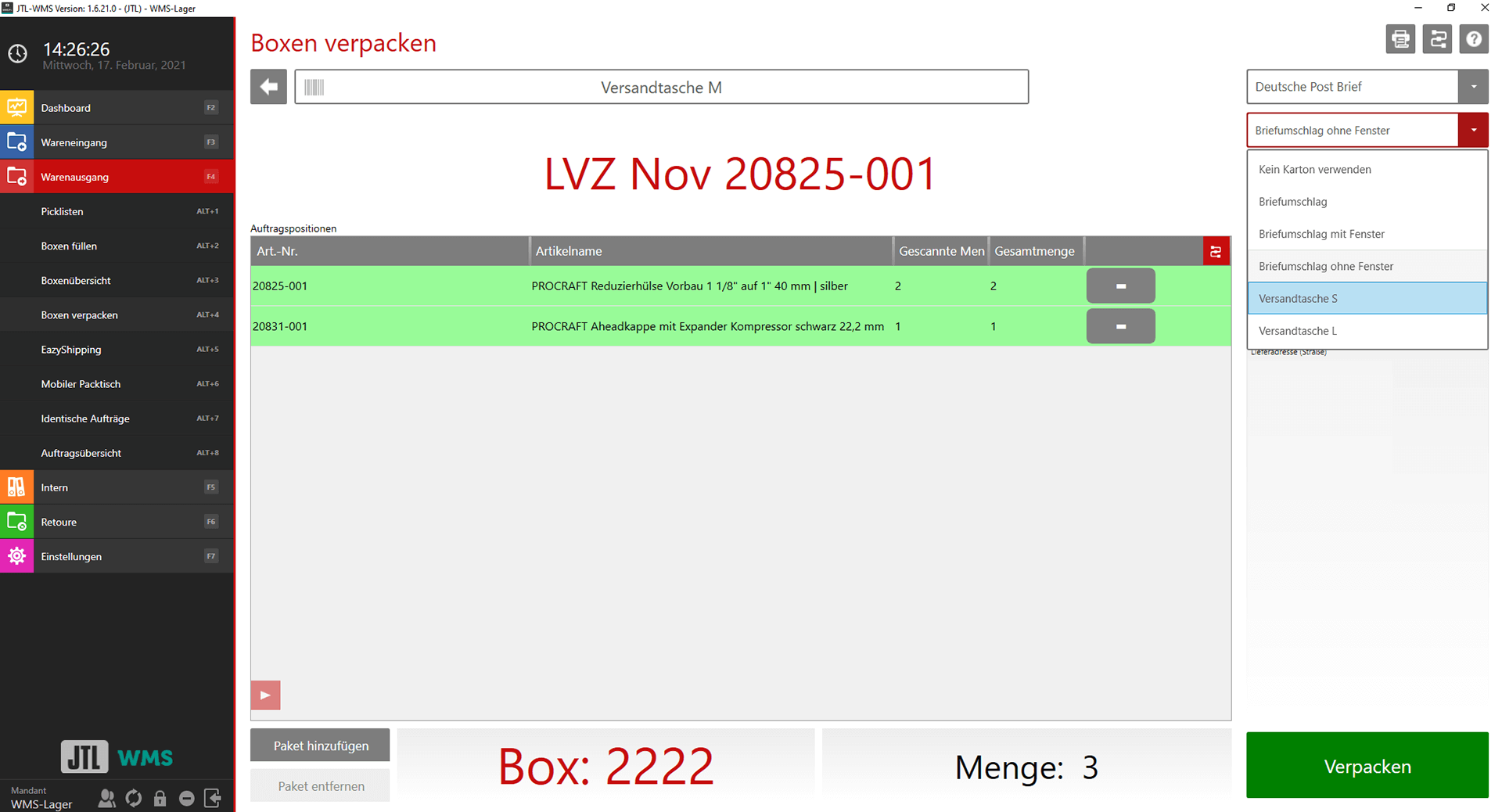
As of JTL-Wawi 1.6, you can record all data relating to your cartons in the new carton management. Whether folding carton, double-wall carton or “size M”: For each delivery bill, you now know exactly which carton you used to send a shipment to the customer. This includes information such as size, weight and material. Previously, the information was limited to the number of parcels per delivery bill and their weights.
With the help of the new carton management, you only order the quantity of cartons that you really need. To do this, you check the number of envelopes to see how many and which cartons you should have in which warehouse. From JTL-Wawi 1.6, the cartons can be automatically calculated and reordered in the “Procurement” area using “Purchase order proposals”. For example, you can specify that 2,000 new boxes are to be ordered immediately if the stock level is below 100.
Probably the most important advantage is the exact specification of used cartons for licensing with a dual system. You can now use JTL-Wawi to keep track of exactly how much packaging material has been used in which period. This makes it much easier for you to comply with the regular reporting requirements under the German Packaging Act. You save the costs that you previously incurred with estimated and inaccurate quantities.
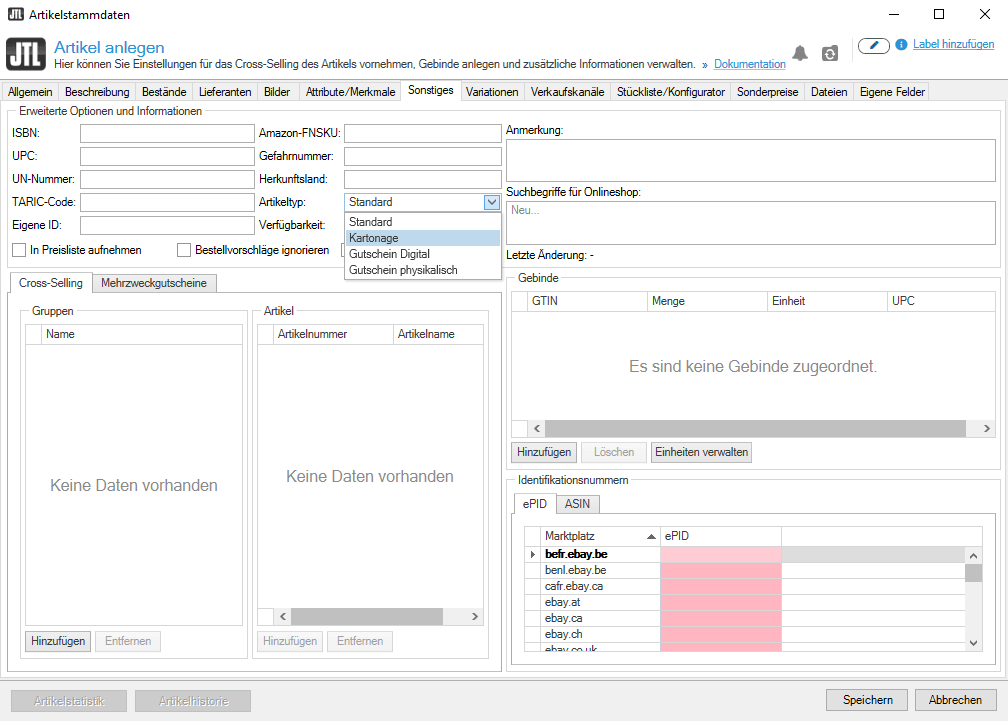
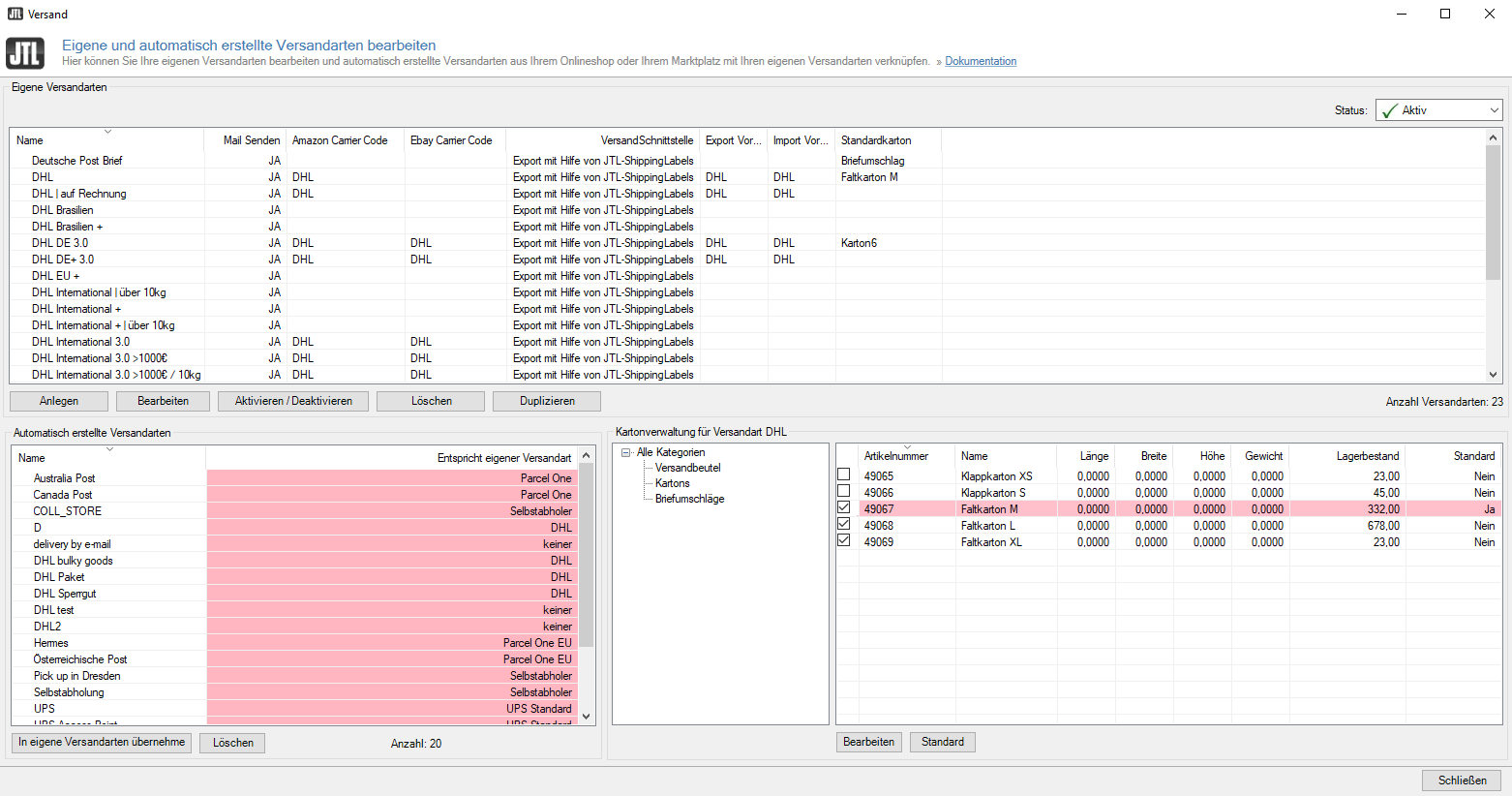
To be able to use the new cardboard box management, create separate categories for your cardboard boxes in JTL-Wawi and assign them the new item type “Cardboard boxes” in the item master data. In the “Shipping” menu item, you define the appropriate cartons for the different shipping types. If you have assigned the carton storage location to the respective packing table in JTL-Packing Bench+, you can later select the carton for each parcel via a drop-down menu in shipping.
The recording of cartons is currently an exclusive feature for JTL-WMS and JTL-Packing Bench+.
In development, we have decided to go down the path of the new article type “cardboard boxes”. We plan to work even more with article types in the future. Instead of many different check boxes, you use a central location to specify whether it is a parts list, setup, download item or voucher. This also makes our work easier: we only have to make manageable adjustments to print templates and established processes such as purchasing, procurement and process details, as each item essentially reflects a standard item with all its functions and possibilities.
In order to skip some of the work steps and thus make your work easier, we would like to further optimize the carton management in the future. In addition, the creation of cartons, the assignment of cartons to shipping types and the maintenance of item properties such as weight and dimensions will be carried out via a central carton management system that can be accessed via JTL-Wawi, JTL-WMS and JTL-Packing Bench+.
We are also considering how other fillers and shipping materials, such as pallets or polystyrene flakes, can be recorded in outgoing goods.
2. new picklist templates
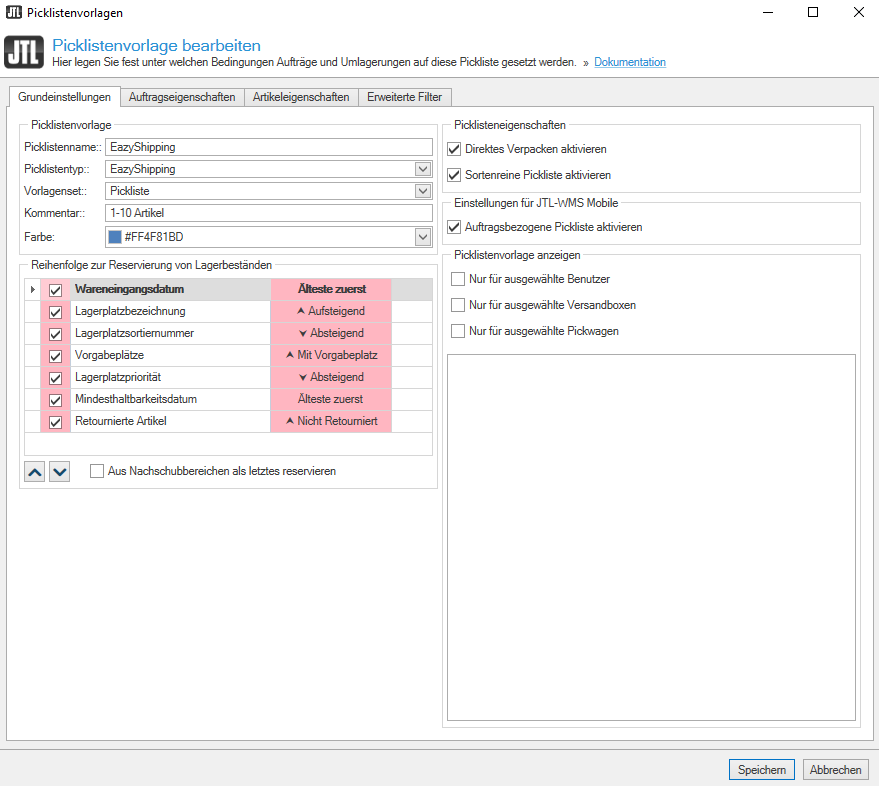
We regularly receive requests from you for specific features or filters for the picklist templates, which we have continuously transferred to a list of optimization ideas. However, as all the new functions no longer fit into the dialog, which was in need of maintenance, and your feedback was so extensive, we have thoroughly cleaned up, expanded and reorganized our picklist templates.
As of JTL-Wawi 1.6, you can look forward to a completely revised design with numerous new functions for the picklist templates. The extended range of functions offers you many options to filter even more specifically for sales orders or customers using additional fields, labels or item properties.
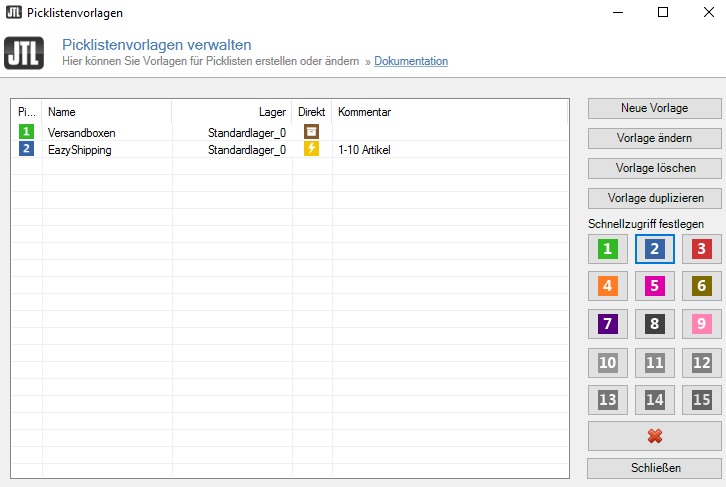
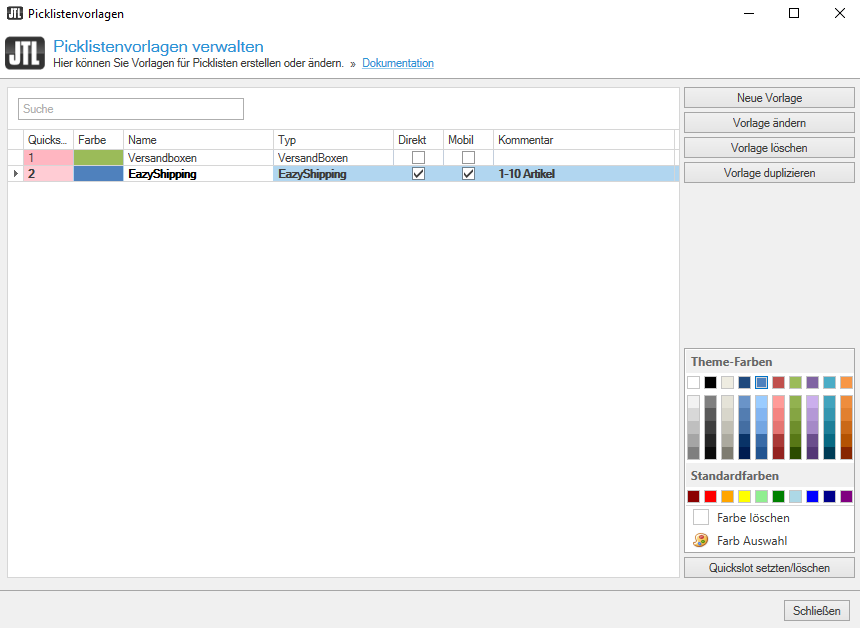
In JTL-WMS you will find the “Picklist templates” as usual under “Settings”. In the “Manage picklist templates” dialogue box, instead of just 15 quick access buttons with permanently assigned colors, you now have an unlimited number for your respective picklists. You can create as many “QuickButtons” as you like and assign different numbers and colors to them. For example, choose yellow QuickButtons for DHL, red for DPD, blue for Hermes and brown for UPS. The entire color spectrum is available to you. It is also possible to assign multiple QuickButton numbers. Use different QuickButtons with the same colors and numbers on the mobile device, in the JTL-WMS Pick&Pack process or for EazyShipping.
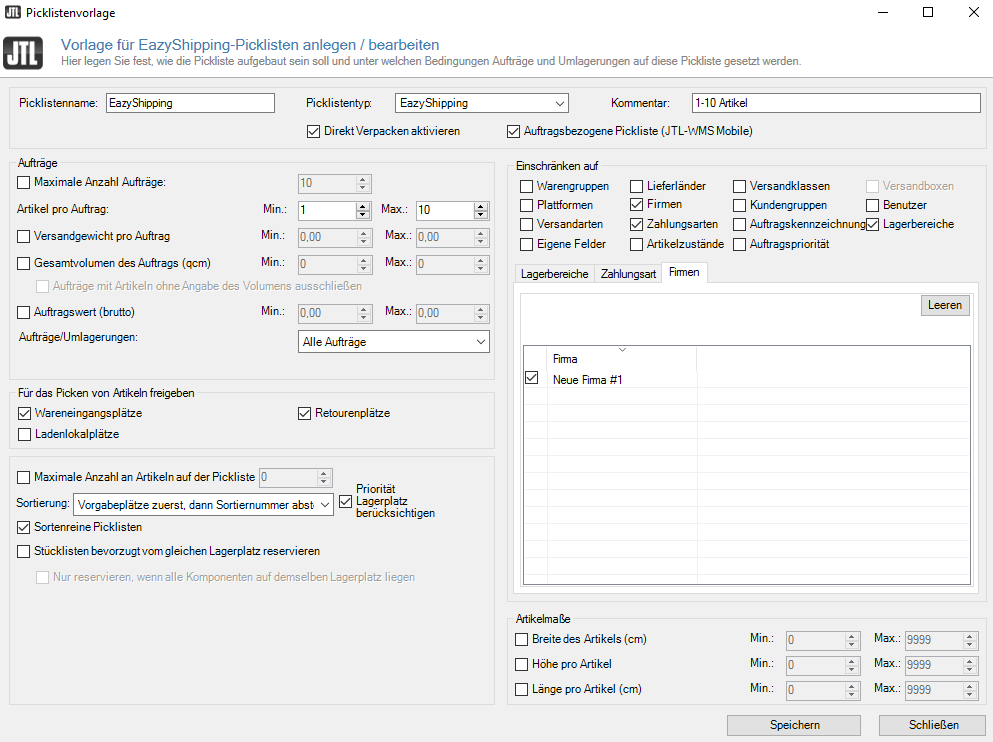
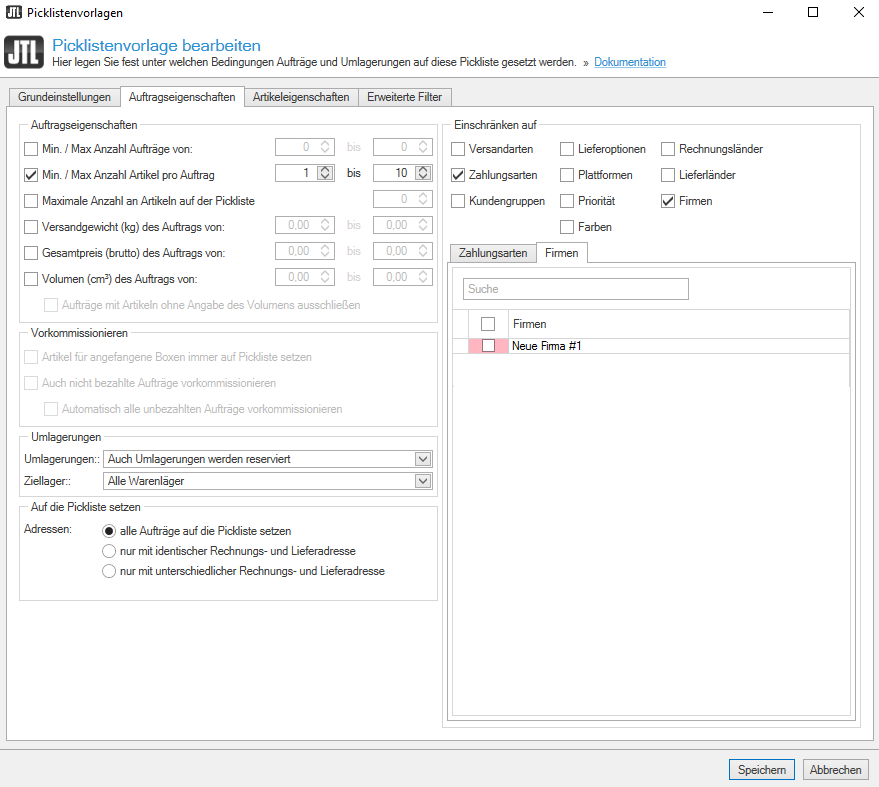
When you create or edit a new template, you will also find a clearly organized dialogue box with several tabs. The first tab contains the “Basic settings” of your respective picklist. Here you specify where or to which user JTL-WMS displays or hides the picklist. Another big wish of yours was the function “Create picklist automatically”. JTL-WMS then creates the pick lists automatically overnight and employees who come into the warehouse in the morning can start work straight away. The other tabs are called “Order properties”, “Item properties” and “Advanced filters”. In the latter, you will find filters for storage bin types and shipping boxes, for example. With the new settings, you can control even more individual customer scenarios, e.g. which sales orders go to which pick list and when.
The option of “Automatically created picklists” is currently still based on a special AutoStore solution, but can also be used without AutoStore. To use it, you need at least version 1.6.21.0 of JTL-Wawi. In the long term, we will integrate the function natively into JTL-Worker so that it can perform its tasks at fixed recurring intervals.
When developing the new picklist templates, we had to ensure that all previous functions and options of the picklist templates were retained and that individual filters were correctly migrated to the new functions in the event of major changes. This means that no elaborately configured picklist templates are lost after an update.
In addition, the new dialogs should be scalable, easy to maintain and easy to expand so that they can grow with your needs in the long term and be adapted to the variety of uses of JTL-WMS.
We have currently only implemented half of all the new functions and filters that we have put on our agenda. So you can look forward to further improved features in the future, such as the optimization of routes.
3. autoStore
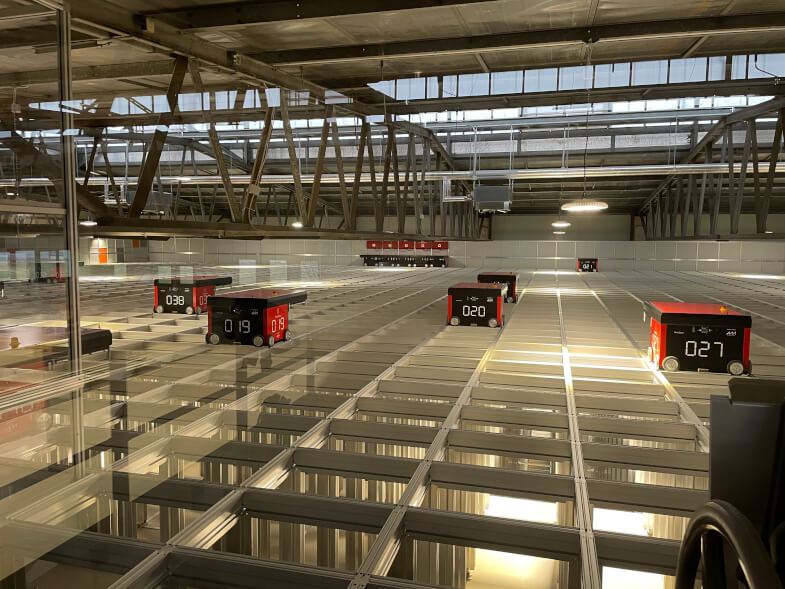
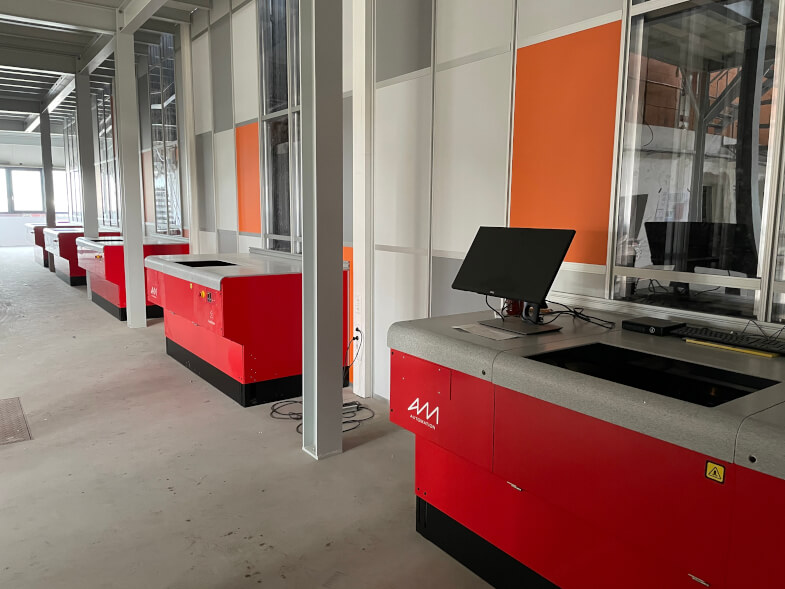
Probably the most exciting new feature is the integration of the automatic storage and picking system AutoStore Systems. AutoStore allows you to make maximum use of your warehouse capacity in a small space. To do this, you need a “cube storage system”, which is reminiscent of a block storage system. Self-driving robot technology brings the desired item in a bin to a picking station, where the respective employee picks it. Of course, it is also possible to receive goods in this way and the system provides you with free boxes or bins. Instead of the classic person-to-goods principle, AutoStore uses the goods-to-person principle.
Short delivery times are in demand in a competitive market. AutoStore is currently the fastest order fulfillment system per square meter of warehouse space on the market. It combines a very high throughput rate with the highest storage density of all order fulfillment systems. This makes AutoStore attractive for large distribution centers as well as for small and medium-sized companies.
AutoStore can achieve four times the storage capacity of manual storage with the same floor space and enables maximum building utilization. In addition, AutoStore is 100% scalable and grows with your requirements. The cube can be expanded at any time. Connect several cubes together or operate them on different storage levels. The robots automatically change cubes via elevators or transfer bins to the other system as required.
The robot uses a gripper arm to lift the required bin to the top of the grid. If bins are in front of your required goods, the robot first stacks them on nearby free spaces and then sorts them again in an optimized order. The robot automatically stacks bins that you request frequently higher up, while rarely required bins slide down in the order. The system automatically adapts to your access frequency. AutoStore uses the natural advantages of the “Pareto principle”, in which 20% of the stock accounts for 80% of the turnover.
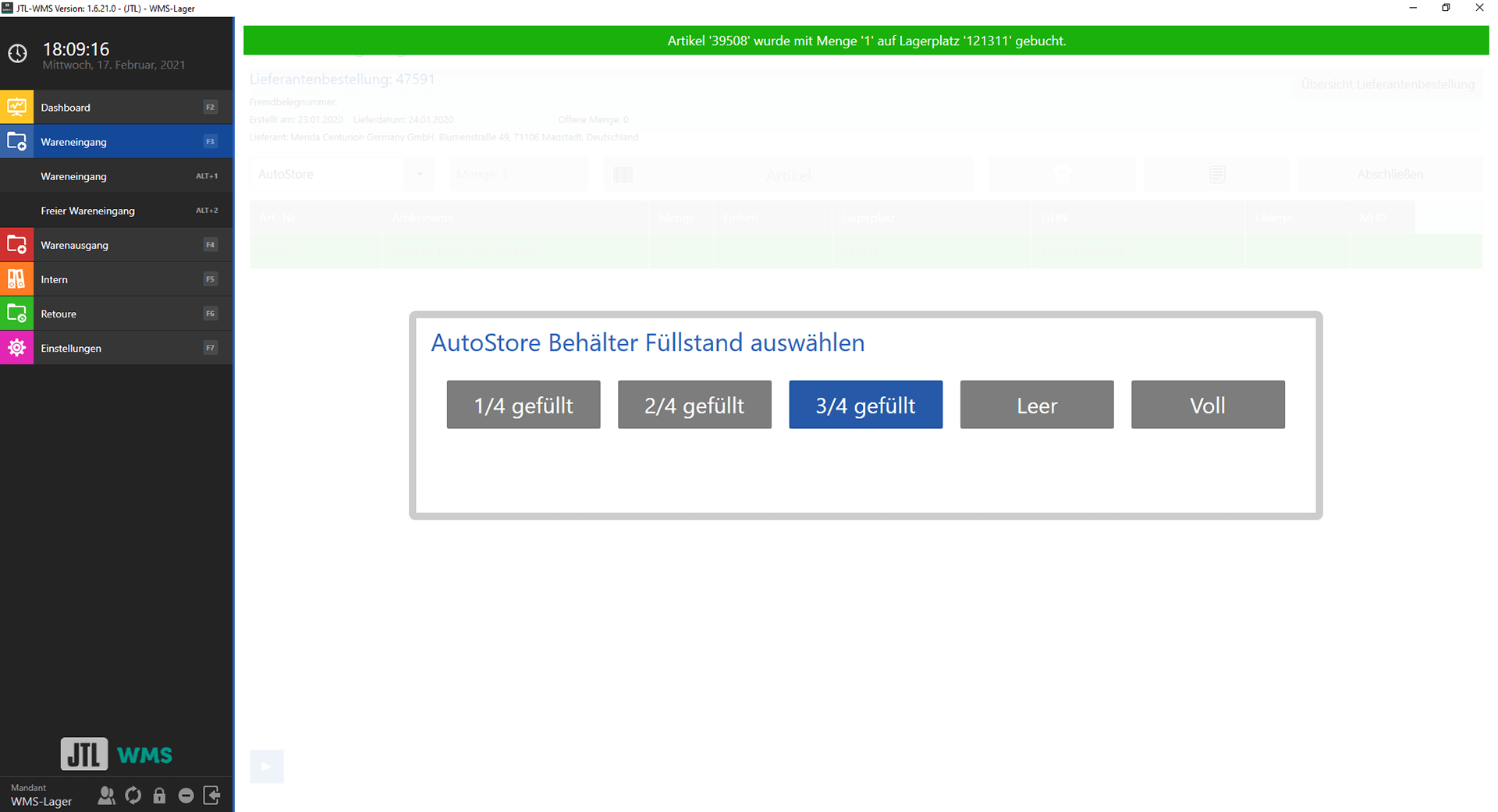
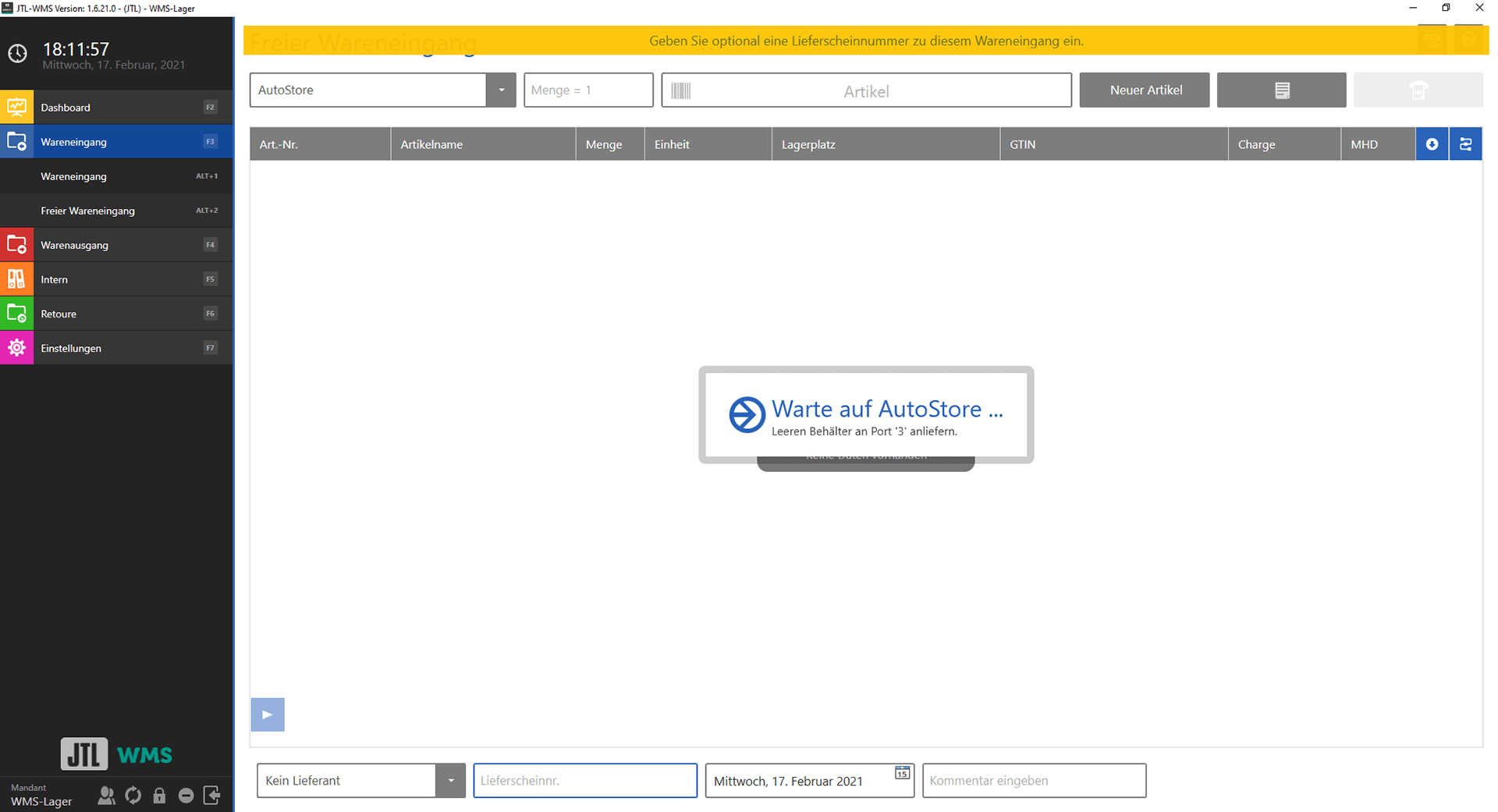
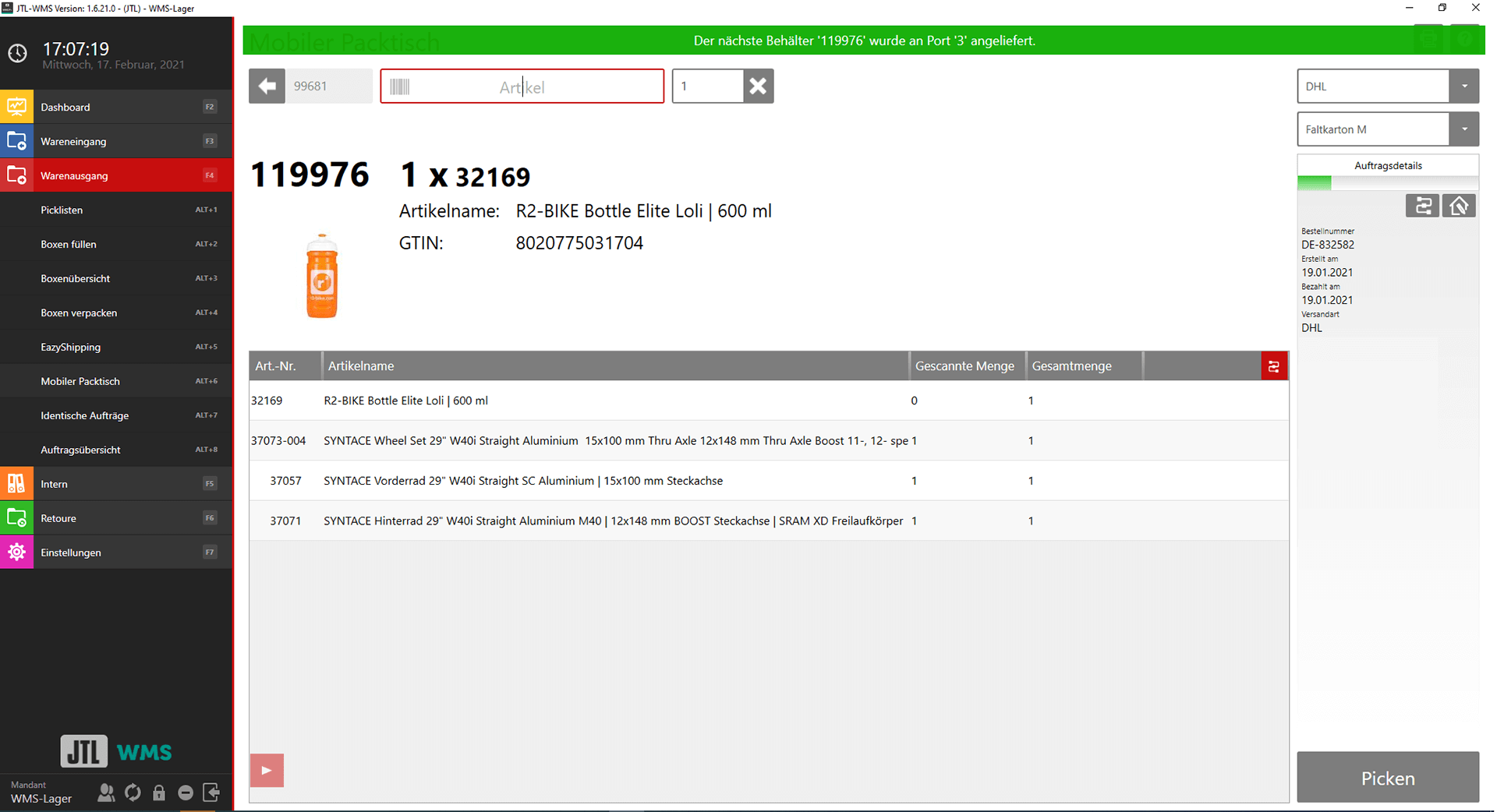
AutoStore is the first natively integrated third-party system in JTL-WMS. It appears in many dialogs, settings, overviews and booking processes and makes it possible to add or remove goods from the system. JTL-WMS communicates via AutoStore’s API and forwards the bins required for the next work steps to the system in the form of “TaskGroups”. If there is a lot of parallel work, AutoStore sorts and prioritizes the delivery of the bins and prepares them. As part of our integration of AutoStore and the ongoing development of the new mobile app for JTL-Wawi, we have simultaneously developed the first approaches for a future “Logistics API” and “Rest API” for JTL-Wawi and JTL-WMS.
In the first expansion stage of AutoStore integration, we are working with our major customer r2-Bike from Dresden: This involves the most important warehouse functions for communication between the software solutions. This includes goods receipt, plus and minus posting and goods issue via JTL-WMS Pick&Pack (previously: JTL-WMS Mobile Packing Bench+). In addition, JTL-WMS Mobile can use interfaces from AutoStore to use collective picking, print bin labels or carry out storage.
In the long term, almost all functions of JTL-WMS are to be linked to AutoStore. We want to use AutoStore bins as “shipping boxes” for pre-picking sales orders, optimize the inventory of bins in the AutoStore system and enable collective picking via JTL-WMS. We also optimize the “Full boxes” process and offer it both for the Application with and without AutoStore.
The first version of AutoStore is natively integrated into JTL-WMS from version 1.6.21.0.