Track and trace means “following traces” or “reading tracks” and in logistics refers to the tracking of parcels and letters – so-called shipment tracking. It often begins with the handover of the parcel to the shipping service provider and ends with the successful delivery to the customer.
This spring, our new product JTL-Track&Trace will go into open beta. With JTL-Wawi 1.4 we are already releasing the integrated code, which will be activated later. The shipment tracking will initially be available for DHL (and now also for DPD and GLS! | Update: June 2022) and offers you attractive possibilities in combination with the process control JTL-Workflows.
What does Track and Trace mean with JTL?
DHL distinguishes between over one hundred shipment statuses. These include, for example, successfully collected, second delivery attempt or not accepted due to damage. Previously, you could only view the statuses via detours on your logistics provider’s website. As a technology provider, however, JTL can read these statuses via interfaces and make them available to you in JTL-Wawi for further processing.
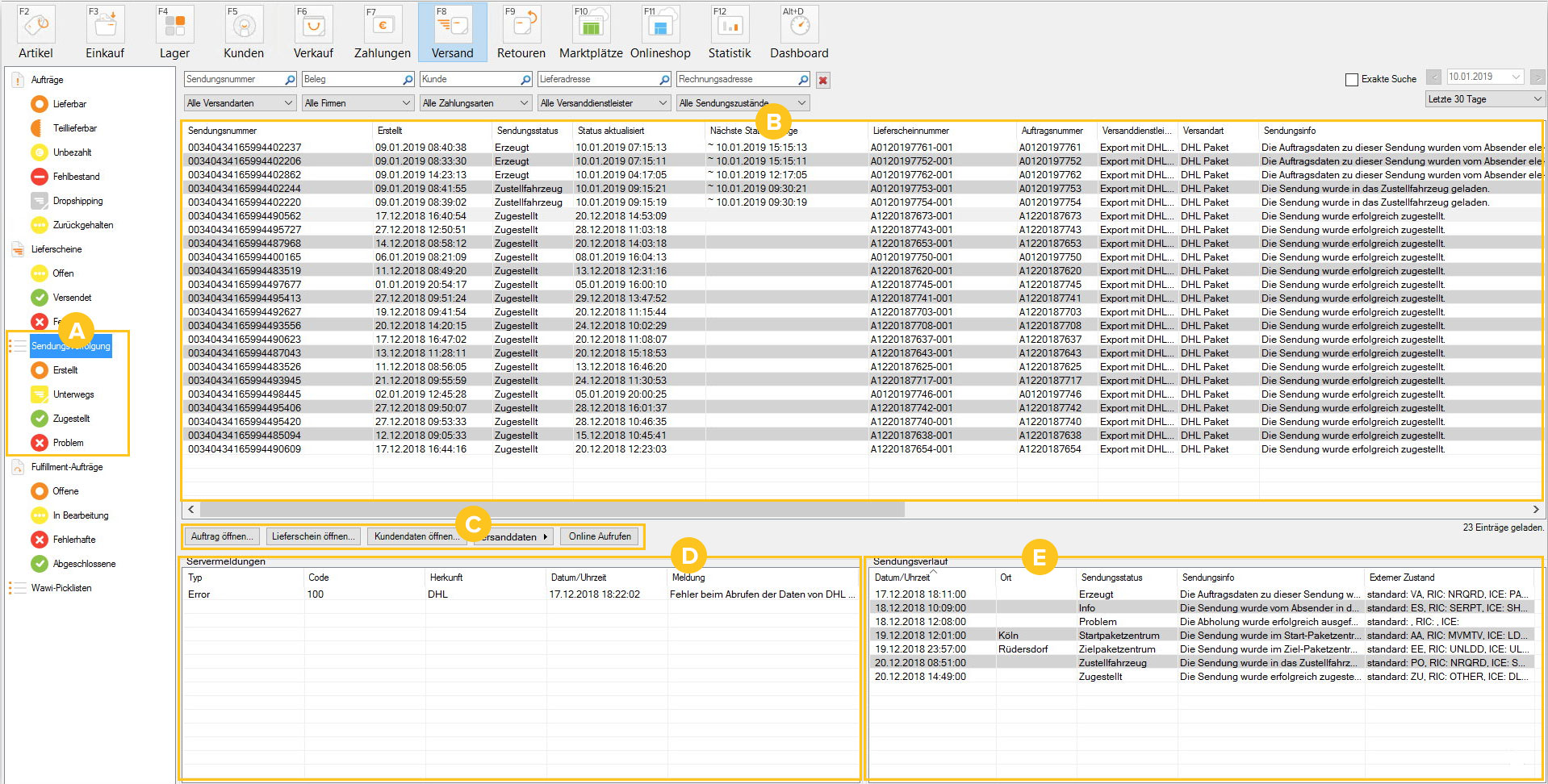
For a better overview, JTL-Wawi sorts the shipment statuses into four folders (A): Created, In transit, Delivered and Problem. But what exactly do the folders mean?
Which programs can you find in which folders?
Depending on the logistics provider, the first scan for shipment tracking takes place as soon as the parcels are handed over to the driver or, in the case of large parcel quantities, only upon arrival at the distribution center. In the Created folder, you will therefore find all shipments for which shipping labels and shipment numbers have already been created with JTL-Wawi, but which the shipping service provider has not yet scanned.
The Underway and Delivered folders mean that a shipment is either currently being delivered by the shipping service provider or has been successfully delivered. Please note that leaving the parcel with a neighbor or at a post office also counts as a successful delivery from the logistics provider’s point of view.
Of particular interest to you are entries in the Problem folder, as this is where you will find all parcels that could not be successfully delivered. As a rule, these shipments require manual intervention and most retailers will check this folder at least once a day or be automatically informed of incoming problems by email.
Status messages from the logistics provider
Let’s take another look at the list view (B). Here you will find both the shipment status (“Delivery vehicle”) and the exact shipment information from the shipping service provider: “The shipment has been loaded into the delivery vehicle.” In the bottom section of the window (E), you can track the entire shipment history of a parcel and even use the external status at DHL to see if a parcel has been handed over to a neighbor, because then the abbreviation NGHBR, the English abbreviation of the word “neighbor”, is displayed there.
And how do the workflows come into play?
JTL-Workflows is a standard tool in our ERP system that can be used to automate recurring actions. For JTL-Track&Trace, for example, you can set up a workflow that automaticallysends an email to the customer when the shipment status Recipient unknownoccurs, asking them to check that the address stored is correct.
The basic principle always remains the same: For each workflow, you select a trigger, specify one or more conditions and define the actions that are to be executed at the end. To implement our examples, we also need the template management of JTL-Wawi and a few variables from DotLiquid.
Now we would like to introduce you to some practical cases. You can read detailed step-by-step instructions from the release of JTL-Wawi 1.4 in our user documentation JTL-Guide.
Case 1: If parcels were left with a neighbor or at a Packstation
Nowadays, many people look at their smartphone during their lunch break and at the end of the working day. Who wouldn’t be pleased to receive a small notification when the parcel we ordered has been delivered to the local Packstation during the day or the neighbor has picked up our shipment?

With JTL-Track&Trace, merchants can automatically send an email notification to their customers just a few minutes after DHL has changed the status of a shipment. The message text could be as follows, for example:
Good afternoon Mrs. Berger,
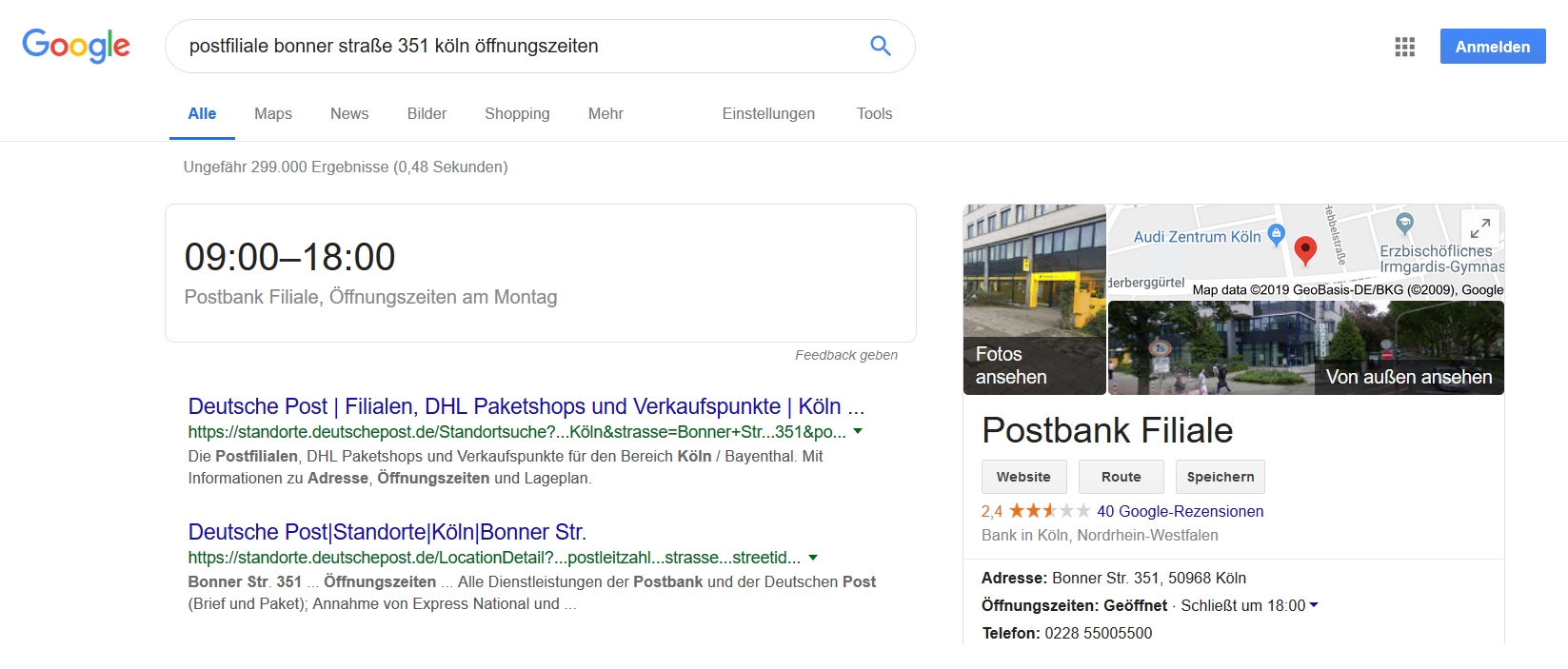
Your parcel has just been delivered to the Bonner Straße 351 post office in 50968 Cologne. You can find the branch’s opening hours here.
Good regards,
Your sports equipment Sommer
Price tip:
30% discount on all seasonal items until 28.02.2019!
You can now create customer-friendly notifications that also promote sales with the help of JTL-Track&Trace and our workflows and have them sent automatically. To do this, first create an email template with the corresponding variables and then create the appropriate workflow as shown in the second image below. You can now find out exactly how this works in the JTL-Guide: JTL-Workflow – Parcel was delivered to store.
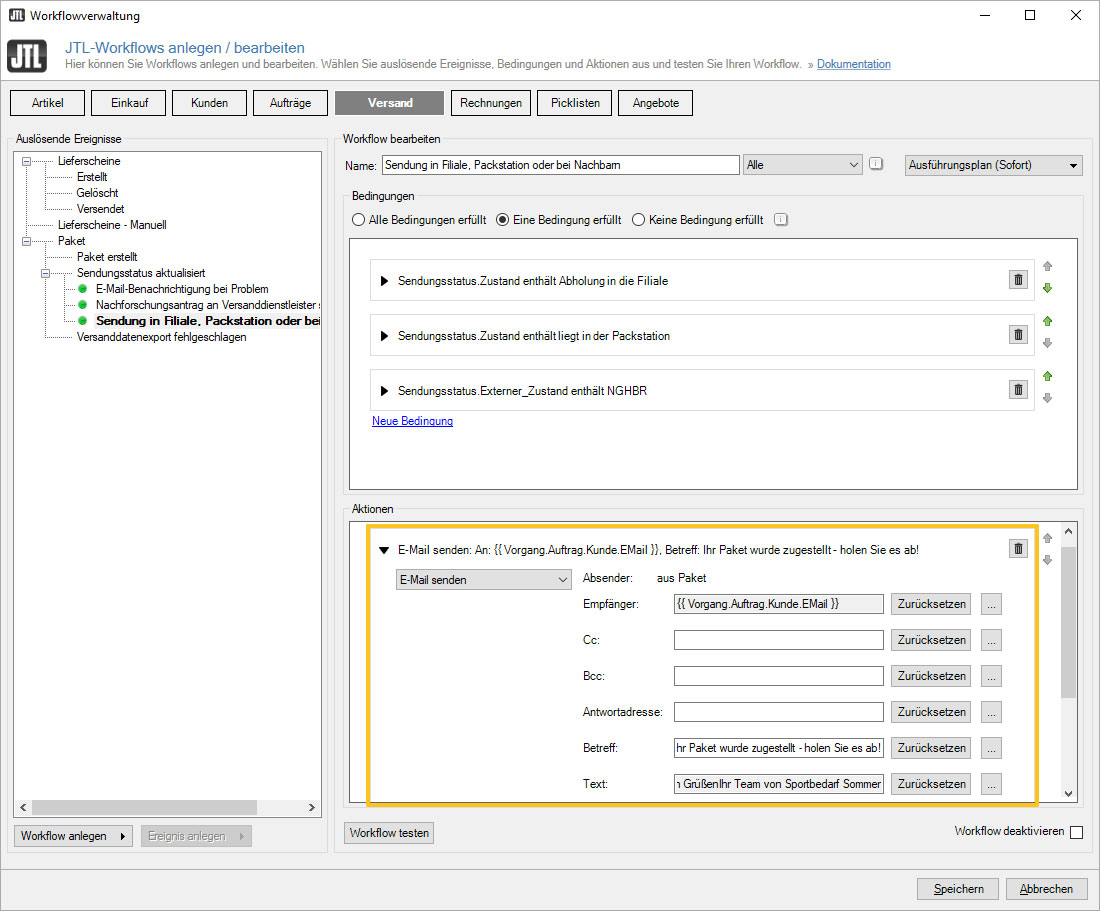
Tip: You can store frequently changing text modules, such as a discount promotion, as global texts in JTL-Wawi and insert them into your email templates using a variable. This allows you to adapt your text modules quickly and easily on a daily basis.
When am I allowed to place advertising according to the GDPR? Currently, retailers are allowed to place advertisements in the footer of a notification email as long as the email is still directly related to the provision of services (as of January 2019). However, as the interpretation of existing laws is constantly changing due to new court rulings or new laws are passed, you must regularly keep yourself up to date with the current legal status. JTL assumes no liability for this and cannot replace legal advice.
Case 2: Reminding customers to collect parcels with delayed workflows
And you can now easily intercept yet another scenario with JTL: If parcels are dropped off at a post office or Packstation, they must be picked up by the customer within a certain period of time. Otherwise they will be returned to the sender.
With the help of JTL-Workflows, you can now send your customers a reminder email in good time. Simply run a delayed workflow after five days to check whether the shipment status of a parcel is still set to Storage in branch/agency. If this is the case, the parcel has most likely not yet been collected – and you could send your customer an email reminding them that their parcel will be ready for collection at the post office for exactly two more days.

More practical cases? We'll continue tomorrow!
In the second part of our blog series about JTL-Track&Trace, we explain three more exciting use cases and give you a first insight into the cost structure of our new product:
Also:
FAQ on JTL-Track&Trace – with an outlook on upcoming developments
Upcoming renaming of shipping solutions and JTL-Shipping