Improved customer communication: With JTL-Track&Trace and the new service desk
The pace of communication in eCommerce is getting higher and higher: customers want to be kept informed in real time and expect prompt responses to their concerns. It is not always easy for retailers to keep up with these expectations. But JTL can help! Both our JTL-Track&Trace shipment tracking system, which is available as a stable version from today, and our new service desk in JTL-Wawi help you to organize your communication with customers and suppliers efficiently and shorten response times.
JTL-Track&Trace
Our shipping module for DHL, DPD and GLS at a glance
Today we are lifting our shipment tracking system JTL-Track&Trace out of open beta. This means that it is now available to you as a stable version. For all those who are not yet familiar with our tool, we have summarized the most important functions once again:
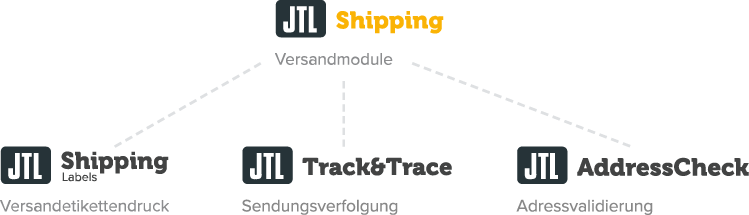
JTL-Track&Trace is part of JTL’s diverse logistics solutions, which we bundle under the umbrella term “JTL-Shipping”. We have developed our shipping module JTL-Track&Trace to give you more overview and control over ongoing shipping processes: The shipment statuses of your DHL parcels (as well as DPD and GLS parcels! | Update: June 2022) are automatically read and categorized via an interface to JTL-Wawi.
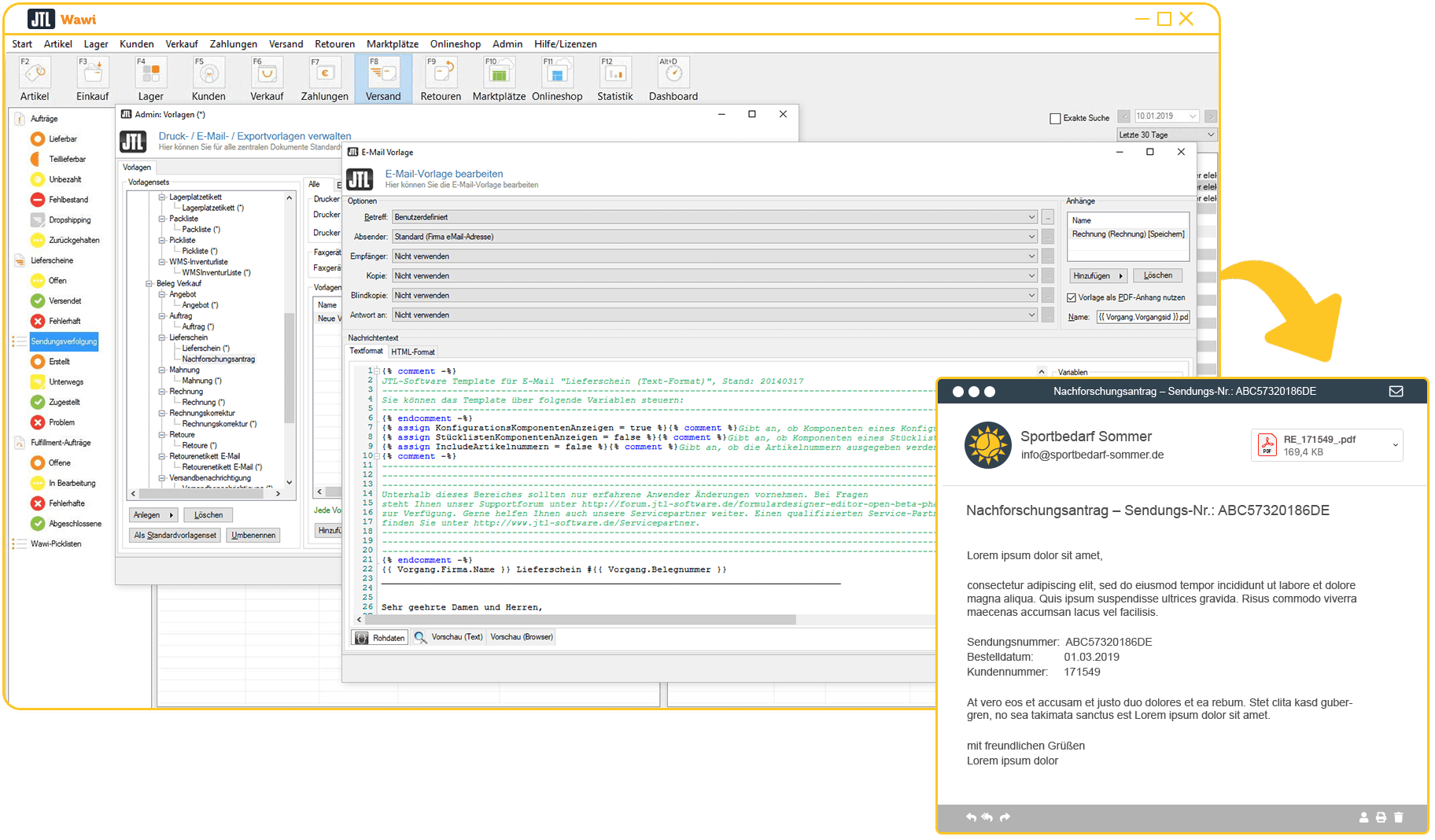
For a better overview, all consignments are assigned to one of the four folders: Created, On the way, Delivered, Problem. This means you can see immediately if there are any delivery delays or problems and can inform your customers before they notice anything. This creates transparency, trust and increases customer satisfaction – without you having to do more work. Because JTL-Track&Trace does it for you!
JTL-Track&Trace also assists you with follow-up requests, which you can automatically order from DHL using our workflows. Or you can intervene manually in the event of a problem. It’s entirely up to you.
All news about the stable version of JTL-Track&Trace
Of course, the stable version of JTL-Track&Trace comes with some new features. There is also important information and announcements that we would like to share with you:
To be able to use all functions of the stable version and start tracking your shipments right away, you need at least JTL-Wawi version 1.5.15.1.
So far, JTL-Track&Trace has been designed to work with the services of DHL, DPD and GLS. Behind the scenes, we are already busy talking to other shipping service providers in order to provide you with more options in the near future. We will of course keep you up to date!
As already announced, the free beta phase of JTL-Track&Trace ends with today’s release. From now on, you can choose between six tariffs that you can book in the JTL-Store. The levels depend on your individual shipping volume: choose between the free entry-level tariff and the professional tariff with 20,000 trackable shipments per month.
Many of you have contributed with your feedback during the beta phase so that we can continue to improve JTL-Track&Trace. To thank you for your help, we have prepared a little “treat”: If you are already a user of JTL-Track&Trace, you can use our shipment tracking for another 2 weeks completely free of charge. You can see until which date this is the case in the customer center.
If you are not yet using JTL-Track&Trace, you can of course activate a free 14-day test phase before booking a license to put all the functions through their paces without obligation.
With the stable release, our shipment tracking is growing closer together with another product: From now on, you can also use JTL-Track&Trace to track the labels of your fulfillers in the JTL-Fulfillment Network. This allows you to keep track not only of your own shipping processes, but also of your outsourced sales orders. The only requirement is that your fulfiller uses the DHL, DPD or GLS shipping service.
Can’t wait to start using the stable version of JTL-Track&Trace? Or do you want to test our shipment tracking extensively first? Both are possible! Get your shipping module for JTL-Wawi right here:
Customer communication 2.0: With our new service desk
What if you could not only inform your customers about the status of their shipments, but also improve your overall communication with customers and suppliers and thus save even more resources? Our brand new service area in JTL-Wawi can help you with this: the service desk. You can use it to handle all communication with customers and suppliers directly from your ERP system.
The Service Desk is currently available as an open beta, but you can already use it productively:
As with every beta, there may still be minor errors. However, our service desk is already so sophisticated that there is nothing to prevent it from being used productively in day-to-day customer communication.
By the way: During the open beta, the service desk is available to you completely free of charge. Whether and in what form we will introduce a pricing model for the module is currently still under discussion.
How the service desk supports you in your work
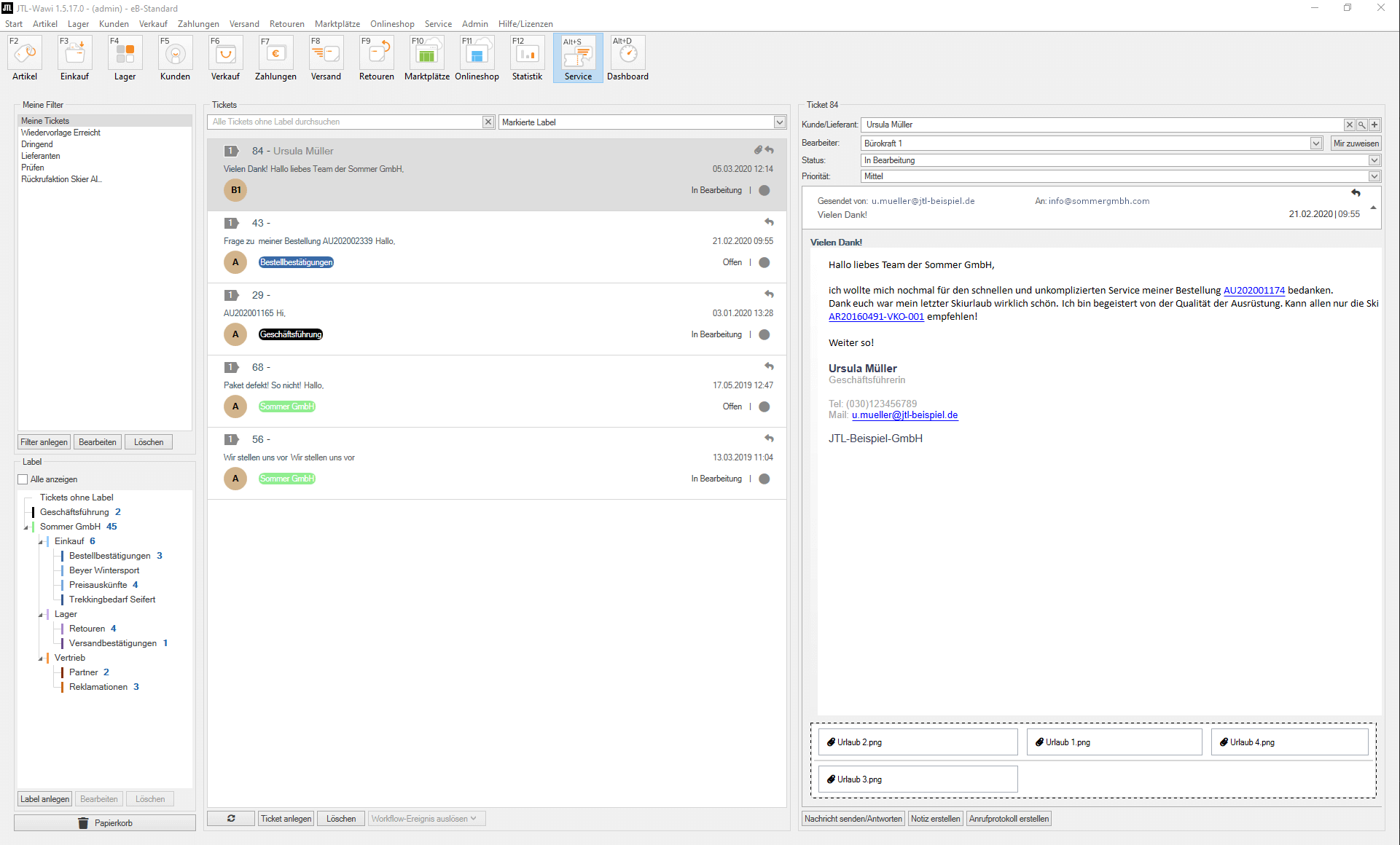
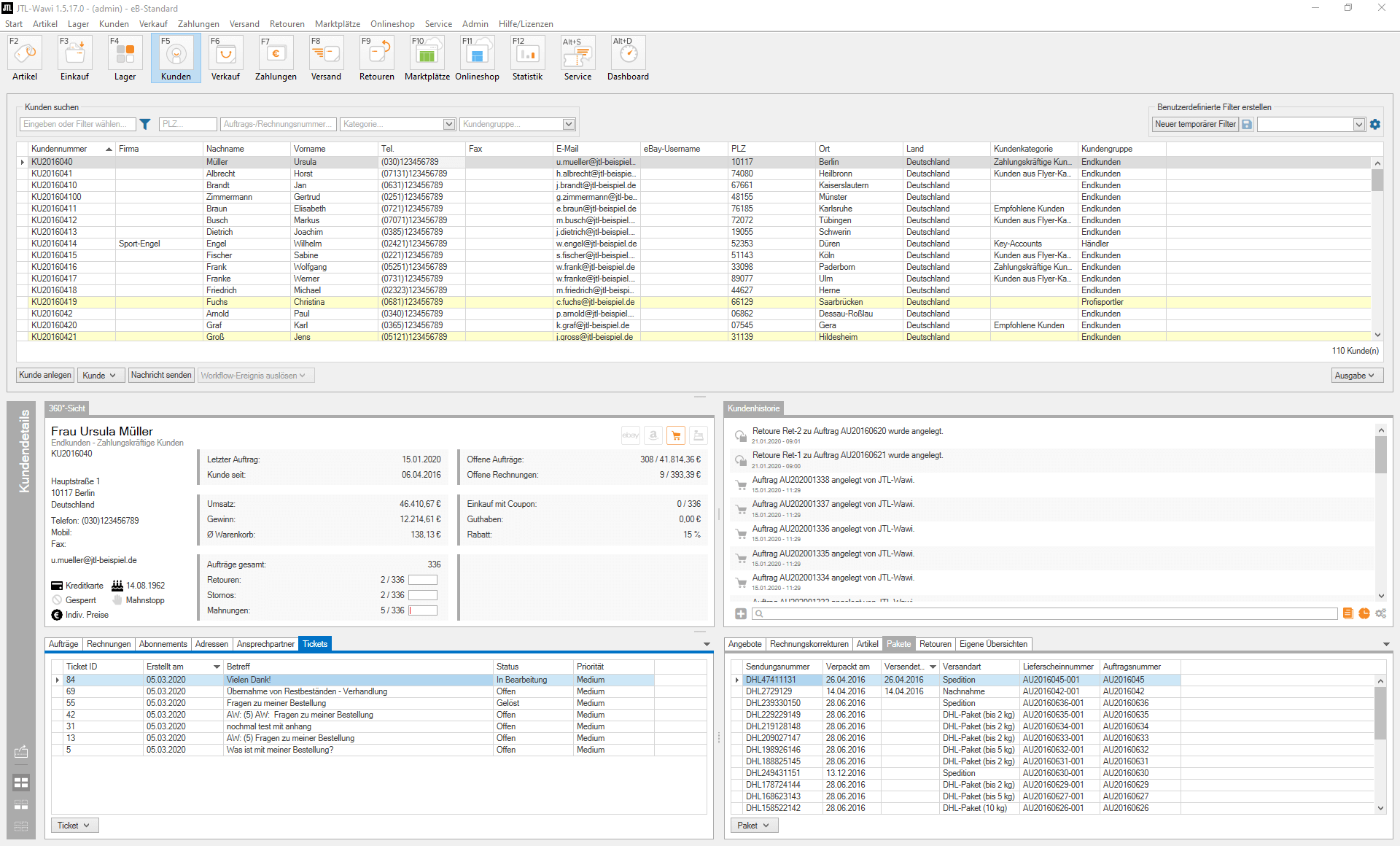
You can access the new area in JTL-Wawi via “Service”, where you can see all tickets that organize all communication with your customers and suppliers. This includes not only current email histories, but also the entire transaction history and important information such as previous order behavior.
Save yourself the hassle of searching for sales order and customer information: Because you can display all the data stored for a customer or supplier directly from the incoming email via the customer widget. In future, you will be able to assess within seconds how important a customer is for your company and how accommodating you should be, for example, in the event of a dispute.
Every email is automatically created as a new ticket in the service desk or assigned to an existing one. If you receive a new message, JTL-Wawi identifies the customer by email and automatically creates a link between the ticket and the customer. All tickets can be identified by labels and can thus be assigned to a work process or a group of people who deal with complaints, for example.
JTL-Wawi also analyzes all incoming messages for keywords such as “sales order” or “invoice” and automatically links them in the text. One click is enough to immediately display the corresponding transaction or document.
Of course, these are by no means all the features of our new service desk. If you want to get to know all the highlights and learn how to set up the service desk in your company, we recommend watching Manuel’s latest video:
Of course, you can also get additional help with the practical setup instructions in our JTL-Guide:
Do you have any comments on the new service area in JTL-Wawi? As always, we are very keen to hear your experiences from live operation. Help us to make our new area even better and send us your feedback via the JTL forum: