It’s not Christmas yet, but we’re still fulfilling a big wish: With the JTL-Wawi app, you can now use the basic functions of your ERP on the go. Whether you’re in the field or on a business trip, you can now enter and process sales orders, listings and customer data from anywhere. In today’s developer diary, I present what was necessary on the development side and what to-dos are on our agenda in the coming months.
JTL-Wawi App: A vision becomes reality
The JTL-Wawi app was a long-held vision of JTL founder Thomas Lisson. When he approached us with the project idea, we were immediately hooked. But after the initial euphoria, the first questions quickly arose: How do you transfer a tool as complex as JTL-Wawi into a mobile Application? And which function do we want to start with? Since the individual work areas of our ERP are closely interlinked, this was not an easy decision – but ultimately an obvious one. Because where does every trade start? That’s right. With a “sales order”.
Of course, we first needed a basic technical framework for such a project. That’s why we worked very intensively with the two apps that already exist in the JTL cosmos: JTL-POS and JTL-WMS Mobile. We compared their functions and code structure with the requirements we had defined for the JTL-Wawi app.
For example, our POS app JTL-POS only works for Android, but the JTL-Wawi app should also be usable for iOS devices. To avoid having to code for two operating systems, we used a Microsoft framework that we had already used for JTL-WMS Mobile.
A framework is a ready-made construction kit with many tools for developers. These include, for example, code snippets or rules that can be put together flexibly for your own project. The advantage of the Microsoft framework we chose is that we were able to code natively in C# and our lines of code were then automatically prepared for Android and iOS. Although we still had to make manual improvements in some places, a framework like this makes the development of apps much easier and faster.
Prototype in practical test
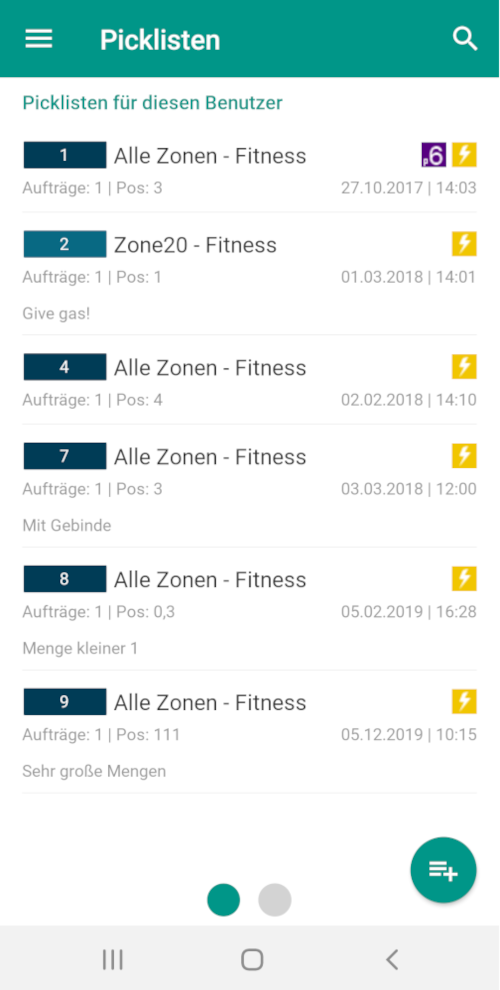
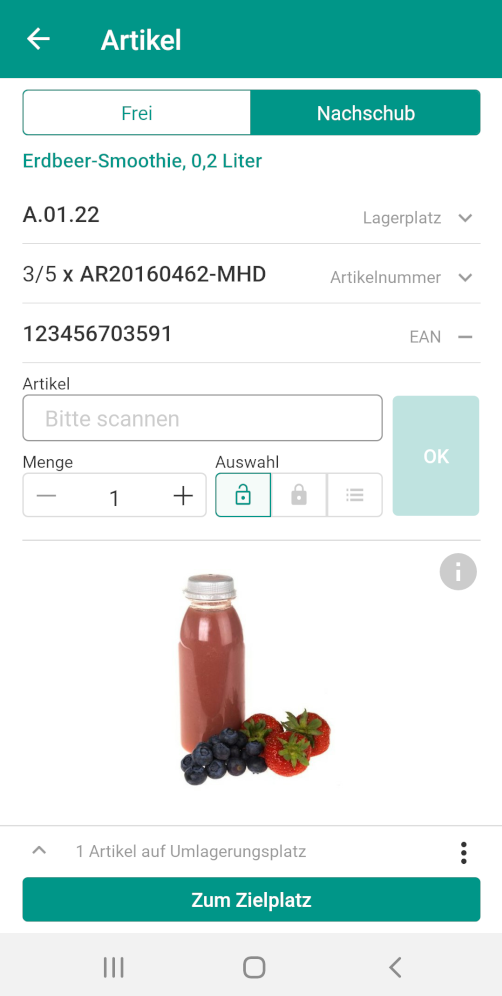
With the help of the slightly modified framework and our previous experience from the development of JTL-WMS Mobile, we were able to create an initial prototype for the JTL-Wawi app relatively quickly. This allowed us to subject the usability in particular to an intensive practical test, in which our colleagues also actively supported us. We wanted to see, for example, whether click paths were intuitive or whether there were any loading delays or similar.
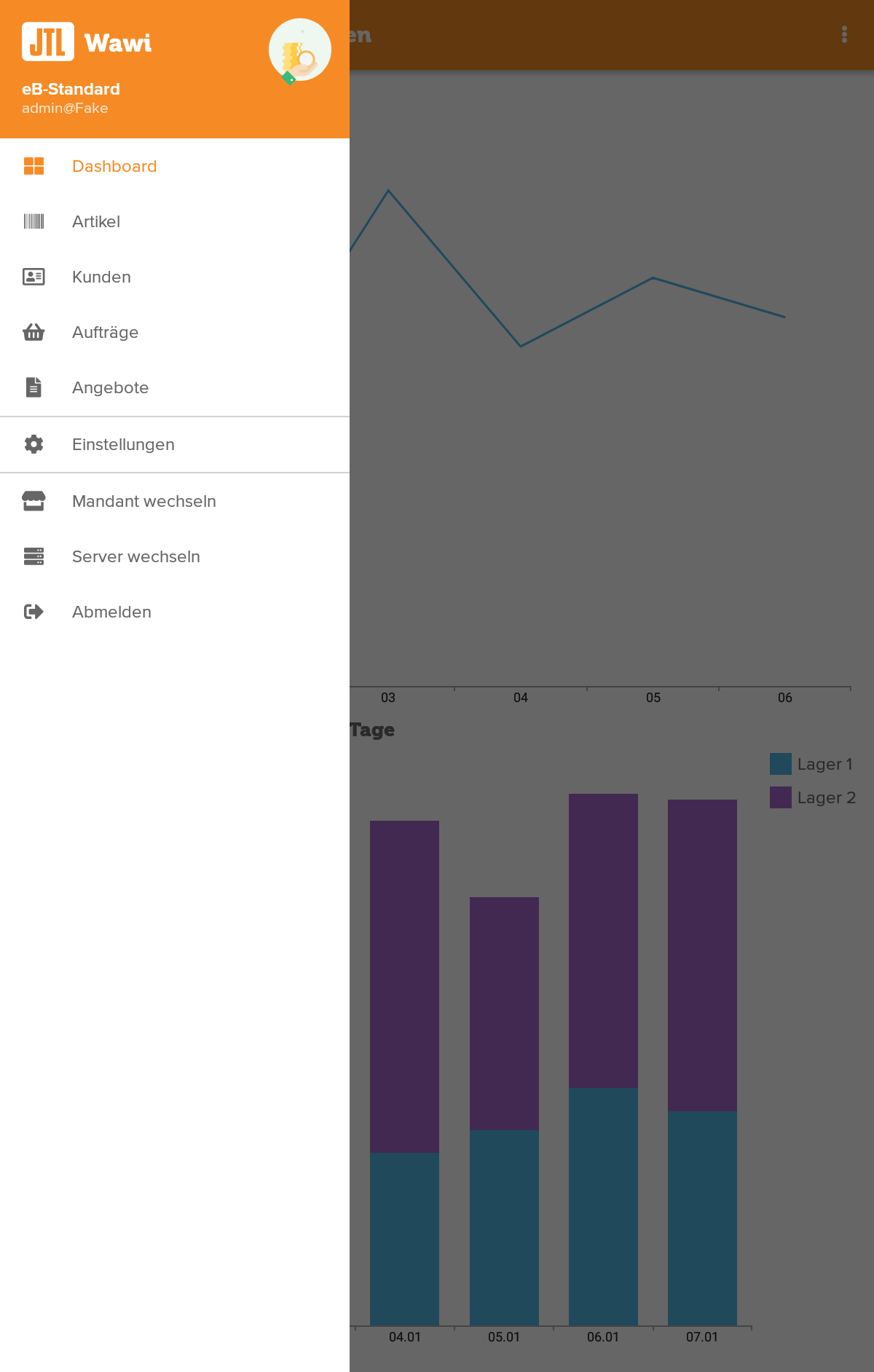
In the area of design and animation, we worked closely with our design team from this point on to ensure that the user interfaces (UI) complied with the general specifications of JTL’s corporate design. However, since we had based our visual impression on JTL-WMS Mobile and thus on the material design of Android, we quickly got the green light from our design colleagues and were able to shift up a gear during development.
Make a wish! Early feedback from the community
We wanted to develop the JTL-Wawi app as closely as possible to your needs and therefore sought your feedback at an early stage: Manuel Pietzsch presented the basic structure to you in a YouTube video and asked you to tell us your feature requests.
If you like, you can watch the video again, including a small feature preview:
Armed with your feedback on our work so far, we were now able to roll up our sleeves again and get deep into designing further functions – not without regular consultations with the relevant JTL-Wawi development teams, of course. After all, we had to get a feel for how to reduce such an important area as the “sales order” to the most central features, but at the same time get so much functionality that the app actually offers added value for you.
In addition, the topic of “order” entails further dependencies: if you are on the road with your customers and create a sales order directly on your smartphone, you must also have access to the “Customers” and “Items” areas. Such considerations quickly resulted in a very specific agenda for our development work over the next few months.
May we introduce? The first functions of the JTL-Wawi app
This is the basic structure of the JTL-Wawi app: Within our app, you can navigate to the individual areas via a clear menu. In the “Sales order” section, the appropriate entry can be found quickly using a “sales order ID search”. You can either display it or edit it directly. Of course, it is also possible to create a completely new sales order.
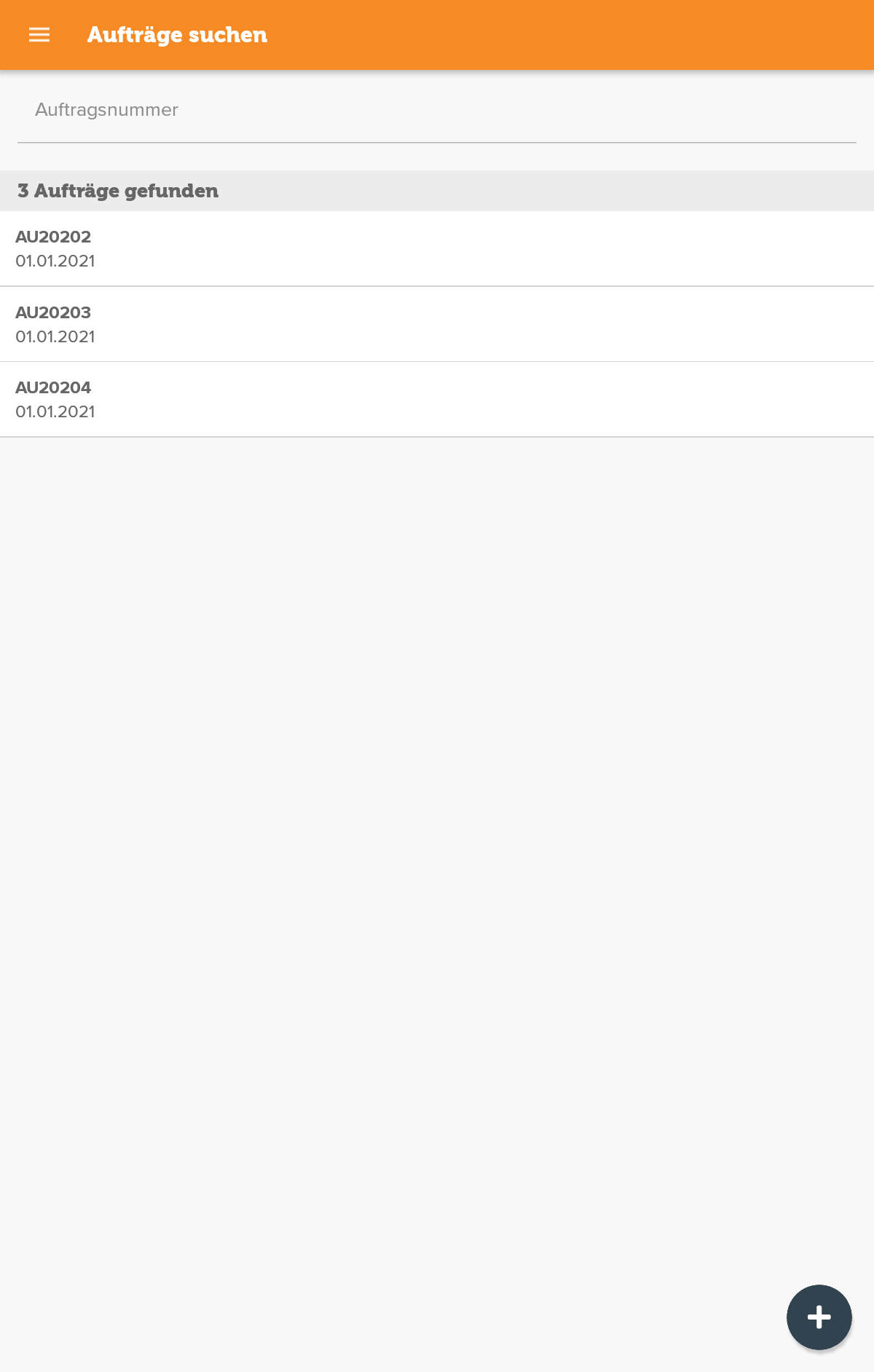
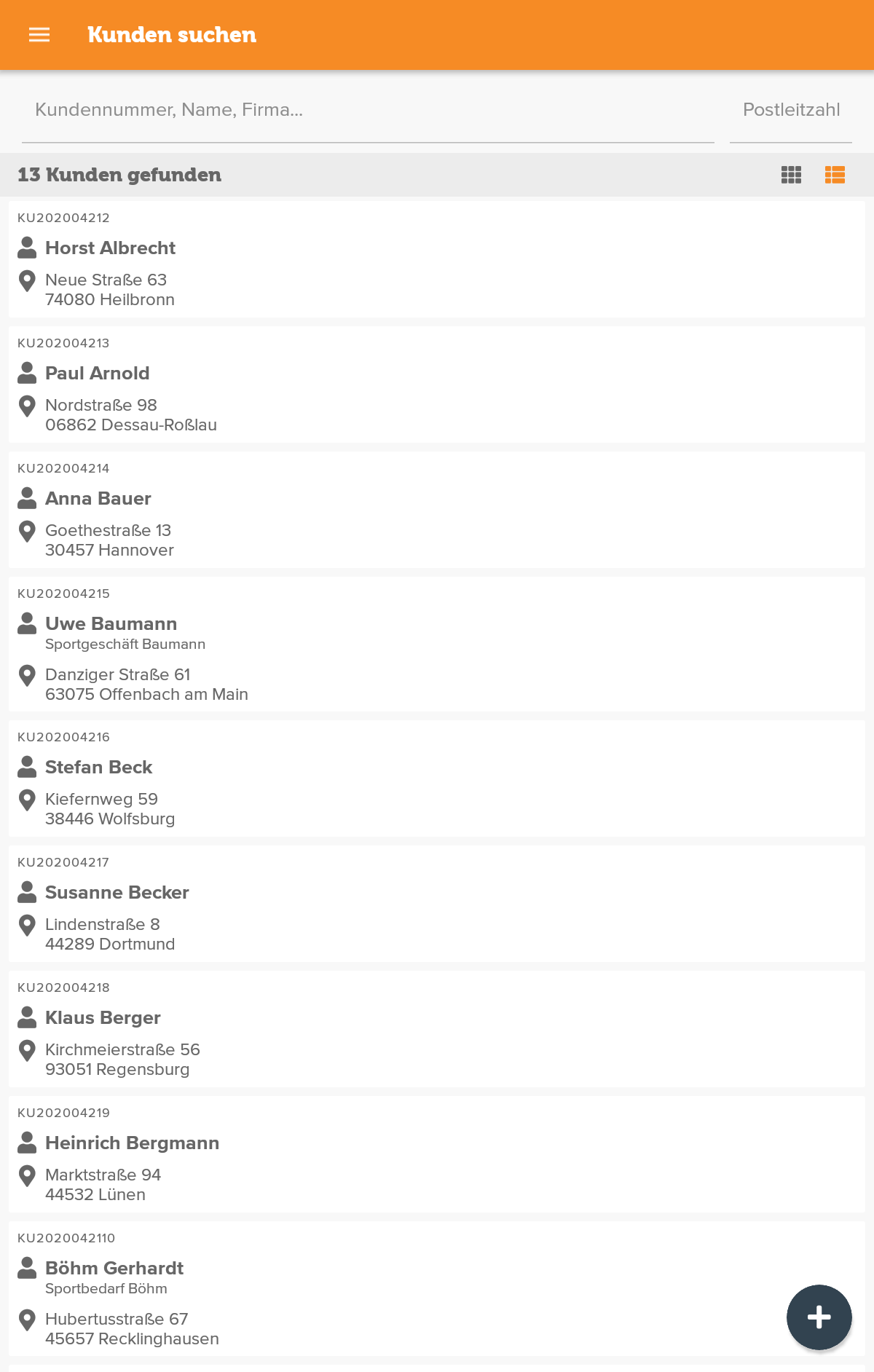
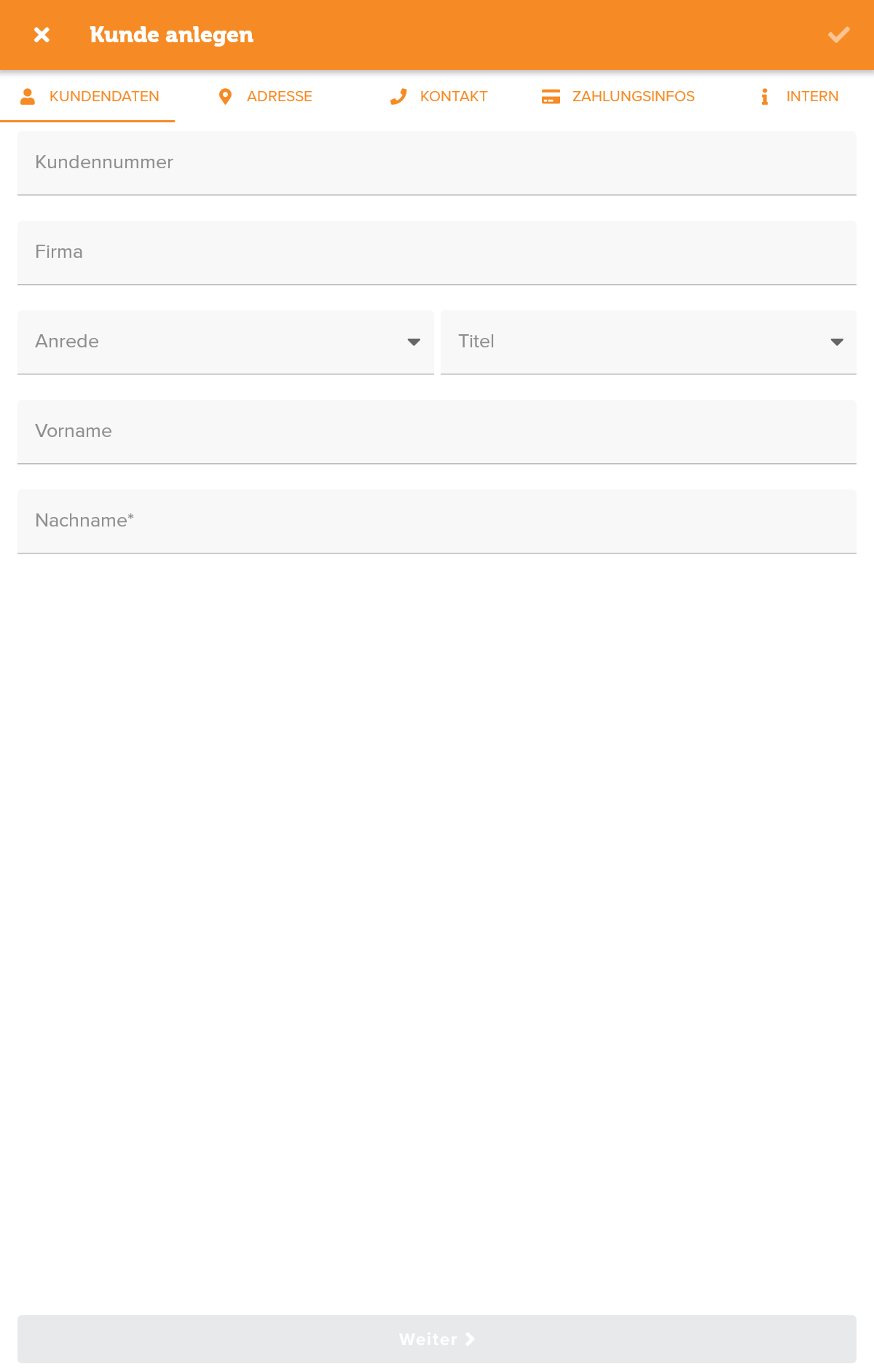
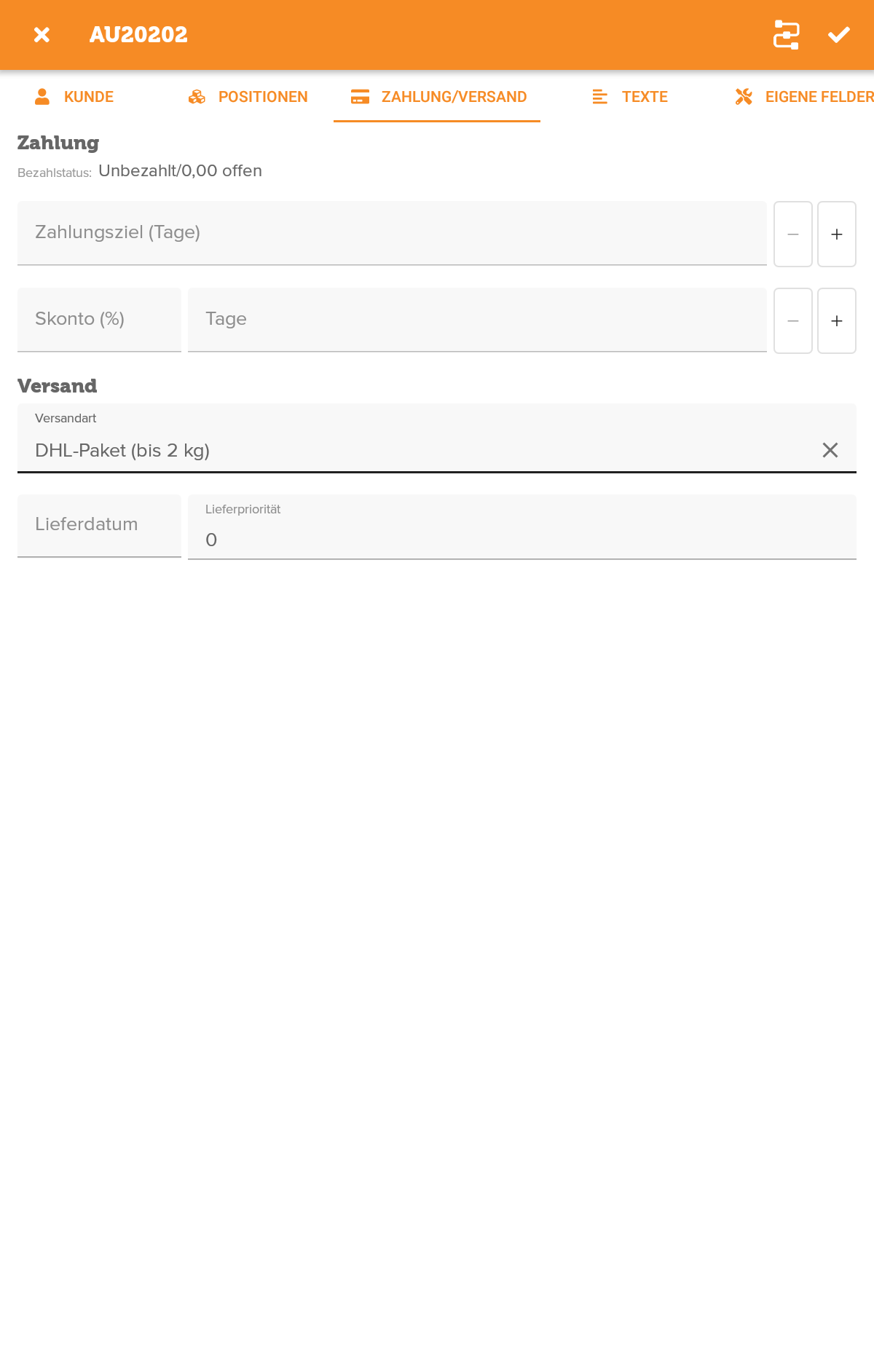
The same applies to the corresponding customer data record, which you can now add to this sales order after you have either searched for it or created it as a mobile data record. You can also edit the individual items of your sales order and further clicks will take you to the settings for the payment and shipping method. As soon as you complete this process, the corresponding sales order will be loaded into your local JTL-Wawi, where your employees, for example, can edit it further.
In addition, the following functions are available in the JTL-Wawi App Open Beta:
- Filter search by keyword, item, customer, sales order or sales quotation ID
- Processing history for seamless tracking
- Note field for documenting special information
- Current overview of ongoing sales orders
- Attach image and text files as attachments to sales orders or listings
- Processing Contact and payment information
- Determination of delivery priorities
- Integration of manual workflows such as the printing of order texts
Our biggest challenges
I don’t want to hide the fact that there were always phases in the development process that presented us with challenges. But we are pleased that we have found good solutions to many of these pitfalls, which have also passed our practical test:
Clarity
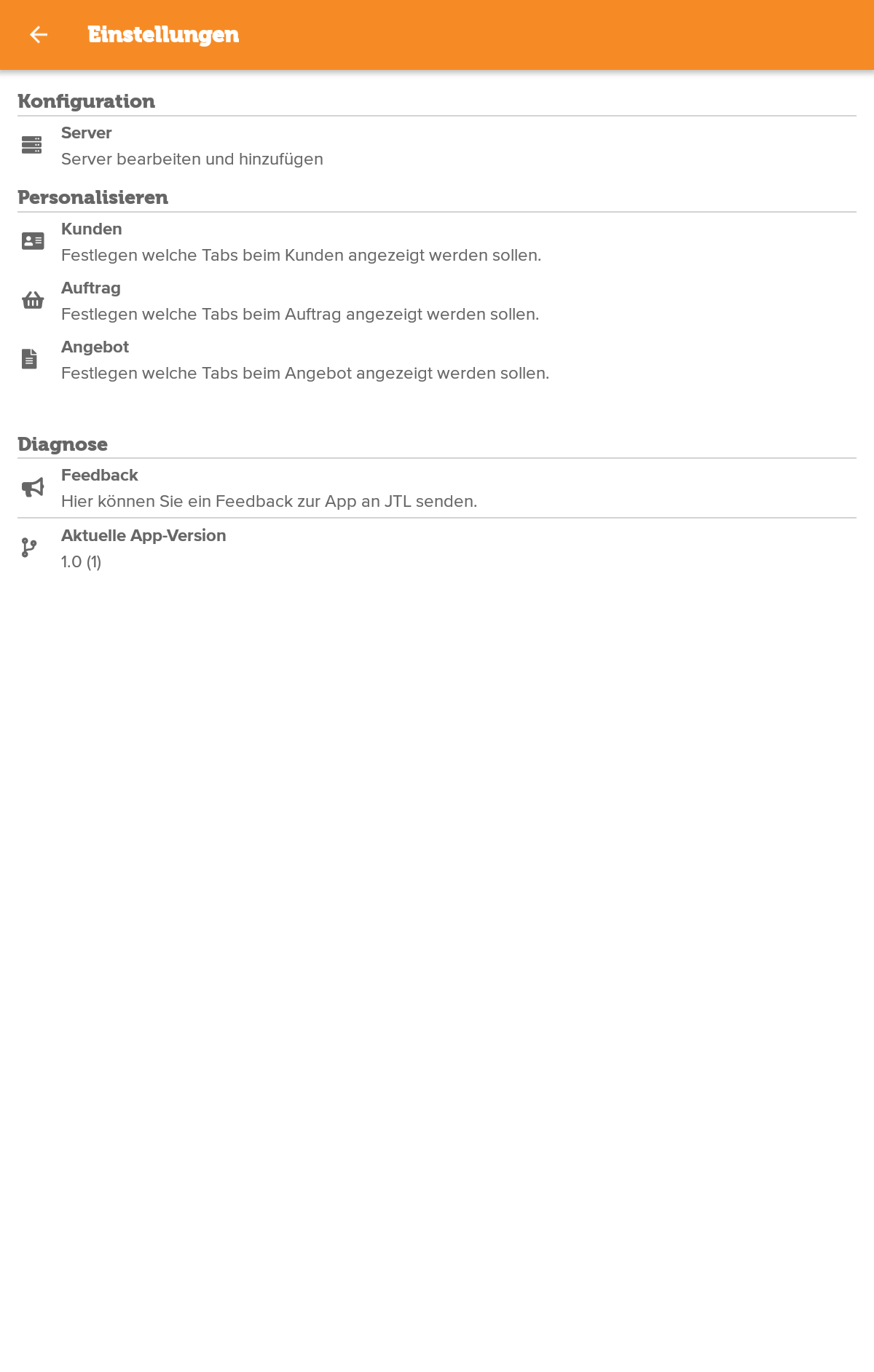
JTL-Wawi is a very powerful tool for centrally managing all of your online business processes. However, as I already mentioned, this presented us with the challenge of how to best compress central areas for a mobile Application. With basic functions such as “history” or “custom fields”, for example, we quickly realized that using them would open a lot of tabs, which could make working in the app confusing.
As screen sizes vary greatly from tablet PCs to smartphones, we give you a free choice here: for each main area, you can individually set which tabs should be displayed or hidden. You can also switch between list and tile view to find the display that best suits your screen size and way of working.
Server and data security
The compatibility of the server versions was also technically challenging: In our experience, the stationary version of JTL-Wawi is only updated by most customers in major version increments, whereas an app is updated very regularly and often automatically. It can therefore happen that the mobile Application is more up-to-date than the stationary version. To prevent features from being displayed as available in the app that are not yet covered by the stationary version of JTL-Wawi, for example, it is important that your server provides the JTL-Wawi app with information about the supported features, activated options and user rights.
Another developer nut we had to crack was the security of data transmission. Many customers use their own server, which often does not have an officially secured certificate (https). And yet the data between server and app or server and JTL-Wawi should be transferred securely. To solve this problem, we have mainly used JTL-POS as inspiration. Here you have to register your mobile device once via a QR code to “show” the server that it is a secure connection – a method that we have also chosen for the JTL-Wawi app.
Dashboard with statistics
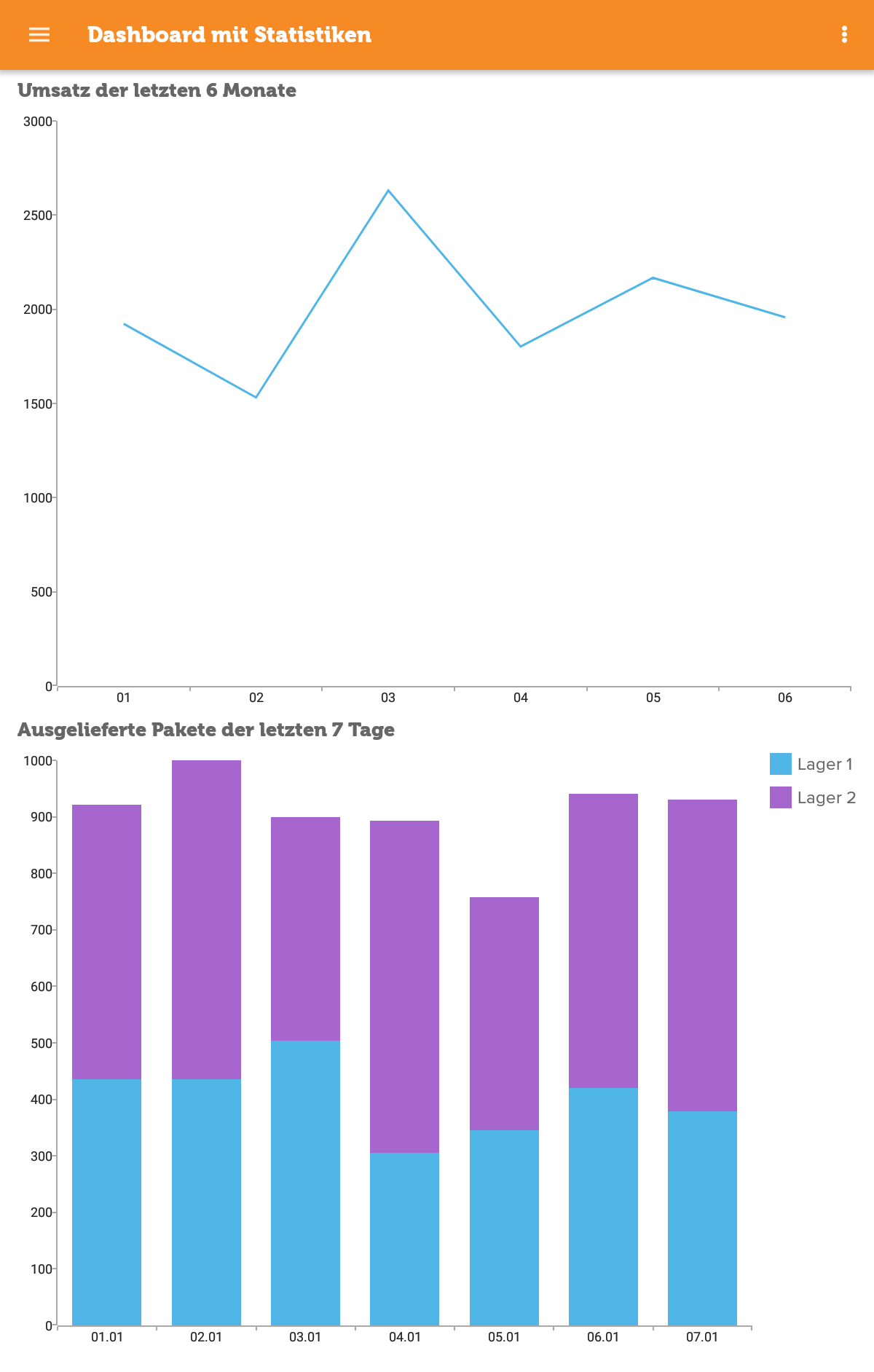
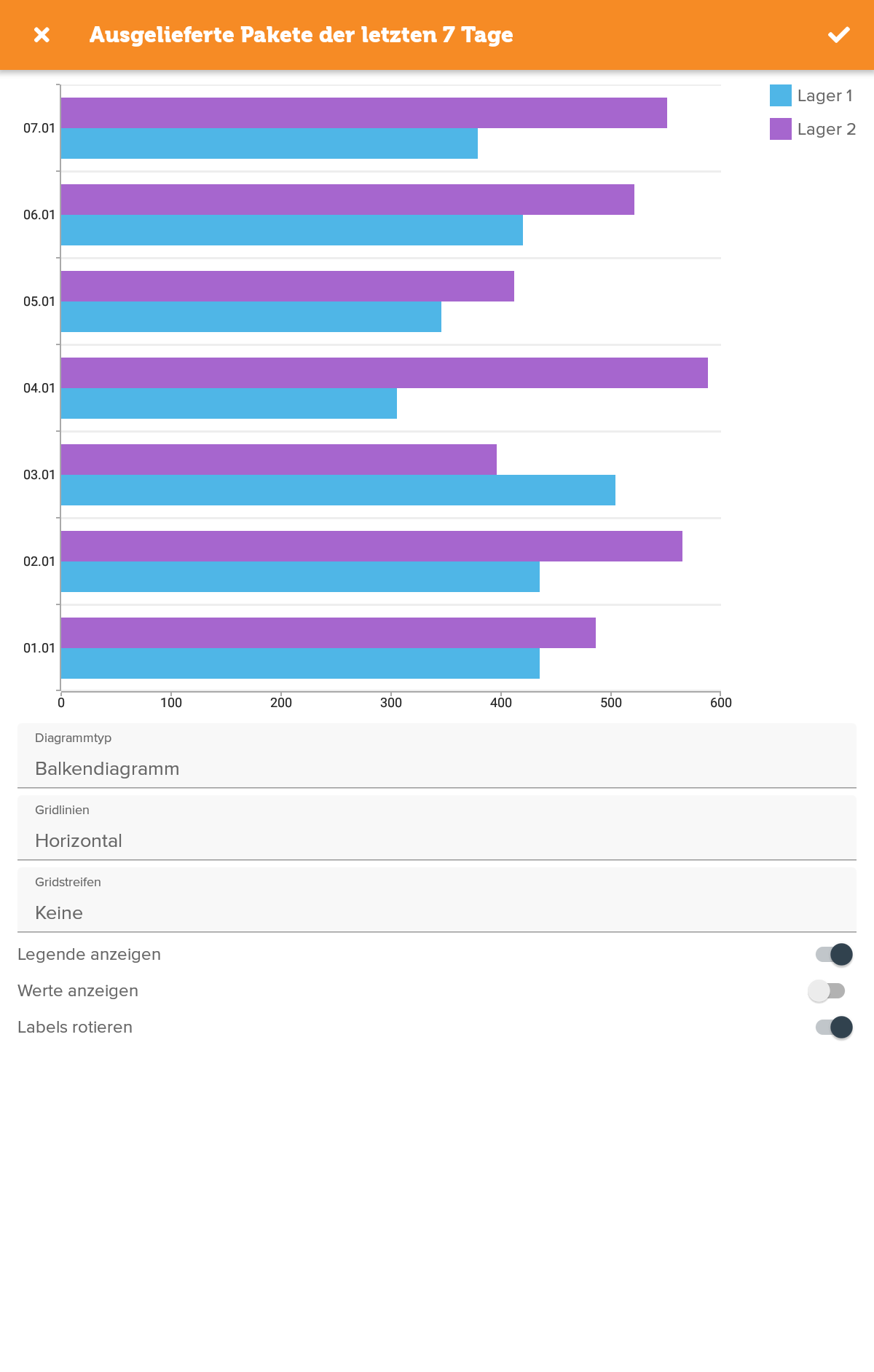
The dashboard in the JTL-Wawi app provides you with a comprehensive overview of important key figures such as sales or order development in the form of appealing graphics. In order to integrate these into our mobile Application, some research was necessary. After all, the dashboard should not be static, but offer extensive customization options. We also had to make sure that all the information was clearly visible on small screens. We therefore decided to closely link the statistics in JTL-Wawi with the dashboard of the JTL-Wawi app: You compile the statistics in the stationary application, which then appear in the app. You can customize the view flexibly by hiding elements or changing the chart type.
And so it goes on ...
With the integration of the “Sales order” and “Customer” areas, the work on the JTL-Wawi app is of course far from complete. As a first step, we would like to take another close look at the existing functions and make a few optimizations under the hood. The next important step will be to implement the “Create items” function. This will allow you to take item images directly with your smartphone or tablet. The technical prerequisite for this is a detailed view of the item so that you can select the image there. All in all, we will once again be working intensively with the respective Wawi development team to reduce this complex area to important basic functions. But one thing is needed above all: your feedback!
Give us your feedback!
Which features in the “Items” area are particularly important to you for mobile use? Or are there other functions that should definitely be included in the JTL-Wawi app? We look forward to your feedback and are also excited to hear about your experiences of using the app on a daily basis. What works Good? What can we improve?
Use the open beta of the JTL-Wawi app to put our mobile ERP through its paces and let us know what you think in the JTL forum. Let’s take the JTL-Wawi app to the next level together!