Imagine that some of your potential customers encounter insurmountable obstacles in your online store – simply because it is not designed to be accessible. This is not only a shame for people with disabilities, but also a missed opportunity for you – and from 28.06.2025 it will even be a violation of the new Barrier-Free Strengthening Act (BFSG).
Accessibility in the online store is not a nice-to-have, but will soon be a legal requirement – and an important factor for a positive shopping experience and greater reach. With the new version 5.5 of JTL-Shop, you can now make your store accessible to everyone. The integrated NOVA template already contains all the necessary requirements. In this article, you can find out what you need to bear in mind and which settings you need to make in the backend.
That's why accessibility is important:
Accessibility means that your online store can be used by people with different disabilities without any problems. This includes, for example
- Visually impaired and blind people: They rely on screen readers that read out screen content or on Braille displays.
- People with motor impairments: They may not use a mouse, but a keyboard or special input devices.
- People with cognitive impairments: Clear and simple language and intuitive navigation are crucial for them.
- Older people: They also benefit from an easy-to-read font, sufficiently large controls and simple operation.
An accessible store is therefore not only inclusive, but also improves user-friendliness for all your customers. It can also have a positive effect on your SEO ranking, as search engines value a good user experience.
Legal requirements: The BFSG
The Accessibility Reinforcement Act (BFSG) and the associated ordinance (BFSGV) come into force on 28.06.2025 and directly affect the majority of all online stores.
Some facts about the scope of the law:
- Online stores aimed at consumers (B2C) are affected
- B2B stores are therefore not currently affected by the regulations, but they must exclude transactions with consumers.
- Online retailers with fewer than 10 employees and less than EUR 2 million in turnover or total assets are also currently exempt.
- Pure presentation pages (e.g. a blog) are not affected.
- However, blogs within an online store are affected.
Important: Declaration of accessibility
In addition to the specific measures in the store, online retailers also have a duty to explain which specific accessibility requirements they fulfill. This can be done in the terms and conditions or as a separate accessibility statement.

Concrete measures for more accessibility in the JTL store
But now to the practical steps that you can implement in your JTL store:
1. meaningful alternative texts for images:
Images convey emotions and information. Alternative texts (alt texts) are essential for people who cannot see them. Describes precisely what can be seen in the image and what function it has.
- Good: <img src=”rotes-sofa.jpg” alt=”Red, three-seater sofa with light wooden feet”>
- Bad: <img src=”bild1.jpg” alt=”Bild”> or <img src=”rotes-sofa.jpg” alt=””> (use empty alt texts only for purely decorative images)
Make sure that the alt texts are informative and contextual. For product images, for example, color, material and important details can be mentioned.
Free webinar
How to make your JTL store accessible
We’ll show you in a practical way how you can make your business barrier-free with JTL Shop 5.5 and what else you need to do to meet the legal requirements. You will also get to know an automated plugin solution that will do a lot of the work for you.
2. clear and structured headings:
Headings (<h1> to <h6>) structure your content and make navigation easier for screen reader users. Use them hierarchically in a sensible way: <h1> for the main heading of the page, <h2> for important sections, etc.
- Correct:
HTML
<h1>Women’s fashion</h1>
<h2>T-shirts</h2>
<h3>Cotton T-shirts</h3> - Incorrect: Use headings only to visually emphasize text.
3. optimize keyboard navigation:
Many users rely on the keyboard to navigate through a website. Make sure that all interactive elements (links, buttons, form fields) can be accessed using the tab key and that the focus is clearly visible.
- Check: Can you operate all the important functions of your store (navigation, product selection, shopping cart, checkout) using only the keyboard?
- Pay attention to: A logical tab order and a clearly visible focus indicator (e.g. a colored frame around the active element).
4. understandable forms:
Forms should be clearly labeled and contain unambiguous instructions. Use the <label> element to link form fields with their labels. This helps screen readers to recognize the purpose of the respective field.
- Good:
HTML
<label for=”name”>Name:</label>
<input type=”text” id=”name” name=”name”> - Bad: Use placeholder texts as the sole label.
Also issue clear error messages if entries are invalid and indicate how errors can be rectified.
5. sufficient color contrast:
A good color contrast between text and background is crucial for readability, especially for people with visual impairments. There are various tools that you can use to check the contrast of your colors (e.g. the WebAIM Contrast Checker).
- Recommendation: Ensure a contrast ratio of at least 4.5:1 for normal text and 3:1 for large text elements.
6. clear and simple language:
Avoid unnecessarily complicated words, long sentences and technical terms that not everyone understands. Clear and simple language benefits all your customers.
- Tip: Read your texts out loud – does it sound natural and understandable?
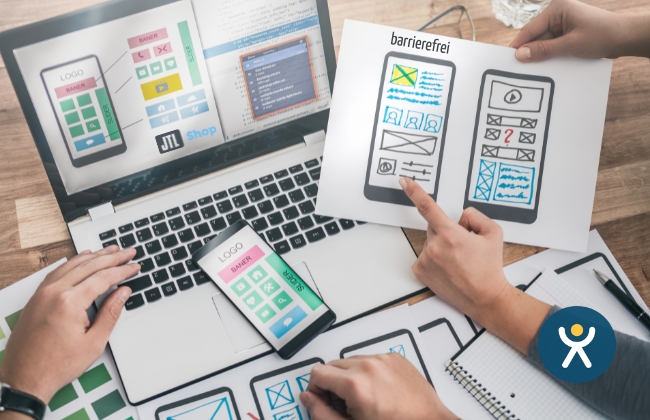
7. accessible videos and audio content:
If you embed videos in your store, provide subtitles or transcripts. Transcripts are important for audio content.
8. take dynamic content into account:
Make sure that dynamically generated content (e.g. through AJAX or JavaScript interactions) is also accessible. Screen readers should be informed of changes. Use ARIA attributes (Accessible Rich Internet Applications) to describe the role, status and properties of dynamic elements.
9. test, test, test!
The most important step is to test your store for accessibility. Use various tools and methods:
- Automatic tests: There are various web analysis tools and browser extensions that automatically check for accessibility problems (list of possible tools: https://www.w3.org/WAI/test-evaluate/tools/list).
- Manual tests: Navigate through your store using the keyboard, switch off images and use a screen reader (e.g. NVDA, VoiceOver) to simulate the user experience.
- User tests: If possible, involve people with disabilities in your tests to get valuable first-hand feedback.
JTL-Shop 5.5 and accessibility: What is already possible?
The JTL store has been strongly optimized for accessibility in the new version 5.5 and with the integrated NOVA template, so that you already have an ideal starting position.
When selecting themes and plugins, make sure that they are also optimized for accessibility – some developers already take these aspects into account.
The certified JTL service partner WebStollen, for example, already checks all plugins that work in the frontend for accessibility.
Continuous optimization and more stability
With version 5.5, the JTL store has not only been revised with regard to accessibility – a lot has also been done under the hood: A total of 141 tickets have been processed, which contribute to the technical optimization, better performance and higher stability of the store system.
The main focus was on fine-tuning and technical development: minor adjustments that make JTL Shop even more robust and future-proof.
If you are interested in all the details, it is worth taking a look at the JTL issue tracker. There you can track all changes transparently and in detail.
Note on sending e-mails with Outlook or Gmail
If you have set up your store with an Outlook or Gmail account, keep this in mind:
These accounts must now be connected to JTL-Shop – regardless of the update to version 5.5.
This is due to a technical change on the part of the email provider. You can find detailed instructions on how to set this up in the JTL guide.
Using accessibility as an opportunity
Accessibility is more than just a duty – it’s an opportunity to expand your customer base, improve usability and build a positive image.
With the update to JTL Shop 5.5, you are already taking the decisive first step: the integrated NOVA template has all the technical requirements to make your store accessible. This saves you time and effort during implementation and you can start optimizing the content straight away – for example with suitable alt texts, a clear structure or understandable language.
The sooner you deal with the issue, the better: from June 28, 2025, the requirements of the German Accessibility Improvement Act (BFSG) will be mandatory for many online stores. Take the opportunity to take action now – not only to avoid warnings, but also to send a strong signal for inclusion and user-friendliness.
If you need support in implementing the measures, JTL partners such as Webstollen offer the following services specifically for this purpose:
- Accessibility scan and audit
- Use of proven accessibility overlays for the first phase
- Customization of your JTL store template