With the new options for linking Amazon listings and master items in a completely variable way, you can finally map practical sales and delivery scenarios flawlessly in JTL-Wawi. With version 1.4 of our ERP, merchants can completely dispense with any workarounds, such as duplicate item maintenance for FBA listings. The revised logic now ensures corrected statistics and purchase order proposals. It also makes it much easier for Amazon sellers to switch to JTL.
For the new functionality, our developers have worked on over 70 areas in JTL-Wawi. In this blog post, we present all the new features one by one.
Would you like to know what ASIN (Amazon), MFN, AFN or FNSKU mean? You will find some explanations at the end of the article.
Place two listings on one ASIN (Amazon)
Individual entries in the Amazon product catalog are called “product detail pages” and are often abbreviated to “ASIN” in everyday communication. The ASIN (Amazon) is the unique identification number of the product page.
A merchant can add several listings to one ASIN (Amazon). For a first listing, for example, the merchant ships orders from its own warehouse as part of the Merchant Fulfilled Network (MFN). For a second listing, they store the same product on Amazon and have the orders fulfilled via FBA, i.e. in the Amazon Fulfilled Network (AFN).
In fact, many sellers also place multiple listings if they want to positively influence their internal Amazon ranking with an FBA listing, for example. At the same time, it is important to ensure that your product is available for sale even if the stock in the fulfillment warehouse has already been exhausted.
Previously, your listings were linked to a master item and its SKU was transmitted to Amazon. When a customer ordered your listing, Amazon sent this SKU back and JTL-Wawi knew exactly which item should be delivered.
However, if you wanted to add two listings to one ASIN (Amazon), there was a problem: The SKU of both listings would have been the same, a circumstance that Amazon does not allow. As a workaround, merchants simply created two master items for the affected products – one for the listing with self-shipment and another for the FBA listing. Of course, bending the ERP in this way has negative consequences: For example, statistical evaluations lose their informative value and sophisticated algorithms for determining order and stock transfer suggestions could no longer deliver meaningful results.
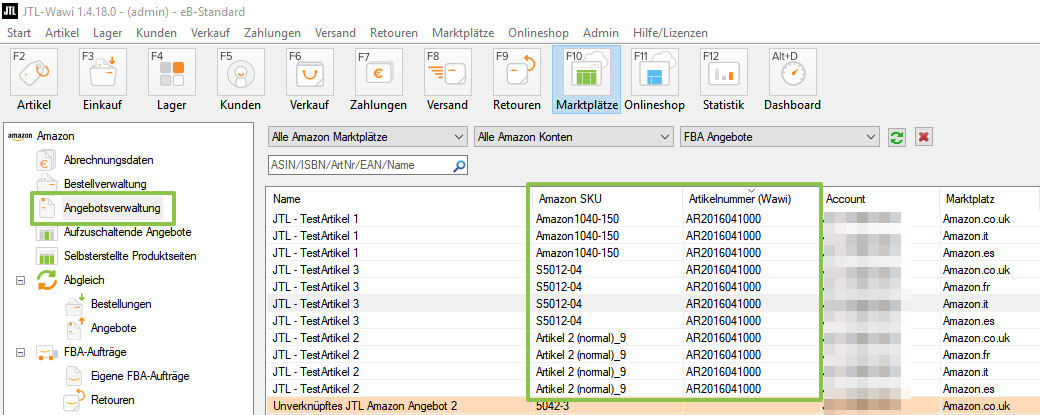
With the release of JTL-Wawi 1.4, you can manage SKUs and SKUs separately. This means that there are no more dependencies and you can create and remove links as you wish. You no longer need duplicate master articles.
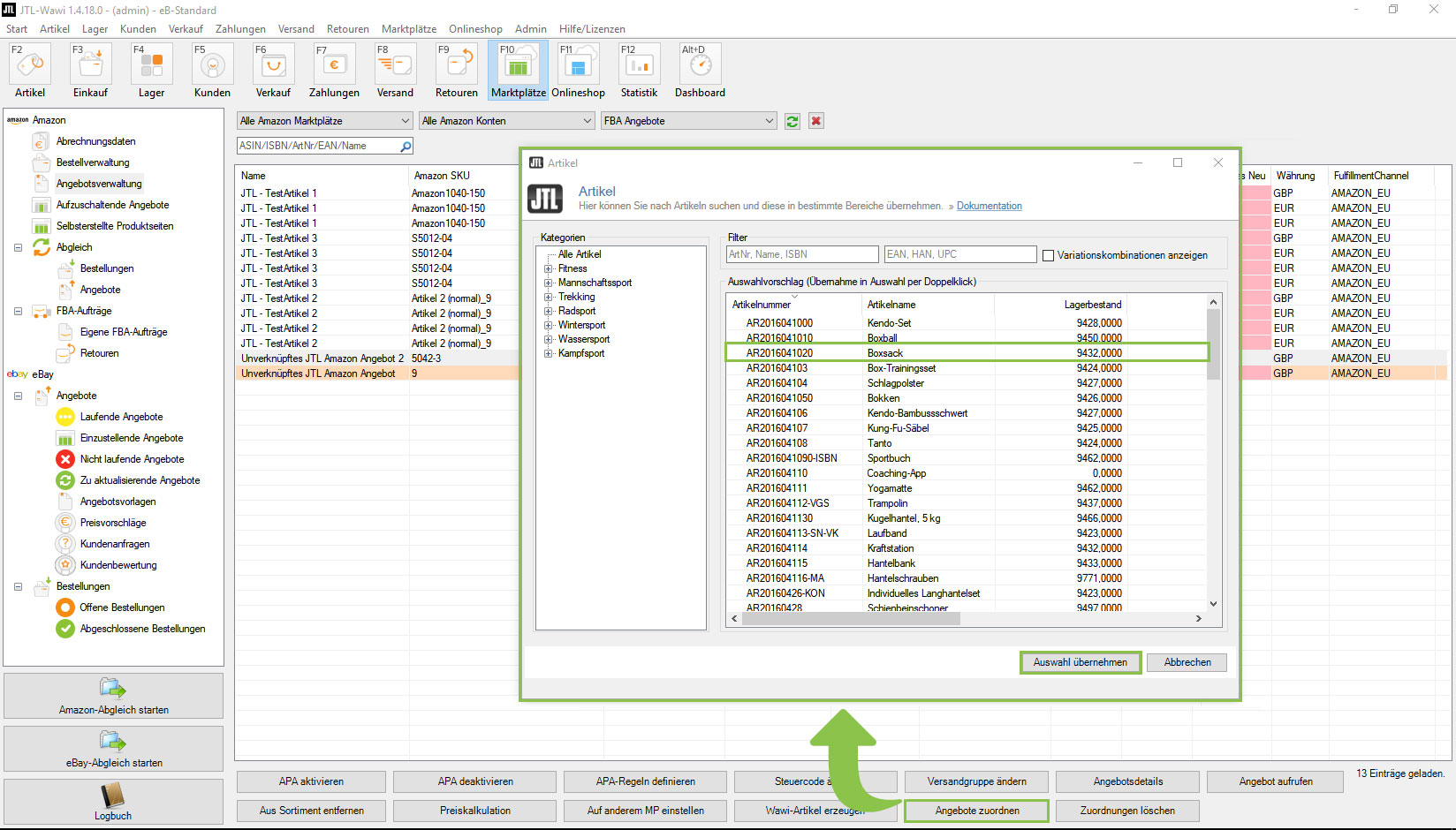
Listing the same master item on different ASINs via multi-listing
For a long time, Amazon aimed for a lean product catalog in which each product or product bundle is only listed once. Nowadays, however, there are numerous product detail pages for very similar or even identical products on the marketplaces. Retailers are adapting to this development and trying to place their listings on as many of these pages as possible. This approach is also known as multi-listing.
The option for multiple listings has been available in JTL-Wawi since 2011. In the previous version of our software, however, you could only link listings to a master item that were processed via own shipping or MFN. FBA listings from AFN, on the other hand, could not be linked to the same item.
Another challenge was that you could no longer link listings that were already running to a master item afterwards. The exception: You end the listing and then relist it with JTL-Wawi using the multiple listing function.
With JTL-Wawi 1.4, you can assign any number of Amazon listings to a master item. MFN and AFN listings on different ASINs as well as on the same ASIN (Amazon) can be mapped with the new logic. Existing multiple listings are automatically migrated to the new logic during the update. This means that you do not have to update any of the existing links.
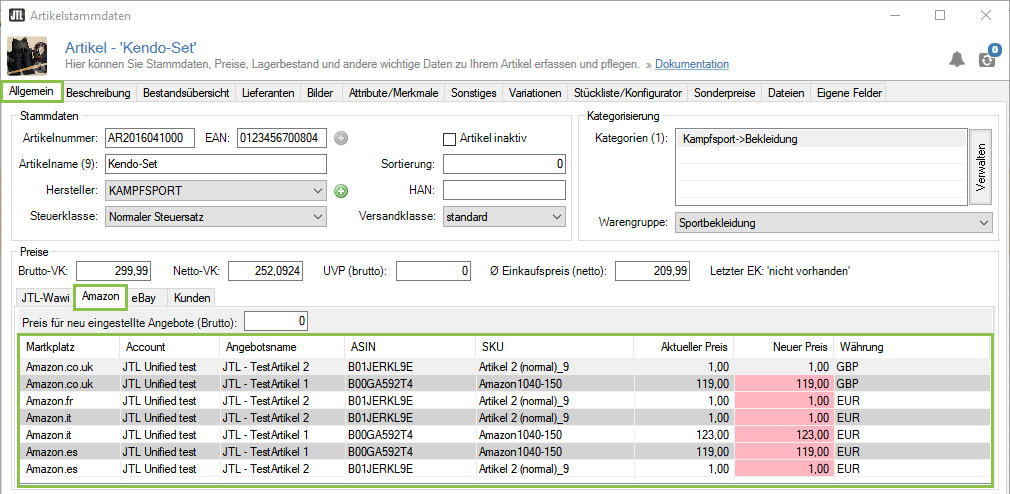
Clean statistics and correct purchase order proposals
You want to offer a product on two different ASINs as FBA listings. Even if they are exactly the same master item, you still have to store a separate inventory with a different SKU and FNSKU on Amazon for each listing.
As it was previously not possible to link several FBA listings to a master item, it was not possible to keep a common total inventory. This also meant that you could not calculate dependent logic such as purchase order proposals across multiple offers.
In version 1.4 of JTL-Wawi, the new linking logic ensures that you can now calculate stocks across all listings and keep them synchronized. Purchase order proposals now also work perfectly with multiple listings of FBA offers. In stock under the menu itemTransfers you now also have to select which listing, or more precisely which SKU, the replenishment delivery should be booked to.
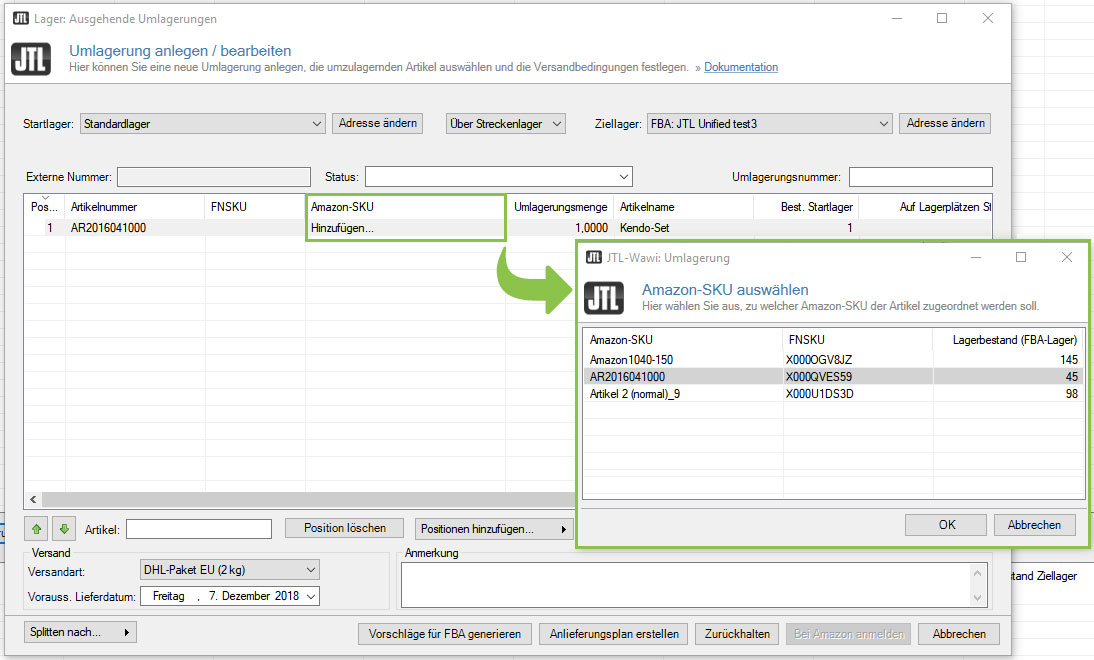
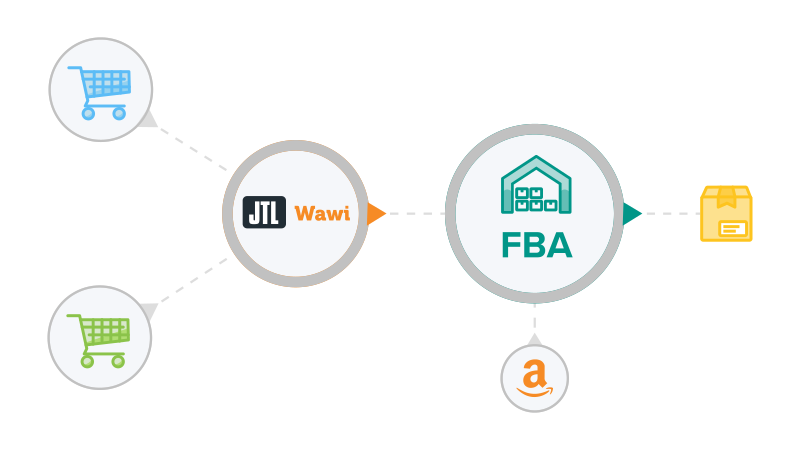
Intelligent inventory reduction across all listings
In this scenario, you do not maintain your own warehouse, but only use fulfillment by Amazon(FBA). However, you also operate an online store and would like to process orders from the store system via multi-channel FBA. What happens if the order quantity of a single item is so large that it has to be fulfilled from two or more FBA stocks at the same time? Especially if you have built up several FBA stocks for the same product, retailers don’t want to deplete one stock and sit on the other. Good would be to reduce the stocks evenly.
Previously, orders were based on a specific FBA stock. It was not possible to automatically take into account existing stock of the same product from other FBA stock listings.
Our developers created an algorithm for JTL-Wawi 1.4 that automatically determines which FBA stocks are best to be used for the delivery of a multi-channel order. Since the stock transfer suggestions now also take into account all linked FBA listings, you can now control the purchasing, replenishment and sales process as a whole in a largely automated and optimal way.
Easy changeover with different SKUs and SKU numbers
You want to switch from your previous software to JTL-Wawi and take this opportunity to clean up your internal product catalog including the SKUs. Once you have imported and edited all items, you can then transfer all listings from your Amazon seller account to the ERP marketplace management.
Until now, there was no option to link the listings you had just imported with the corresponding master items. Instead, you had to accept one of two restrictions: One option was to store the SKU stored on Amazon as the SKU in JTL-Wawi. This would have meant cleaning up your SKUs for nothing. Alternatively, you could have ended the listings on Amazon and then relisted them with the new, “cleaned up” SKU from JTL-Wawi.
As of JTL-Wawi 1.4, SKU numbers of your products and SKUs of the associated Amazon listings may differ. After importing your listings, you can assign them to the appropriate master items. This will give you tidy SKU numbers, even if you want to leave the SKUs untouched on Amazon. By default, JTL-Wawi automatically makes the assignment if the SKU and SKU match – i.e. the behavior of the old JTL-Wawi versions is initially applied. You can of course change this assignment as you wish.
FAQ & Download
Finally, we would like to answer two frequently asked questions:
Question 1:
What happens to the article history if I want to replace existing parts lists or other workarounds with the offer mapping? Answer: Unfortunately, the article history is not included.
Question 2:
Is there a way to create Amazon offer assignments en masse with an import? Answer: The possibility exists with JTL-DataTransfer via the import Marketplaces > Amazon offer assignment.
The JTL-Wawi 1.4 version will be available for download in a few weeks. If you would like to test it now, you can find the current release candidate here(what is it?):
Abbreviations at a glance
Retailers organize their products in product catalogs, which are usually stored in a software system. As part of these systems, each product is given a unique identification number (ID). For example, there is a unique ID on the Amazon marketplace as well as in your ERP system. The abbreviations are
- ASIN: Internal catalog number of a listing from Amazon
- SKU: Internal catalog number of an item in your JTL-Wawi
In the area of warehousing and shipping, Amazon distinguishes between two networks through which orders can be processed: The Merchant Fulfilled Network (MFN) and the Amazon Fulfilled Network (AFN). Translated, this means:
- MFN: Network in which goods are shipped by the retailer
- AFN: Network in which goods are shipped by Amazon
The Stock Keeping Unit (SKU) generally refers to a unique identification number for a product within a system. Amazon uses the term SKU as follows, depending on the network:
- SKU + retailer ID: This combination uniquely identifies a retailer’s listing per product detail page, i.e. per ASIN (Amazon)
- FNSKU: Unique identification number of a product in Amazon’s fulfillment network. In the context of multi-listing, identical products can be labeled with different FNSKUs and thus managed as separate stocks in the FBA warehouse.
And finally, a few basic terms from the world of ERP
- Master article: Items in the item management of JTL-Wawi
- Listing: Listing on Amazon with own price and stock
- FBA listing: Listings that are better listed because they are fulfilled by Amazon
- Product detail page / product page: Customer view of an entry in the Amazon product catalog
- Multi-listing / multiple listings: Offering the same master item on several Amazon product pages