
Amazon Lister
Countless items are sold on Amazon. Sometimes you get the feeling that almost every product already has an existing product detail page in the Amazon catalog. However, this is not the case. Many of our customers sell unique items or produce them themselves. For customers who do not want to rely solely on the JTL-Shop for selling, JTL-Wawi 1.0 now offers the new “Amazon Lister” functionality.
The Amazon Lister makes it easy to create new product detail pages for products that are not yet sold on Amazon.
This blog post will report on the advantages that the Amazon Lister offers over the competition and even over Amazon’s own tools.
Support for all categories
The number of products available on Amazon is immense. To cope with the complexity, Amazon tries to structure the range with the help of categories. Each product must therefore be assigned to a product category. And so there are at least 130 different categories for the German platform alone, ranging from “PC gaming software” to “fashionable necklaces, bracelets or anklets” and “jackets and coats”. Simply selecting and filling a category with the correct data can be a challenge for retailers.
If, for example, a new product detail page is created in Seller Central (via the function: Create new product), it quickly becomes apparent that the categories are sometimes made up of very different fields. For example, the field “Total weight diamond” must be filled in for “Fashionable necklaces, bracelets or anklets”, whereas the field “Inner material (lining)” must be filled in for “Jackets and coats”.
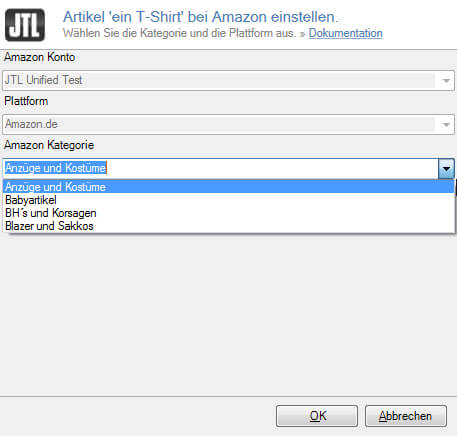
The Amazon Lister currently supports all categories of the German and English platforms. Over time, the categories of other platforms such as Spain or America will also follow.
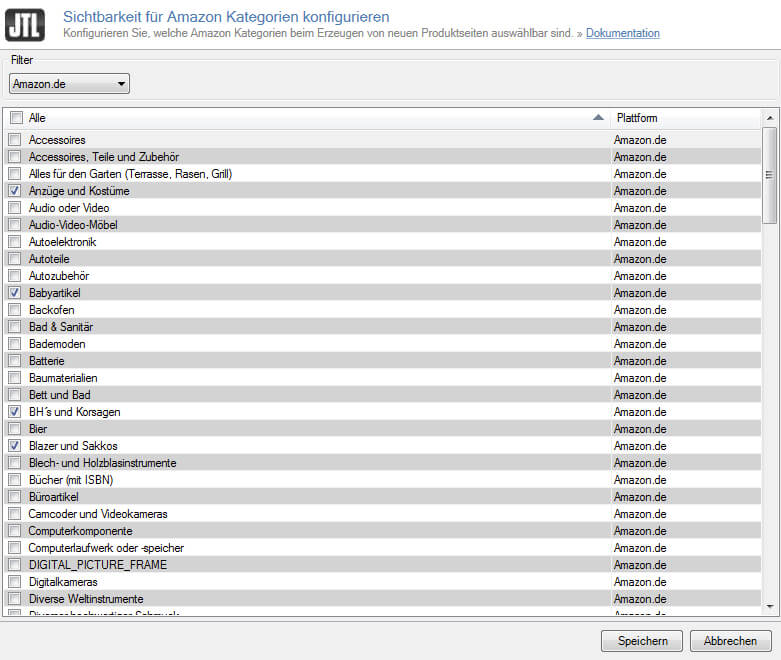
We know from customer feedback that most merchants only sell in a few categories. This is taken into account in JTL-Wawi by hiding unneeded categories in the Amazon Lister settings.
Access to article information from JTL-Wawi
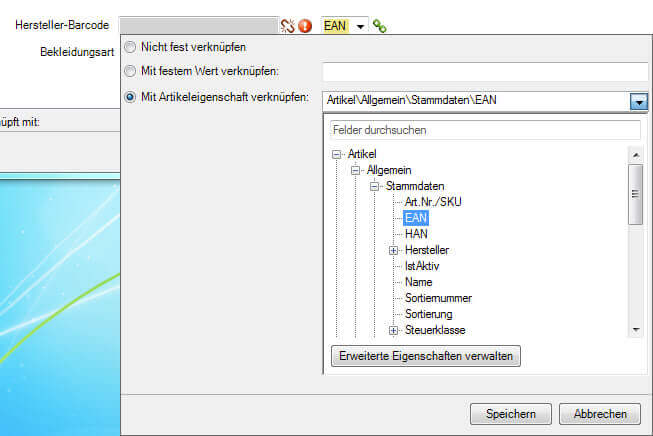
The Amazon Lister alone makes it easier to create product detail pages. However, it really comes into its own when it accesses the item information in JTL-Wawi. Configuring so-called “links” between JTL-Wawi and the Amazon category is very simple: As soon as the mouse pointer moves over a data field, a link iconamaUngemapped appears next to the field. If the icon is clicked, a link can be configured for the field.
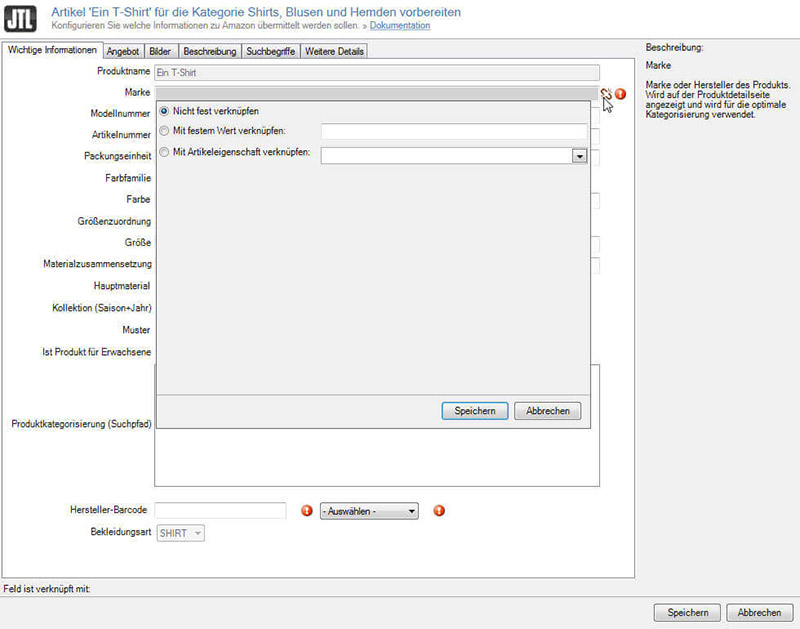
Simple information that is always the same is configured using the “Link to fixed value” option.
Example: The string “EAN” can be stored for the “Type of manufacturer bar code” field.
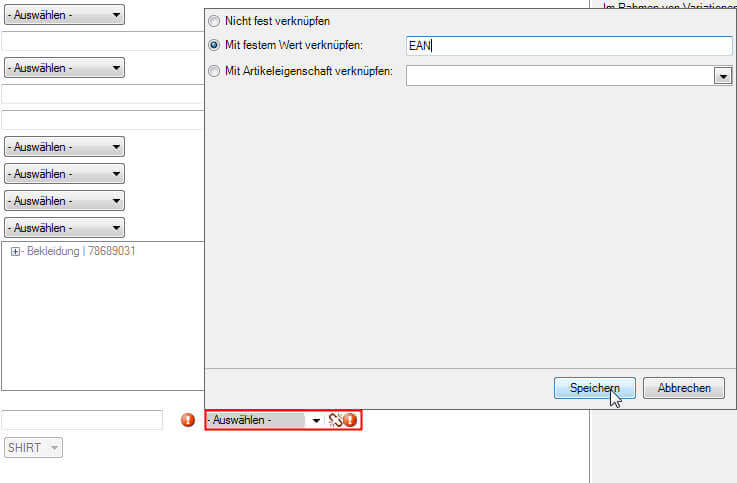
As a result, the entry “EAN” is now preselected in the “Type of manufacturer bar code” selection box as soon as a product detail page is created for an item in the same category.

The “Link to item properties” option, on the other hand, provides dynamic access to the current information in JTL-Wawi.
Example:
The Amazon field “Manufacturer bar code” can be linked to the item information in the EAN field. The field itself is maintained in JTL-Wawi in a user-friendly way.
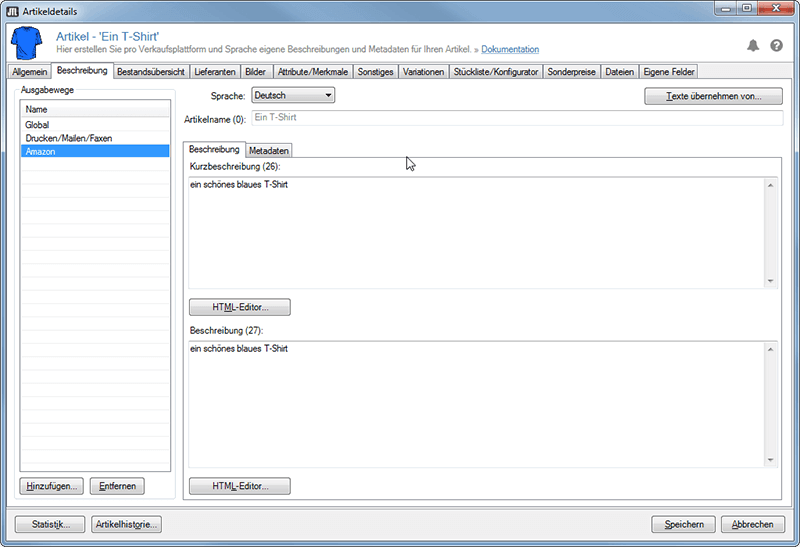
By the way: Not all fields need to be linked. Unique information such as the product name, the stock number or the description of the item is automatically transferred from JTL-Wawi. Of course, item names and descriptions can be stored in JTL-Wawi specifically for Amazon, depending on the language.
Extensive assistance with variant design
The techniques described so far are helpful if a product detail page is to be created for an item that does not exist in different variations. However, products with variations can also be listed and sold on Amazon. For example, a T-shirt in different colors and sizes would be a product with variations. Providing all relevant information for such items is more complex than for normal products. The Amazon Lister, which uses the existing information from JTL-Wawi, is also a great help here and makes it much easier to create such product detail pages.
If the variations are carefully maintained in the JTL-Wawi and the variation combinations are created correctly, the creation of product detail pages with matching variation designs works almost automatically.
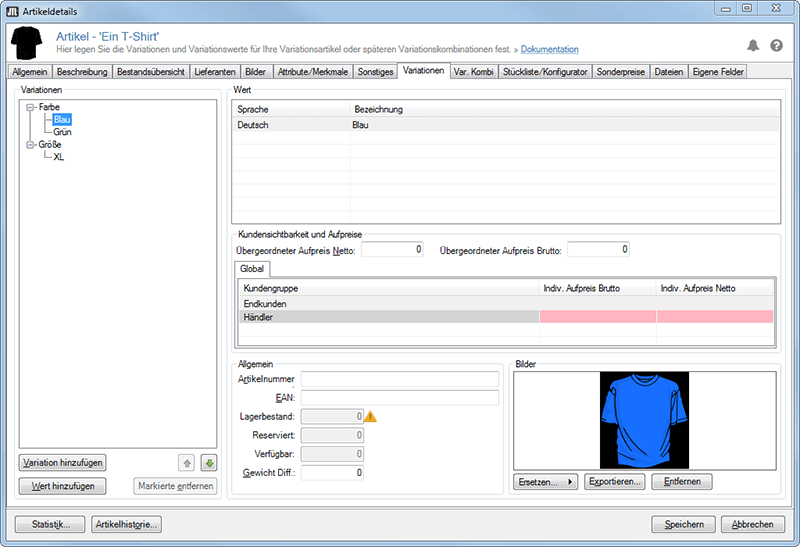
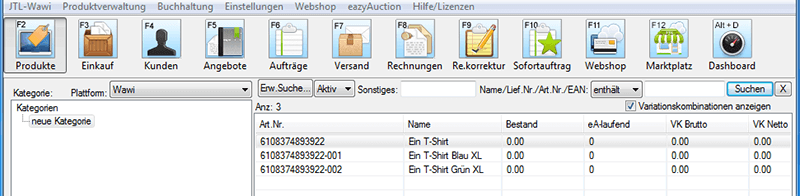
As you can see in the screenshot, you only need to configure which Wawi variation corresponds to which Amazon variation. If this information is not yet available to the Amazon Lister, it automatically opens a dialog with which the setup can be added.
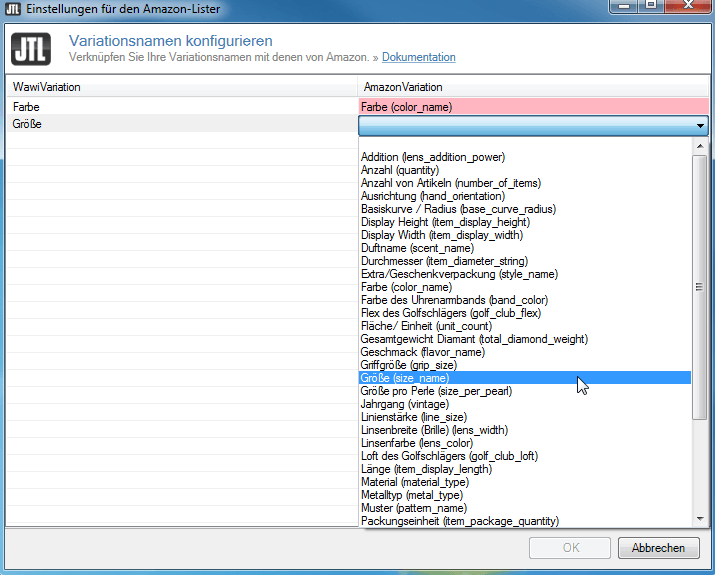
Thanks to the subsequent setup, the Amazon Lister now automatically recognizes and selects the appropriate variation design.

If you now click the Save button, a suitable entry for each child item is created in addition to an entry for the father item, so that an entry in the Amazon product catalogue can be made correctly and completely.
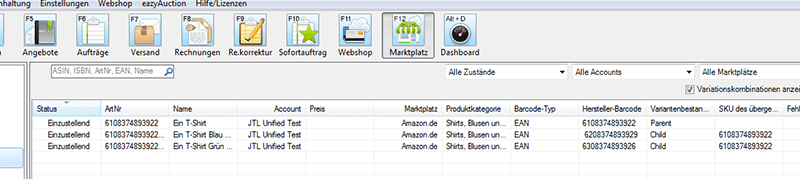
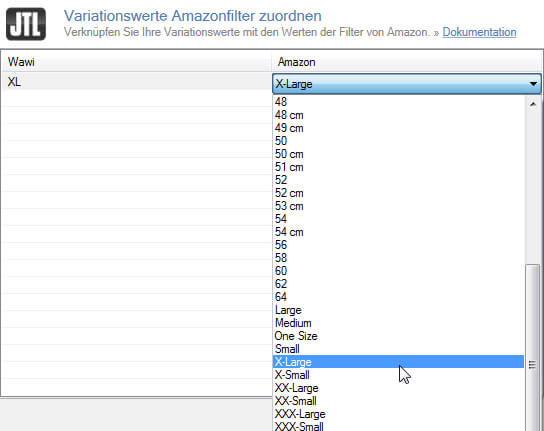
The Amazon Lister also helps you to set the default values correctly. Default values are extremely important on Amazon because customers are listed filters based on these default values, which they can use to narrow down their search for specific products.
Example:
If a product detail page is to be created for a light blue T-shirt, the value “Light blue” is entered in the “Color” field. A suitable value must now also be selected from the “Color family” selection box. In this case, it would be the valid value “Blue”.
If this information is not available when creating the child entries, a suitable configuration dialog appears automatically.
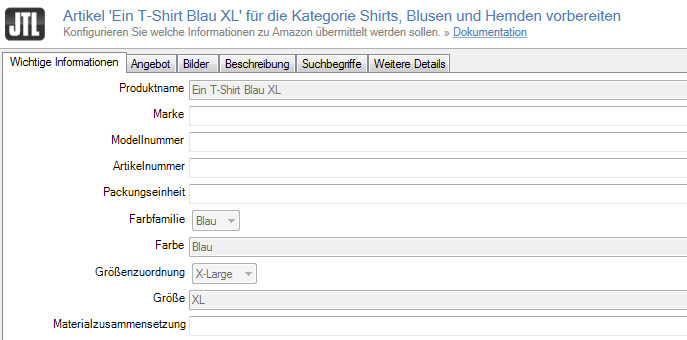
The next image shows the information that the Amazon Lister has entered for each child for uploading to Amazon. The information “Color family”, “Color”, “Size assignment” and “Size” depends on the variant design “SizeColor”. These fields were set automatically and correctly by the Amazon Lister.
Error messages
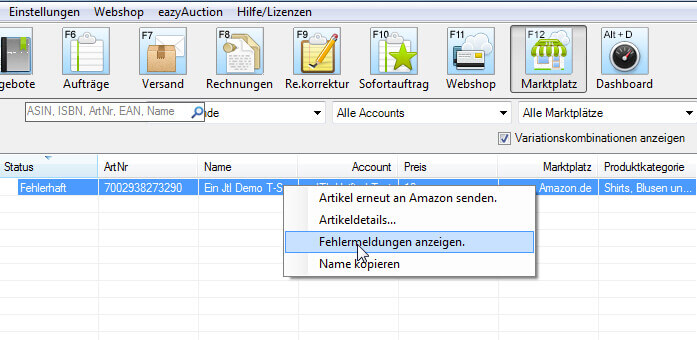
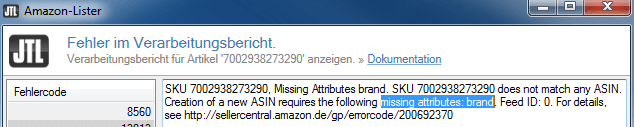
The output of precise feedback is another great feature of the Amazon Lister. In the event of a failed setting attempt, you can check in JTL-Wawi itself why the creation of a product detail page did not work. The feedback no longer has to be searched for via Seller Central.
Example:
In the following attempt, the mandatory field “Brand” was not filled in.
Closing words
We are sure that the Amazon Lister with all its support and functionalities is an extremely suitable tool for creating correct and good-looking product detail pages for your products on Amazon.






