It won’t be long now until the release of JTL-Wawi 1.4 as a stable release. Also on board are interesting new features for JTL-Packing Bench+ and our warehouse management system JTL-WMS. In this feature preview we show you the most important things at a glance.
The scale connection
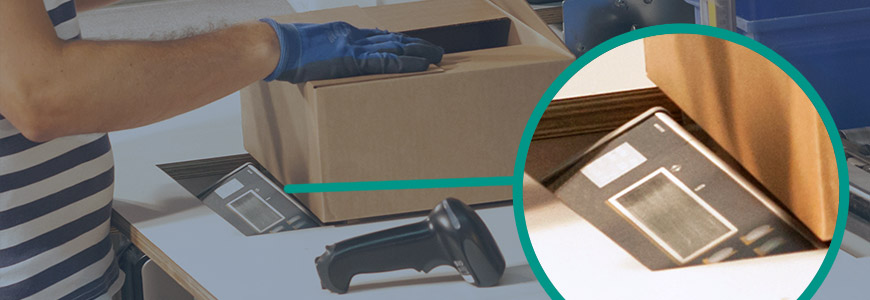
At this year’s JTL-Connect, we were able to present the beta version of our scale integration in the WMS demo warehouse to our customers. The first types of scales are now integrated into JTL-WMS via a direct interface.
During packing, warehouse employees can now track the current weight of the parcel in the dialogue box. At the end of the packing process, they can add the total weight to the parcel’s data record with a single click. This means that even after delivery, colleagues in the office can see at any time how heavy a parcel was during shipping. Costly recalculations due to inappropriate shipping labels can thus be avoided.
The feature is particularly useful for participants in Amazon’s “Prime by Seller” program, as this can result in high additional charges. Participants in our JTL-Fulfillment Network will also be able to bill their fulfillment service providers much more easily thanks to the weight measurement.
Further features for the integration of scales are currently under development. For example, the next feature we have planned is a plausibility check in outgoing goods, i.e. we check whether the weight of the parcel matches the weight stored in the item. In addition, it will soon be possible to record the item weight in goods receipt – a functionality that is particularly suitable for items that are new and have been delivered for the first time. We will keep you up to date on further innovations.
At a glanceManual workflows for JTL-Workflows and JTL-Packing Bench+
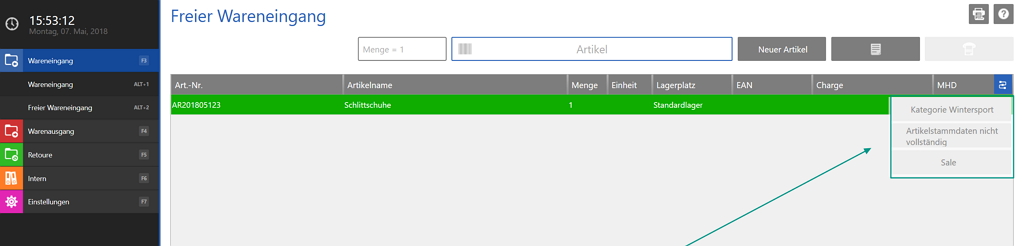
Previously, manual workflows were only available in JTL-Workflows. With the stable release, users can now also access the function in warehouse management, JTL-Packing Bench+ as well as the new mobile app and, in some cases, the old mobile app.
But what exactly are manual workflows? They enable previously defined workflows to be started at the touch of a button, so to speak. This means they need to be triggered manually instead of by the system on the basis of a process. For example, a warehouse employee can examine a return and decide to issue an invoice correction. By clicking on the workflow icon in the program interface, they can start one or more previously stored workflows. Online merchants can define exactly what these workflows do as usual in JTL-Workflows as if-then rules.
The manual workflows are available for the objects displayed on the screen. Typical objects in the warehouse would be sales orders, items or pick lists. Typical workflows that warehouse employees would like to trigger and run automatically would be “reprint bar code”, “create item label” or “send information to boss”. There are virtually no limits to creativity – whatever your warehouse needs to do.
To be able to use a manual workflow in the warehouse, you must define it as usual in JTL-Packing Bench+ and then activate it for display in the packing table, warehouse management or the mobile app. The workflow then appears on the corresponding program interface and can be selected.
At a glanceInbound posting of spontaneous deliveries directly in the warehouse using supplier orders

Many online retailers are familiar with the situation: you’ve been offered goods at an attractive price and you’ve struck – often without knowing exactly what the delivery will consist of. A short time later, you receive the delivery. It is then in the goods receiving department, of course without having previously placed a “supplier order” via JTL-Wawi.
In order to subsequently generate a supplier order in JTL-Wawi and thus an A/P invoice, many retailers previously had to run to the office and laboriously type out the delivery bill there or have a colleague in purchasing enter it into JTL-Wawi before the goods receipt could be carried out. As of version 1.4, we have made this process easier, as it is now possible to create supplier orders automatically during the goods receipt process.
However, the prerequisite for the new procedure is that you have already created the supplier in JTL-Wawi. In the free goods receipt, simply select the supplier from the drop-down list, enter the delivery note number if required and carry out the goods receipt.
Once the goods receipt has been completed, the supplier order is automatically created in JTL-Wawi and can be found in the Purchasing area under the completed orders.
Partial deliveries can also be collected in this way.
At a glanceOptimum partial delivery now also for shipping boxes & RoKo
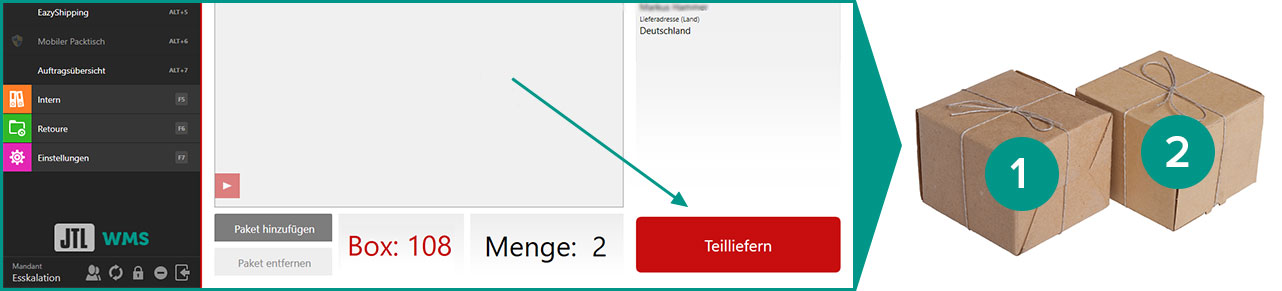
In the case of partial deliveries, retailers want to be able to decide whether to split a sales order or keep it together, how the associated delivery bills should be designed and whether the customer should be invoiced in between or only after the last partial delivery.
Our warehouse management system JTL-WMS currently supports four different shipping processes. Until now, however, such demand-dependent partial deliveries were reserved for the “EazyShipping” and “Mobile packing table” (now: Pick&Pack) processes. With the new version, retailers who use our “Shipping boxes” and “Rolling order preparation” processes can also choose their own procedure.
At a glanceWork faster with tooltips & signals
The signal tones of warehouse management and JTL-Packing Bench+ are used consistently with version 1.4, and warning messages are given their own tone. This allows warehouse employees to distinguish simple success messages from warning messages by sound alone and react accordingly.
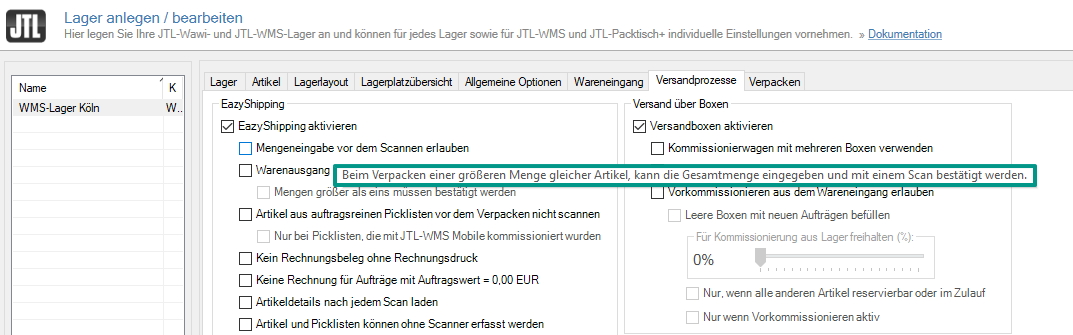
In addition, numerous new options have led to the configuration dialog for warehouse management becoming too extensive. With the new version, retailers can now find organized, standardized option descriptions, which we have also provided with an explanatory tooltip.
At a glanceFaster inventory with large amounts of data

Lots of items or high quantities? And inbound posting during inventory was slow? That should be a thing of the past! We were able to significantly improve performance when processing large amounts of data during the inventory.
At a glanceThe new mobile app
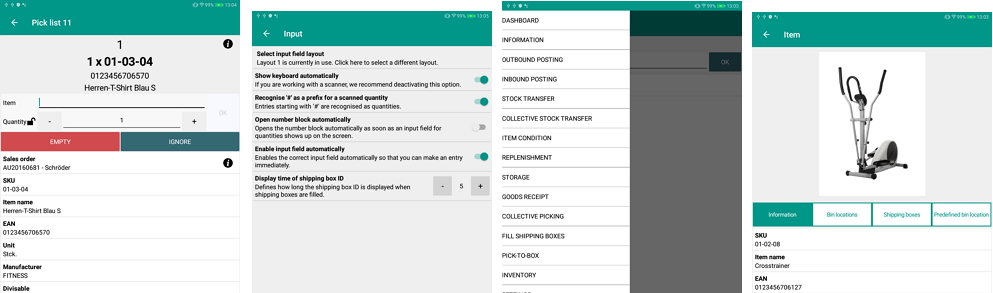
Mobile devices can make work in the warehouse much easier. That’s why JTL has also had an application for cell phones and tablets since the launch of our warehouse management system JTL-WMS: our “Mobile App”. However, this app currently only runs on Android devices and as a web browser-based solution in Google Chrome and Safari. The maintainability of such a mix of technologies is becoming increasingly difficult.
We have therefore decided to use a new technology that allows us to deliver new features and bug fixes for multiple operating systems at the same time. As a result, there are now three native apps for the Android, iOS and Windows Universal Platform (UWP) operating systems. The mobile server has also been redeveloped so that users can now start it both as a single application and as a Windows system service. In future, any number of servers – for different company locations, for example – can be integrated via this server. The advantage: it significantly reduces the administration effort and makes it clearer.
About the update procedure: Per operating system, we plan to have separate versions parallel to the major releases of JTL-Wawi in the future. The new, unique name will then be “JTL-WMS Mobile 1.4”, for example, and this version would then be compatible with JTL-Wawi 1.4, but no longer with JTL-Wawi 1.5. If you want to know exactly, you can find a detailed description in the forum: To the forum.
The individual major versions are available for download in the app store of your operating system. If you do not have access to your app store, you will also be able to download all versions from the JTL-Store in the medium term.
At JTL-Connect 2018, some retailers were already able to take a look at the completely newly developed mobile app and complete a test run in the JTL-WMS demo warehouse. The feedback was consistently positive!
At a glanceOutlook: when does it start?
The development of the features mentioned and our initial measures to increase performance have been completed – with more to follow. All functions have undergone thorough testing with our pilot customers and can already be used by you: In the release candidate of JTL-Wawi 1.4 as well as in the beta program of JTL-WMS Mobile, whose beta phase will probably start shortly after the stable release of the ERP.
To download the release candidate(what is that?):
If you want to wait a few more weeks until the official stable release, you can sign up for our newsletter here: