
In our support department, we are frequently asked whether it is possible to run JTL-Wawi on Mac OS X as well. Good news for all Mac users: Of course you don’t have to do without JTL-Wawi! We already have some customers who are successfully working with JTL-Wawi on their Apple computers. We have briefly summarized for you today how you too can do this and what you need to bear in mind.
System requirements for the installation of JTL-Wawi
A Microsoft Windows operating system (from Windows 7 upwards), Microsoft .NET Framework 4 and Microsoft SQL Server Express (from version 2008) are required to install the JTL-Wawi client. Both 32-bit and 64-bit operating systems are supported.
A direct installation of JTL-Wawi on a Mac OS X is therefore not possible. However, there are various ways to still be able to use JTL-Wawi on a Mac. By installing a cross-platform solution on the Mac, you are able to use and access programs and files independently of the existing operating system.
Our recommendation for the installation of JTL-Wawi
The fastest – and in our opinion also the most suitable – is the so-called “Parallels Desktop” version. Although there are various alternative and non-commercial solutions for using JTL-Wawi under Mac OS X, we recommend this solution, as we have already used it successfully many times.
You can find more information on whether this variant of the Windows virtual machine is suitable for you on MacEinsteiger.de, for example. If this is the case, you can download the corresponding installation file from the manufacturer. The 14-day trial version is free of charge.
Parallels Desktop currently exists in version 11 and the manufacturer offers various purchase/support editions starting at a price of EUR 79.
You can of course also find detailed installation instructions in our online guide at:
JTL-Wawi: Installation on Mac
Why is Parallels Desktop particularly suitable?
Parallels Desktop is a product that has been continuously developed and optimized for the use of Windows on the Mac for almost 15 years. As a result, the Application is very stable and reliable and also impresses with its flexible usage options.
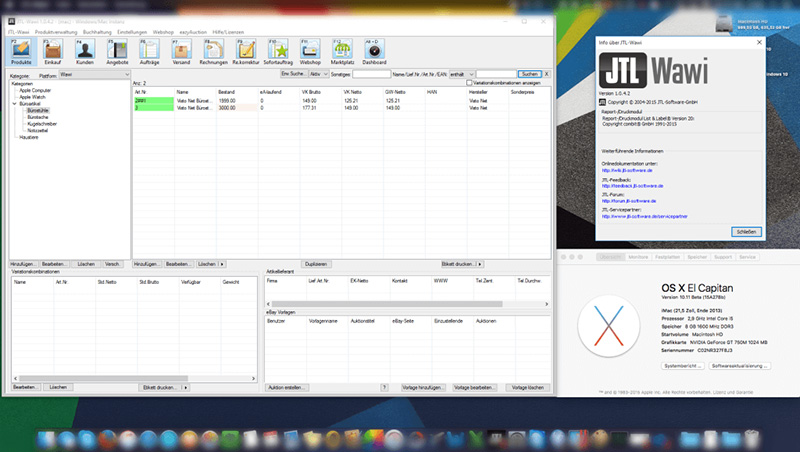
Parallels Desktop is also user-friendly because the familiar Mac speed and Mac OS X interface are retained. JTL-Wawi can be operated as a simultaneous and independent Application while you are working with your Mac. So you never have to do without your familiar Mac OS X interface.
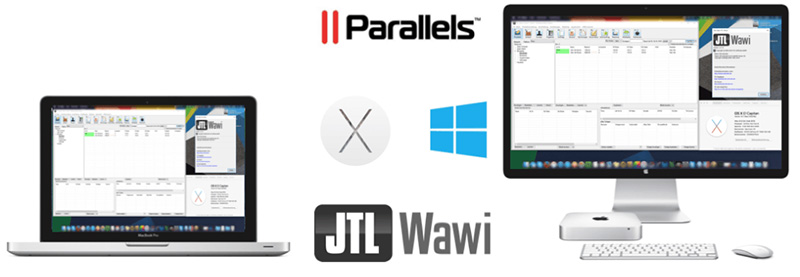
If you have any further questions about using JTL-Wawi under Mac OS X, we will of course be happy to help you via the relevant channels!
We wish you much success with JTL-Wawi on your Mac!