We first presented our idea of a production module for JTL-Wawi at JTL-Connect 2019, followed shortly afterwards by an official call for pilot customers, to which more than 200 interested parties responded. Things have been quiet since then. But that doesn’t mean that we haven’t been busy working and tinkering behind the scenes. In fact, we have not only decided on a name for the product, we as developers have also been busy. In today’s blog post, you will therefore get exclusive insights into the current development of our production module.
A new name: JTL-Plan&Produce and JTL-Workbench
Our production module actually consists of two products, for each of which we have defined a name: JTL-Plan&Produce is the administration part. Here you take care of master data maintenance, resource planning, scheduling and create production orders conveniently at your desk. JTL Workbench, on the other hand, is the actual tool for production, which you use to monitor the production process and all the machines involved. It therefore serves as an assistance system in production.
New area in JTL-Wawi
We have decided to create JTL-Plan&Produce as a separate section in JTL-Wawi. Originally, we had thought about making it part of the item. However, as the item is such a central part of JTL-Wawi, we did not want to change it. However, you will create a separate item for each article or assembly involved in production. Only in the production area will you then combine the individual components into a production item.
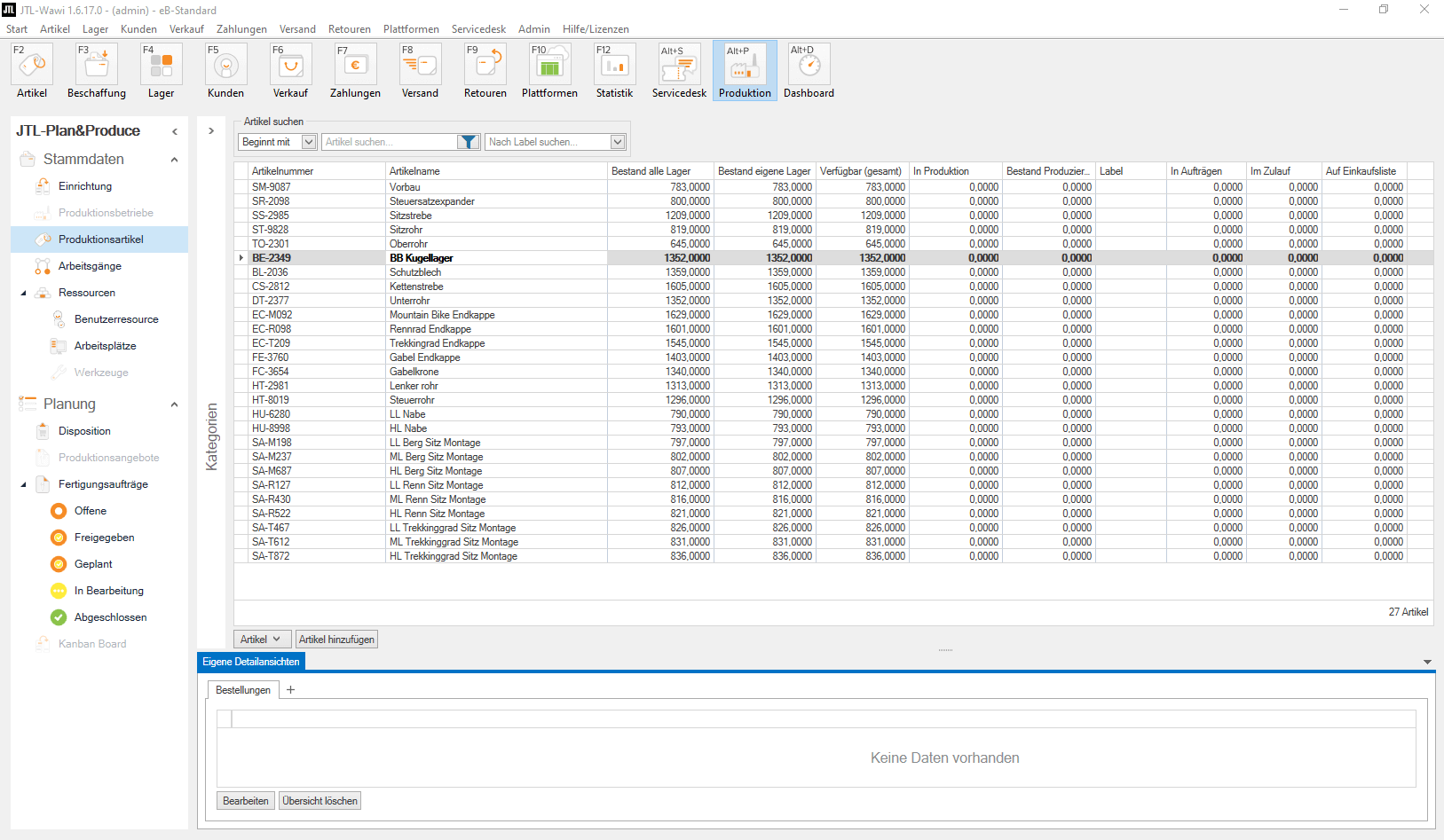
Our plans for "Regular production" and "Individual production"
As a first step, we have dedicated ourselves to regular production, i.e. series or batch production with a clearly defined product. In short: In this area, you will always be able to produce the same item in different quantities.
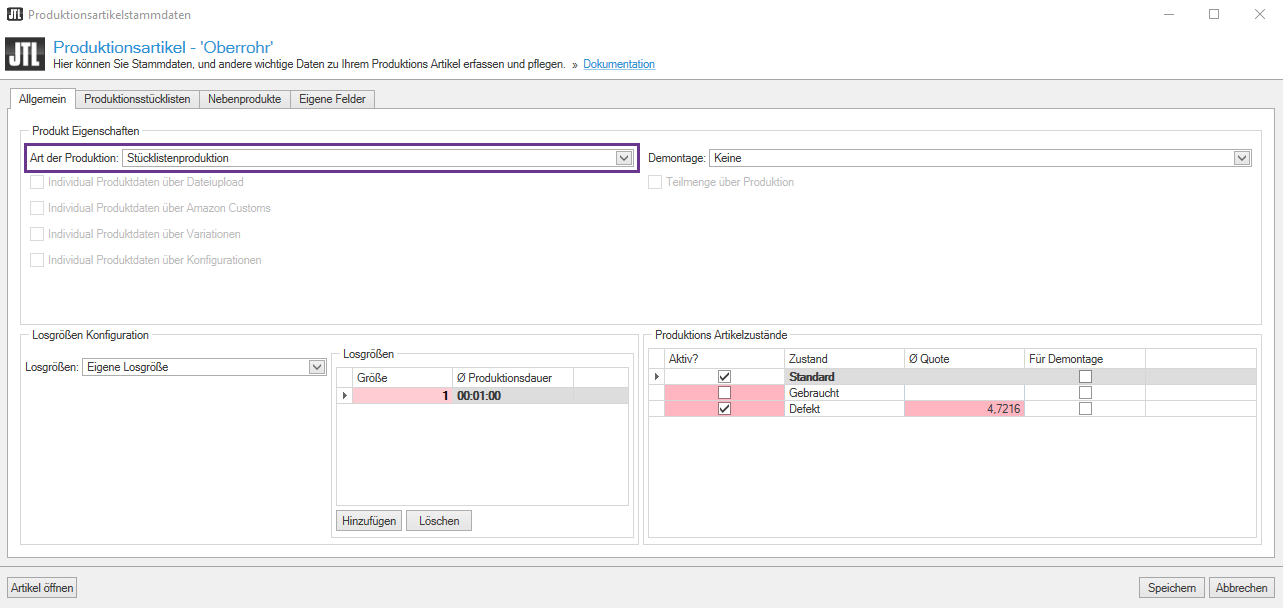
Only next year will we tackle the topic of “individual production”: This will enable you to produce customizable products via your online store, but also via Amazon Custom. Good examples of this are mugs or T-shirts with an individual print. In the parts list template, certain parameters in the sales order are then adjusted or filled in based on the customer’s specifications. The source of this customer information can be a file upload from the configurator of your online store or the product data via Amazon Custom.
Production parts lists
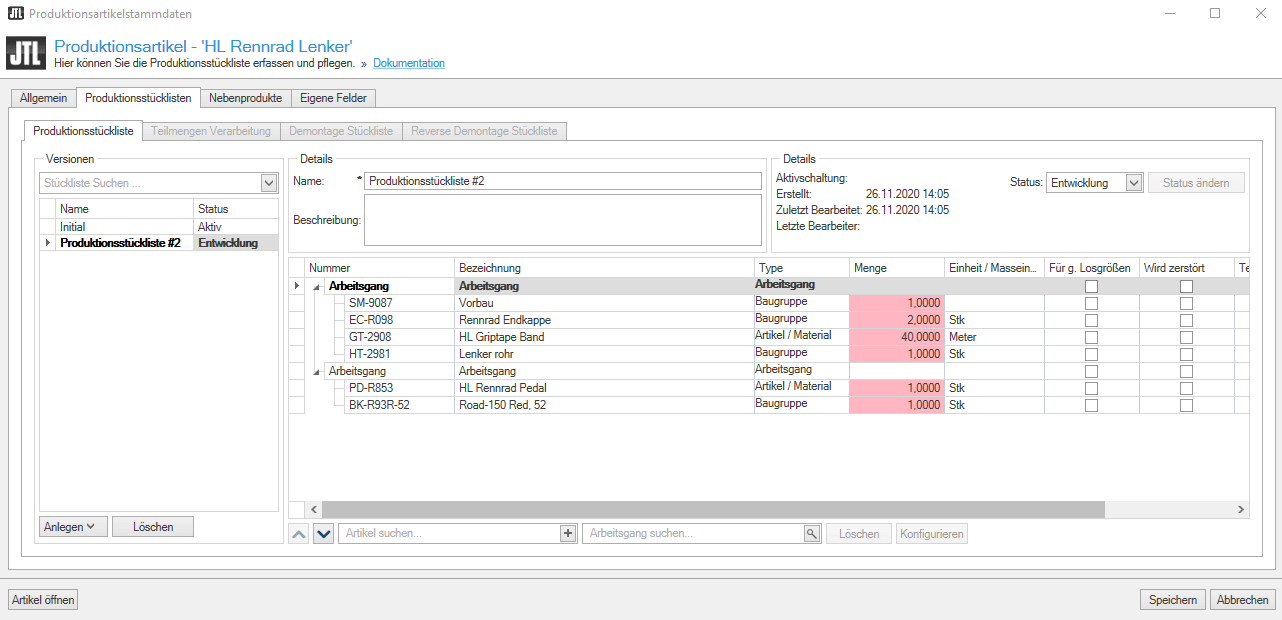
Under the Production BOMs tab, you will find different types of lists that you can use to map and define different types of production or work steps in production:
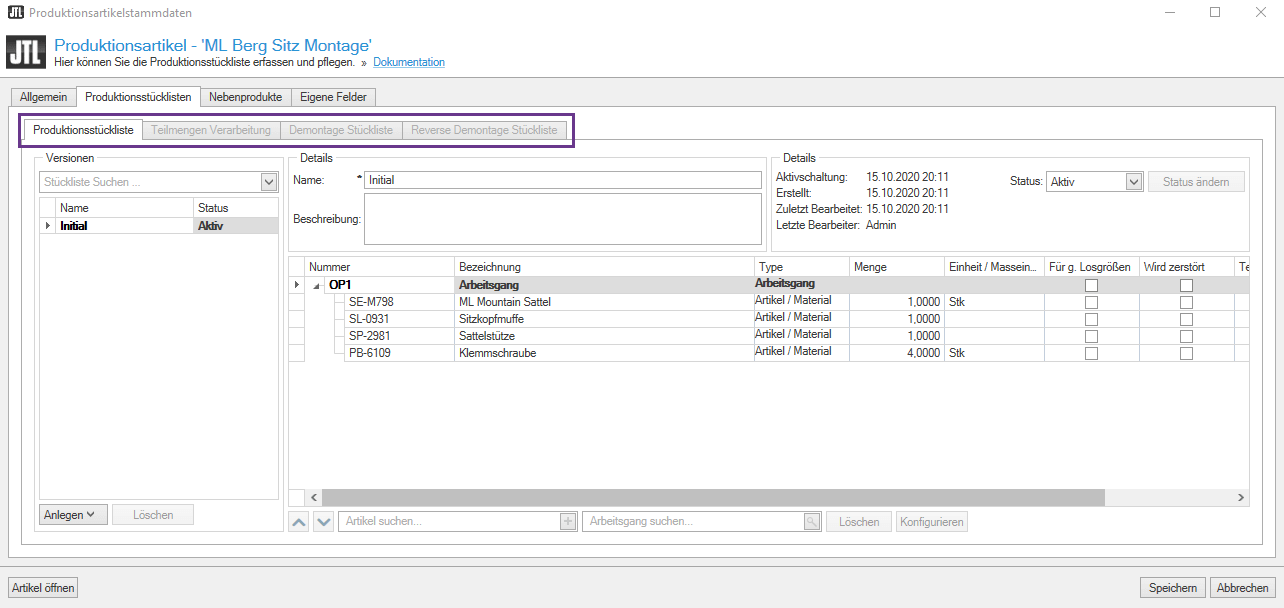
This list records which items I need for production, i.e. which components the produced product consists of. Different versions will also be possible, to which you can assign different statuses (“in development”, “active”, “archived”)
If work steps are required on the individual components to process a partial quantity item, you define this using this list. For example, if you need to saw a wooden board into two parts or cut a metal block into thin slices.
This list is used for complex disassembly. If a production is faulty and the individual components need to be disassembled again, you can define this here: How must the item be disassembled? And which items come out at the end of disassembly?
As soon as you first have to disassemble or dismantle an item in order to be able to start production, you define this in this area. An example here would be car tuning, where you first buy a standard vehicle and then dismantle it in order to be able to equip it with other parts in production.
Interleave production BOMs
One function that many of you have requested is the ability to nest production BOMs inside each other. This is particularly useful for multi-stage production processes. There are then two types of item components within the BOM: Normal “items / materials” and “assemblies”, which in turn are production items. Such assemblies must first be manufactured or otherwise procured in order to finish production. And it is precisely these types of dependencies that you can display using nesting.
The new subset management
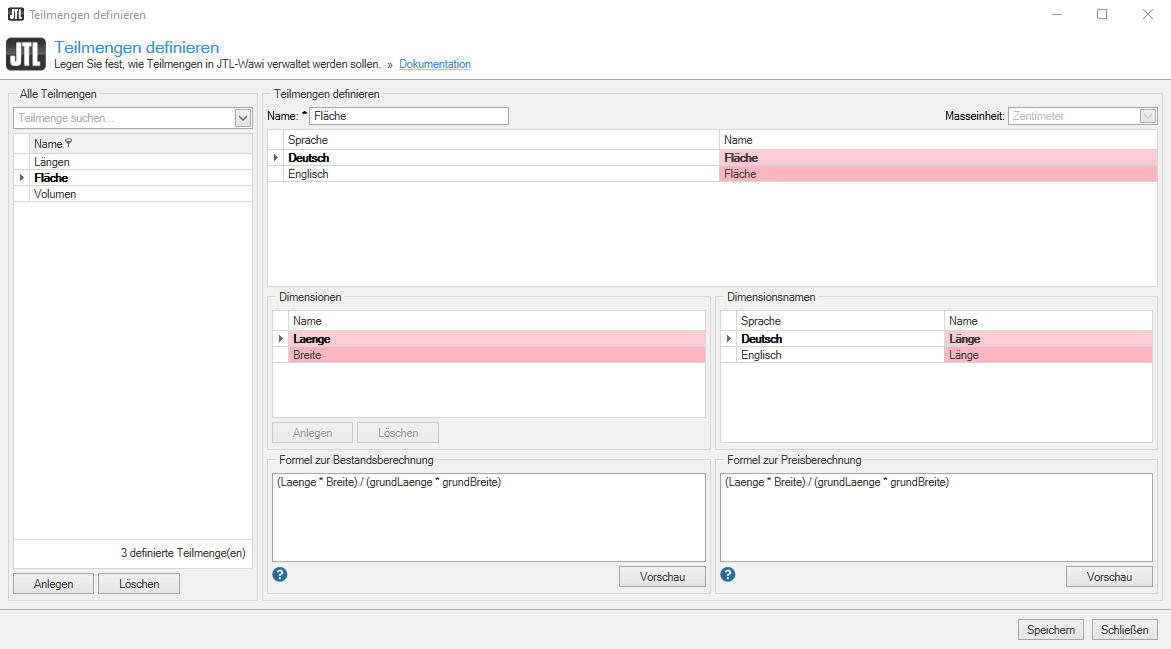
Based on your feedback from our survey, partial quantity management has also emerged as one of the most wanted features, although this is not just for production, but will be a general new function of JTL-Wawi 1.6.
What is this about? Partial quantities define individual parts of an item. For example, if you process panels in your production, each one is defined by “length x width”. If I cut this panel into two pieces of the same size, I still have the quantity “1”, but no longer one, but two parts. This is important information for production. Our new part quantity management system records each individual part and can therefore provide information as to whether I still have a whole panel or just two halves. The pilot phase of our parts management system will probably start in Q1 2021.
Operations
The operations area is important for employees who produce: This is where you record important information about the individual operations – and this is possible both as continuous text and with corresponding images. You can also store additional data if the producing machine needs to be filled with information, which is often the case for companies in the CNC industry.
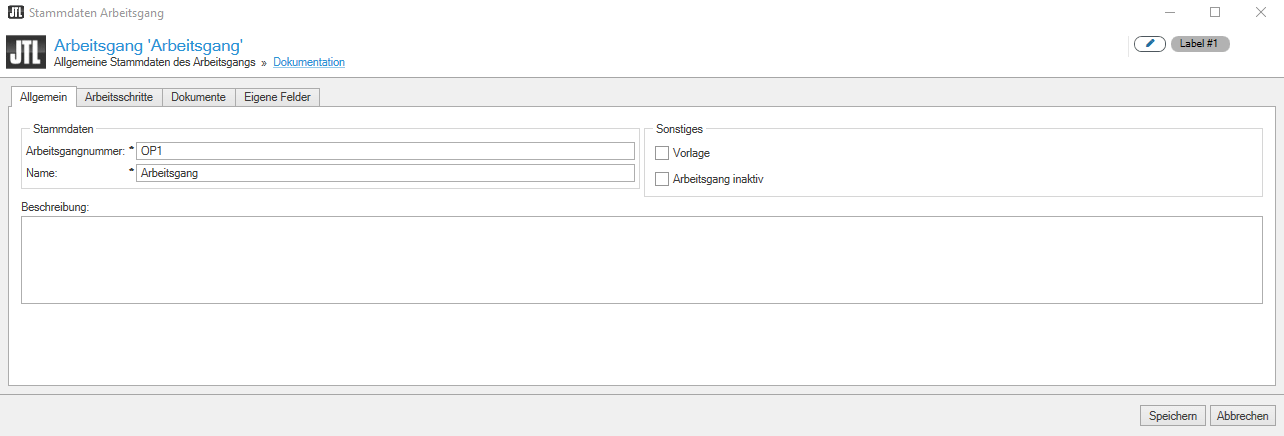
Over the next few months, we will be adding a resource planning function to the operations area, in which you can record exactly which resources are required to complete a particular operation. This includes the work performance of your employees (precisely definable in minutes or hours), as well as the tools or workstations used. You then maintain the individual resources used within your production in the corresponding resource master data.
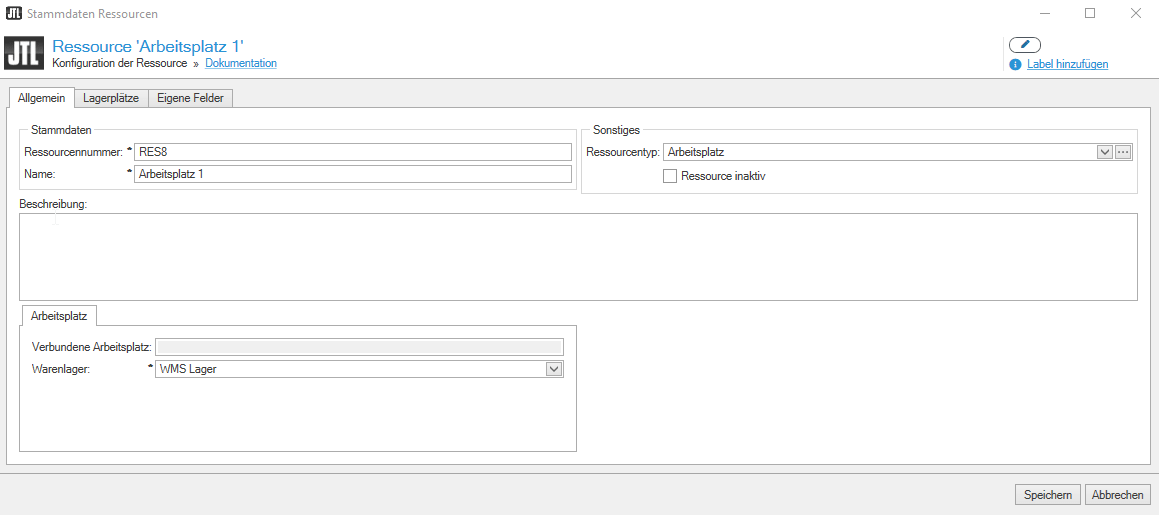
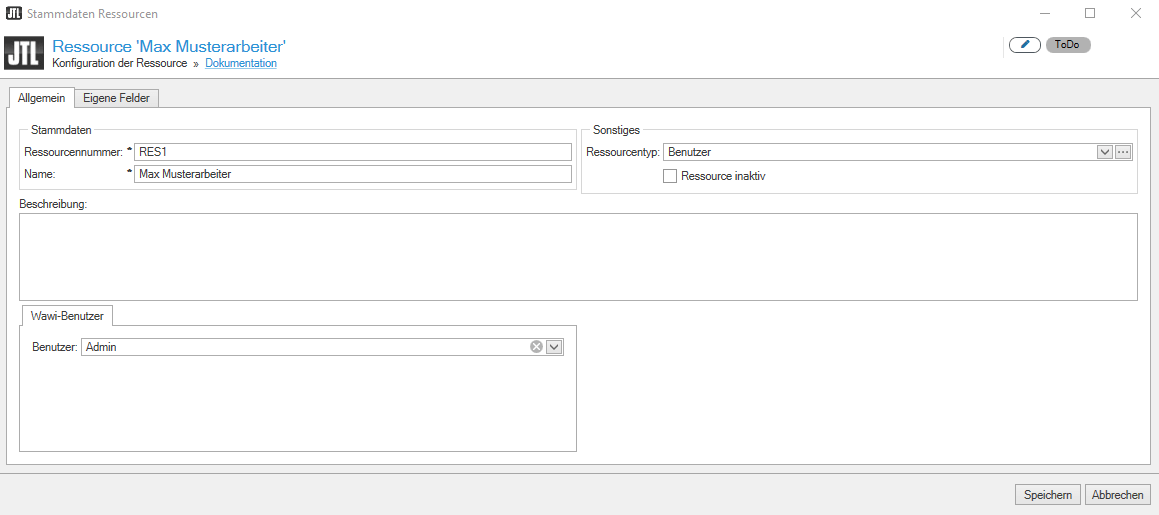
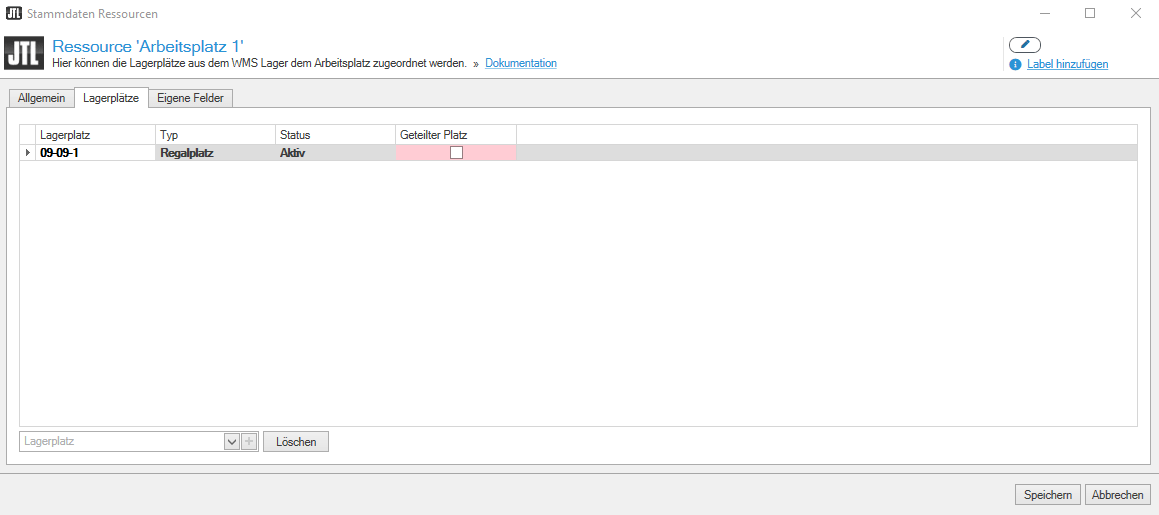
At this point you also define your workplace, i.e. your JTL workbench: All machines that are used for production and the corresponding storage locations where this workplace can be found. JTL Workbench is currently only a basic framework. However, numerous processes will be added here over the next few months.
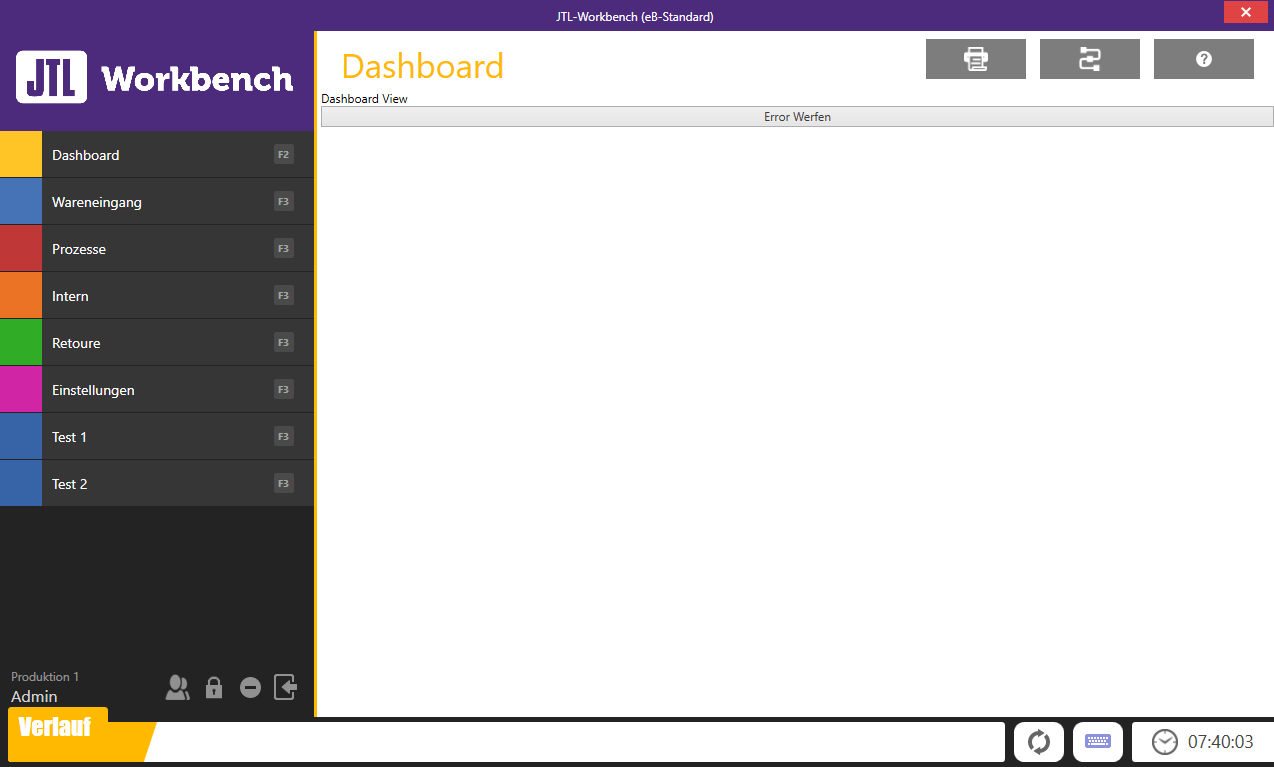
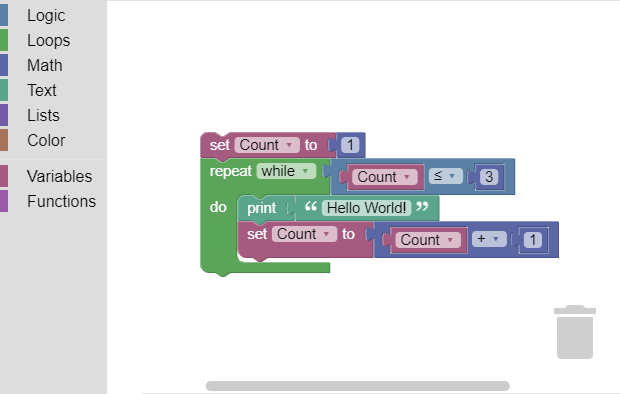
Both JTL Plan&Produce and JTL Workbench will be plugin-capable in the future, so that our partners can supplement and optimize your production processes with their solutions. At the same time, we want to implement a new technology in the field of automation with the help of Blockly: In a very playful way, Blockly allows you to write logics with which you can react to events, trigger processes and realize the control of machines.
You want to learn more about JTL Plan&Produce? I recently held a detailed webinar in which I show you all the views directly in the latest version of JTL-Wawi. You can watch it in the media library at the following link:
Or you can watch our latest video in which I talked to our Product Owner JTL-Wawi, Manuel Pietzsch, about the new production module and its integration into the ERP:






