In the spirit of community-driven development, we have developed version 1.6 of our ERP system precisely according to the requirements of our users and, with your help, made it more flexible, versatile and personalizable.
But that’s not all: those who use marketplaces as sales channels will also be pleased with the clearer and enhanced handling of the various platforms. There are also some highlights and improvements to our warehouse management system JTL-WMS and the JTL-Fulfillment Network. Below we present an overview of the new functions and enhancements of JTL-Wawi 1.6 with their many advantages and possibilities.
For us, JTL-Wawi 1.6 offers more flexibility and even better possibilities to customize JTL to our own processes.
The new order details are simply Good. More overview and numerous individual setting options. This will be a mega booster for us in our day-to-day business!
Sales
Improved sales order and quote details and new subscription options.
Purchasing
Clearly manage purchase order proposals and purchase lists for each warehouse.
Invoices
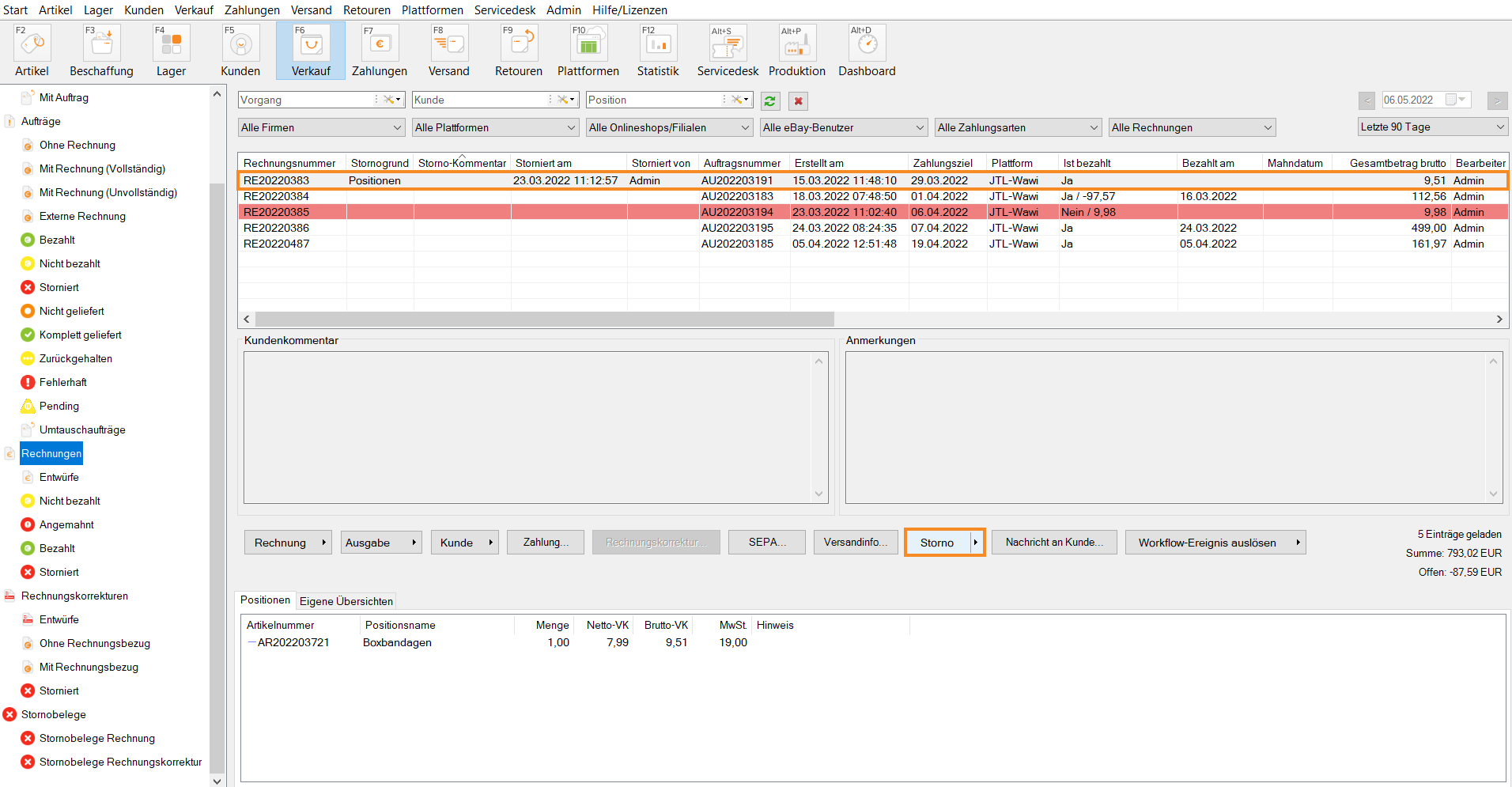
Easily create partial invoices and make invoice corrections by canceling.
Unicode
International language and character support for all item and customer data.
JTL-eazyAuction
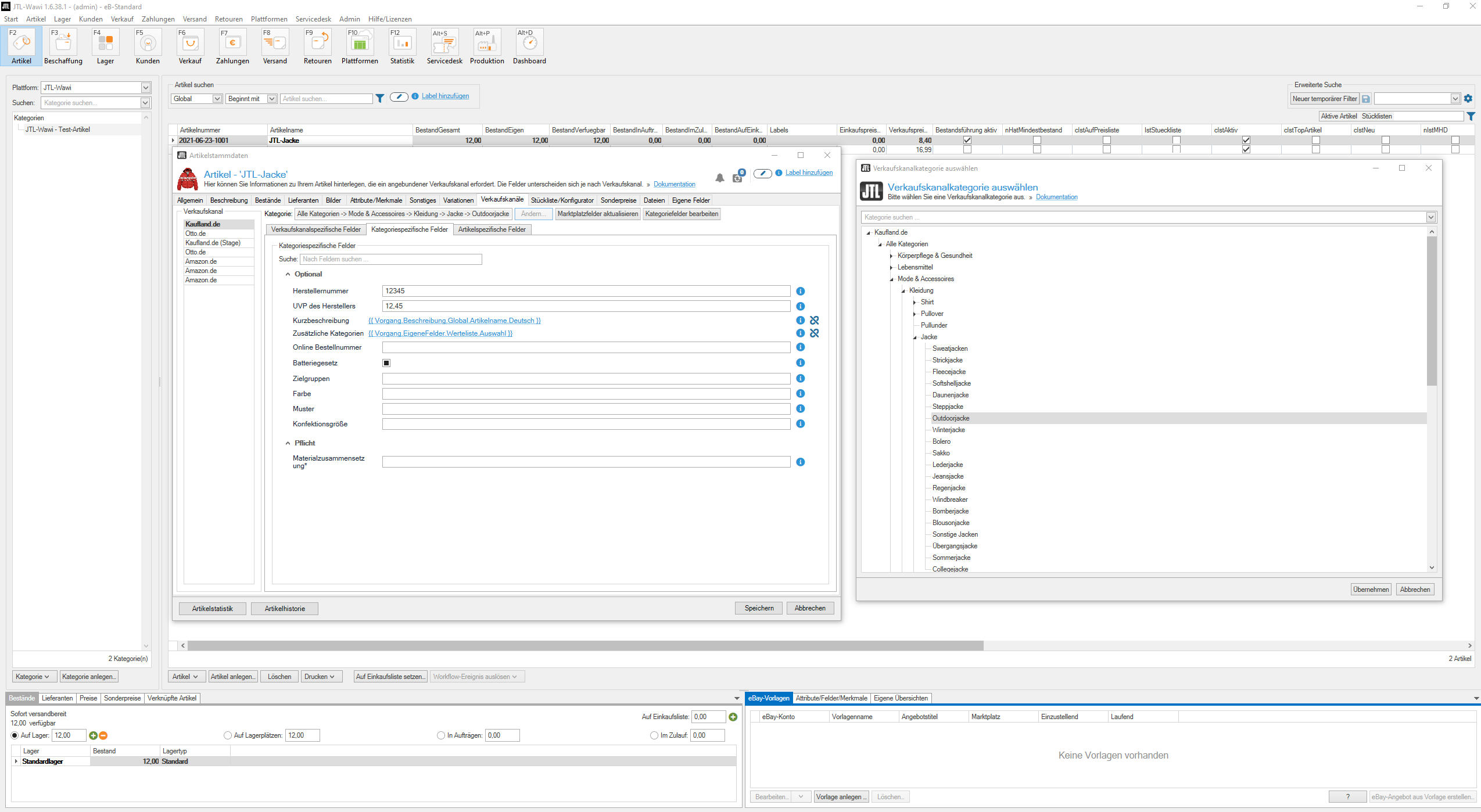
New direct link to the Kaufland.de marketplace.
JTL-WMS & JTL-WMS Mobile
Numerous improvements for more flexibility and efficiency in your warehouses.
JTL-Fulfillment Network
More control and automation for data exchange and returns processes.
More freedom in sales
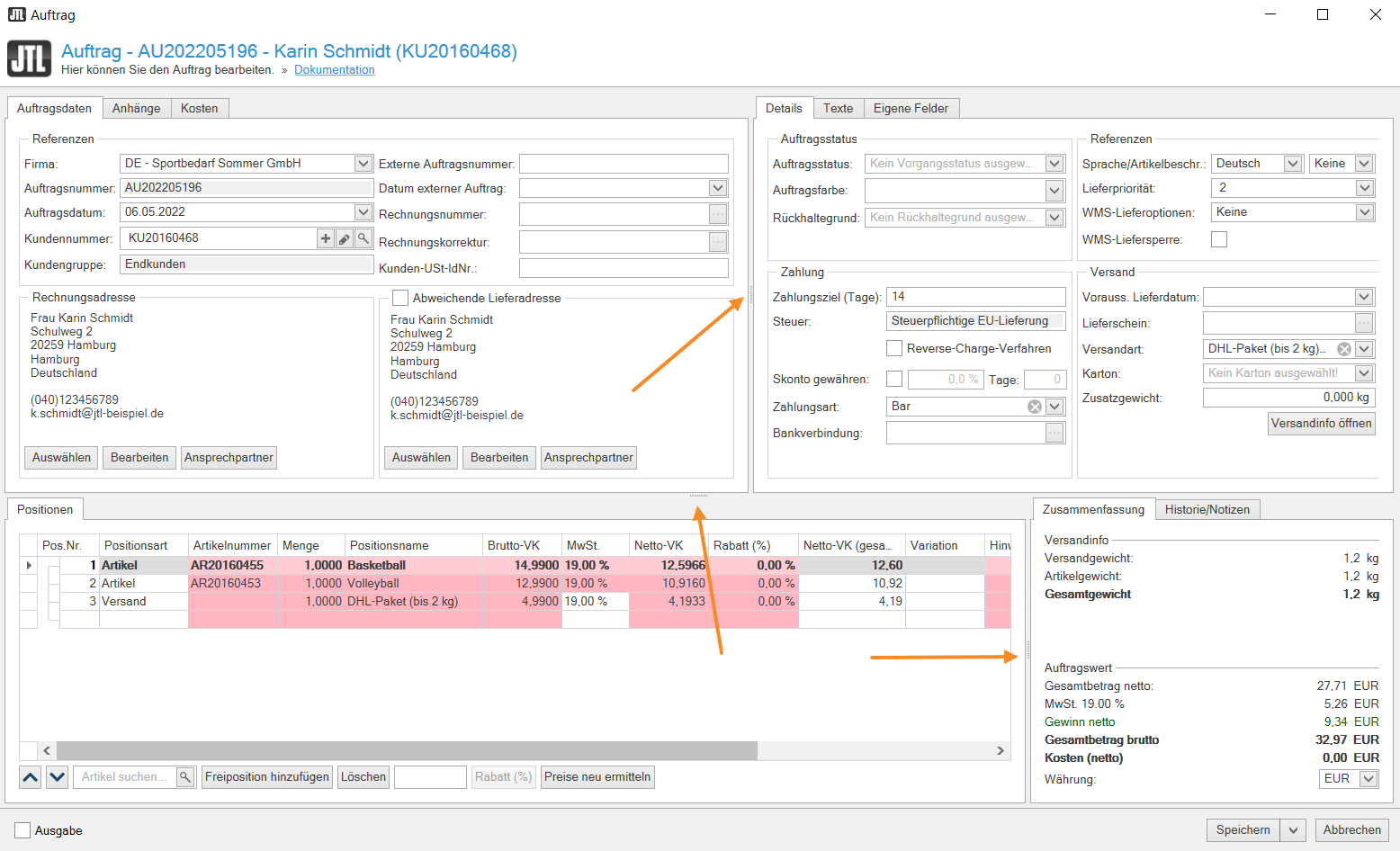
Show and hide windows and columns / define fields: Enjoy a more dynamic handling of listing and order details: You can now show, hide or move fields and columns as you wish. If no field reflects your case, you can simply create your own fields.
Conditional formatting: Do you want to see important key figures or developments immediately? Thanks to conditional formatting, you have all relevant data at a glance: Use the entire color spectrum and numerous symbols to highlight relevant values. Conditional formatting also allows you to use color filters.
Add attachments: Anyone wishing to attach documents to a sales order or listing can now do so at transaction and item level. This means they are stored centrally and can be accessed from any workstation.
Delivery intervals per item: You now also have more fine-tuning options for subscriptions: Set different delivery intervals per item so that your regular customers receive their orders at the desired intervals. In future, JTL-Wawi will automatically transfer your subscriptions to the sales orders.
Individual item BOMs: With the individual item BOMs, you can change, remove or add components and items of a listing or sales order as you wish.
Logbook: Do you have a question about a sales order or listing? Then you can now clarify this via the new “History/Notes” tab. Here you can read what has already happened with the sales order: Have payments been made? Are the goods already on their way? Does an invoice still need to be written? You also have the option of adding notes here.
In den Auftragsdetails können Bereiche jetzt beliebig vergrößert und verkleinert werden.
Mit der Funktion „Eigene Felder im Auftrag“ können individuelle Felder für die Auftragsdetails definiert werden.
Bedingte Formatierungen: Sobald eine wichtige Kennzahl einen bestimmten Wert erreicht, markiert sie JTL-Wawi 1.6 mit einer Farbe oder einem Symbol Deiner Wahl.
Ausgelagerte Arbeitsflächen schaffen in JTL-Wawi 1.6 Übersichtlichkeit.
Ab JTL-Wawi 1.6 können wichtige Dokumente sowohl auf Vorgangs- als auch auf Positionsebene hinzugefügt werden.
With JTL-Wawi 1.6, you benefit from numerous innovations in purchasing, especially in the purchase order proposals: You can now determine your requirements individually for each warehouse and include additional factors as a basis for calculation, e.g. the planned orders on the purchase list or supplier orders that have already been released.
With individual list views (also: ListView extensions), you can now configure the “Custom overviews” field, which you can find to the right of the purchase order proposals, according to your requirements using SQLs and, for example, display the development of purchase prices per supplier. The data of the displayed lists can also be exported as CSV or XML.
Use conditional formatting, such as color highlighting, to keep an overview of your tables at all times.
Functions & advantages at a glance
Determine individual requirements per warehouse
Consideration of minimum and maximum stock levels per warehouse
New purchase list: Duplicate purchases and create per warehouse
Individual list views (ListView extensions): Create your own overviews and track developments
Complex tax regulations sometimes apply in eCommerce. Solid and clean accounting is essential. With the new functions in the invoicing area, you are well positioned with JTL-Wawi 1.6:
Previously, you had to split sales orders in order to invoice customers for partial quantities delivered. Now you can do this conveniently using partial invoices. We have adapted the user interface of the invoice screen for this purpose: Here you can now also manage the quantities of a sales order that are delivered individually and with a separate invoice.
Invoices can be processed using the cancel function.
The control key is now defined at item level so that past sales orders are not affected if changes are required.
You can now define several billing addresses per customer.
As of JTL-Wawi 1.6, invoices can no longer be changed retrospectively. Instead, corrections are made by means of a reversal. The corresponding document is created directly during this process. This allows you to provide the necessary evidence in the event of a tax audit.
JTL-Wawi 1.6 supports Unicode, the international standard for character sets: This means that you can now maintain data from customers or business partners with Chinese, Cyrillic or Tamil characters. The introduction of Unicode is a milestone, especially for merchants who operate online stores in different languages or work with partners abroad.
A wide range of multichannel sales makes your trade flexible and independent. We have expanded our JTL-eazyAuction marketplace interface so that you can use even more platforms with JTL-Wawi 1.6 and still manage all sales channels conveniently.
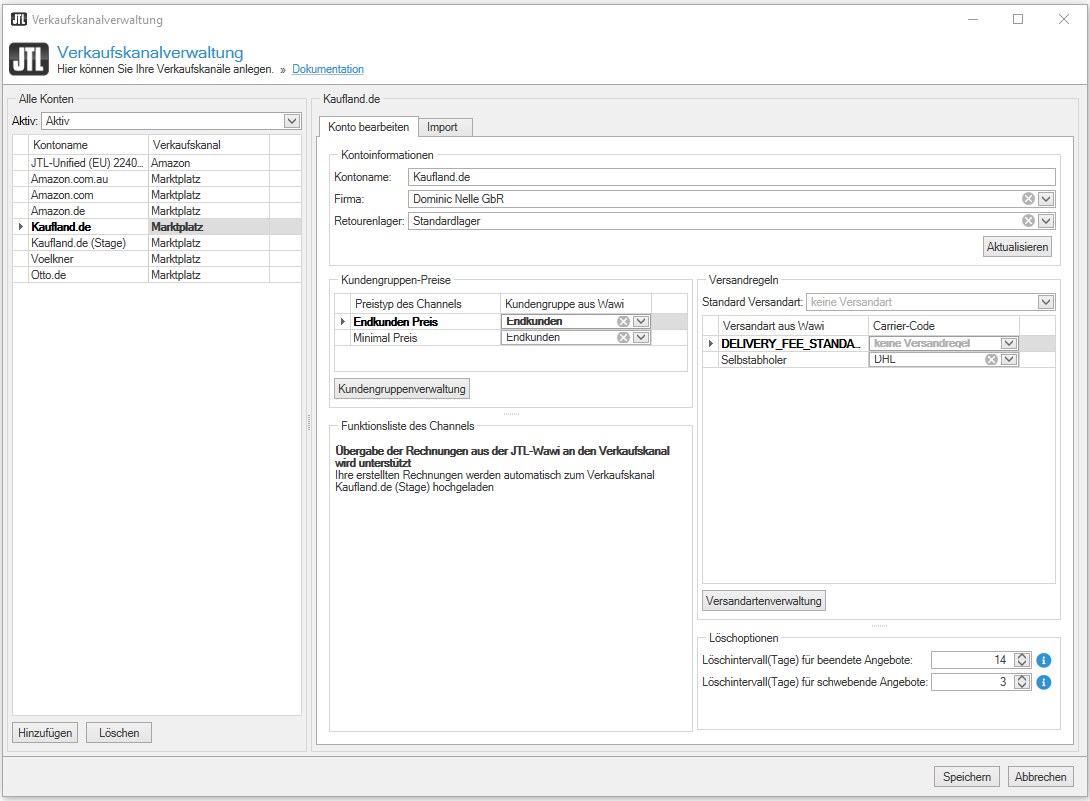
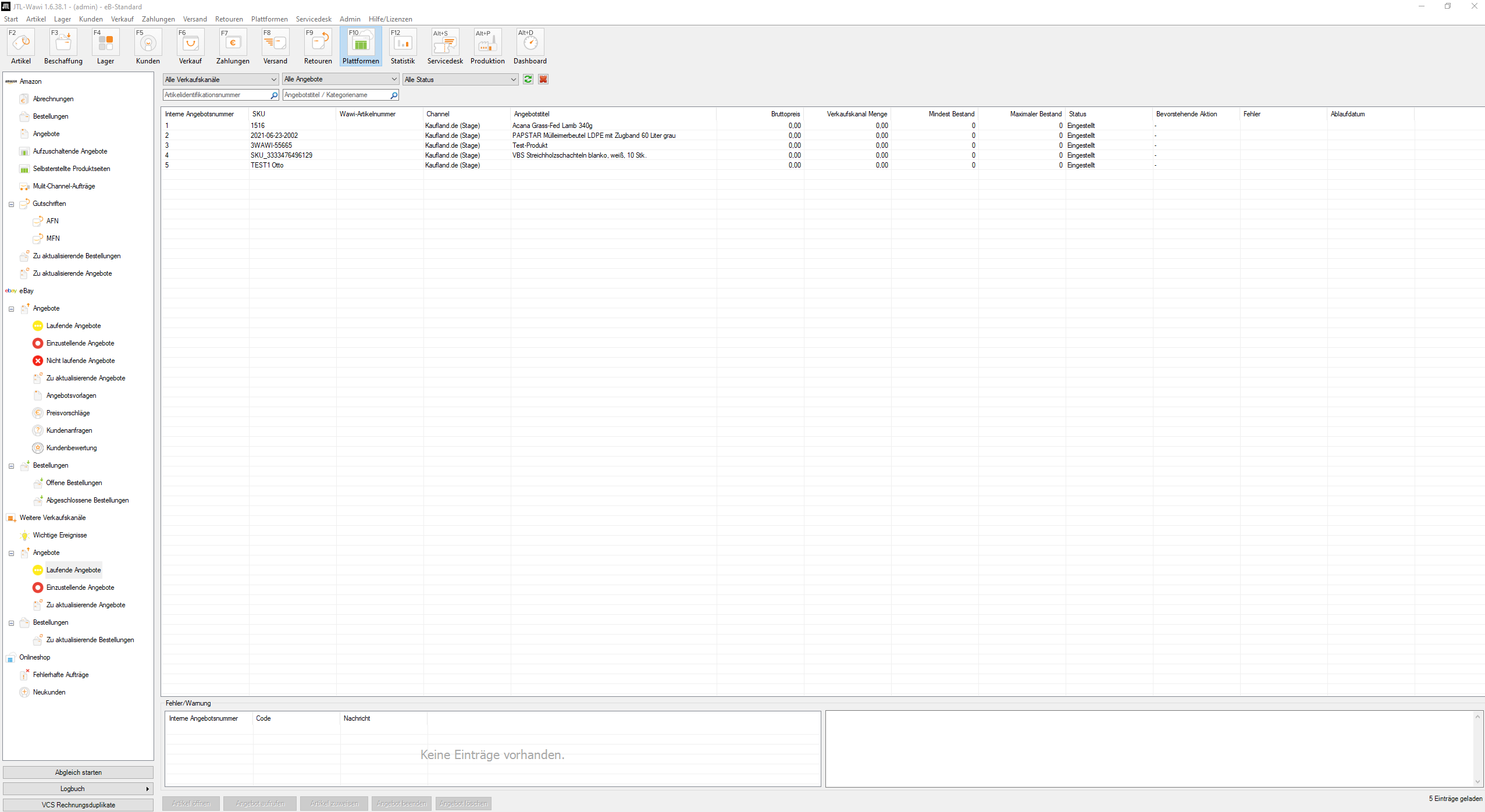
In JTL-Wawi 1.6, marketplaces and store sales are combined in the new “Platforms” menu area. In addition to eBay and Amazon, you can now also place your listings on Kaufland.de. The interface is now available in the open beta version. An integration to Otto.de is also under development. In the long term, you will be able to connect any marketplace to JTL-Wawi via our generic interface.
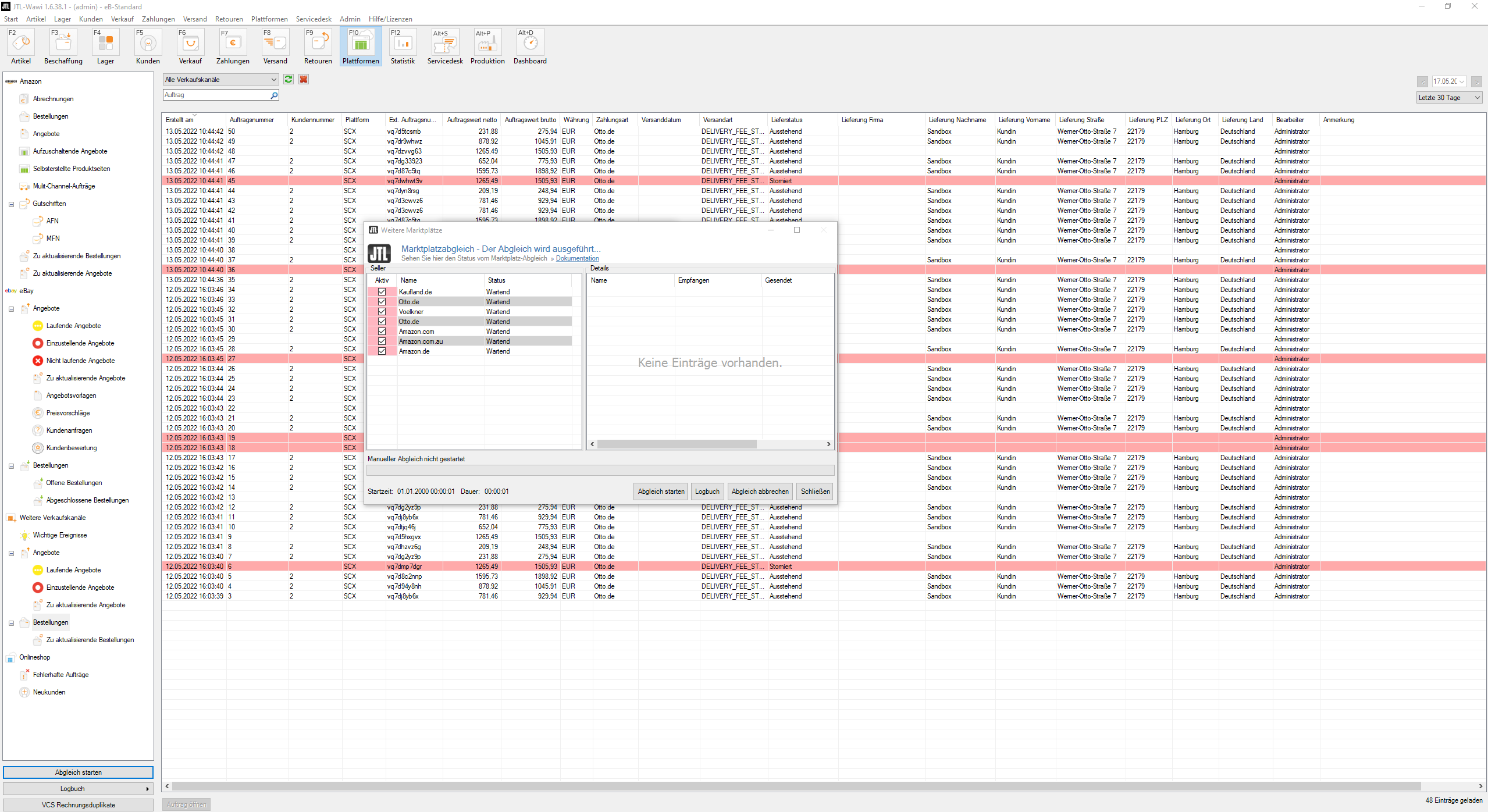
In addition, you can perform reconciliations for different platforms – online stores and marketplaces – in parallel from JTL-Wawi 1.6 onwards.
Functions & advantages at a glance
All sales channels at a glance in the new “Platforms” area
Interface to Kaufland.de natively integrated (open beta phase)
With the update to JTL-Wawi 1.6, you will benefit from a whole range of new features and functions in JTL-WMS that will make your warehouse processes even more flexible and efficient.
New features in JTL-WMS
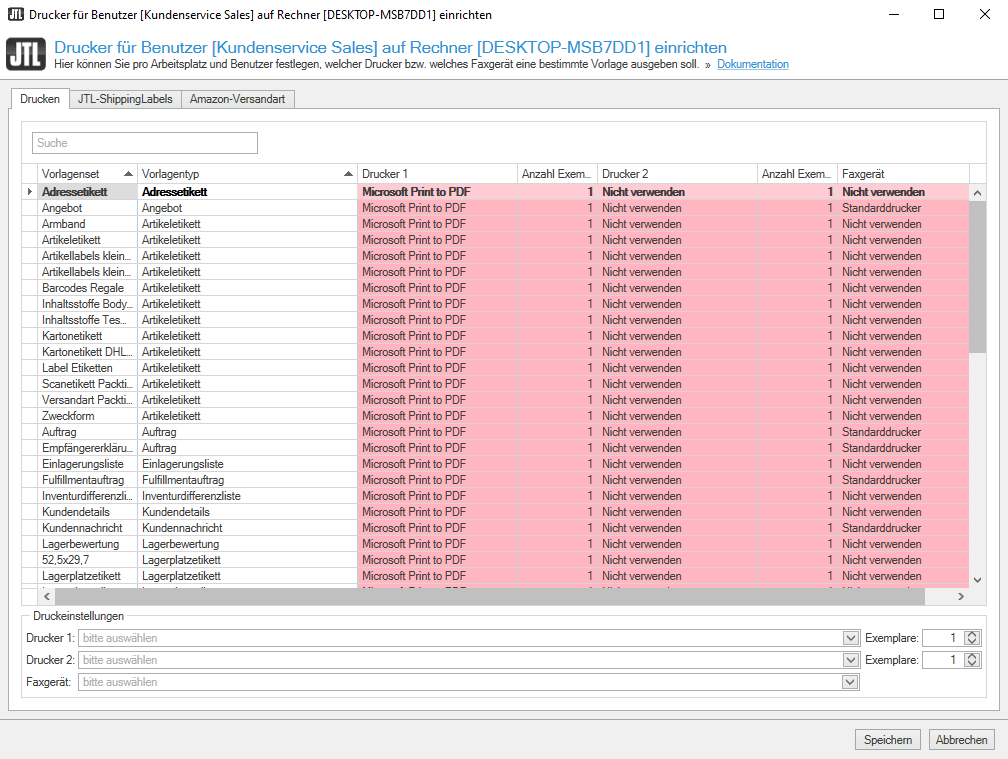
As of JTL-Wawi 1.6, you can assign different print templates or document types for each printer for JTL-WMS or JTL-Packing Bench+. For example, if you want to use glossy paper for the invoice of a business customer, but recycled paper for normal delivery bills, you can now control this according to your requirements.
New printer management as of JTL-WMS 1.6
Since 2019, the Packaging Act has required retailers to centrally report their estimated packaging requirements per year. What sounds like more bureaucracy, we have used as an opportunity to optimize our carton management. You can now record your exact packaging requirements with details such as size, weight and material. Based on this data, you can calculate the exact requirements in the Procurement section of JTL-Wawi and only order the quantities you really need in future.
With JTL-Wawi 1.6 the picklist templates get a clearer look! We have also made handling more efficient: You can now create as many quickbuttons as you like, highlight them in color and assign multiple numbers. Those who like to plan ahead will appreciate the “Create picklists automatically” feature. JTL-WMS creates the pick list overnight so that employees can start working in the warehouse the next morning.
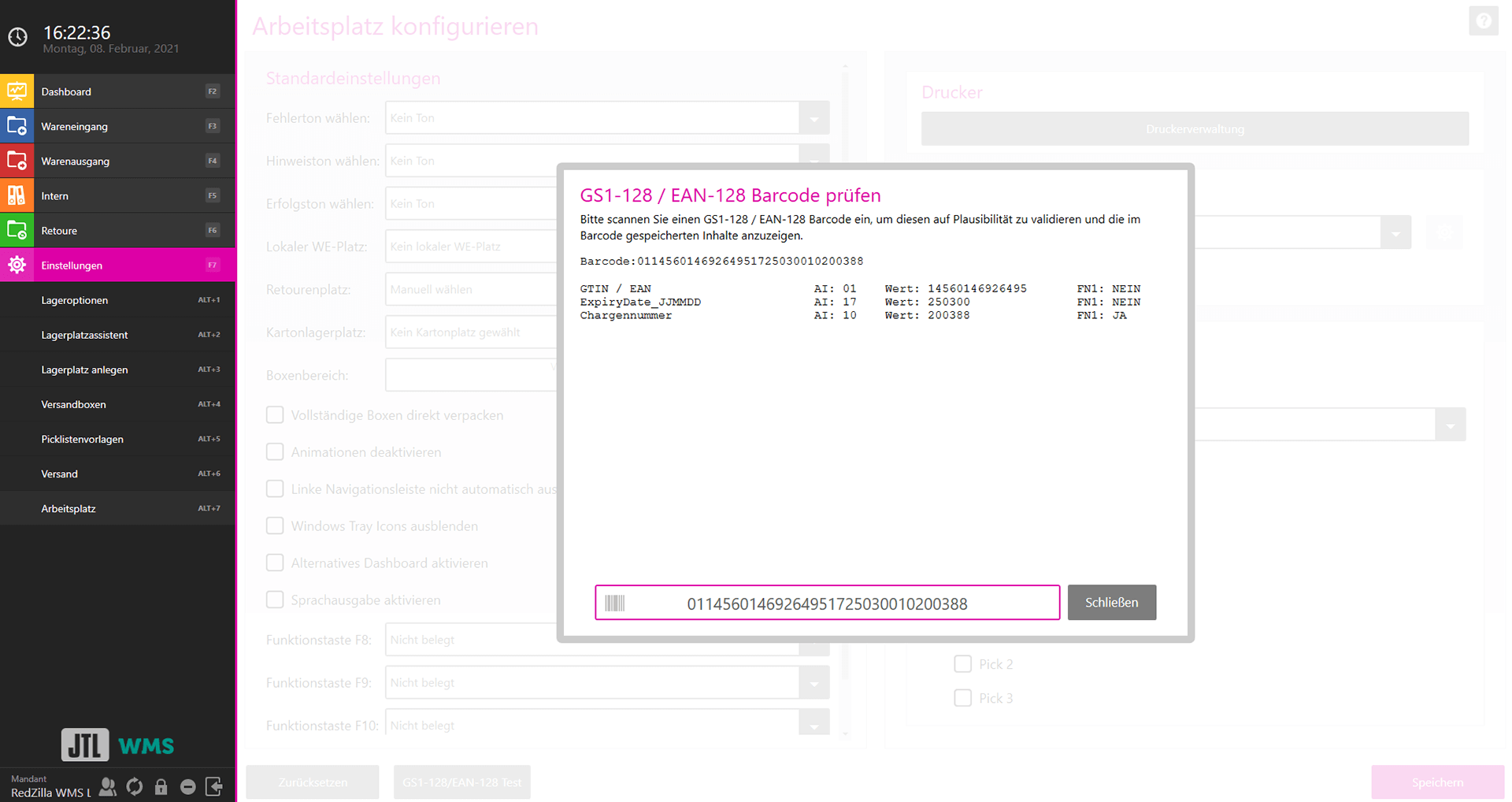
SKU, EAN, BBD and batch – you can now record all this data in JTL-WMS and JTL-Packing Bench+ with just one scan. Additional labels are no longer necessary. Because this bar code type saves you manual input, it can significantly reduce the error rate in the warehouse. Before using GS1-128 bar codes, however, you should check whether your scanning devices support this bar code type.
GS1-128 bar code check window
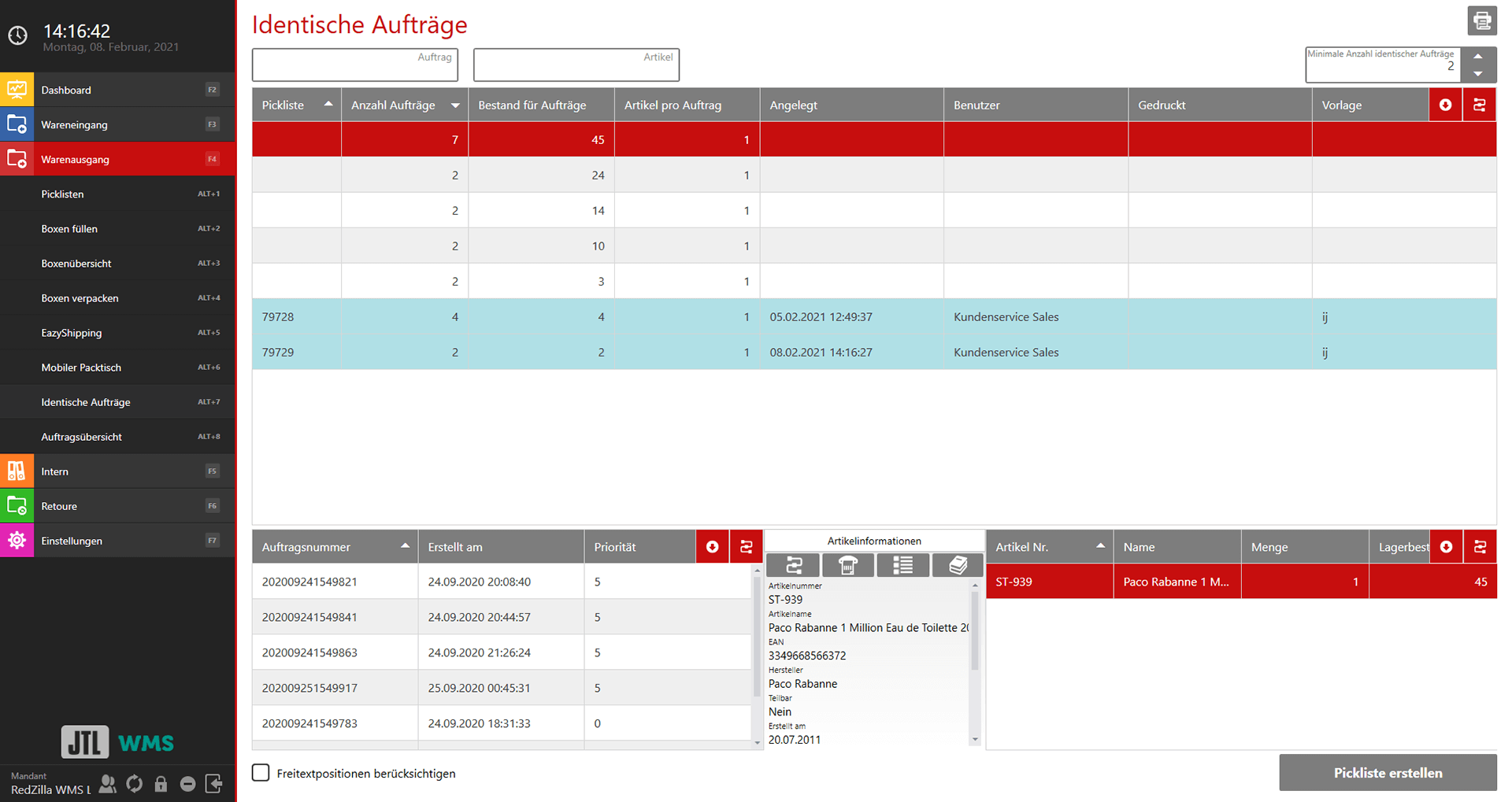
Anyone who frequently delivers large quantities of identical orders – e.g. bundle packages – will be able to pack more efficiently with the new “Identical orders” process in JTL-Wawi 1.6. You can confirm the order, print the shipping label, invoice and delivery bill for all sales orders in just one step. This also makes it possible to pre-pack shipments that are always the same. Partial deliveries can also be taken into account here. You can optionally book the license for “Identical sales orders” via the JTL-Customer Centre.
Outgoing goods: packing identical sales orders
The “Ongoing inventory” enables an inventory to be taken during the picking process parallel to daily business. This saves you time, capacity and employees. You can also set the exact storage bin types or days of the week on which the inventory is to be carried out.
The integration of the automatic storage and picking system AutoStore Systems should bring enormous efficiency potential. With AutoStore, you are able to make maximum use of your storage capacities. This requires a so-called cube storage system and self-propelled robots: according to the “goods-to-person principle”, these robots bring the items to a bin, where an employee then picks them.
The “Mobile packing table” shipping process has been given the new name “Pick&Pack”. With this optional extension, the pick and pack process can be carried out directly at the storage location. It is suitable for smaller items that are close together as well as for large individual orders and fast-moving items. You can find more information about the “Pick&Pack” shipping process on the JTL-WMS function overview page.
JTL-WMS Mobile becomes independent of JTL-WMS: From JTL-Wawi 1.6, the Application is backwards compatible and can be used with JTL-Wawi Standard Warehouse via JTL-Packing Bench+. This opens up more usage options, especially for smaller retailers who do not want to switch to our warehouse management software.
Transfer settings with QR code: From version 1.6 of JTL-WMS Mobile, setting up your mobile devices takes just seconds. You simply generate a QR code in the app, which you scan with the second device to transfer your settings.
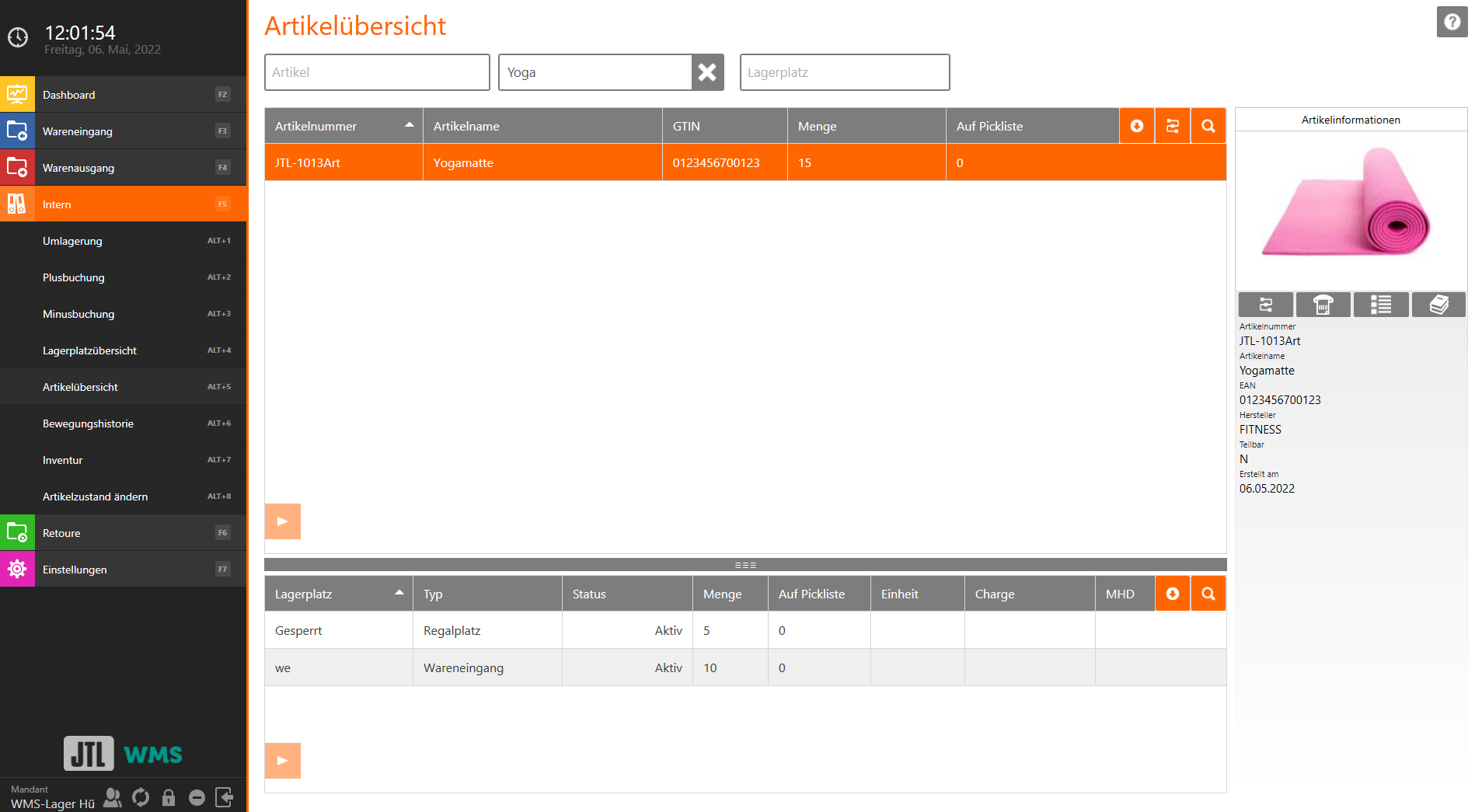
Scan with smartphone and tablet: Use the camera on your devices for mobile data capture of items and storage locations and save yourself the cost of an additional device.
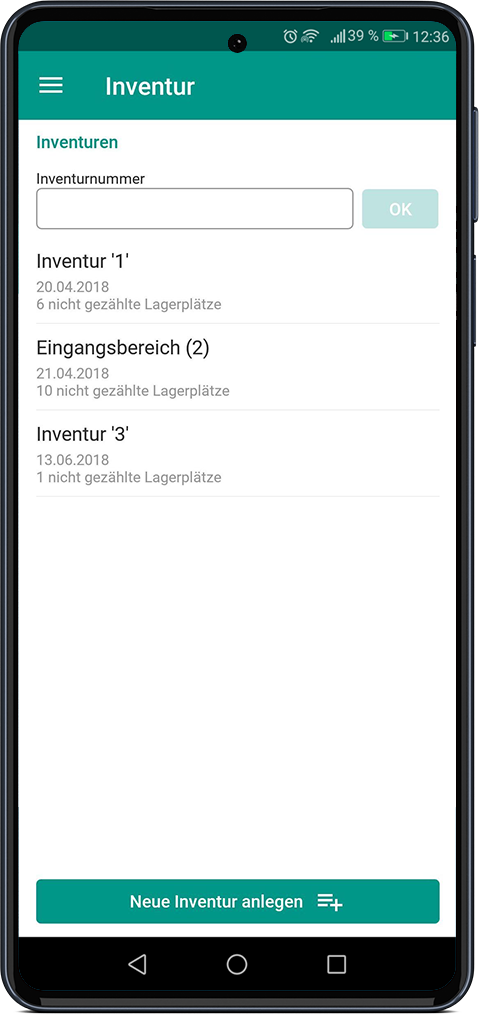
Inventories via smartphone: Inventories can be carried out even more conveniently with JTL-WMS Mobile. The app can also be used to control “Ongoing inventories” over a defined period of time.
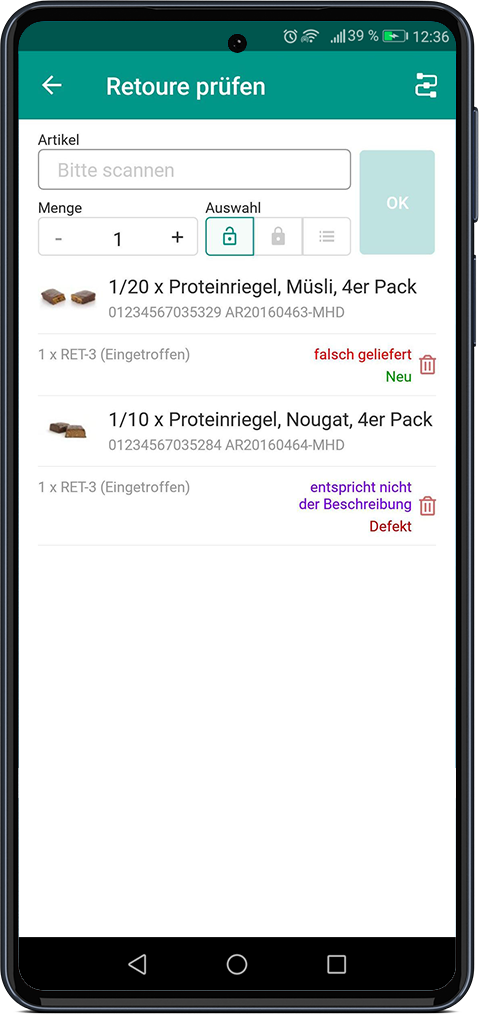
Mobile returns processing: You can now enter returns in the office or warehouse without stationary equipment. You can clear resalable goods directly to their storage location.
Flexible printer management: You can now also assign different or exclusive printers to individual devices with JTL-WMS Mobile.
JTL-Fulfillment Network
If you process sales orders via JTL-FFN, JTL-Wawi 1.6 opens up new possibilities for you. Automated returns processes are now possible: When you or your fulfiller create a return, it is automatically transferred to the respective partner (retailer or fulfiller). Data on item condition and returns status is synchronized in near-real time and you can choose between predefined reasons for return.
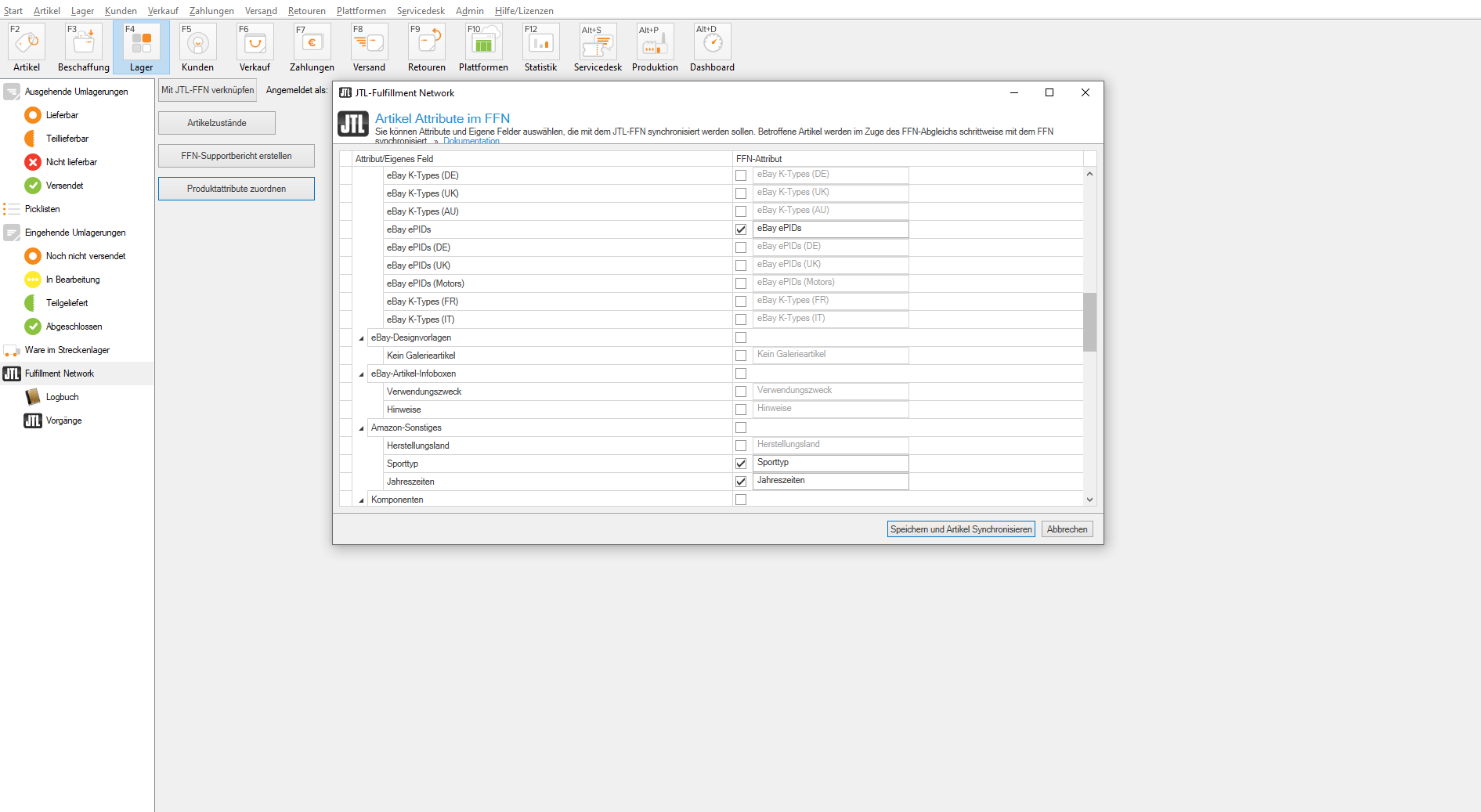
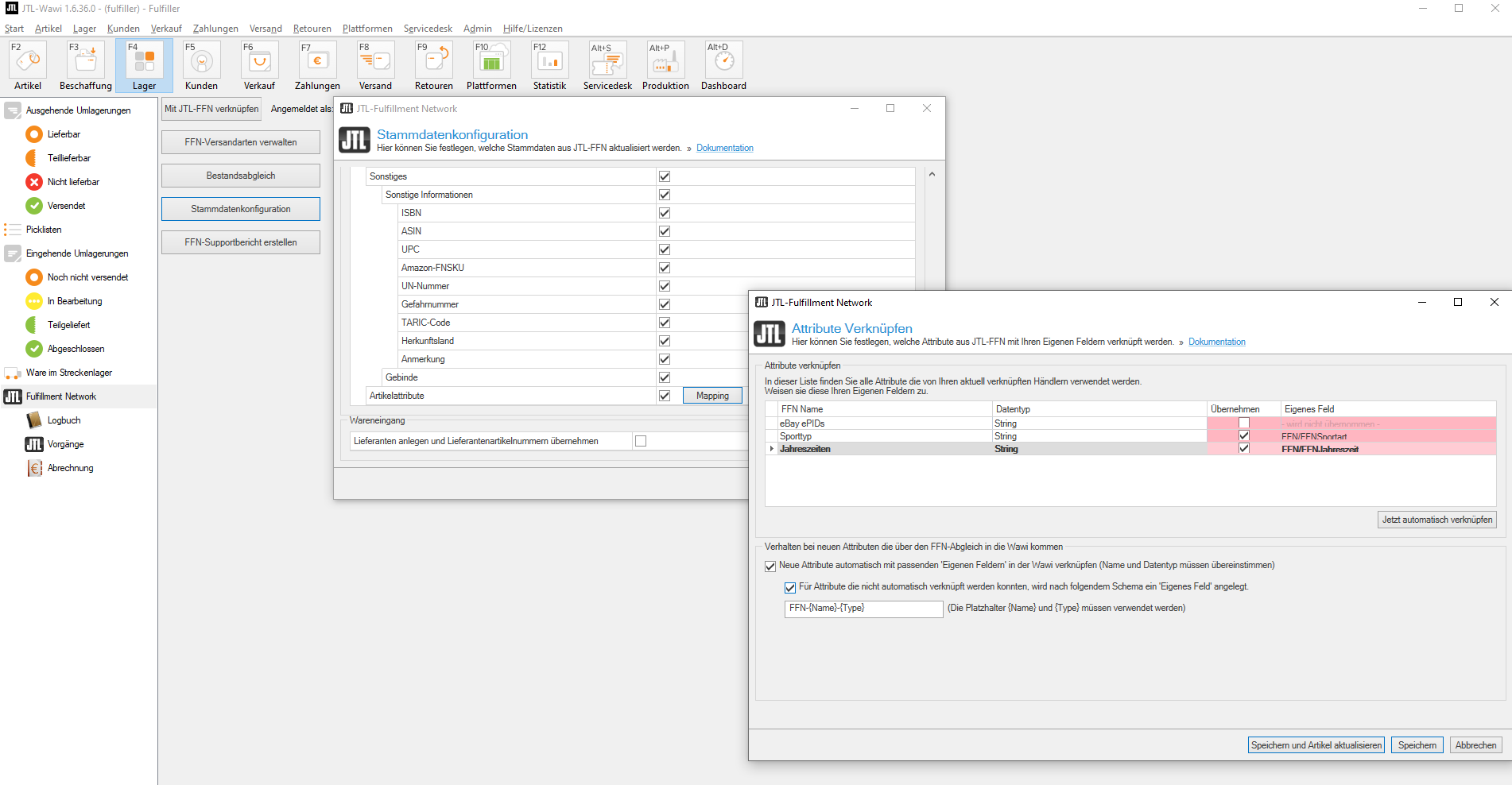
Item attributes and “custom fields” can now also be transferred to your fulfiller according to individual criteria.
Last but not least, you gain more control over your total stock, as warehouses can now also show blocked stock. For example, if your fulfiller books to a clarification location or to a location blocked for available stock, this will be displayed as unavailable in JTL-FFN.
Functions & advantages at a glance
Automated returns processing
Notification of unannounced returns
Freely configurable synchronization of item attributes and/or “custom fields”