From: Oliver Stähr / Schabrackenland
Our WooCommerce store has a specially developed online configurator. This does not stand in the way of interaction with JTL-Wawi via the JTL-Connector.
In 2008, my wife opened a traditional retail store for riding equipment. At the same time, we offer the product range via an xtCommerce store (rideandstyle.de). We noticed early on that there was a strong demand for the individual design of equestrian articles, e.g. saddle pads or blankets. With small self-developed tools and – after switching to JTL-Shop3 – with the configurator module, sales are developing better and better.
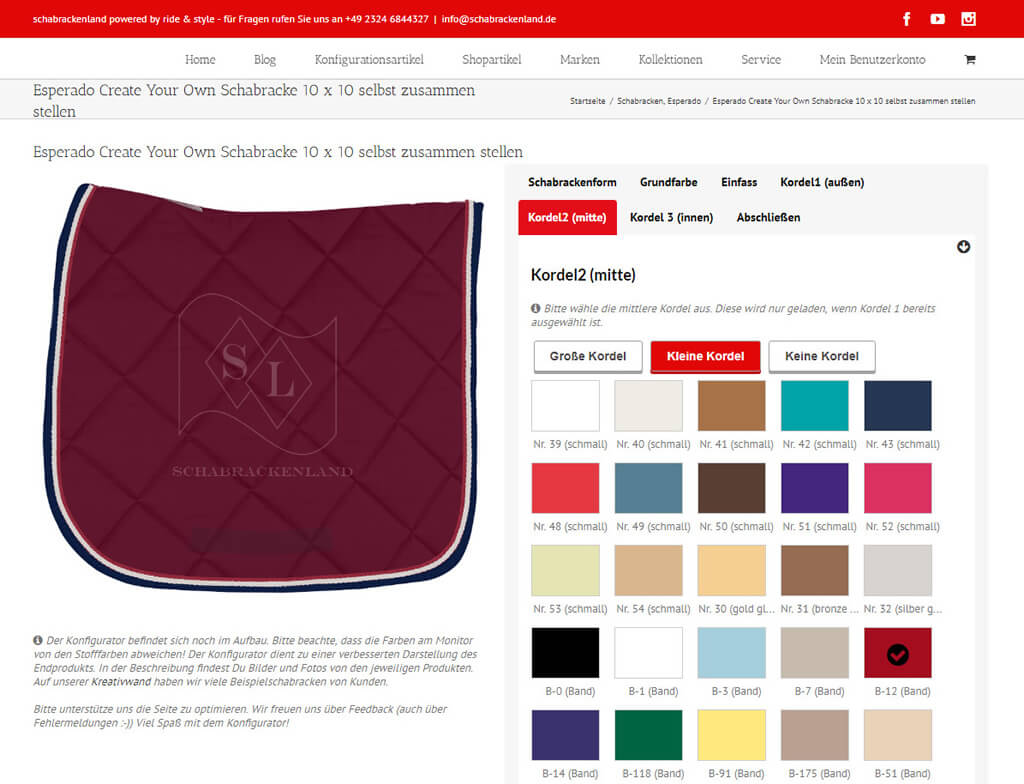
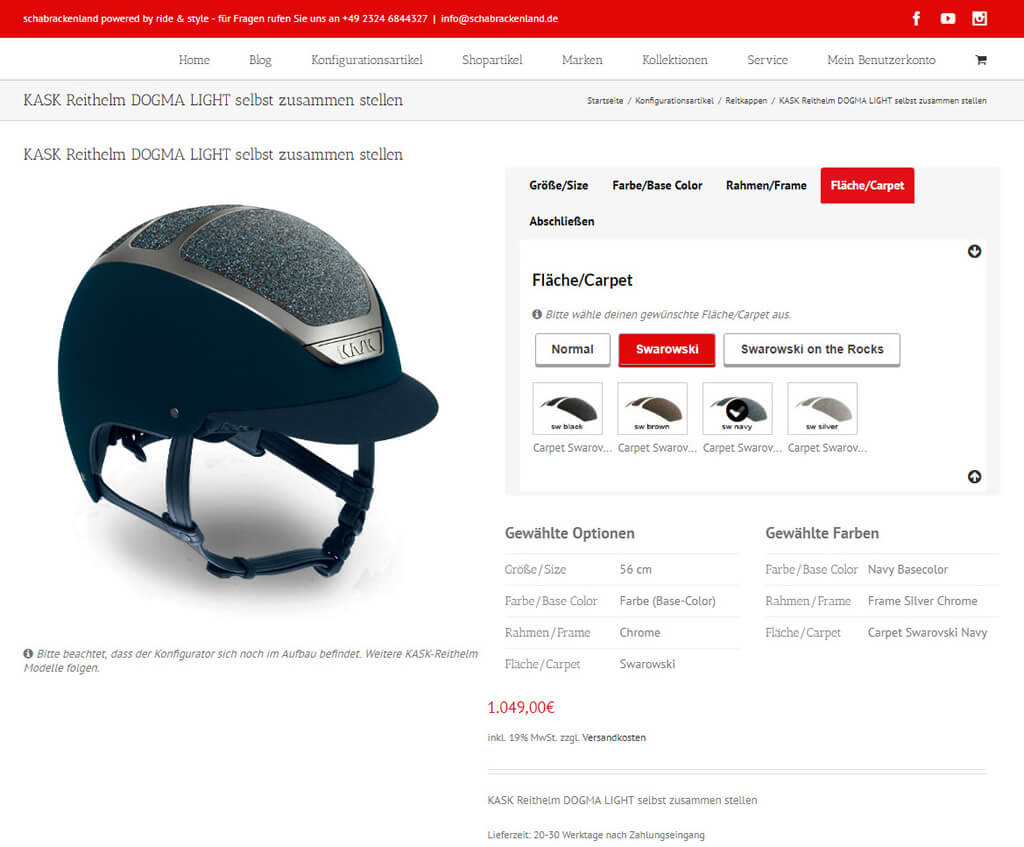
Product configurator in the WooCommerce store
This success gave us the idea of setting up a special store for these customer requests – with even more configuration options. As we had already established a WooCommerce store (schabrackenland.de) at the same time, we decided to develop the improved product configurator for this. The aim is for customers to be able to see and modify their configuration options live.
Connecting WooCommerce and merchandise management with the JTL-Connector
In order to be able to carry out the order processing completely in JTL-Wawi, I am working my way deeper into the topic. I know that JTL’s software with the order import interface, the JTL-Connectors and the Ant offers a good basis for implementing the requirements exactly as desired. When the JTL-Connector for WooCommerce was released at the beginning of 2016, free of charge, it was of course a stroke of luck for us!
Since then, we have been operating the WooCommerce shop and JTL-Shop in parallel with a JTL-Wawi using the MultiShop module and can carry out all the necessary work there centrally and securely. The possibilities for customizing the JTL-Connector are enormous. And I know that JTL offers a lot of support and solutions here, which can then be implemented with the help of competent service partners.





The project was/is accompanied by

Learn more about the JTL product family