Returns management
In JTL-Wawi 1.1, we create the conditions you need for efficient returns management . Defined processes and transparent views ensure clear allocations in your warehouses and improve communication with your returns customers.
Relocation & line storage
Update 1.1 introduces drop shipments and stock transfers between several warehouses. From now on, you will always know where your goods are located. JTL-Wawi only transfers the goods to a drop-ship warehouse upon outbound posting until they are booked into the destination warehouse.
Automatic price comparison
As of JTL-Wawi 1.1, we give you a helping hand with price analysis and pricing. Our new price comparison brings the market analysis directly into the JTL-Wawi item window. You can choose between different marketplaces, including numerous international Amazon variants, Hitmeister or Guenstiger.de.
Extensions for JTL-Shipping
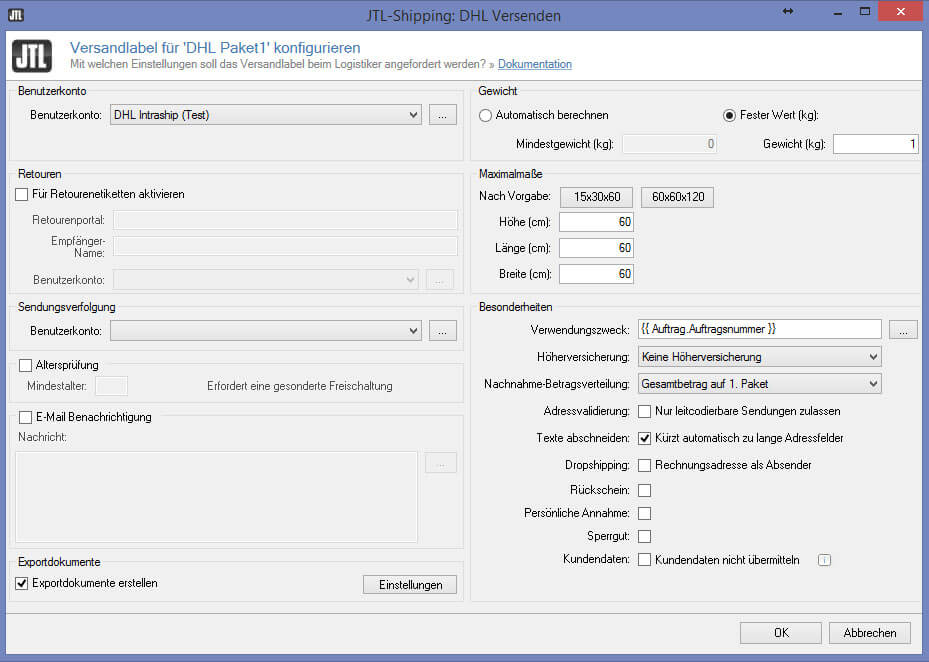
JTL-Shipping has also seen two enhancements with JTL-Wawi 1.1. International shipping with DHL is now available thanks to new customs documents. JTL-Wawi 1.1 also includes integration with UPS.
Notes on the new menu structure
With the release of version 1.1, the user interface of JTL-Wawi will also undergo some changes. The menu structure has been completely revised and new icons have been added.
Returns management
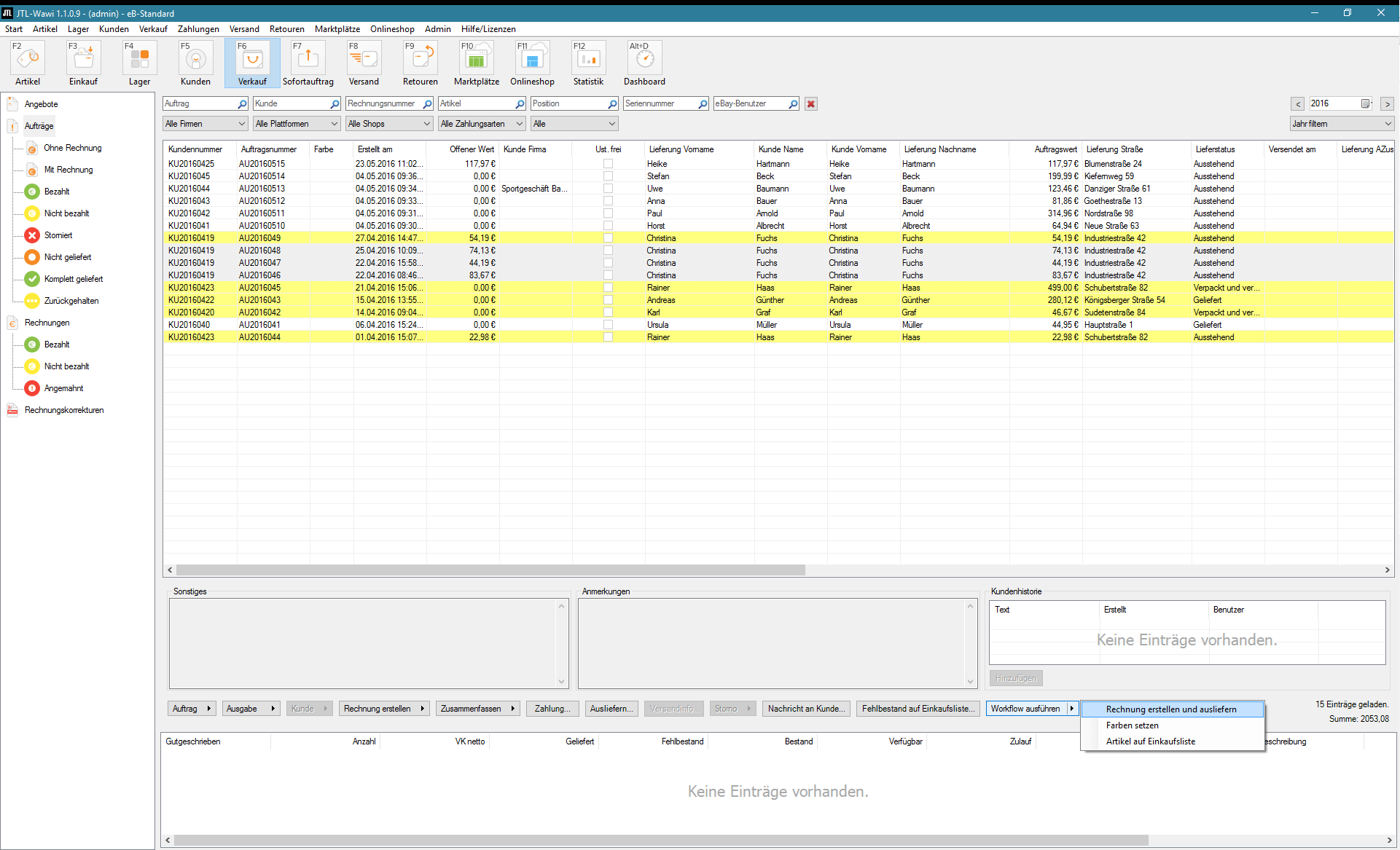
In JTL-Wawi 1.1, we create the conditions you need for efficient returns management. Defined processes and transparent views ensure clear allocations in your warehouses and improve communication with your returns customers. The result of initial tests with pilot customers: Users benefited from high time savings and a lower susceptibility to errors – not least thanks to the high level of automation via workflows.
Creating and processing returns
In JTL-Wawi, returns can be recorded and created in two different ways. On the one hand, this is done via a specially developed returns dialog in JTL-Wawi. As soon as a customer contacts the office or support by email, phone or Fax, all the necessary information can be entered in this dialog. With just a few clicks, the return is created, accepted and a confirmation email is sent to the customer.
Further options of the new returns dialog:
Using the free returns function in the new tool saves a considerable amount of time, even with a small number of returns.

Definition of item conditions in JTL-Wawi
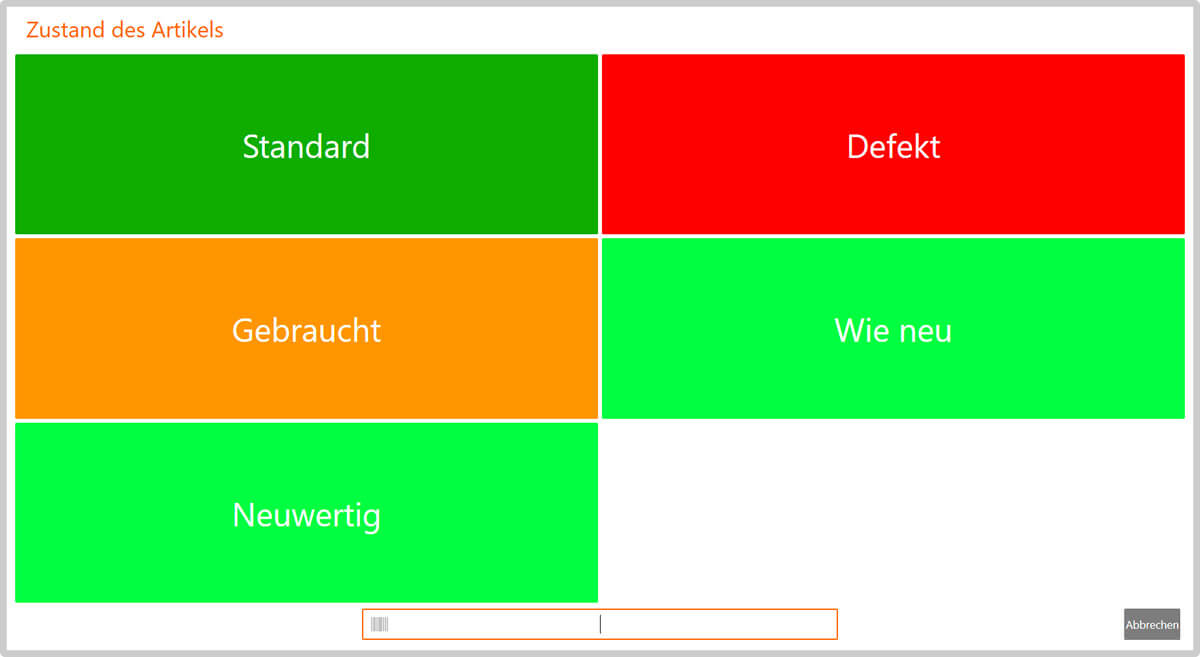
In most cases, returned items can or may no longer be declared as “new goods” and listed again. To take this into account in JTL-Wawi, JTL-Wawi 1.1 introduces the concept of item conditions. This means that an item can now have different statuses, e.g. it can also be labeled as “Used”, “Defective” or “Refurbished”.
Videos on the new returns management system
Relocation & line storage
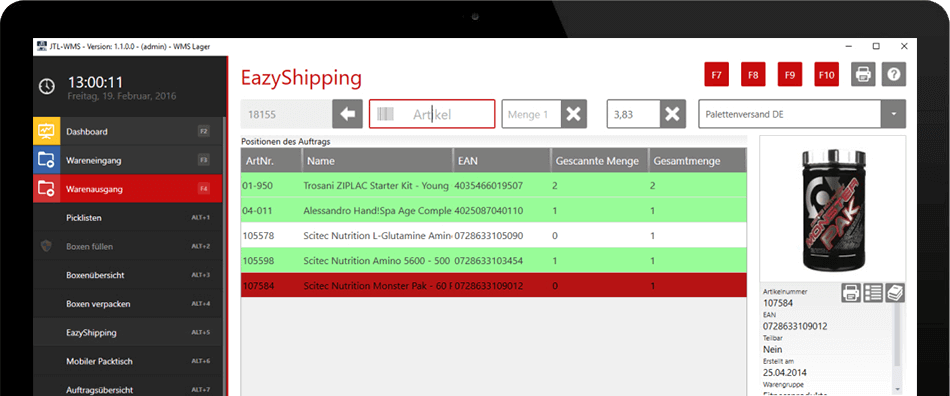
In JTL-Wawi 1.1, we offer you a solution for transferring stock between multiple warehouses. The introduction of drop-ship warehouses is also a new and great feature for JTL-Wawi 1.1.
Create stock transfers
In JTL-Wawi, it is now possible to move any quantity of goods between two standard and/or WMS warehouses. To do this, you create a so-called stock transfer. At first glance, this stock transfer looks like a sales order that contains all the items you want to transfer from A to B. You select one of the warehouses you have created in JTL-Wawi as the sender and delivery address. In the background, JTL-Wawi now creates an outgoing stock transfer order for the source warehouse and an incoming stock transfer order for the destination warehouse.
Other features of the new stock transfer function:

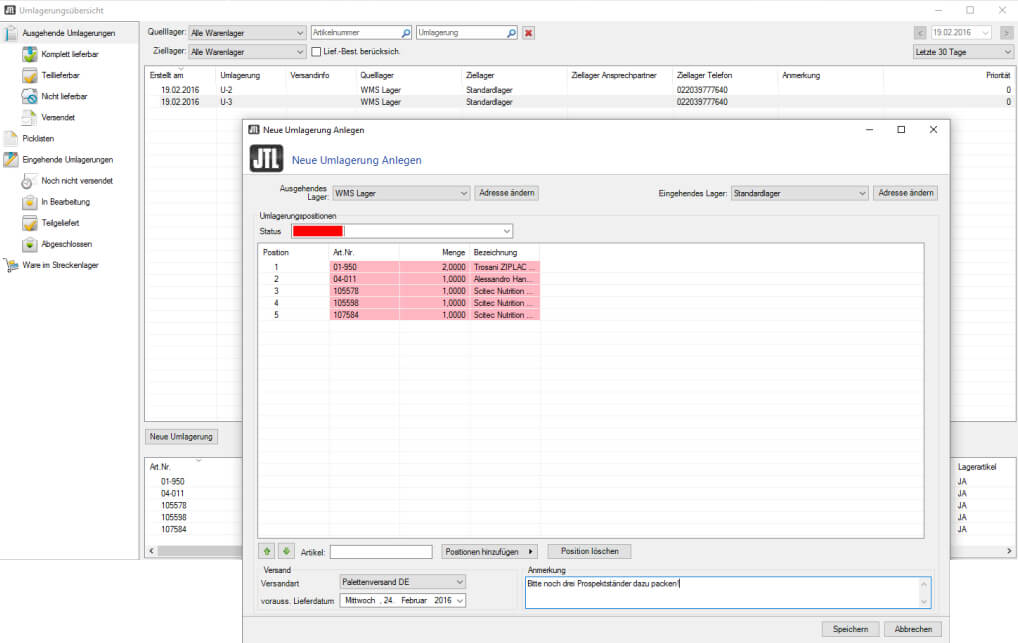
The new stock transfers from JTL-Wawi 1.1 and the introduction of drop-ship warehouses give you a better overview and control over your goods flows. We are sure that this will give you more security in your daily work and faster response times for your customers.
Automatic price comparison
The new price comparison in JTL-Wawi 1.1 gives you a quick overview of competitors’ prices for the same product. JTL-Wawi offers you a large selection of marketplaces to search for your item. This allows you to quickly sort out listings that are not comparable. You can also view the price history of the past and thus make a good estimate of when you should raise and lower the price again.
Integrated in the article details of JTL-Wawi
You can find the price comparison in the General tab in the item details of thenew JTL-Wawi 1.1. You define the basis for the price comparison in the Current own price line in the new price comparison window. The menus for selecting the platform and the customer group are available here. Depending on your selection, the price stored in each case is set as the comparison price and used for the calculations.
Further options for price comparison and price history:
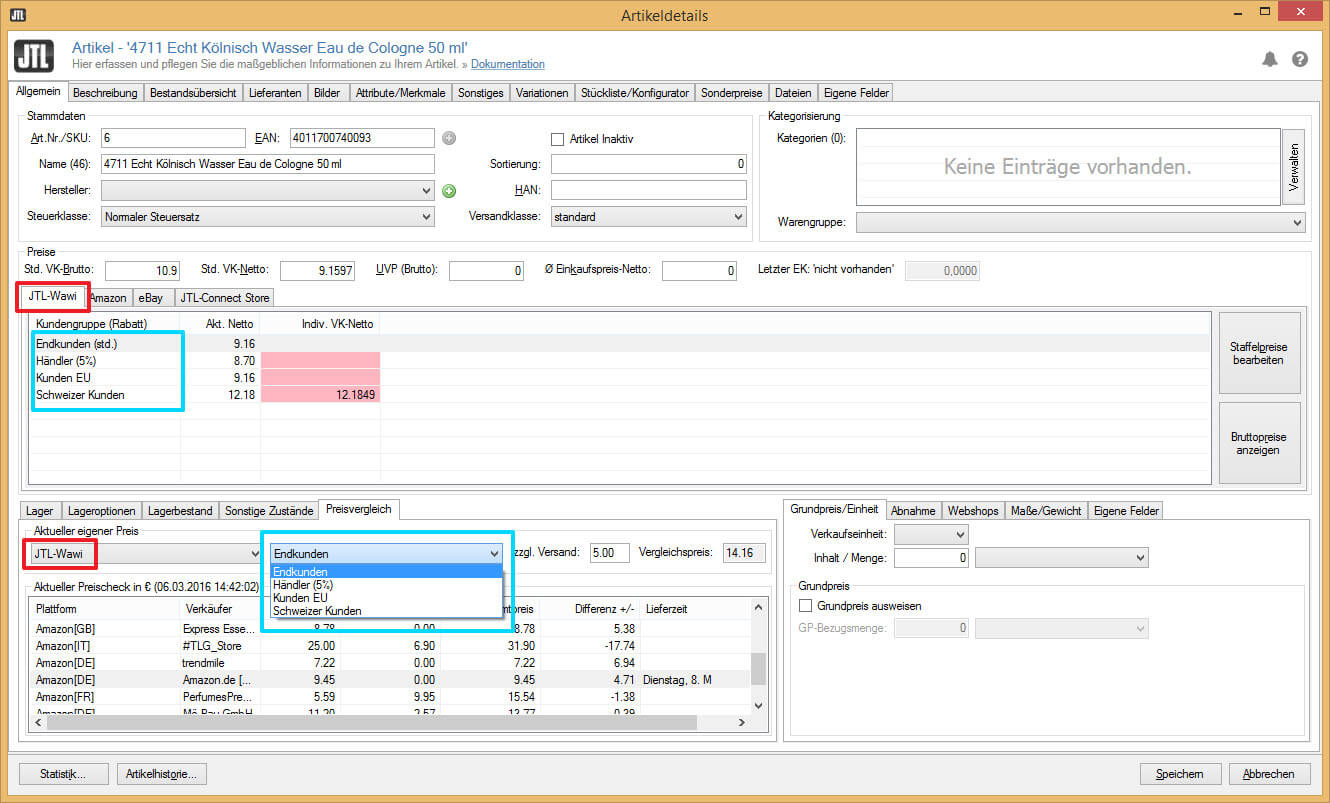
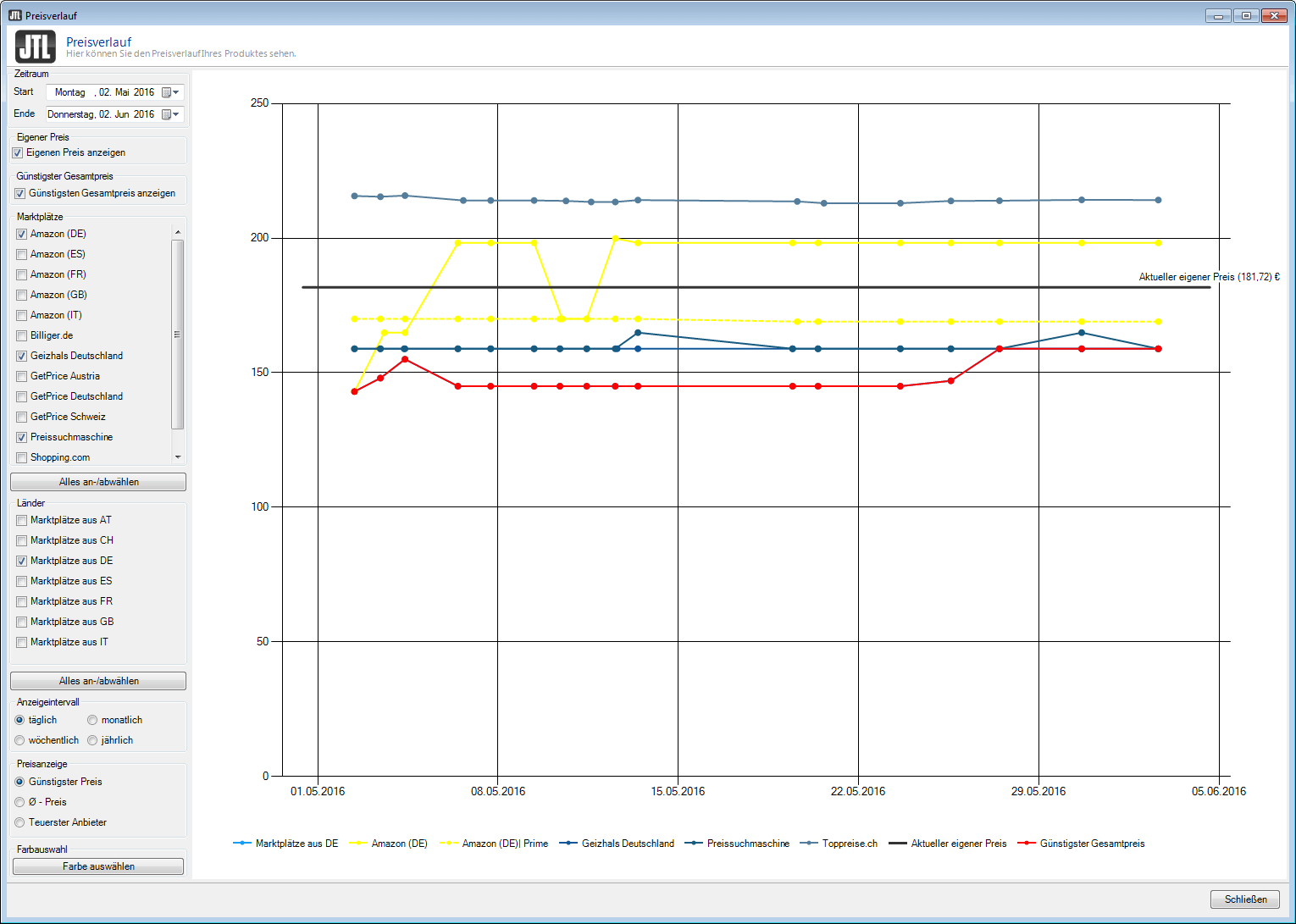
The new price comparison as of JTL-Wawi 1.1 provides you with a convenient price analysis that gives you an important overview of your competitors and the market as a whole. You can quickly recognize differences on the respective marketplaces and adjust your offer policy accordingly in order to gain a competitive advantage.
Video about the new price comparison
Extensions for JTL-Shipping
JTL-Shipping is also due for two enhancements with JTL-Wawi 1.1.
Customs declaration via DHL
International shipping with DHL is now also possible worldwide thanks to the now available customs documents CN23 and CP71 . To print these documents automatically, all you need to do is enter the weight and country of origin in the item details. DHL Parcel International makes it easy to send shipments weighing up to 31.5 kg quickly to over 220 countries . These shipments are currently insured against loss and damage up to €500.
Integration of UPS
Another new feature that is particularly interesting for the B2B sector is the integration with the shipping service provider UPS.
Important note: As of June 2023, UPS will no longer issue API access keys. Further information can be found here.
New menu structure

With the release of version 1.1, the user interface of JTL-Wawi will also undergo some changes. The icons in the menu and the entire menu structure have been Remanufactured. We are sure that after a short period of familiarization, even long-time customers will appreciate the new menu structure.
The new JTL-Packing Bench+
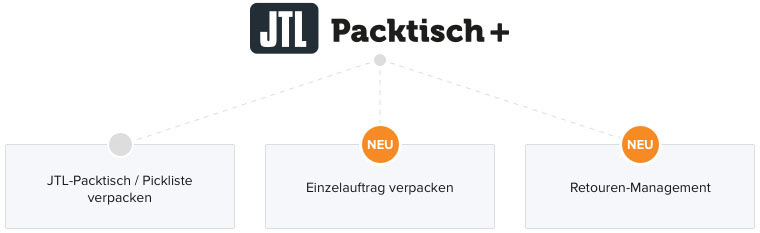
Half a year has now passed since the release of JTL-Packing Bench+. The response from customers has been consistently positive – users are delighted with the optimized processes and ease of use. To ensure that every user can benefit from JTL-Packing Bench+ in the future, we have not only created new features, but the software solution will also be free of charge – all in a new guise: JTL-Packing Bench+.
What does the new JTL-Packing Bench+ do?
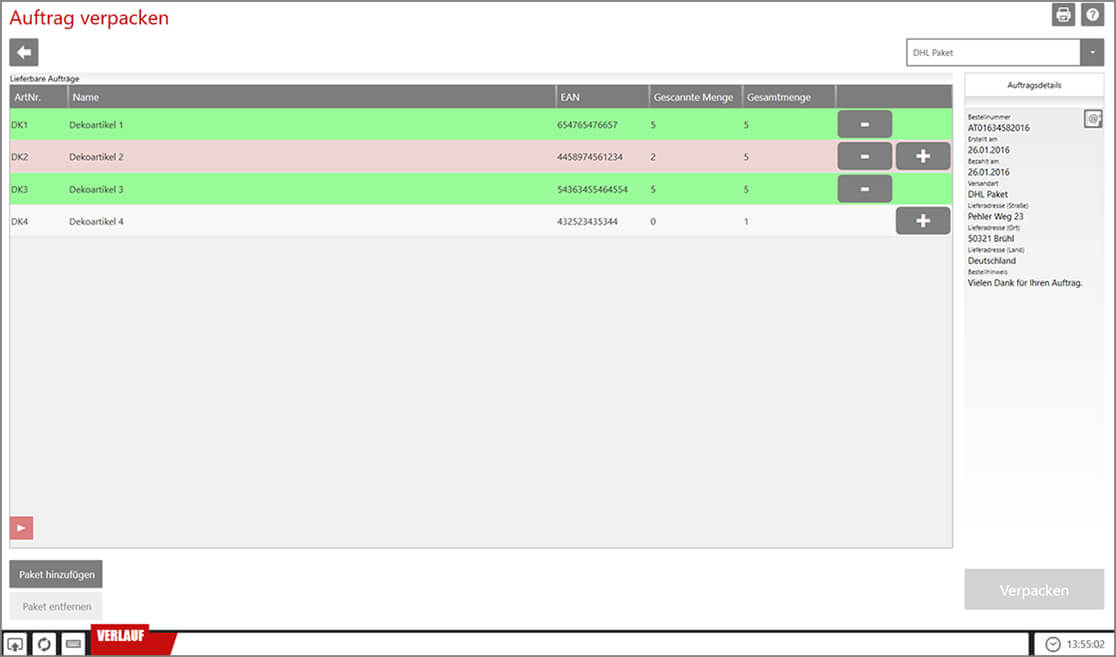
All previously known functions are still included. You can commission and pack several sales orders at the same time with JTL-Packing Bench+. Employees in the warehouse pick the items based on the created pick list and pack the goods for each sales order individually.
A new feature is the packing of individual orders without a pick list. This function is particularly interesting for smaller mail order companies with a low sales order volume or small warehouse size. This is because the creation of pick lists is often unnecessary due to the lower sales order volume. With JTL-Packing Bench+, we are therefore introducing the option of processing individual orders via the software. Simply scan the invoice or sales order and pack the associated items via scan or confirmation – done!
Manual workflows
In JTL-Wawi 1.1, our workflows have also been expanded. Until now, JTL-Workflows were always fully automated. With our new manual workflows, users now also have the option of starting workflows manually. This allows you to retain control over the actions performed by your JTL-Wawi in critical cases, for example, and at the same time benefit from the time saved by automation.
How do the manual workflows work?
Simply create a manual event and set up as many workflows as you like. As soon as you trigger the event in one of the overviews, JTL-Workflows executes the assigned workflows.